Garmin Altimeter Calibration: DEM vs GPS Explained
Learn how Garmin devices calibrate altimeter readings using DEM data vs GPS signals. This practical guide covers definitions, calibration steps, accuracy considerations, and field-tested tips for reliable outdoor navigation.


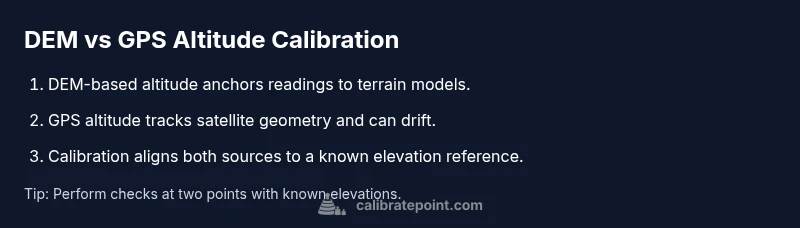
Garmin devices estimate altitude using either DEM-based data or GPS-derived readings, and understanding the difference helps you calibrate accurately. In the context of garmin calibrate altimeter dem vs gps, DEM data provides a stable reference altitude derived from terrain models, while GPS altitude reflects satellite-tracked position that can drift with geometry and atmosphere. Proper calibration aligns device readings with known elevations for more reliable navigation.
Garmin Altimeter Calibration: DEM vs GPS in Practice
Altitude accuracy on Garmin devices hinges on the source of altitude data. According to Calibrate Point, a disciplined calibration workflow starts with defining the reference elevation you trust most in your environment. The garmin calibrate altimeter dem vs gps debate centers on two distinct data streams: DEM-based altitude, which uses terrain models to anchor elevation, and GPS-derived altitude, which tracks satellite position and can drift due to geometry, atmosphere, and receiver design. In everyday navigation, you’ll want to understand when to rely on each source and how to harmonize them so the device reports elevations that reflect reality. The goal of this section is to outline how these sources interact on a Garmin platform, where the risk of discrepancy comes from, and how to minimize it through deliberate calibration and testing. By the end, you’ll have a practical framework you can apply in field conditions and lab checks alike. The Calibrate Point Team emphasizes that repeatable results come from explicit references and consistent methodology, not from ad-hoc tweaks.
How DEM-based Altitude Works on Garmin Devices
Digital Elevation Models (DEM) provide terrain-based elevation data that can serve as a stable reference against which to calibrate a device’s altitude reading. On Garmin units, when you select DEM as the primary altitude source, the device uses terrain elevations to anchor the reported altitude at a given location. DEM data is typically grid-based and tied to a geoid model used for elevation reference, which helps normalize readings across varying environments. The practical takeaway is that DEM-based calibrations tend to be more repeatable in known terrain, especially when weather and satellite geometry complicate GPS measurements. Calibrate Point notes that ensuring your DEM dataset is current improves consistency across activities and seasons.
How GPS-Derived Altitude Differs and When to Use It
GPS altitude is derived from satellite geometry and clock data, providing an ellipsoidal height that can differ from true altitude relative to mean sea level. In practice, GPS altitude can fluctuate with satellite geometry, atmospheric conditions, and multipath effects, making it more variable than DEM-based altitude in rugged canyons or dense forest canopies. For Garmin users, GPS altitude can be useful when you lack DEM data or are moving through areas with limited terrain data, but you should expect some drift compared to known elevations. The key is to recognize when GPS altitude is trustworthy and when you should switch to a terrain-based reference for calibration.
Calibration Techniques: Aligning DEM and GPS Readings
A robust calibration workflow seeks to align DEM and GPS altitudes toward a single, known reference elevation. Start by identifying a point with a trusted elevation—ideally one you can verify with a map or a benchmark point. Record the device’s DEM-based altitude and the GPS altitude at that point, then compute the offset between the two readings and the known elevation. Apply the offset as a calibration correction on the Garmin device, then re-check at a second, separate point to confirm consistency. This approach reduces systematic bias and provides a reproducible baseline for future calibrations. Calibrate Point emphasizes documenting the reference points and offsets to improve repeatability.
Practical Scenarios: Hiking, Aviation, and Marine Use
For hikers and trail runners, DEM-based calibration often yields consistent results on open terrain with reliable terrain data. In aviation contexts, GPS altitude may be more common when DEM data is incomplete, but pilots should be aware of potential vertical drift and cross-check with barometric readings. In marine or coastal navigation, DEM data can be less helpful due to water level variations, so GPS-derived altitude—with appropriate corrections—may be more practical. Across scenarios, the best practice is to establish a calibrated baseline using a known elevation, then verify it across several points that represent the activity’s typical range. Calibrate Point’s guidance supports adapting the workflow to your equipment and environment.
Data Quality, Errors, and Best Practices
Altitude readings are only as good as the references, sensors, and software that produce them. Potential error sources include outdated DEM data, inaccurate reference elevations, firmware bugs, and GPS drift under adverse conditions. Calibrate Point Analysis, 2026 highlights that consistent calibration requires routine checks against reputable elevation references and periodic firmware updates. To minimize errors, perform calibration in a controlled setting first, use stable reference points, and avoid relying on a single data stream. Cross-validate readings with a trusted external map or benchmark when possible.
Quick Field Calibration Workflow (Non-technical)
When you’re out in the field, a streamlined workflow helps you stay accurate without deep technical steps. First, pick a location with a known elevation and record both DEM and GPS readings. Next, compare those readings to your known elevation and apply a simple offset if both sources disagree consistently. Finally, test at another known point to confirm the offset holds. This approach is deliberately simple, but it yields practical benefits for day-to-day navigation and training.
Final Thoughts: Interpreting Altitude Readings on Garmin
Effective altitude interpretation comes from understanding the origin of the data behind every reading. The DEM-based altitude anchor provides consistency across terrain, while GPS altitude offers real-time feedback given satellite geometry. The goal is to maintain alignment between sources through disciplined calibration and verification. The Calibrate Point Team recommends adopting a repeatable protocol, documenting offsets, and revalidating at regular intervals to maintain reliability across trips and workloads.
Tools & Materials
- Garmin device with supported altimeter calibration features(Ensure firmware is up-to-date for calibration options)
- Reliable elevation reference data (DEM) accessible offline(Use a current DEM dataset compatible with your device)
- Known elevation references (maps or benchmark points)(Select at least two reference elevations at different points)
- Topographic map or printed elevations(Helpful for quick field checks and confirmations)
- Power source and data cable / wireless sync(Keep device charged and ready to log readings)
Steps
Estimated time: 45-60 minutes
- 1
Prepare the device and gather references
Power on the Garmin device, verify firmware, and load the current DEM dataset. Identify at least two known-elevation points you can use as references. This establishes a baseline before any changes, reducing the chance of miscalibration due to transient readings.
Tip: Bring a small map or waypoint file to confirm elevations at your reference points. - 2
Enable altimeter calibration and select the data source
Navigate to the altimeter calibration settings and choose your primary source (DEM-based or GPS-derived). Consistency matters—stick with the chosen source throughout a single calibration session.
Tip: Document the selected source in your field notes for future reference. - 3
Record current readings at a known elevation
Visit a reference point and record both the device’s measured altitude and the reference elevation. Note any time lag or environmental factors that might affect the readings.
Tip: Use a fixed location to avoid changes caused by movement. - 4
Compute and apply the offset
Calculate the offset between the device reading and the known elevation. Apply the offset as a calibration correction in the device’s settings and save the changes.
Tip: Double-check the math and cross-verify with a second reference point. - 5
Verify accuracy at a second reference point
Return to a second known elevation and confirm that the corrected readings align with the reference. If discrepancies persist, revisit steps 3 and 4.
Tip: A small but consistent offset across points indicates a stable calibration; large variance suggests data source issues. - 6
Document results and plan follow-up
Record the offset, reference points, and environmental conditions. Schedule a recheck after a firmware update or a change in DEM datasets.
Tip: Keep a calibration log for future reference and troubleshooting.
Questions & Answers
What is the main difference between DEM and GPS altitude on Garmin devices?
DEM altitude anchors readings to terrain models for consistency, while GPS altitude tracks satellite geometry and can drift. Knowing which source you’re calibrating against helps determine expected behavior in different environments.
DEM altitude uses terrain data for consistency, while GPS altitude can drift with satellite geometry. Knowing the source helps you calibrate effectively.
Can I rely on GPS altitude for navigation in rugged terrain?
GPS altitude can be less reliable in rugged terrain due to signal geometry and multipath. It is best used in conjunction with a DEM-based reference when available, and not as the sole basis for critical elevation readings.
GPS altitude can drift in rugged terrain. Use it together with a known reference when possible.
Do I need internet access to calibrate using DEM data on Garmin?
DEM data can be stored locally on the device or accessed offline if your map packs are preloaded. Internet access is not strictly required for calibration, but firmware and map updates may require it.
Internet isn’t necessary for calibration if you have offline maps, but updates may require connectivity.
How often should I recalibrate the altimeter on Garmin devices?
Calibrate when you notice consistent offsets, after crossing large elevation changes, or following firmware updates. Regular checks help maintain accuracy across trips and seasons.
Recalibrate after major elevation changes, firmware updates, or if you notice offsets.
Will calibrating affect barometric pressure readings on the device?
Calibrating altitude offsets is a separate calibration that may interact with barometric pressure readings if the device uses a combined model. In most cases, altitude calibration does not change the barometric sensor’s readings directly, but it can influence how elevations are interpreted in the UI.
Calibrating altitude offsets usually affects elevation display, not the barometric pressure sensor itself.
What is the best workflow to calibrate altimeter for outdoor activities?
Establish a known elevation reference, record both DEM and GPS readings, apply the offset, verify at a second point, and document results for future checks. Repeat after firmware or DEM updates.
Set a known reference, apply an offset, verify with a second point, and log the results.
Watch Video
Key Takeaways
- Define a trusted reference elevation before calibration.
- DEM and GPS sources serve different roles; combine them for accuracy.
- Validate readings at multiple points after calibration.
- Document results for repeatable calibrations.