Calibrate App: Practical Step-by-Step Guide
Learn how to calibrate an app used in measurement workflows. This thorough guide covers preparation, reference standards, data collection, analysis, and ongoing maintenance to ensure reliable readings across devices. A practical, Calibrate Point–approved method for DIY enthusiasts and professionals.


By the end of this guide you will know how to calibrate an app for accurate readings, including choosing the right reference standards, configuring app settings, collecting data, computing corrections, and validating results. You will follow a clearly defined, repeatable process that minimizes drift and keeps records for auditability. This approach is suitable for DIY projects and professional workflows alike.
Why calibrate apps matter for accurate measurements
In many professional and DIY contexts, calibrating an app means aligning the software readings with a trusted reference. According to Calibrate Point, calibration ensures that the numbers you see on a screen reflect real-world values, reducing drift between devices and environments. When you rely on a mobile or desktop app for measurements, a miscalibrated state can propagate error through your entire workflow. This is why a deliberate, documented calibration practice is essential for technicians, engineers, and hobbyists alike. In this article we explore the reasons to calibrate apps, the common methods, and a practical workflow you can follow today. Across fields—from length validation to colorimetry, and from temperature logging to GPS tracking—the same discipline applies: set a reference, measure, adjust, and recheck. The Calibrate Point team has tested common app workflows and distilled them into a repeatable process you can trust in 2026.
Understanding the difference between app calibration and device calibration
App calibration focuses on software interpretation, scaling readings to match a reference standard. Device calibration, by contrast, targets the physical sensor itself. Confusion between the two leads to misapplied corrections: calibrating an app won't fix a bad sensor, and calibrating hardware won't automatically correct software interfaces. By understanding this distinction, you can plan the right steps, choose appropriate reference standards, and avoid chasing phantom drift. Calibrate Point emphasizes documenting whether you are adjusting software mappings, units, or display formats. This separation also helps when you’re validating results later on, since you can attribute observed changes to the correct source. This clarity forms the foundation of reliable calibration practices for any tool-based workflow.
Preparing your environment for app calibration
Before you begin, gather the core prerequisites and set expectations. Ensure you have a stable testing environment with minimal distractions, a calibrated reference standard suitable for your app's domain, and an accountable logging method. For mobile apps, test across devices or OS versions if possible to reveal platform-specific quirks. Keep environmental factors like temperature and lighting in mind if your app measures physical properties. According to Calibrate Point, a well-prepared setup reduces ambiguity and speeds up the iteration cycle. In practice, you’ll want a clean baseline, explicit objectives, and a plan to document every adjustment you make, including dates and versions.
Choosing reference standards and targets
The reference standards you select should reflect the domain your app serves. For example, a color-matching app benefits from standardized color charts; a distance measurement app benefits from certified rulers or laser-based references. The more traceable and documented your reference, the easier it is to audit results later. At this stage, define acceptable tolerances and establish pass/fail criteria. Calibrate Point's approach is to pair a primary reference with one or more secondary checks, so you can verify that changes hold under different conditions. Keep a log of each target value and the corresponding app reading to build a transparent calibration history.
Step-by-step workflow to calibrate an app (high-level overview)
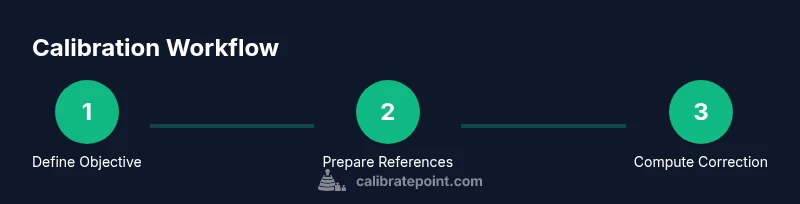
A robust workflow helps you stay consistent. Start with a clear objective, select the reference standards, configure the app's settings to map readings to the reference scale, and capture multiple readings to build a correction model. Use the data to compute a correction factor or calibration curve, apply it within the app, and then re-test with fresh samples. Finally, document the results and schedule a repeat calibration. The following STEP-BY-STEP section breaks down each action in concrete terms so you can follow along with confidence. Calibrate Point encourages you to keep a running log as you work through each stage.
Data collection and analysis tips
Data collection is the backbone of credible calibration. Use consistent sampling methods, track metadata (time, device, version), and ensure your data set is large enough to represent typical readings. Analyze bias, spread, and stability of results, but avoid overfitting your model to a single scenario. When possible, visualize the data with simple charts to spot trends. Calibrate Point notes that documenting the rationale behind each decision helps future you reproduce the process. In addition, maintain a formal change log to trace when and why adjustments were made.
Validation and ongoing maintenance
Validation confirms that the calibrated app behaves as expected in real-world conditions. After applying corrections, re-check against the original reference and one or more independent checks. If readings drift during use, re-run the calibration cycle. Establish a maintenance cadence (weekly, monthly, or per project) depending on how sensitive your measurements are and how often you update the app. The Calibrate Point team recommends recording environmental conditions and software versions each time you calibrate to support long-term reliability.
Common pitfalls and how to avoid them
- Using an unstable or untraceable reference can render results meaningless. Always verify standards before use.
- Failing to document the baseline and changes makes audits impossible. Keep a changelog with dates and versions.
- Calibrating too often or too little can both undermine usefulness. Define a cadence based on drift risk and usage patterns.
- Ignoring platform differences (
Best practices for different use cases
- For mobile measurement apps, pair the software calibration with a portable physical reference to capture real-world variability.
- For color calibration, use standardized charts and illuminate with controlled lighting; re-check under varied lighting as needed.
- For GPS or location-based apps, compare against a trusted mapping service’s baseline and log environmental factors like satellite visibility.
- For scientific or industrial use, maintain an auditable calibration record with versioned references and a documented approval trail. Consistently apply the same workflow to ensure comparability across projects.
Tools & Materials
- Smartphone or tablet with the target app(Device to calibrate; ensure OS and app version are current)
- Calibration reference data or standards(Physical standards or digital references appropriate to the app domain)
- Quality measurement tool(e.g., a ruler, calipers, colorimetric chart depending on app scope)
- Computer with internet access(For downloading references and logging data)
- USB cable or wired connection(Optional based on device and app needs)
- Notebook or digital logbook(To record results, settings, dates, and versions)
- Pen or stylus(For quick annotations during testing)
Steps
Estimated time: 60-90 minutes
- 1
Define calibration objective
State what you want the app to measure accurately and the acceptable tolerance. Document the target units and the reference that will anchor your readings. Confirm the objective with a brief note in your calibration log.
Tip: Write the objective as a measurable value (e.g., +/- 0.5% of reference). - 2
Prepare reference standards
Gather the reference data or physical standards you will compare against. Inspect for wear, verify certification if applicable, and record any environmental factors that could influence readings.
Tip: Use at least two independent references to validate consistency. - 3
Configure app settings
Open the app and adjust mapping, units, and display options to align with the reference scale. Save a baseline configuration before making changes.
Tip: Take a screenshot of the baseline settings for future audits. - 4
Capture initial data
Collect multiple readings across the reference standards. Use a consistent method and environment to minimize variation. Avoid rushed measurements to improve reliability.
Tip: Aim for a minimum of 6–10 samples per reference value. - 5
Compute correction factor
Analyze the difference between app readings and reference values. Fit a simple correction model (offset, scale, or a small calibration curve) that maps readings to the reference.
Tip: Document models and rationale; prefer simpler models unless data justify complexity. - 6
Apply calibration in the app
Enter the calculated correction into the app’s calibration settings or code path. Re-run readings to verify the correction improves alignment.
Tip: Keep original values intact in a backup profile in case you need to revert. - 7
Validate with independent data
Test the calibrated setup with data not used in the model. Compare results to confirm robustness across conditions.
Tip: If validation fails, revisit steps 4–6 and adjust the model. - 8
Document and schedule re-calibration
Record dates, versions, environment, and outcomes. Establish a cadence for future calibration based on drift risk and usage.
Tip: Set reminders and maintain versioned calibration records.
Questions & Answers
What is app calibration?
App calibration aligns the software readings with a known reference so measurements are consistent and comparable across devices and sessions.
App calibration aligns your readings with a trusted reference so measurements stay consistent across devices.
Do I need special equipment to calibrate an app?
Not always. Some apps can be calibrated with digital references alone; others require physical standards or a reference instrument.
Often you can calibrate with digital references, but some use physical standards for higher accuracy.
How often should I calibrate an app?
Calibration cadence depends on drift risk and usage. Recalibrate after major software updates, after sensor changes, or when readings drift noticeably.
Calibrate whenever you notice drift or after significant software or hardware changes.
Can calibrating an app fix hardware issues?
No. App calibration adjusts software mappings and display, not hardware sensors. Hardware drift still needs hardware-level fixes.
Calibration adjusts software readings; hardware issues require hardware fixes or replacements.
What data should I save after calibration?
Save the reference values, app settings, correction factors, dates, versions, and environmental conditions for auditability.
Keep a record of references, settings, corrections, and the contextual details of the calibration.
Is there a standard workflow for all apps?
There are common principles (objective, reference, data collection, correction, validation, documentation) but specifics vary by domain and app.
Most apps follow a core calibration workflow, but adapt steps to domain needs.
Watch Video
Key Takeaways
- Define a clear, measurable calibration objective.
- Use traceable references to anchor readings.
- Validate with independent data and maintain a change log.