How to Calibrate a Nest Humidity Sensor
Learn how to calibrate a Nest humidity sensor using a trusted reference hygrometer, proper placement, and careful data logging. This practical guide from Calibrate Point helps DIYers and professionals achieve reliable indoor humidity readings.


By the end of this guide, you will be able to calibrate a Nest humidity sensor by cross-checking its readings with a trusted reference hygrometer, ensuring proper sensor placement, and interpreting offsets across multiple checks. If the Nest does not expose a user offset, you’ll rely on environmental cross-checks and documentation to maintain accuracy. Calibrate Point recommends documenting results for ongoing monitoring and future recalibration.
Why calibrate a Nest humidity sensor
Maintaining accurate indoor humidity readings is essential for comfort, moisture control, and protecting sensitive equipment. The Nest humidity sensor relies on environmental sensing components that can drift over time due to temperature changes, placement, airflow, or sensor aging. Even small offsets can lead to misinformed decisions about dehumidification, humidification, or ventilation strategies. By calibrating, you align the sensor's output with a trusted reference, reducing the risk of over- or under-humidification.
According to Calibrate Point, calibrating environmental sensors is most effective when you use an independent reference device and track readings across different times of day and occupancy patterns. The Calibrate Point team emphasizes documenting the baseline, the method, and any adjustments to support traceability. For Nest users, note that the app may not expose a direct humidity-offset control; that limitation is precisely why a cross-check workflow matters. While there’s no single “one-click” fix, a deliberate calibration process improves long-term reliability and gives you a defensible record for audits or HVAC optimization.
What you’ll need to perform calibration
To achieve credible results, assemble a reference set and a controlled testing environment before you start. The core goal is to compare the Nest readings against a calibrated reference under the same ambient conditions. Ensure all devices are powered and stable during measurements. Keep a log of readings, times, and environmental context so you can reproduce or audit the process later. The reference hygrometer should have documented accuracy, and you should avoid placing devices near direct heat sources or vents during data collection. Calibrate Point’s guidance highlights that separate verification steps increase confidence in whether any offset exists and how large it is. Finally, preserve a calm, consistent environment and plan for a few measurement intervals to capture variation throughout the day.
Understanding humidity readings and measurement error
Humidity readings come from sensors that respond to ambient water vapor with a slight lag and potential drift over time. Sensor drift can occur from aging components, differential heating from nearby electronics, or airflow patterns around the device. Because consumer sensors often lack user-adjustable offsets, the key to calibration is establishing a reliable reference comparison. When you see a persistent discrepancy between the Nest and the reference across multiple conditions, you’ve identified a measurable offset or environmental factor that deserves attention. A clear understanding of these factors helps you decide whether to pursue recalibration, reposition the device, or replace it if accuracy remains elusive. Calibrate Point emphasizes that traceable data is essential for long-term reliability and for communicating results to HVAC professionals if needed.
Step-by-step: preparing and collecting data
Preparation is crucial for meaningful calibration data. First, select a reference hygrometer with known accuracy and place both devices in the same location. Allow readings to stabilize in the same environment by minimizing drafts and ensuring stable temperature. Record initial readings from both devices, then move through a series of short measurement intervals (e.g., every 5–10 minutes) to capture variation throughout the day. Document the time, ambient conditions, and any notable events (cooking, showering, or opening doors) that could affect humidity. Repeat the process in different parts of the room if feasible to verify consistency. The goal is to compile enough data to compute an average offset and assess whether the Nest reading deviates from the reference under typical use.
Step-by-step: calculating offset and applying it
With data in hand, compute the average difference between the Nest reading and the reference across all paired measurements. If the Nest consistently reports higher humidity than the reference, you’ve identified a positive offset; if it reports lower humidity, the offset is negative. Since most Nest devices don’t expose a manual humidity-offset control, you won’t apply a literal offset in the device. Instead, interpret the result to guide decisions such as adjusting the placement of the Nest sensor, improving air circulation around it, or scheduling recalibration checks. If an offset is small and within your acceptable range, you may decide to document the findings and continuer monitoring. For larger or persistent offsets, consider scheduling service or device replacement.
Interpreting results and deciding next steps
Interpretation hinges on whether readings align closely with the reference across multiple sessions. If alignment is good, maintain the current setup and schedule periodic rechecks to ensure continued accuracy. If a significant offset remains, you should either relocate the Nest humidity sensor to a more representative position (avoiding drafts, direct heat, or proximity to moisture sources) or use a trusted external reference for ongoing monitoring. In some cases, replacing the sensor or adding an additional, independent humidity monitor in the same space can provide valuable redundancy for critical environments. Document every step and result so you can trace how decisions impact comfort, energy use, and indoor air quality.
Safety, reliability, and maintenance tips
Calibration tasks involve handling electronic devices near water-vapor environments, so basic safety applies: keep devices dry, avoid exposure to standing water, and handle with care to prevent static damage. Regular maintenance includes periodic rechecks, especially after seasonal changes or HVAC system updates. Maintain an organized log with dates, readings, environmental notes, and any actions taken. The more consistent your data collection, the more reliable your conclusions. Calibrate Point recommends building a small calibration calendar to ensure you revisit the test at defined intervals and after changes to the space or equipment. When done correctly, calibration supports better humidity control and longer device life.
Common issues and troubleshooting for Nest humidity sensors
Common issues include inconsistent placement, exposure to drafts, or rapid ambient changes that skew readings. If you observe frequent divergence from the reference, verify that both devices are powered and that the Nest sensor is not placed near heat sources or vents. Ensure firmware is up to date and that the reference hygrometer remains accurate. If repeated tests show persistent drift despite proper setup, consider replacing the Nest humidity sensor or consulting a professional for an in-depth environmental assessment. Keeping a detailed log helps you track the root cause and evaluate whether the sensor, environment, or both require attention.
The role of calibration in home automation and monitoring
Calibration is a foundational practice in any home automation system that depends on sensor data. Consistently accurate humidity readings enable smarter HVAC scheduling, mold prevention, and energy efficiency. By validating sensors with a trusted reference, you create data you can trust across routines, automations, and alerts. This approach also supports troubleshooting when comfort or energy performance is off, guiding you to actionable steps rather than guesswork. In short, calibration enhances reliability, informs better decisions, and strengthens your overall control of indoor climate.
Tools & Materials
- Reference hygrometer (with documented accuracy)(Aim for device with traceable calibration data)
- Room thermometer (optional but helpful)(Keeps track of temperature alongside humidity)
- Notebook or digital log(Record timestamps, readings, and conditions)
- Nest humidity sensor (device under test)(Ensure firmware is up to date)
- Stable power source for Nest device(Avoid battery drain during data collection)
- Quiet environment and controlled airflow(Minimize drafts and sudden humidity changes)
Steps
Estimated time: 60-90 minutes
- 1
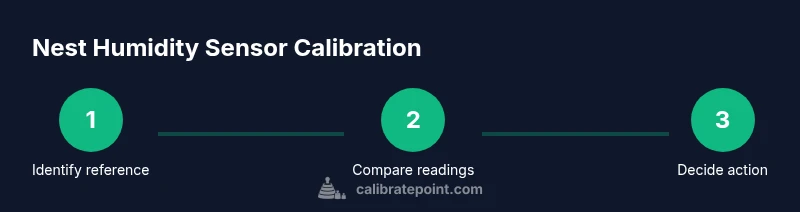
Identify reference and test sensors
Select a trusted reference hygrometer and ensure the Nest sensor is powered and accessible. Calibrate Point emphasizes starting with a clearly defined test pair to avoid mixed data during collection.
Tip: Use a reference device with documented accuracy and place it at roughly the same height as the Nest sensor. - 2
Place sensors in the same microenvironment
Position both devices in the same room, away from direct sunlight, vents, or heat sources. This minimizes drift caused by localized air movements and temperature gradients.
Tip: Keep both devices within a few feet of each other for consistency. - 3
Stabilize and record initial readings
Wait for stabilization after placement, then log readings from both devices. Record date, time, and ambient notes that might affect humidity (e.g., cooking).
Tip: Give readings a few minutes to settle before recording. - 4
Repeat measurements across a window of time
Take multiple readings over a span of hours or across different times of day to capture variability. This helps identify a consistent offset vs. transient fluctuations.
Tip: Aim for at least 3-5 paired measurements under stable conditions. - 5
Compute offset and interpret results
Calculate the average difference between Nest and reference readings. If a persistent offset exists, use it to inform environmental adjustments rather than forcing a device-level correction.
Tip: Document the computed offset even if no direct device adjustment is available. - 6
Decide on next steps
Based on results, choose between relocating the Nest sensor, improving airflow, or replacing the sensor if alignment remains poor.
Tip: Schedule a follow-up calibration check after changes. - 7
Document and monitor
Record the final results and store them in a shared log. Plan periodic rechecks to ensure continued accuracy over time.
Tip: Create a simple calendar reminder for future calibrations.
Questions & Answers
Can you calibrate the Nest humidity sensor yourself?
Yes, you can evaluate its accuracy by comparing readings with a trusted reference hygrometer and adjusting environmental factors. Nest devices may not expose a direct humidity offset, so calibration is about interpretation and data logging rather than a single knob adjustment.
You can compare Nest readings to a reference hygrometer and adjust your setup, but there isn’t a simple offset control in many Nest models.
Is there a built-in humidity offset in Nest devices?
Most Nest humidity sensors do not provide a user-accessible offset setting. Calibration is therefore performed through external reference checks and environmental adjustments rather than a direct device change.
There isn’t a user-accessible offset control on most Nest sensors.
What should I use as a reference hygrometer?
Choose a high-quality hygrometer with documented accuracy and, if possible, traceable calibration data. Use it in the same environment where you test the Nest sensor.
Pick a reliable hygrometer with clear accuracy documentation and test in the same space.
How long should I run comparisons?
Run measurements over several intervals to capture typical variation. This isn’t about a single moment, but about consistent trends across times of day.
Do multiple checks across different times to see the pattern.
What if readings never align after calibration?
If persistent misalignment remains after testing in stable conditions, consider sensor replacement or a professional environmental assessment.
If the readings stay misaligned, you may need a new sensor or expert help.
Watch Video
Key Takeaways
- Calibrate with a trusted reference for accuracy
- Validate placement and environmental stability
- Document results for traceability
- Use repeated measurements to distinguish offsets from variability
- Recalibrate on a defined schedule