How to Calibrate Vesync Scale: Step-by-Step Guide
Learn how to calibrate Vesync scale with a clear, safe process. This Calibrate Point guide covers tools, steps, verification, and troubleshooting for accurate readings.


Goal: calibrate vesync scale to deliver accurate readings. This guide outlines the exact tools, safety notes, and a clear, step-by-step process. You’ll learn how to prepare the scale, perform calibration, verify results, and troubleshoot common drift issues. By following these steps, you’ll improve measurement consistency across sessions and align readings with reference standards.
Why calibrate Vesync scale matters
According to Calibrate Point, calibrating a Vesync scale is essential to maintain reliable measurements. Regular calibration helps correct offset, compensate for sensor drift, and ensure that successive weigh-ins reflect real changes rather than device bias. For DIY enthusiasts, technicians, and professionals alike, establishing a repeatable calibration routine reduces ambiguity during health tracking or field work. By calibrating vesync scale, you also extend the device’s useful life because the sensor system remains balanced and responsive to routine loads. This guide uses practical steps you can implement in a home or workshop, with careful attention to safety and accuracy. The emphasis is on a methodical approach to calibration that minimizes surprise deviations when you weigh yourself or test equipment against known standards.
Understanding how Vesync scales measure weight and where calibration comes in
Vesync scales typically use a load-sensing mechanism that converts physical pressure into digital weight readings. Sensor drift, temperature fluctuations, battery state, and even the orientation of the scale can affect results. Calibration aligns the sensor output with a known reference, reducing systematic bias. This section explains how offset, gain, and linearity influence measurements and why calibration should be considered a routine maintenance task, not a one-off calibration for a single use-case. The goal is consistent readings across sessions, so you can trust trend data over weeks or months.
Tools and materials you’ll need
Before you begin, gather the items below. Having everything ready reduces interruptions and helps keep the process clean and repeatable. Some items are essential (marked as required), while others are optional but recommended for higher accuracy. A clean, flat surface is crucial to avoid tilting the scale, which can corrupt measurements. Ensure you have a calibration weight set of known mass, ideally traceable to a standard, and a smartphone with the Vesync app installed for on-device adjustments and verification.
Safety and setup considerations
Calibrating a digital scale is generally safe, but you should avoid doing this on carpet or uneven surfaces, as that can introduce baseline drift. Use a stable, level, hard surface like hardwood, tile, or a long workbench. If you wear heavy clothing or wet feet, dry off and sit on a stable area before weighing; moisture or unusual surface conditions can subtly affect readings. Keep the scale away from extreme temperatures and direct sunlight during calibration to minimize sensor drift.
Calibration workflow overview
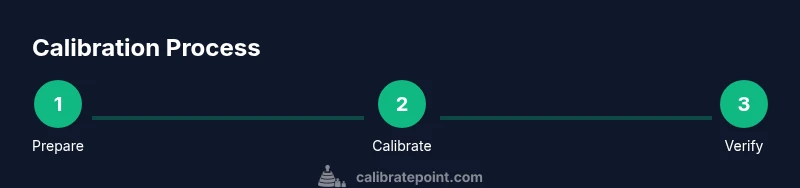
A robust calibration workflow includes preparing the scale, resetting or nulling the sensor if available, applying a known reference weight, recording the observed value, and adjusting the offset or gain in the app if the device supports it. Verification with a second weight close to the first helps confirm linearity. The goal is to produce a reading that matches the reference weight within a small, repeatable tolerance. This section outlines a practical workflow you can adapt to your Vesync model and app version.
Verification against reference weights
After applying a certified reference weight, compare the displayed weight to the known mass. If readings are consistently off by a small amount, apply the offset in the Vesync app (or on-device), then re-check with the same weight. It’s best to use at least two reference masses on separate trials to assess repeatability. Document each result and the final adjusted offset so future calibrations start from a known baseline. Consistency across trials is the mark of a successful calibration.
Common issues and troubleshooting
If readings drift after calibration, re-check the surface flatness, ensure the scale is level, and confirm the batteries are fresh. Environmental factors such as temperature or humidity can influence sensor behavior; perform calibrations in a controlled setting when possible. If the scale cannot be calibrated via the app, consult the user manual or contact Vesync support for model-specific instructions and potential firmware updates that improve calibration reliability.
Maintaining accuracy over time
Calibration is not a one-and-done task. Recalibrate at regular intervals, especially after moving the scale, changes in temperature, or noticeable shifts in readings. Keep the scale clean and free of dust; store it upright when not in use and avoid placing objects on top of it. Periodic checks with the same reference weights help detect drift early and keep long-term accuracy intact.
Practical tips for consistent results
- Calibrate vesync scale on a hard, level surface only. This minimizes baseline drift and ensures the weight measurement is anchored correctly.
- Use certified calibration weights whenever possible to anchor your reference mass to a known standard.
- Conduct multiple weigh-ins per reference weight to evaluate repeatability and identify any inconsistent readings.
- Maintain consistent weighing conditions, such as the same time of day and body state (e.g., after waking up, before meals).
- Record your calibration values and offsets so you can reproduce or audit results later.
Quick care and storage after calibration
When calibration is complete, wipe the scale with a dry cloth to remove dust or skin oils that can affect sensor contact. Store the device on a flat, stable surface away from moisture and chemicals. If you use the Vesync app for ongoing monitoring, back up your calibration data and note the date of calibration in a dedicated log.
Tools & Materials
- Vesync scale(Fresh batteries installed; surface clean and level)
- Calibration weight set (traceable)(Mass range appropriate for scale, e.g., 1 kg and 5 kg)
- Flat, level surface(Hard floor or workbench; avoid carpet)
- Smartphone with Vesync app(Bluetooth enabled; latest app version)
- Clean microfiber cloth(For removing dust and fingerprints)
- Notepad or digital log(Record readings and offsets)
Steps
Estimated time: 30-45 minutes
- 1
Prepare the workspace and power on
Clear the area, place the scale on a flat surface, and power it on. Ensure the scale is level and stable before starting. This step reduces initial bias and ensures you’re not compensating for surface tilt in subsequent steps.
Tip: Use the same surface and lighting for repeatable results. - 2
Reset calibration or null the sensor
If your Vesync model supports it, reset calibration or null the sensor to establish a clean baseline. This avoids carrying forward any residual offset from prior calibrations or usage.
Tip: Consult the manual for exact reset steps; firmware updates may alter the process. - 3
Apply a known reference weight
Place a certified reference weight on the center of the scale and wait for a stable reading. Avoid moving the weight during measurement to prevent transient fluctuations.
Tip: Use a weight with a clear, labeled mass to prevent misreading. - 4
Record the observed value and adjust offset
Note the displayed value and compare it to the reference mass. If the device allows an offset, enter the calculated correction in the Vesync app; otherwise use the nearest supported adjustment.
Tip: Document both the reference mass and the resulting offset for future calibrations. - 5
Verify with a second reference weight
Repeat steps 3–4 with a different known mass to test linearity and repeatability. Consistent results across masses indicate a solid calibration.
Tip: If results diverge, re-check surface and recalibrate from the start. - 6
Finalize, log, and re-test later
Save the final offset in the app, log the date, and perform a quick verification check in a few days to confirm stability.
Tip: Keep a calibration log and set reminders for periodic rechecks.
Questions & Answers
Do I need to recalibrate Vesync scale after moving it to a new location?
Yes. Relocating the scale can introduce a new baseline bias due to surface tilt or temperature changes. Recalibrate after relocation to restore accuracy.
Yes. Moving the scale can change its baseline, so recalibrating restores accuracy.
Can I calibrate Vesync scale without using weights?
Calibration with certified weights provides the most reliable reference. If weights are unavailable, use known masses limited to what the device supports and document potential error.
Weights give the most reliable reference. If you don’t have them, use known masses within the device’s range and keep notes.
How often should I calibrate Vesync scale?
Frequency depends on usage and environment. Recalibrate if you notice drift, after moving the scale, or if readings become inconsistent over several sessions.
Calibrate when you notice drift, after moving it, or if readings are inconsistent.
What should I do if readings still drift after calibration?
Recheck the surface, ensure batteries are fresh, and confirm the app is up to date. If issues persist, contact Vesync support for model-specific guidance.
If drift persists, recheck the setup and contact support if needed.
Does the Vesync app automate calibration?
Some Vesync models include a calibration option in the app. Follow the in-app instructions and use supported weights for best results.
Some models can calibrate via the app; follow in-app steps for best results.
Watch Video
Key Takeaways
- Calibrate Vesync scale on a flat, stable surface.
- Use certified reference weights for accuracy.
- Verify with multiple masses to check repeatability.
- Document calibration results for future reference.