Calibrate Radar Gun: A Practical Step-by-Step Guide
Learn how to calibrate a radar gun with a practical, step-by-step approach. This guide covers safety, tools, techniques, and documentation to ensure accurate speed readings in field work and testing environments.


You will learn to calibrate radar gun accuracy by following a manufacturer-backed calibration procedure, using a controlled speed source and traceable timing methods. This quick guide highlights essential safety checks, common sources of error, and the recommended intervals for recalibration to ensure reliable speed readings. Whether you work in a shop, field service, or sports enforcement, diligent calibration improves data integrity and safety.
Why calibrate radar gun matters
Calibrating a radar gun is critical to ensure speed readings reflect reality. Inaccurate measurements can lead to false enforcement, misjudged sports calls, or unreliable data during testing. According to Calibrate Point, starting with factory procedures and a controlled test environment lays the groundwork for credible results. When you calibrate, you establish a baseline, quantify offsets, and create a traceable record for audits and future checks. Regular calibration reduces drift, maintains instrument integrity, and supports consistent performance across shifts, operators, and weather conditions. You will also learn how to interpret common error signals and what constitutes an acceptable tolerance for your use case. The steps below outline a practical approach that you can adapt to most radar gun models while staying compliant with safety and local requirements.
Understanding radar gun operation and sources of error
Radar guns operate by emitting a radio wave and measuring the Doppler shift of the reflected signal from a moving target. This method is sensitive to angle, distance, and environmental conditions. Common sources of error include improper mounting angle, line-of-sight obstructions, interference from nearby devices, and thermal drift as the device heats up during use. Calibrate Point analysis shows that even slight misalignments or abrupt test conditions can introduce systematic bias. By recognizing these factors, technicians can design calibration tests that isolate the instrument’s performance from external variables and establish reliable tolerances for decision-making.
Safety, legal, and environmental considerations
Calibration activities should be performed in a controlled, safe environment free of bystanders and traffic hazards. Always adhere to local laws and manufacturer guidelines for device handling, power supply, and testing protocols. Secure testing sources to prevent movement, and wear appropriate PPE when handling equipment or working near roadways or test zones. Environmental factors like wind, sunlight, and temperature can influence readings; plan calibration sessions during stable conditions when possible. Document any deviations from standard conditions and note how they might affect results for future audits.
Planning the calibration session
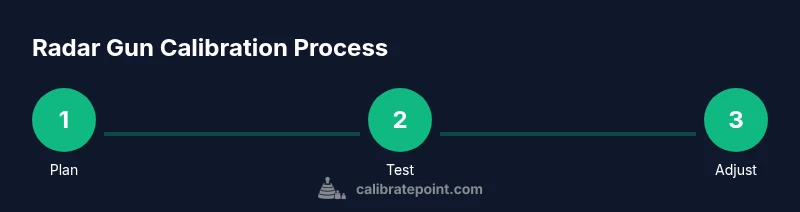
Before you begin, define the scope: which model of radar gun is being calibrated, the required accuracy tolerance, and the test speeds you will use. Gather all manuals, logs, and test equipment, and verify that the calibration interval aligns with the manufacturer’s recommendations. Establish an amber-yellow-green protocol for pass/fail criteria and set up a simple calibration ledger to record each run. Planning reduces troubleshooting time during the actual calibration and helps maintain consistency across operators and sessions.
Tools, setup, and workspace preparation
Prepare a clean, level workspace with ample room for maneuvering test sources and equipment. Ensure you have the radar gun, its manual, at least one known-speed source, a timer, measuring tools for distance, and a quiet environment free from electromagnetic interference. Check battery levels, shield the device from direct sunlight, and secure any cables to prevent tripping. A tidy workspace minimizes distractions and helps you collect consistent data for analysis.
Authority sources and reference material
Having trusted, authoritative references supports calibration decisions. In practice, calibration procedures are anchored in manufacturer guidelines and validated measurement standards. For broader context on measurement reliability, see general calibration resources from national standards bodies and safety organizations. This section provides a curated entry point for further reading and cross-checking procedures with recognized sources.
Common pitfalls and how to avoid them
Common pitfalls include rushing through steps, neglecting environmental stabilization, and failing to record test conditions. To avoid these, run multiple measurements, pause between runs to allow the device to stabilize, and log ambient factors such as temperature and wind. Avoid adjusting the device during a single test run; instead, perform a series of standardized tests to identify consistent biases before applying any changes.
Documentation and maintenance
Keep a calibration log that includes device ID, operator, test speeds, time stamps, observed readings, adjustments made, and the next scheduled calibration. Documentation supports traceability and audits, and it helps identify trends across multiple devices or shifts. Establish a routine maintenance checklist that includes visual inspections, firmware updates when available, and reassessment of test sources and mounting hardware.
Authority sources
This section highlights formal references and standards that inform calibration practices. Rely on manufacturer manuals for device-specific procedures. For broader calibration guidance, consult government and educational resources that discuss measurement reliability and traceability.
Tools & Materials
- Owner's manual for radar gun(Locate factory calibration interval and model-specific procedures.)
- Certified test target with known speed(Prefer an externally verifiable speed source; ensure traceability where possible.)
- Measuring tape or range ruler(Set up precise distances for time-of-flight or Doppler-based tests.)
- Accurate timing device(Use a stopwatch or digital timer with millisecond accuracy.)
- Notepad or calibration log(Record readings, dates, operator, and test conditions.)
- Safety gear(Eye protection as needed; follow site safety protocols.)
Steps
Estimated time: 60-90 minutes
- 1
Prepare workspace
Clear the area, verify weather conditions, and inspect the radar gun and power supply. Ensure the area is free from bystanders and interference sources.
Tip: Check weather conditions and avoid wind or precipitation that could affect readings. - 2
Review model and manufacturer guidelines
Consult the radar gun manual to locate calibration procedures and acceptable test speeds. Note any model-specific settings or modes required for calibration.
Tip: Have manual and cheat sheets accessible during the process. - 3
Secure test source
Set up a known-speed source (vehicle or calibrated speed device) at the specified distance. Ensure line of sight and a stable mounting to minimize movement.
Tip: Lock the test source in place; minor vibration will skew results. - 4
Calibrate timing system
Use a precise clock or timer to measure the time-of-flight or test run. Synchronize device clocks if multiple instruments are used.
Tip: Synchronize timestamps to avoid drift. - 5
Position radar gun
Mount or hold the radar gun at the recommended distance and angle as per the manual. Keep the device steady and at the designated target line.
Tip: Avoid tilting the unit; small angular errors affect readings. - 6
Run calibration test
Execute the test at the specified speed multiple times (at least 3 runs). Record readings carefully and note any deviations.
Tip: Take multiple samples to average out noise. - 7
Compare readings to known speed
Calculate average reading and compare to known speed. Identify systematic offset or scale error.
Tip: If offset exceeds tolerance, proceed to adjustment steps per manufacturer. - 8
Apply adjustments and re-test
Make required adjustments following the manual, then re-test to confirm alignment. Repeat until results are within tolerance.
Tip: Document each adjustment and its effect. - 9
Document results and schedule recalibration
Log calibration data with date, operator, device ID, test conditions, and results. Schedule next calibration as recommended.
Tip: Maintain a calibration ledger for audit.
Questions & Answers
What is calibration for radar guns and why is it important?
Calibration ensures the radar gun readings reflect true speeds within a specified tolerance. Regular calibration improves measurement accuracy and supports fair enforcement or performance testing.
Calibration ensures radar readings reflect true speeds within tolerance, improving accuracy and reliability.
How often should a radar gun be calibrated?
Calibrate according to manufacturer recommendations and local requirements. Many users schedule recalibration annually or after any repair, impact, or suspected inaccuracy.
Check the manual for recommended intervals and follow local guidelines.
Can I calibrate a radar gun myself?
Yes, if you have the proper calibration setup and follow the manufacturer’s procedures. Some steps may require certified service or specialized equipment.
You can calibrate if you have the manual and proper test setup, but some devices require professional service.
What factors can affect calibration accuracy?
Environmental conditions, mounting angle, battery level, and test-source stability can all impact readings. Repeated measurements help distinguish random noise from systematic error.
Environmental and setup factors can skew results; use multiple runs for accuracy.
What documentation should accompany calibration?
Keep a calibration log with device ID, date, operator, test speeds, results, and any adjustments made. This supports traceability and audits.
Maintain a detailed calibration log for future reference and compliance.
Watch Video
Key Takeaways
- Verify readings against a known speed source
- Follow manufacturer steps for adjustments
- Document results and schedule future calibrations
- Maintain logs for audit and accountability