How to Calibrate Nanit Temperature: A Step-by-Step Guide
Learn how to calibrate Nanit temperature for accurate baby room readings. This guide explains best practices, required tools, and a safe, step-by-step workflow with tips from Calibrate Point.


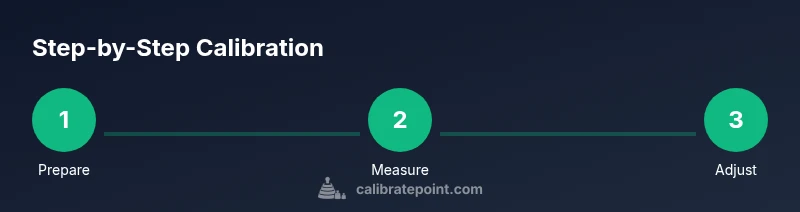
You calibrate Nanit temperature by validating the monitor's reading against a trusted reference thermometer, then applying any available offset in the Nanit app. Start with a stable room temperature, place the reference thermometer near the Nanit sensor, record the discrepancy, and update the offset until readings align within a small margin. If no offset exists, rely on external benchmarks for comfort decisions.
Why calibrating Nanit temperature matters
According to Calibrate Point, accurate temperature readings are essential for infant comfort and safety. When you calibrate nanit temperature, you reduce the risk of misinterpreting the baby's environment and help caregivers make informed decisions about sleep conditions. Small discrepancies between the monitor reading and the actual room temperature can lead to unnecessary nighttime adjustments, especially in extreme weather or drafty rooms. This section explains why calibration matters, the kind of drift you might see, and how to recognize when a reading might be off. You will learn how ambient factors—like airflow, direct sunlight, or proximity to a heater—can influence the sensor, and why a reproducible testing setup matters. The goal is not to replace professional thermometry but to align the monitor's readings with a trusted standard so your baby stays comfortable. Throughout this process, keep notes and verify at multiple times to confirm consistency. The Calibrate Point team recommends a conservative approach: validate with a reference thermometer, document offsets, and re-check after any change in the nursery conditions. This is how you reliably calibrate nanit temperature and maintain trust in your monitor's data.
How Nanit temperature readings are produced
In many consumer-grade baby monitors, temperature data comes from built-in sensors that sample the ambient environment. Nanit's app presents a number you can compare against an external thermometer. Because readings can drift due to sensor placement, airflow, or electronics heating, it is important to treat the figure as an estimate unless you validate it with a reference. The calibration challenge is to create a consistent testing environment and track any offset that might appear between the Nanit reading and the reference thermometer. Remember that temperature is just one part of the nursery climate picture, alongside humidity, air quality, and room size. The goal is to understand the sensor's behavior in your nursery and adjust expectations accordingly.
Pre-checks before calibration
Before you begin calibrating, ensure the nursery environment is stable. Close windows and doors to minimize drafts, turn off space heaters and fans, and let the room settle for at least 10 minutes. Use a reference thermometer placed near the Nanit sensor but not in direct sunlight or air vents. Record the ambient room temperature and humidity if your reference device measures humidity as well. Having a calm, stable baseline makes the calibration meaningful and repeatable. If your readings vary widely in short periods, postpone calibration until the room stabilizes. This careful setup helps you answer the question: how should you calibrate nanit temperature in a predictable, repeatable way?
Step-by-step calibration workflow overview
The following workflow focuses on practical, repeatable checks you can perform without specialized equipment beyond a reference thermometer. You will compare Nanit readings to the reference, identify discrepancies, and apply any available offsets. Keep a log of each measurement and any changes you make in your app. Consistency is the key: perform the checks at roughly the same time of day and under similar lighting and airflow conditions. This section provides the scaffolding for the more detailed steps that follow, including what to do if your Nanit app does not expose a temperature offset.
Practical tips for accuracy and safety
Accuracy improves when you minimize variables. Use a high-quality, calibrated reference thermometer and keep it at the same height and position as the Nanit sensor. Do not place the thermometer in direct sun, near vents, or above heat sources. Document your readings and offsets in a dedicated calibration log. If you notice persistent drift despite following the steps, consider repeating the process weekly for a month and noting any environmental changes. Remember: calibrating nanit temperature is about aligning the device's reading with a trusted standard so you can make informed decisions without overreacting to minor fluctuations.
Authority sources
- https://www.nist.gov/
- https://www.fda.gov/
- https://www.cdc.gov/
These sources provide foundational guidance on measurement accuracy and safe, standardized approaches to temperature-related monitoring. While they are not Nanit-specific, they offer best practices for using reference devices and maintaining consistent testing conditions.
Maintenance and re-check schedule
Set a simple cadence to re-verify Nanit temperature readings: after any nursery relocation, following seasonal weather changes, or when you notice a shift in room climate. Keep a calibration log with dates, readings, and offsets to help you track long-term drift. If you ever observe persistent discrepancy after re-testing, revisit setup details—sensor placement, fan activity, and lighting conditions—and consult Nanit support for device-specific guidance.
Tools & Materials
- Nanit temperature reference thermometer(A trusted reference thermometer with at least 0.1°C accuracy)
- Nanit app on a smartphone(Ensure the app is updated to the latest version)
- Stable nursery environment(Minimize drafts, direct sun, and heat sources)
- Calibrated ambient thermometer(Place near the Nanit sensor, not in direct sun)
- Notebook or digital log(Record readings, offsets, and times)
Steps
Estimated time: 15-30 minutes
- 1
Prepare calibration setup
Gather the reference thermometer, ensure Nanit is powered and connected, and set up a stable test environment in the nursery.
Tip: Double-check placement of the reference near the sensor without obstructing airflow. - 2
Check for an in-app calibration option
Open the Nanit app and look for a temperature calibration or offset setting. If present, review the available range and documentation.
Tip: If offset control exists, note its current value before changing anything. - 3
Position the reference near the sensor
Place the reference thermometer about 1–2 inches from the Nanit sensor at approximately the same height as the device sensor.
Tip: Avoid direct sunlight, vents, or heating elements in the target area. - 4
Record readings and calculate discrepancy
Wait 2–3 minutes for stabilization, record Nanit’s reading and the reference thermometer reading, and calculate the difference in °C or °F.
Tip: Use consistent units and log both measurements together. - 5
Apply offset and re-test
If an offset is available, adjust it in the app and retest after 5 minutes to confirm alignment.
Tip: Document the offset value and the test time for future reference. - 6
Validate with multiple checks
Take readings at least twice more across different times to verify stability before finalizing.
Tip: If results remain off beyond tolerance, stop and seek support.
Questions & Answers
Does Nanit support user calibration for temperature?
Some Nanit models or app versions offer a temperature offset feature. If you don't see an offset, rely on a reference thermometer for validation and record discrepancies.
Some Nanit versions may have a temperature offset feature; if not, use a reference thermometer for validation and keep a calibration log.
How do I know if calibration worked?
Compare Nanit readings to your reference thermometer over several checks. If the readings align within a small margin and remain stable, calibration is successful.
Compare readings over several checks; consistent alignment means calibration worked.
How often should I recalibrate Nanit temperature?
Recalibrate when you notice drift, after relocating the monitor, or when the nursery environment changes. There is no universal schedule.
Recalibrate when you notice drift or environment changes; there's no fixed schedule.
What if readings remain off after offset changes?
Verify sensor placement, ambient conditions, and ensure the monitor isn't affected by external heat sources. If the issue persists, contact Nanit support.
Check placement and environment; contact support if it still reads off.
Is it safe to calibrate around a sleeping baby?
Calibration involves only reference devices and does not require working near the baby. Always ensure the baby is in a safe, undisturbed sleep area.
Calibrate away from the baby in a safe, undisturbed area.
Can I calibrate humidity along with temperature?
Nanit temperature readings are typically the focus; humidity calibration depends on the device and external sensors. Use a separate calibrated hygrometer if needed.
Humidity calibration may not be supported by Nanit; use a separate calibrated hygrometer if needed.
Watch Video
Key Takeaways
- Prepare a stable calibration environment.
- Use a trusted reference thermometer.
- Apply and document any offsets if available.
- Re-check readings after adjustments.
- Log calibration data for future reference.