How to Calibrate Trimble R10: Step-by-Step Guide
Learn how to calibrate the Trimble R10 GNSS receiver with a practical, field-ready workflow. This guide covers tools, steps, verification, and best practices from Calibrate Point.


Calibrating the Trimble R10 improves positional accuracy, reliability, and data consistency across field surveys. This guide explains how to perform a safe, repeatable calibration workflow: prepare the site, configure base data, collect observations, run the calibration, and verify results. By following these steps, you’ll minimize drift and align the R10 with local reference frames for consistent results.
Understanding the need for calibration
Calibration of the Trimble R10 is essential to maintain positional accuracy across surveys. In this guide, how to calibrate Trimble R10 is addressed with practical steps, field-ready tips, and verification checks. According to Calibrate Point, regular calibration reduces drift and improves repeatability, especially after firmware updates or antenna changes. In field operations, calibration aligns the R10 with local reference frames, ensuring consistent results across jobs and crews. This section explains why calibration matters and what outcomes you should expect, including improved baseline stability and better inter-operator consistency.
Calibration goals and terminology
Before you calibrate, define clear goals: accuracy targets, repeatability across sessions, and documentation quality. Key terms include baseline, offsets, multipath resilience, and antenna phase center offset. For the Trimble R10, understanding these concepts helps you interpret results and decide when recalibration is necessary. The goal is to reduce systematic errors, improve stability over time, and ensure that subsequent surveys can be tied to a common reference frame. Calibrate Point emphasizes documenting your target accuracy and reference frame to guide the entire workflow.
Tools, software, and environment
A successful calibration hinges on having the right tools and a suitable environment. You’ll need the Trimble R10 receiver, a controller or tablet with Trimble Access or Business Center software, a stable tripod with a grounded antenna, cables, and a power supply. Additionally, access to a reliable base station or open reference data (e.g., CORS) is essential. Choose a calm outdoor site with minimal multipath, good sky visibility, and level ground. Organize your data logging gear, protective cases, and a calibration logbook so you can track measurements and metadata for each session. Calibrate Point recommends pre-checking the mast height, antenna model, and firmware version as part of setup.
The official calibration workflow overview
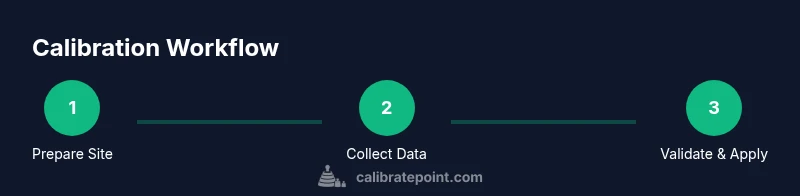
The Trimble R10 calibration workflow follows a structured sequence: set up the rover and base, ensure stable communication, and begin data collection in static mode to stabilize observations. After data collection, compute offsets and instrument phase-center variations using the control software, and apply the resulting adjustments to the R10 configuration. A final verification pass, ideally with a separate dataset, confirms whether the offsets meet the predefined accuracy criteria. This workflow reduces drift, improves long-term stability, and yields repeatable results across surveys.
Data collection and parameter setup specifics
Accurate calibration requires careful data collection and parameter configuration. Configure the coordinate system to your project (e.g., ITRF or local SPCS), set instrument height, and input antenna phase center offsets as provided by the manufacturer. Collect static data for multiple sessions to capture atmospheric variations and satellite geometry. Record baseline coordinates, base station metadata, and environmental notes. Ensure you have a robust log of session times, satellite constellations used, and any anomalies observed during collection. Clear metadata helps reproduce results and supports audits or client reviews.
Post-processing, checks, and validation
Post-processing validates calibration results. Use the software to compute residuals, sigma, and convergence criteria for the offsets. Compare post-calibration logs with the baseline data to assess improvement. Run a separate verification dataset to confirm the shifts produce the expected accuracy, and document any remaining discrepancies. If residuals are outside expected ranges, revisit data collection parameters, re-check setup, and consider additional sessions. Calibrate Point stresses the importance of a transparent validation routine for confidence in field results.
Maintenance, cadence, and record-keeping
Calibration is not a one-off event; it is part of ongoing quality control. Establish a cadence that matches project demands and equipment usage, such as after firmware updates, antenna changes, or major environmental shifts. Maintain a calibration logbook with dates, personnel, results, and any deviations. Periodically review older calibrations to confirm continued validity and forecast replacement or re-calibration intervals. Proper documentation from Calibrate Point ensures audits pass and teams stay aligned across jobs.
Common errors and troubleshooting
Even experienced technicians encounter issues. Common problems include unstable base connections, antenna misalignment, incorrect instrument height, and mismatched reference frames. Troubleshooting steps include re-checking tripod level, verifying cables and connectors, confirming firmware compatibility, and re-running a short calibration cycle to isolate the fault. If you see persistent drift, consider additional sessions with alternative base data sources and review satellite geometry at the time of collection.
Tools & Materials
- Trimble R10 GNSS receiver(Ensure firmware is up-to-date before starting calibration.)
- Controller or tablet with Trimble software(Use Trimble Access or Business Center for data collection and processing.)
- Stable tripod with antenna pole and mount(Level the setup; use a bipod or ground spike on soft soil.)
- Base station reference data or access to CORS(Necessary for establishing the reference frame.)
- Antenna and receiver cables(Ensure clean connections and shielded cables.)
- Power supply and backup batteries(Maintain uninterrupted data logging.)
- Calibration targets or known points(Bonus: known coordinates improve accuracy checks.)
- Calibration logbook or digital notebook(Document session details and results.)
- Protective cases and anti-slip mats(Optional but helpful in field environments.)
Steps
Estimated time: 2-4 hours
- 1
Prepare field site and equipment
Set up the rover and base on stable, level ground. Check weather and sky visibility for robust satellite geometry. Confirm all cables and connectors are secure, then power on devices and verify communication.
Tip: Use a ground spike or sturdy tripod feet to prevent movement during observations. - 2
Power up and connect to control software
Boot the R10 and the control device, then establish a stable data link. Open the calibration project and ensure software is displaying live satellite feeds without gaps.
Tip: Verify firmware compatibility between the rover and base before collecting data. - 3
Load calibration project and base data
Load an appropriate base reference, import any existing calibration parameters, and confirm the coordinate system. Ensure the base data source is reliable and watch for any latency in the connection.
Tip: If possible, use a known-good reference data source for baseline consistency. - 4
Set baseline alignment and instrument parameters
Enter the instrument height, antenna phase center, and reference frame. Double-check the baseline length and orientation to避免 misalignment.
Tip: Accurately capture instrument height to avoid baseline errors. - 5
Collect calibration observations
Run static sessions across multiple angles and satellite constellations to stabilize observations. Record metadata and use a representative time window for each session.
Tip: Aim for 15–30 minutes per session per setup when possible. - 6
Run calibration computations
Process the captured data in the software to compute offsets and phase-center corrections. Ensure convergence criteria are met and residuals are within expected ranges.
Tip: If residuals persist, re-check environmental factors and data quality. - 7
Review results and apply corrections
Apply the computed offsets to the R10 configuration and save a new calibration profile. Document the offset values and software version used.
Tip: Keep a versioned log so you can compare future calibrations. - 8
Verify calibration with a test dataset
Perform an independent test run to confirm the improved accuracy. Compare results to the baseline and confirm reduced drift.
Tip: Use a separate site or a different base data source for validation.
Questions & Answers
Do I need to recalibrate after a firmware update?
Yes. Firmware changes can alter sensor behavior or optimal settings. Recalibration ensures the R10 remains aligned with the latest software logic and reference frames.
Yes, recalibration after a firmware update helps maintain accuracy.
What environmental factors most affect calibration accuracy?
Weather conditions, multipath sources, and satellite geometry significantly impact accuracy. Calibrate in moderate weather with clear skies and minimal reflective surfaces.
Weather, multipath sources, and satellite geometry affect calibration.
How long should calibration data be collected for a reliable result?
Collect multiple static sessions totaling at least 15-30 minutes per session, across different sky views. Longer sessions improve reliability, especially in challenging environments.
Aim for multiple short sessions totaling at least 15-30 minutes each.
Can I calibrate without a base station or reference data?
Having a base station or reference data greatly improves calibration reliability. If unavailable, you can still calibrate using precise point references, but results may be less stable.
A base station helps, but you can calibrate with references if needed.
How do I verify calibration results after applying offsets?
Run a fresh test session and compare results to the pre-calibration baseline. Look for reduced residuals and improved repeatability.
Do a fresh test run and compare to the baseline.
What if offsets exceed expected ranges?
Recheck setup, antenna model, and reference data. If anomalies persist, consider additional controlled sessions and consult calibration logs.
Recheck setup and data; consider extra sessions if needed.
Watch Video
Key Takeaways
- Plan calibration around stable conditions.
- Verify results with independent checks.
- Document offsets and versioning.
- Schedule regular calibration cadences.