How to Calibrate a Blood Pressure Machine
Learn to calibrate a blood pressure machine with a clear, step-by-step method. Verify cuff sizing, use a known reference, record results, and maintain accurate readings for safer, more reliable health monitoring.


Calibrating a blood pressure machine ensures accurate readings and reliable troubleshooting. You’ll verify cuff sizing, use a known reference, adjust the device against the standard, and document results. This quick check helps protect patient safety and data integrity. According to Calibrate Point, consistent calibration practices reduce drift over time in clinical settings.
Why calibration matters for blood pressure readings
Calibrating a blood pressure machine is a foundational step in ensuring that every reading reflects the true physiological state of the patient. Small biases or drift over time can lead to misinterpretation of cardiovascular risk, inappropriate medication adjustments, or missed warning signs. The practice matters just as much for home monitors as it does in clinics. According to Calibrate Point, regular calibration helps maintain accuracy and reduces drift, safeguarding both patient outcomes and data integrity in everyday monitoring.
For DIY users and professional technicians alike, calibration is not a single event but an ongoing process. It establishes a traceable link between the device under test and a known reference. This linkage is essential when readings are used to guide health decisions, from dose adjustments to lifestyle recommendations.
In this guide you’ll learn how to plan a calibration, what tools you’ll need, and how to interpret results so you can maintain reliable measurements over the device’s life cycle.
Understanding BP monitors and calibration scope
There are several classes of blood pressure devices, including digital cuff monitors, oscillometric units, and aneroid/milestone-style gauges. Each type has its own calibration needs and potential sources of error—sensor drift, cuff mis-sizing, user technique, and environmental factors can all impact accuracy. Calibration scope covers not just the sensor, but the cuff interface, valve integrity, and the reference data used for comparison.
A well-calibrated monitor should provide readings that remain consistent across repeated tests with the same cuff size and pressure source. It’s also important to recognize that a single calibration pass may not catch every deviation; ongoing testing at multiple targets helps reveal non-linear drift and device aging. In practice, calibrating involves aligning readings with a known reference and documenting any adjustments made.
Reference standards and validation
A solid calibration strategy relies on a stable reference standard that has been validated against recognized calibration criteria. Use a calibrated pressure source or certified cuff pressure simulator that provides repeatable, known pressures within the device’s operating range. The goal is to compare the monitor’s readings to the reference at several target pressures and identify any systematic offset or scale error.
Calibrate Point analysis shows that using a traceable reference improves the confidence of calibration outcomes. The process should include multiple reference points (e.g., low, mid, and high pressure targets) to check linearity and stability over time. Document the reference’s calibration status and the date of last validation so future work can build on an auditable history.
What you need before starting
Before you begin, assemble a dedicated calibration station with a stable surface, clean workspace, and proper lighting. Ensure you have a cuff in the correct size range, a calibrated reference pressure source, and a logbook or digital record to capture readings. Verify the environment is within recommended temperature and humidity levels, and remove any distractions that could affect measurement consistency.
Check the device’s manual for any model-specific requirements, including minimum warm-up times and recommended starting pressures. If you’re calibrating more than one device, label each unit to prevent cross-contamination or data mix-ups. A well-prepared setup reduces errors and speeds up the calibration workflow.
Calibration workflow overview
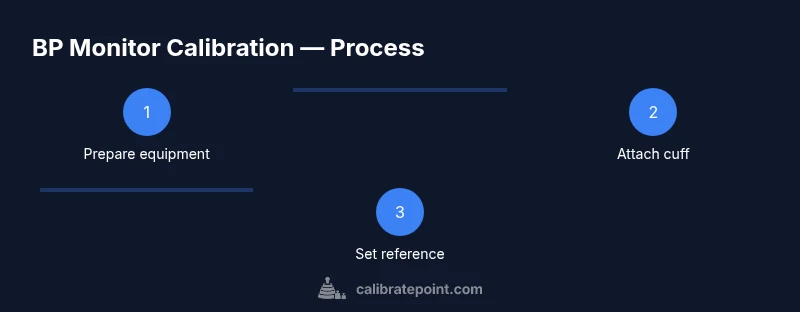
This section provides a high-level roadmap you’ll implement in the step-by-step section. Start with a stable reference source and verify its output, then align the monitor readings across several target pressures. After each adjustment, re-check against the reference to confirm convergence. Record all data points, including any adjustments, so you can audit results later.
The process emphasizes repeatability, traceability, and documentation. While the exact steps may vary by device type, the core principle remains: compare to a known standard, apply the necessary corrections, and verify stability across the operating range. This approach minimizes bias and supports reliable patient care.
Interpreting results and adjustments
Interpreting calibration results involves looking for consistent offsets, non-linear drift, or changes in sensitivity across the pressure range. If readings consistently fall above or below the reference, a correction factor or scale adjustment may be required. Document any adjustment, then re-test to ensure readings align within an acceptable tolerance.
If discrepancies persist, revisit cuff sizing, seating, and the reference source setup. Small misalignments in the cuff position or patient posture can masquerade as sensor drift. Always confirm the measurement protocol and re-run tests to isolate the source of error.
Documentation and maintenance schedule
Maintain a calibration log that includes device model, serial number, calibration date, reference standard used, target pressures, results, adjustments, and tester initials. Schedule regular recalibration based on device usage, manufacturer guidance, and regulatory expectations. Keep digital backups of logs alongside the physical records for redundancy.
A robust maintenance routine also includes periodic functional checks, battery health assessment, and environmental condition notes. This practice supports long-term reliability and simplifies audits or inspections.
When to seek professional service
If calibration reveals persistent drift despite following the documented procedure, or if the device fails to converge after adjustments, it’s wise to contact a qualified technician. Some issues—sensor hardware faults, valve leaks, or internal calibration discrepancies—require professional service or factory calibration. Do not assume issues are user-related if repeated checks indicate otherwise.
For clinical devices, adhere to your organization’s escalation protocol and preserve calibration records for traceability. In many cases, manufacturer-supported service ensures compliance with validation standards and quality management expectations.
Tools & Materials
- Calibration reference source (calibrated pressure pump or cuff pressure simulator)(Must be traceable to a recognized standard and capable of reproducing a range of target pressures)
- Appropriate cuff sizes(Include at least one cuff that matches the device’s cuff range and the user population)
- Digital manometer or high-accuracy pressure gauge(Used to verify the reference pressure against the device under test)
- Device under test (DUT)(The BP monitor you are calibrating)
- Documentation tools(Logbook or digital spreadsheet for recording readings and adjustments)
- Safety equipment(Gloves and eye protection if required by procedure)
Steps
Estimated time: 60-90 minutes
- 1
Set up the calibration station
Clear a stable workspace, verify lighting, and place the DUT and reference source on a non-slip surface. Ensure power supplies are stable and that you have access to all controls. This step establishes a controlled environment for accurate measurement.
Tip: Lock the reference position before powering anything on to prevent unintended pressure changes. - 2
Select cuff sizes and attach correctly
Choose cuff sizes that match the DUT and what you will test. Attach the cuff securely and ensure it sits straight on the arm or test fixture. Proper cuff placement minimizes contact errors that affect readings.
Tip: Always verify the cuff is snug but not overly tight to avoid artificial pressure changes. - 3
Power on devices and initialize the reference
Power the BP monitor and the reference source. Allow the reference to stabilize for a few minutes per the manufacturer guidance to ensure a predictable baseline. Confirm both devices are ready for testing.
Tip: If the reference has a warm-up period, start the timer and do not rush the stabilization. - 4
Apply known pressures using the reference
Set the reference to a low target pressure and record the DUT’s reading, then repeat at mid and high target pressures. Use consistent steps and document each pair of values.
Tip: Use the same sequence for all tests to ensure comparability. - 5
Compare readings and compute adjustments
Assess the difference between the DUT reading and the reference at each target. Note any systematic offset or scale error that requires correction.
Tip: Look for linear drift across the range; nonlinearity may indicate a hardware issue. - 6
Apply corrections and re-test
If the DUT requires a calibration adjustment, implement the change and re-test across the same set of target pressures. Confirm readings align with the reference within tolerance.
Tip: Re-test until all targets converge within the defined tolerance region. - 7
Document results and close out
Record all data, adjustments, and confirmations. File logs for future audits and schedule the next calibration according to policy.
Tip: Include tester initials and any notes about device condition. - 8
Clean up and return to normal operation
Remove testing setup, store equipment properly, and ensure the DUT is ready for routine use. Verify that all safety measures are respected before regular operation resumes.
Tip: Recheck post-calibration readings after a short cooldown period.
Questions & Answers
What is calibration for a blood pressure machine?
Calibration is the process of comparing a BP monitor's readings with a known reference to detect and correct any bias or drift. It helps ensure readings are accurate across the device’s operating range.
Calibration compares the monitor’s readings to a known reference to detect bias and correct it, keeping readings accurate.
How often should I calibrate a BP monitor?
Frequency depends on usage, environment, and manufacturer guidelines. Typically, devices should be checked at intervals defined by risk, with annual checks for clinical devices and more frequent checks for high-use monitors.
Check the device as often as your guidelines specify, usually annually for clinical devices or more often for high-use equipment.
Can I calibrate at home?
Yes, with a proper reference source and a validated procedure. Follow device-specific guidance and maintain thorough documentation.
You can calibrate at home if you have a proper reference and follow validated steps, plus keep good records.
What reference should I use?
Use a certified, traceable reference standard or cuff pressure simulator that provides repeatable, known pressures within the device’s range.
Use a certified reference standard that is traceable and provides known pressures reliably.
What if readings differ after calibration?
Recheck setup, cuff sizing, and reference conditions. If discrepancies persist, repeat the test or consult a technician.
If readings still differ after recalibration, review setup and consider technician support.
Is calibration the same for digital vs manual BP monitors?
No. Digital and manual devices have different sensors and calibration pathways. Follow device-specific guidance for each type.
Digital and manual devices require different calibration procedures; use the correct one for your device.
Watch Video
Key Takeaways
- Verify device accuracy before clinical use
- Use a validated reference source
- Record calibration results and dates
- Schedule regular recalibration
- Follow Calibrate Point guidance to maintain quality