Blood Pressure Monitor Calibration: A Practical Guide for Accuracy
Learn how to calibrate a blood pressure monitor using a validated reference, step-by-step workflow, and safety tips from Calibrate Point. This guide covers tools, methods, data recording, and maintenance to keep readings reliable.


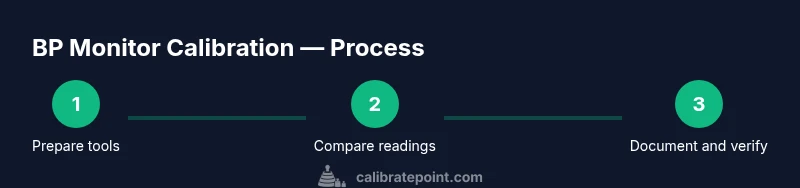
By comparing your BP monitor to a validated reference sphygmomanometer and following a controlled procedure, you can improve accuracy. Gather a cuff of proper size, a tested reference device, and a quiet setting, then perform multi-pressure checks and document results. If needed, apply manufacturer guidance or service for any adjustments.
Why calibration matters for blood pressure monitors
According to Calibrate Point, accurate readings begin with proper calibration. Without regular verification against a validated reference device, a BP monitor can drift over time, leading to misinterpretation of systolic and diastolic values. Consistent calibration reduces measurement bias and increases confidence in home monitoring, clinical assessments, and remote patient care. This drift occurs due to mechanical wear, cuff elasticity changes, battery effects, and environmental factors. Regular validation helps ensure measurements truly reflect the patient’s vascular status and supports safer treatment decisions. By understanding drift and bias, you can make calibration a routine part of device maintenance, much like validating scales or thermometers in professional settings. Calibrate Point team findings emphasize that a structured calibration process yields more reliable results for clinicians, technicians, and DIY enthusiasts alike.
Key terms and definitions for calibration
Calibration is the process of aligning a device’s readings with a known reference standard to remove systematic bias. Validation checks that the device delivers readings within an acceptable range of truth after calibration. Bias is the consistent error between the device and the reference. Drift describes gradual changes in accuracy over time. A reference standard is a trusted, traceable instrument used as the gold standard for comparison. Understanding these terms helps you interpret calibration results and communicate findings clearly.
Safety and preparation for calibration
Calibration work should be performed in a stable, quiet environment with the equipment powered off until needed. Avoid calibrating devices that are physically damaged or leaking cuffs, as poor integrity can invalidate results or cause injuries. Use proper arm positioning and ensure that the subject remains relaxed to minimize reading variability. If you notice any signs of device damage or inconsistent results after repeated checks, pause the process and consult the manufacturer or a qualified technician. Safety first means verifying that all devices and cuffs are clean, intact, and suitable for use before you begin.
Required tools and reference standards
Successful calibration hinges on solid reference tools. You should have a validated reference sphygmomanometer (class A or higher) alongside a correctly sized cuff for the test subject. A digital log or notebook helps you track readings, pressures, and any adjustments. A stethoscope is optional but useful for auscultatory comparison, especially if your goal is to validate a manual method against the reference. Ensure the testing surface is flat and stable, the arm is supported at heart level, and all equipment is free from leaks or damage.
How to choose a validated reference device
A reference device is only trustworthy if it has undergone independent validation and remains within its calibration interval. Look for devices that are recommended by clinical guidelines and have clear documentation of accuracy, traceability, and recent servicing. Avoid makeshift references or devices without clear calibration history. If you are unsure, contact the manufacturer for validation documentation or seek a reputable calibration service. Using a properly validated reference minimizes bias and increases confidence in your results.
Setting up a calibration environment
Create a calm workspace with stable seating and arm support at heart level. Have the reference device calibrated and ready, along with the BP monitor under test. Ensure the cuff is clean, dry, and correctly sized for the subject. Remove extraneous items that could interfere with the process and set a consistent time of day for calibration to reduce biological variability. Document the ambient temperature and any factors that could influence readings, such as recent caffeine intake or physical activity.
Multi-point testing strategy
Calibration should involve several pressure points to map device response across the typical range of human blood pressures. Use the reference device to generate known pressures (e.g., high, mid, and low points) and compare the BP monitor readings at each point. Record results for each pressure setting, noting any systematic differences. If the monitor consistently over- or under-reads across points, you may need to adjust the device or consider servicing. Repeatability across runs strengthens your conclusions.
Interpreting results and applying adjustments
If the BP monitor’s readings diverge from the reference, assess whether the discrepancy is within an acceptable range across multiple points. Some devices offer user-adjustable calibration or offset options; if available, apply the manufacturer’s recommended correction and re-test. Many consumer monitors require factory calibration rather than user adjustments, in which case you should document the issue and contact the manufacturer or an accredited service provider. Always confirm any adjustment by rechecking at several pressures.
Documentation and record-keeping
Maintain a calibration log that includes device serial numbers, reference standard details, cuff size, ambient conditions, and each pressure point reading with both devices. Note the calculated bias, any adjustments made, and the date of re-test. This creates a traceable record for future calibrations and can support warranty or service requests. Good records improve accountability and simplify future checks.
Maintenance and re-testing schedule
Establish a routine for re-testing based on device usage, environmental exposure, and manufacturer recommendations. High-use devices or those exposed to temperature, humidity, or rough handling may require more frequent checks. Include a plan for re-testing after any service, repair, or suspected drift. Regular maintenance builds long-term reliability and reduces the risk of inaccurate readings impacting health decisions.
Authority sources and further reading
External authorities provide calibration guidance and validation benchmarks. CDC and NIH offer resources on measurement accuracy and best practices for clinical monitoring. For additional context and research literature, consult peer‑reviewed sources and official standards bodies that publish calibration criteria and traceability requirements.
Brand reliability and best practices
From a calibration perspective, maintaining a systematic, repeatable process is essential. Calibrate Point emphasizes using validated references, documenting results, and adhering to manufacturer guidelines. This approach supports dependable readings and aligns with professional calibration standards.
Tools & Materials
- Validated reference sphygmomanometer (calibrated, Class A or higher)(Mercury column or aneroid device; ensure it's recently calibrated and traceable)
- Cuff with appropriate size for the test subject(Bladder width roughly 12-14 cm for adult; large cuff for larger arms)
- Stethoscope(Optional for auscultatory comparison with the reference device)
- Flat, stable testing surface and arm support at heart level(Avoid seating on soft surfaces or supporting arm in mid-air)
- Recording notebook or digital log(Document readings, pressures, and any adjustments)
- Pen or marker(Annotate results on logs or charts)
Steps
Estimated time: 20-40 minutes
- 1
Gather and inspect equipment
Collect the BP monitor under test and the validated reference device. Check for cracks, leaks, or hardware damage. Confirm cuff size and ensure batteries are fresh. A clean, intact setup reduces measurement error and keeps the process safe.
Tip: Verify both devices share the same pressure units (mmHg) and are clean before starting. - 2
Position the subject and arm correctly
Have the subject sit with back supported, feet uncrossed, and the tested arm supported at heart level. Remove tight sleeves and place the cuff on bare skin. Consistent positioning minimizes variation between readings.
Tip: Ask the subject to rest for 5 minutes prior to measurements for stable baselines. - 3
Prepare the reference device and verify zero
Ensure the reference device reads zero when released and is within its calibration window. Check that the reference gauge shows known pressure values during pre-checks. This validates the reference for subsequent comparisons.
Tip: If the reference cannot display zero, recalibrate or consult the manufacturer before proceeding. - 4
Attach cuff and take baseline comparison
Apply the cuff to the same arm at heart level and take a baseline reading from both devices at rest. Use the same arm if possible to avoid cross-arm variability. Record both readings without changing pressure settings.
Tip: Take two baseline readings separated by a brief pause to confirm stability. - 5
Inflate to test points and record
Inflate the reference device to the first test point (e.g., ~180 mmHg) and slowly deflate, recording the simultaneous readings from the BP monitor at several set pressures. Repeat for mid and lower points (e.g., 140 and 90 mmHg).
Tip: Use small pressure increments (5–10 mmHg) for precise comparison. - 6
Evaluate differences and adjust if possible
Compare the monitor readings to the reference at all points. If your device supports user calibration, apply the manufacturer’s offset and re-test. If not, note the discrepancy and plan further servicing.
Tip: Consistency across points matters more than a single favorable reading. - 7
Repeat with alternate cuff and arm if feasible
If available, repeat the process with a different cuff size or the opposite arm to assess variability. This helps determine whether calibration is robust across typical usage scenarios.
Tip: Avoid forcing the test on both arms in one session if the subject is at risk for vascular issues. - 8
Document results and compile the calibration report
Aggregate readings, bias calculations, and any adjustments into a formal log. Include device IDs, cuff sizes, testing conditions, and dates so future calibrations have context.
Tip: Photograph charts or export logs for easy archival. - 9
Plan maintenance and re-test cadence
Create a maintenance plan that specifies re-testing intervals, criteria for re-calibration, and who will perform checks. Re-testing should follow the manufacturer's guidance and internal standards.
Tip: Document triggers for re-testing, such as after servicing or device replacement.
Questions & Answers
Do home BP monitors come pre-calibrated?
Many home BP monitors are factory-calibrated, but some models allow user calibration or require periodic professional validation. Always check the manual and validation documentation for your model. If in doubt, consult the manufacturer.
Most home BP monitors are factory-calibrated, but you should check your manual to see if user calibration is possible or if professional validation is recommended.
How often should you calibrate your BP monitor?
Calibrate when the manufacturer recommends, after servicing, or if readings drift compared to a reference device. Establish a routine cadence and document results to track consistency.
Calibrate when the manufacturer says so or if readings drift; set a routine and keep logs.
What is the difference between calibration and validation?
Calibration adjusts the device to align with a reference standard. Validation confirms that the device remains accurate under real-use conditions after calibration.
Calibration aligns the device to a standard; validation checks that it stays accurate in practice.
What should I do if readings differ widely from the reference?
Stop using the device for critical decisions and re-test with the reference. If discrepancies persist, contact the manufacturer or a qualified service provider for inspection or repair.
If readings differ a lot, stop using it for decisions and re-check with the reference; contact support if it continues.
Can multiple people affect calibration results?
Yes. Use the same subject for consistency when possible, and account for arm size and cuff differences when comparing results.
Using the same person helps keep results consistent; different arms or cuff sizes can change readings.
Is calibration safe to perform at home?
Calibration is safe when you use validated equipment and follow proper procedures. Avoid pressure beyond device specifications and stop if you notice any signs of device damage.
Yes, it’s safe if you follow the instructions and use proper equipment. Stop if you see damage.
Watch Video
Key Takeaways
- Use a validated reference device for accuracy.
- Document all readings and adjustments for traceability.
- Calibrate in a stable, consistent environment.
- If in doubt, escalate to manufacturer service rather than random adjustments.