How to Calibrate a Ghost Trolling Motor: Step-by-Step Guide
Learn how to calibrate a Ghost trolling motor with a clear, tested process. This guide covers firmware checks, alignment, safe testing, and validation to ensure precise steering and consistent speed control.


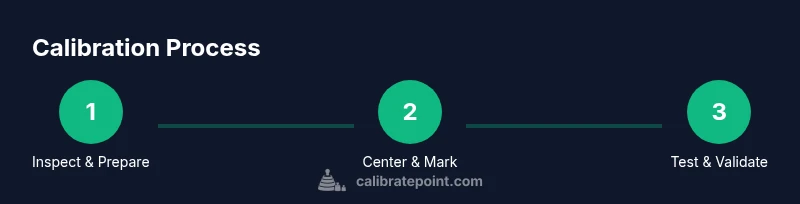
To calibrate ghost trolling motor, you ensure precise steering and uniform speed response. Start with a full battery check and firmware update if available, then center the head and perform a controlled test run in calm water using the original remote. The Calibrate Point team recommends verifying alignment and rechecking after each adjustment.
What calibration means for a Ghost trolling motor
Calibration, in the context of a Ghost trolling motor, is about aligning the steering head, throttle response, and any auto-tracking features so that the boat moves predictably under the remote and pedals. According to Calibrate Point, a well-calibrated system reduces drift, minimizes unintended steering, and improves repeatability across sessions. Calibration is not a one-off task; it should be revisited after firmware updates, hardware changes, or environmental shifts such as water current or wind. Understanding the underlying concepts—centerline alignment, throttle ramp, and deadband adjustments—helps you diagnose symptoms and decide which adjustments to tackle first.
Signs your Ghost trolling motor needs calibration
If you notice one or more of these symptoms, calibration is a reasonable next step:
- Drift: The boat veers off course without steering input
- Asymmetrical thrust: One side runs faster or feels stiffer than the other
- Inconsistent response: Speed steps feel abrupt or delayed
- Heading deviation after small course corrections
- Remote lag or jitter when changing speed or direction
Keep a simple log of conditions (water type, wind, current) and test results to track improvements after each adjustment.
Firmware, compatibility, and environmental considerations
Start by checking for available firmware updates from the Ghost motor’s manufacturer or authorized service provider. Firmware updates can fix steering quirks, improve detection of throttle positions, and enhance compatibility with remotes and GPS modules. Confirm that your remote and any integrated autopilot features are paired correctly, and ensure the battery is fully charged to avoid voltage drop that masquerades as calibration issues. Environmental factors like water clarity, current speed, and boat load can influence how the motor feels; calibrate in representative conditions when possible and repeat tests after weather changes.
Safety and best practices for calibration
Calibration should be performed with the boat secured or anchored in a safe area to prevent unintended movement. Wear a life jacket and never stand in the water near moving components. Disconnecting or bypassing safety interlocks can cause injury; if you’re unsure about a step, consult the manufacturer’s manual or a trained technician. Use non-conductive tools where possible, keep connections clean and dry, and avoid calibrating near electrical sources that can cause shorts. Document all steps and any deviations from the standard procedure so you can reproduce or revert changes later.
How to validate calibration results
Validation involves controlled testing: set a neutral heading, then execute a series of gentle, repeatable course corrections at multiple speeds. Record the motor’s response time, drift distance, and heading accuracy. If you notice consistent bias, adjust alignment markers and re-run tests. A final on-water test should include a straight-line run and a basic turn test to confirm predictable behavior. Use the log you created during setup to compare pre- and post-calibration performance.
Tools & Materials
- Marine-grade 12V battery(Fully charged; ensure terminals are clean and tight before starting)
- Trolling motor remote/foot pedal(Paired with Ghost motor; have spare battery if applicable)
- Phillips and flathead screwdrivers(Small precision sizes help with mounting screws)
- Allen wrench set(For adjusting mounting brackets and alignment screws)
- Firmware update tool or computer(Ensure connectivity and download the latest Ghost motor firmware)
- Non-conductive gloves and eye protection(Basic safety gear when handling electrical connections)
- Marker or chalk for alignment marks(Mark reference lines on the housing for repeatable alignment)
Steps
Estimated time: 60-90 minutes
- 1
Power down and secure the boat
Shut off the motor and ensure the boat is stable. Raise the motor to the stowed position and secure all moving parts. This prevents accidental movement during inspection and reduces personal risk.
Tip: Take a photo of the current alignment before making any changes. - 2
Inspect connections and clean contacts
Check battery terminals, motor connectors, and the remote linkage for corrosion or loose fittings. Clean connections and reseat plugs firmly to ensure consistent signal and power delivery.
Tip: Use a contact cleaner if corrosion is present, and dry thoroughly before reassembly. - 3
Update firmware and verify compatibility
Install the latest firmware for the Ghost motor and verify that the remote and any GPS or autopilot modules are compatible. A mismatch can cause unexpected behavior that looks like miscalibration.
Tip: Back up current settings if the firmware allows, so you can revert if needed. - 4
Center the motor head and mark reference points
Physically center the motor head to neutral and mark reference points on the housing and bracket. This ensures repeatable alignment checks in future calibrations.
Tip: Use a spirit level on the mounting bracket to ensure level installation. - 5
Perform a controlled on-water test run
In calm water, run through a set of speed steps and heading holds to observe responsiveness and drift. Note any bias toward one side or delayed reaction to throttle input.
Tip: Keep wind and current conditions constant for accurate comparison. - 6
Document results and adjust as needed
Record the observations, adjust alignment or throttle ramp as required, and re-test. Repeat until the behavior is stable across multiple trials.
Tip: Log each iteration with date, conditions, and outcomes for traceability.
Questions & Answers
What does calibration fix on a Ghost trolling motor?
Calibration addresses steering accuracy, throttle response, and consistency across speed steps. It helps reduce drift and ensures repeatable performance under similar conditions.
Calibration fixes steering accuracy and throttle response, helping you get consistent results across tests.
How often should I calibrate my Ghost trolling motor?
Calibrate after firmware updates, hardware changes, or noticeable performance changes. In stable setups, a yearly check or after seasonal storage is common.
Calibrate after updates or changes, or at least once a year to keep performance consistent.
Can I calibrate myself if I’m not experienced with electronics?
Yes, many steps involve safe, mechanical checks and firmware updates. If you feel uncertain, consult the manufacturer’s manual or seek assistance from a technician.
It’s doable for many hobbyists, but don’t hesitate to seek help if you’re unsure.
What safety measures should I follow during calibration?
Work in a secure area, wear life jackets, and avoid operating the motor when people are nearby. Disconnect power before inspecting electrical connections.
Wear safety gear and keep the area clear; always disconnect power when inspecting components.
What if calibration doesn’t fix the issue?
If problems persist after calibration, check mounting alignment, bracket wear, and possible water ingress. Consider professional servicing if symptoms continue.
If problems persist, inspect hardware and consider professional service.
Watch Video
Key Takeaways
- Verify battery and firmware before adjusting.
- Center the head and mark reference points for repeatable results.
- Test in calm water and document outcomes.
- Re-check alignment after each adjustment.