How to Calibrate Minn Kota Terrova
Learn to calibrate your Minn Kota Terrova trolling motor with a practical, safety-first approach. Step-by-step instructions, tools, and pro tips from Calibrate Point to ensure precise heading and GPS performance.


Calibrate your Minn Kota Terrova to ensure precise steering and GPS-powered features like Spot-Lock. Start with a safety check, gather the toolset, and follow the manufacturer’s calibration sequence to align the compass, heading, and GPS with your vessel. This quick calibration improves accuracy and reliability during fishing trips. You’ll also verify the system by testing on the water and adjusting as needed.
Why Calibrating a Minn Kota Terrova Matters
Calibrating your Minn Kota Terrova is essential for accuracy and reliability of GPS features like Spot-Lock and heading hold. When calibration is off, the vessel can drift while the operator expects the motor to hold a precise course. According to Calibrate Point, a consistent calibration routine reduces drift and improves real-world performance by aligning the sensors with the motor outputs. This alignment leads to more predictable steering responses, faster settling of the Spot-Lock, and less operator fatigue on long runs. In practice, calibration creates a reliable reference: the system knows how your boat responds to different heading commands, wind, current, and throttle. The result is a smoother ride, fewer helm corrections, and better opportunities to stay on fish because you can maintain a steady heading and position. The goal is to provide a solid, repeatable baseline rather than relying on feel alone.
Core calibration concepts and definitions
At the heart of Terrova calibration are three elements: the compass/heading sensor, the GPS receiver, and the motor drive electronics. Each must communicate a correct heading command and translate it into the expected physical motion. Calibration aligns these relationships so your commanded heading matches actual boat direction and position. You will encounter terms like heading, yaw, and GPS lock. While prompts may vary by software version, the purpose remains constant: create a trustworthy reference that anchors steering, spot-lock responsiveness, and navigation accuracy. With a solid understanding of these concepts, you’ll approach calibration methodically and avoid guesswork when diagnosing drift or unresponsive behavior.
Safety-first and workspace setup
Before you begin any calibration, perform a safety sweep of the work area. Remove cords and loose gear from the gunwale, restrain passengers, and ensure the boat is in calm water with adequate space. Check the battery connections, fuses, and that the propulsion unit is securely mounted. If calibrating on moving water, be mindful of currents that could affect test results. It’s also wise to have the manual handy and a small calibration log to capture prompts, readings, and environmental conditions. A safety-first mindset protects you and yields more trustworthy calibration data.
Calibration sequence overview and prompts
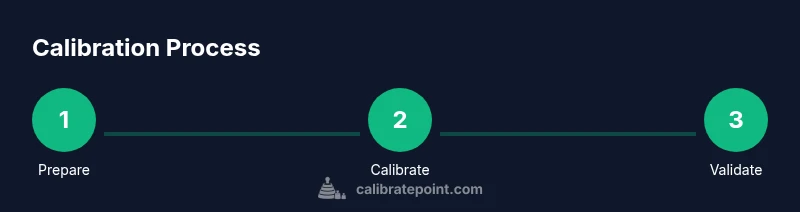
The calibration sequence typically includes initializing the system, engaging the compass/heading calibration, aligning the GPS reference, and validating the results with a controlled test run. The exact menus differ by software version, but you should expect prompts for heading calibration, GPS alignment, and a test maneuver sequence. During this phase, keep the vessel steady and avoid sudden throttle or wheel inputs. Recording baseline readings and test results provides a clear before-and-after picture and makes it easier to repeat the process in the future.
GPS alignment and heading calibration explained
GPS-based features like Spot-Lock rely on stable satellite geometry and a consistent heading reference. Ensure a strong GPS lock before recording calibration data. Then follow prompts to teach the system how your vessel responds to steering commands, typically by moving through a series of designed orientations or by rotating the motor to specific angles. The aim is to create a reliable mapping between commanded heading and actual boat motion. If conditions are windy or choppy, perform calibration in calmer moments to reduce noise and obtain cleaner data.
Final validation: test run and documentation
After completing the prompts, perform a short test on calm water. Engage Spot-Lock, steer to a known heading, and observe how closely the actual boat motion matches the commanded direction. Compare results across several conditions (wind, current, battery state) and adjust as needed. Maintain a simple calibration log, noting weather, battery health, and any prompts or codes observed. Keeping a record makes it easier to repeat the process in future seasons or after major service.
Troubleshooting and ongoing maintenance
If calibration results seem inconsistent, check that the drive unit is mechanically sound, the prop is clear, and mounting hardware remains tight. Inspect electrical connections at the battery and control unit for corrosion or looseness. Software updates can affect calibration, so keep firmware current and recheck calibration after updates, repairs, or long storage. A regular calibration habit complements good seamanship and keeps Spot-Lock reliable.
Tools & Materials
- Minn Kota Terrova owner’s manual(Model year-specific calibration steps; keep it handy.)
- Waterproof marker or chalk(Use to mark initial heading orientation on water.)
- Calibrated test course (calm water)(Clear area free of debris and traffic.)
- Tablet/phone with the Minn Kota app or remote(To access calibration prompts and screen readouts.)
- Safety gear (PFDs, wake reducers)(Optional but recommended for risk mitigation.)
- Calibration log sheet(Document prompts, readings, and weather.)
Steps
Estimated time: 30-60 minutes
- 1
Prepare and inspect the system
Power down the boat and inspect mounting hardware, battery connections, and cord routing. Remove loose gear from the gunwale and ensure the motor is fully secured. Confirm water is calm and there is enough space for testing.
Tip: Verify prop is clear of debris before calibration to avoid false readings. - 2
Power up and access calibration prompts
Turn on the Terrova and access the calibration menu via the remote or app. Wait for system initialization and navigate to the heading/compass calibration section.
Tip: If prompts are unclear, consult the manual for the exact navigation steps for your software version. - 3
Calibrate compass/heading
Follow on-screen prompts to perform heading calibration. Maintain a steady boat position and avoid wheel input during the process. Allow the system to record a reference heading.
Tip: Use calm water and minimal wind to reduce noise in measurements. - 4
Calibrate GPS alignment
Proceed to GPS alignment prompts and perform the prescribed maneuvers or orientation tests. Confirm that GPS lock is solid before finalizing the step.
Tip: A strong satellite fix improves calibration quality. - 5
Test on water and validate results
Run a short test: engage Spot-Lock, steer to a known heading, and observe response. Compare actual motion to commanded direction and adjust if necessary.
Tip: Record readings and note any drift across different wind conditions. - 6
Document and finalize calibration
Save the calibration profile, log results, and note any caveats. Re-check tightness of mounting hardware after the test.
Tip: Keep a season-long calibration log for reference.
Questions & Answers
What is the Terrova calibration used for?
Calibration aligns the motor's response with the vessel's heading and GPS data to improve Spot-Lock and steering accuracy.
Calibration aligns motor response with heading and GPS data for accurate Spot-Lock, steering, and control.
How often should I calibrate the Terrova?
Calibration should be performed after installation, after firmware updates, or after significant events like battery changes or motor service.
Calibrate after installation, firmware updates, or major service.
Can I calibrate Terrova in rough water?
Calibrating in rough water can introduce noise; try to choose calm conditions for best results.
Avoid calibrating in rough water; choose calm conditions for best results.
What clues indicate calibration is off?
Persistent drift with Spot-Lock, slow response to steering, or inconsistent heading indicate calibration may be off.
Drift or slow/erratic responses suggest calibration may be off.
Do I need to recalibrate after storage?
Storage and temperature changes can affect calibration; perform a quick check and re-calibrate if you notice drift.
After storage or temperature changes, check and recalibrate if you notice drift.
Watch Video
Key Takeaways
- Calibrate for accurate GPS and heading response.
- Calibration should be repeated after major changes.
- Test in calm water and document results.
- Keep firmware up to date to maintain calibration integrity.