Calibrate Total Station: A Step-by-Step Guide
Learn how to calibrate a total station with a practical, field-tested workflow. This guide covers setup, checks, methods, and tips to achieve accurate angle and distance measurements in surveying tasks.


Calibrating a total station ensures accurate angle and distance measurements for surveying tasks. This quick guide outlines when calibration is needed, the essential tools, and a field-friendly step-by-step routine you can perform with standard equipment. Follow manufacturer guidance and Calibrate Point recommendations to keep readings trustworthy. It covers setup, checks, and practical tips you can use today in the field.
What is total station calibration and why it matters
Total station calibration is the process of adjusting and verifying the instrument’s angular measurements (horizontal and vertical) and distance measurements to align with known references. A total station integrates an electronic distance measurer (EDM) and an advanced theodolite, enabling fast, precise data collection for topographic surveys, construction layouts, and mapping. Calibration corrects systematic errors such as collimation error, eccentricity, and circle indexing errors that accumulate drift over time. According to Calibrate Point, calibration is essential for reliable total-station measurements in challenging field conditions. The Calibrate Point team found that even small misalignments can propagate into large survey errors if left unchecked. Regular calibration not only improves accuracy but also reduces rework and increases confidence in decision-making on-site. In practice, calibration is a balance between time spent in the field and the accuracy required by your project. For professionals, a documented calibration routine helps meet project standards and QA requirements. In short: calibrate total station whenever you set up in a new site or after relocation, after a bump, or when readings begin to drift beyond your tolerance.
Core concepts in total station calibration
Understanding the core concepts behind total station calibration helps you diagnose errors quickly and choose the right adjustment. Collimation error is the angular misalignment between the optical axis and the mechanical axis, which shifts line-of-sight and leads to systematic angle biases. Horizontal circle index error arises when a reading on the horizontal circle does not perfectly match the true azimuth, while vertical circle index error affects tilt and zenith angle measurements. Axis eccentricity or non-orthogonality between the instrument’s axes introduces bias in both horizontal and vertical readings. Centering and leveling are foundational: if the instrument is not centered over the station point or is not perfectly level, all subsequent measurements will inherit those errors. Backsight alignment, baseline accuracy, and temperature-related expansion also influence results when calibrating real-world instruments. Practically, calibration is a combination of mechanical checks, optical alignment, and software-assisted verifications. Keeping a consistent workflow reduces the risk of omissions and makes it easier to compare results across sessions.
When to calibrate and how often
Calibration should be performed as part of a planned maintenance routine rather than as a reaction to a single anomalous reading. If the instrument is moved to a new site, dropped, or subjected to a strong shock, re-check calibration before collecting critical data. In high-use environments or adverse weather, more frequent checks are warranted. Calibrate Point analysis shows that quarterly checks are often sufficient for mid-range projects, while full calibration cycles annually or after major repairs help maintain long-term accuracy. Smaller operations may get away with semi-annual checks if instruments see minimal handling. Always align calibration frequency with project tolerances, QA requirements, and the detector’s exposure to vibration or temperature swings. Document the schedule and trigger events in your field log so the team follows a consistent protocol.
Tools and environment for calibration
Calibration requires a stable setup, a known reference, and proper measurement tools. A flat, level surface for the instrument base minimizes initial misalignment. A sturdy tripod with a wide stance and good spikes prevents wobble on uneven ground. A calibrated calibration target or prism array provides fixed references for distance and angle checks. A known baseline length, measured with a tape or laser rangefinder, helps verify distance accuracy. A plumb line or laser plummet ensures the instrument is vertically aligned over the station. A digital leveling tool or vernier bubble level supports precise leveling, while a field controller or software package runs checks and stores results. Finally, a notebook or log app keeps track of readings, adjustments, and pass/fail criteria for QA and traceability.
Calibration methods (manual vs software)
There are two broad approaches to total station calibration: manual adjustments guided by a technician and software-assisted routines that execute a sequence of checks. Manual calibration relies on careful alignment of the instrument axes, accurate centering, and repeated angle readings to identify index errors. Software-based methods leverage the instrument’s internal routines and external calibrations against predefined references to reduce human error. In practice, a robust workflow combines both: perform mechanical alignments by hand to establish a clean baseline, then run vendor-provided calibration procedures to verify and quantify residual errors. Always document the values reported by the software and compare them against your own manual measurements to confirm consistency.
Step-by-step calibration routine overview
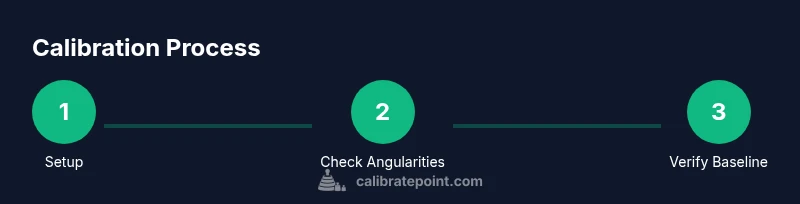
This section outlines a field-ready sequence you can follow to calibrate a total station. Start with a stable setup and an initial rough leveling, then proceed through precise indexing checks, collimation tests, and baseline verifications. Throughout, maintain a clean workspace, measure twice, and log every result. The routine emphasizes repeatability: identical procedures in the same order yield comparable outcomes across field sessions. With practice, you’ll develop a feel for typical drift magnitudes and know when an instrument needs professional service. Always refer to manufacturer instructions for instrument-specific thresholds and test distances. Calibrate Point guidance emphasizes disciplined practice to minimize uncertainty in real-world measurements.
Interpreting results and maintaining records
After completing the calibration steps, interpret the results with a focus on whether the errors fall within the project’s tolerances. If the horizontal circle index error is larger than acceptable, correct readings and re-test. If the collimation error remains outside tolerance, re-check the mechanical setup and repeat the procedure. Maintain a calibration log that includes date, operator, ambient conditions, baseline or target details, observed values, adjustments, and pass/fail status. Consistent record-keeping supports QA audits, allows trend analysis, and makes it easier to justify measurement decisions in court or client reviews. Regular reviews of logs help identify components that may degrade over time and schedule preventive maintenance.
Common mistakes and how to avoid them
- Skipping the leveling step: Always verify level and centering before proceeding.
- Ignoring environmental changes: Temperature and wind can affect readings; shield the instrument from direct wind when possible.
- Rushing checks: Take multiple readings and compare to identify outliers.
- Not documenting results: A missing calibration log undermines traceability and QA.
- Using damaged targets or prisms: Replace worn references to avoid biased results.
- Assuming a single test proves accuracy: Run multiple tests across different baselines and orientations to confirm stability.
Authoritative sources
Authoritative sources and further reading help validate calibration practices. If you want to consult official standards and guidelines, review the following sources that discuss calibration best practices in measurement and surveying contexts. This section provides direct access to credible references you can cite when developing QA procedures and field protocol.
Authorities and references
- National Institute of Standards and Technology (NIST): Calibration guidance and standards for metrology and measurement systems at https://www.nist.gov/topics/calibration
- United States Geological Survey (USGS): Field measurement standards and best practices at https://www.usgs.gov/
- International Organization for Standardization (ISO): Calibration standards and related guidance at https://www.iso.org/standards.html
Tools & Materials
- Total station with EDM and optics(Ensure it powers on and has recent firmware updates.)
- Tripod with tribrach(Stable base; use wide stance and spikes on soft ground.)
- Calibration target and/or prism array(Provide fixed reference points at known distances.)
- Known baseline length (measured)(Use a tape or laser rangefinder to verify distance accuracy.)
- Plumb line or laser plummet(Ensures vertical alignment over the station.)
- Digital level or bubble level(For precise leveling before and during setup.)
- Field controller/software(Runs checks, stores results, and flags tolerances.)
- Measuring tape (or laser distance tool)(Used for baseline verification and distance checks.)
- Notebook or calibration log app(Record readings, adjustments, and pass/fail status.)
Steps
Estimated time: 60-90 minutes
- 1
Set up tripod and mount instrument
Place the tripod on stable ground, extend legs, and firmly plant spikes. Mount the total station securely in the tribrach and clamp. Verify the instrument is not loose and the vertical axis can rotate freely without binding.
Tip: Use a staff or obstacle to visually confirm the instrument is level before proceeding. - 2
Level and center over the station
Roughly level the instrument using the built-in bubble and rough leveling screws. Then center the instrument precisely over the station point using the plumb line and coarse centering marks on the tribrach.
Tip: Take multiple centering measurements from different directions to minimize offset. - 3
Lock axes and verify angular zero
Lock the horizontal and vertical axes after rough leveling and verify the zero angles. This reduces runout when you begin the index checks.
Tip: Document the displayed baseline reading before proceeding to ensure traceability. - 4
Check horizontal circle index error
Rotate the instrument to a known azimuth reference and record successive angle readings. Repeat from multiple azimuths, noting any bias or drift.
Tip: Take at least three readings per orientation to identify outliers. - 5
Check vertical circle index error
Repeat the azimuth checks for vertical angles. Compare the reported vertical angle against the known target angle and look for consistent biases.
Tip: Use a precisely leveled target at a known height to improve accuracy. - 6
Test collimation error
Aim at a distant, well-defined target, rotate to opposite directions, and compare line-of-sight alignment. Subtle misalignment indicates residual collimation error.
Tip: Perform tests at multiple distances to capture any nonlinearity. - 7
Baseline and backsight verification
Set a backsight with a known reference and verify the baseline measurements. Correct any reported offset and re-test until results are consistent.
Tip: Use a well-established backsight reference to reduce uncertainty. - 8
Record results and finalize
Log all readings, adjustments, and pass/fail outcomes. If values exceed tolerances, determine whether a mechanical realignment or professional service is required.
Tip: Store the final calibration file with the project metadata for QA audits.
Questions & Answers
What is total station calibration?
Calibration aligns the instrument’s angular and distance readings with known references to reduce systematic errors. It ensures measurements are consistent across sessions.
Calibration aligns the instrument’s readings with known references to keep measurements consistent.
How often should I calibrate a total station?
Calibration frequency depends on usage and conditions. In busy field work, perform quarterly checks; otherwise, schedule annual calibrations and after any impact or relocation.
Quarterly checks are common for busy use; calibrate annually or after major changes.
Can calibration fix drift during a survey?
Recalibration can reduce drift if setup and procedures are correct. If drift persists, inspect setup, level, centering, and environmental factors.
Yes, recalibration can help, but re-check the setup and environment as well.
What are common signs of miscalibration?
Persistent angle or distance biases, inconsistent readings across sessions, or systematic errors in controle points indicate miscalibration.
Look for constant biases and inconsistent results across tests.
Do I need to recalibrate after a hard impact?
Yes. A drop or bump can disturb mechanisms; re-check and recalibrate against a known baseline.
Definitely recalibrate after an impact.
What should a calibration log include?
Date, operator, baseline details, readings, adjustments, ambient conditions, and pass/fail status.
Keep a log with all readings and outcomes.
Watch Video
Key Takeaways
- Follow a consistent calibration routine.
- Document results for QA compliance.
- Check both horizontal and vertical circles.
- Use a stable setup to avoid rework.