How to Calibrate Your Machine: A Practical Step-by-Step Guide
Learn how to calibrate your machine with a practical, step-by-step approach. Gather the right tools, set reference standards, perform verification, and document results for repeatable accuracy.


To calibrate your machine, you’ll gather the right reference standards and tools, prepare a clean workspace, perform a repeatable measurement routine, adjust settings to align readings with the standard, and verify results with a fresh test. This guide provides a step-by-step workflow, safety reminders, and documentation templates to ensure consistent accuracy across sessions.
Why calibrate your machine matters
Calibration is the process of adjusting a device's readings to match a known standard. For DIY projects, technicians, and professionals, calibration ensures that measurement results reflect true values, reduces drift, and increases repeatability across jobs. When you calibrate your machine, you improve product quality, minimize waste, and maintain compliance with internal procedures and external standards. Inaccurate readings can lead to misalignment, poor tolerances, or unsafe operation. Calibrating your machine also creates a record of performance that helps with audits and future troubleshooting. In practice, calibration accounts for instrument bias, linearity errors, and environmental influences such as temperature and humidity. By treating calibration as a routine maintenance task, you build confidence in your measurements and your overall workflow. This approach aligns with calibration best practices from industry guidelines and standards, and supports traceability from your device to the reference standard. The goal is not perfection in every reading, but reliable accuracy within the specified tolerance.
Core calibration concepts you should know
Calibration defines how closely a device's readings match a traceable standard. Key concepts include accuracy, bias, linearity, repeatability, and uncertainty. Traceability links measurements to national or international standards, ensuring comparability over time. Drift occurs when readings shift slowly due to aging, wear, or environment. Understanding tolerance helps you decide when a reading is acceptable. By recognizing these ideas, you can design better calibration plans and interpret results with confidence. When you document uncertainty, you communicate the limits of your measurements and avoid overclaiming precision. The goal is practical accuracy that meets your tolerance requirements, while preserving measurement integrity and safety.
Planning your calibration: standards, tolerance, and traceability
Plan which reference standards to use, set a clear tolerance, and define the traceability chain from device to standard. Maintain calibration certificates and a log showing who performed the calibration, when, and under what environmental conditions. Selecting portable or fixed standards depends on field use versus workshop setup. Build a simple calibration plan that you can repeat across sessions to improve consistency and reduce human error.
Setting up your workspace and safety considerations
Create a clean, stable work surface away from vibration, dust, and direct sunlight. Ensure proper lighting and a stable power source with adequate grounding. Use appropriate PPE as required by the device and standard safety practices. Record ambient conditions if they are known to influence readings. A well-prepared environment reduces noise, improves repeatability, and protects you during calibration.
Selecting reference standards and tools
Choose reference standards that are traceable to national or international bodies and matched to your device's measurement range. Use a calibrated test fixture if you have one, and confirm that measurement tools (calipers, gauges, multimeters) are within their own calibration cycle. Keep certificates or IDs for each standard so you can prove their provenance during audits.
The calibration workflow: a repeatable process
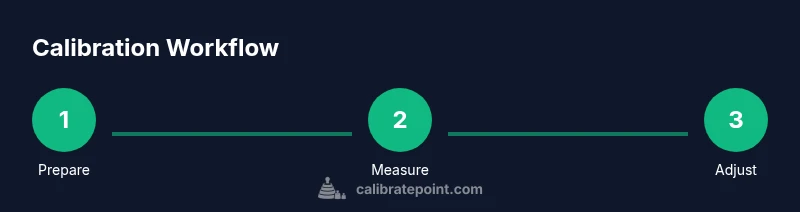
Define a repeatable workflow that covers preparation, measurement, adjustment, verification, and documentation. Perform measurements at defined points across the device's range, record results, and apply adjustments in small increments. Re-measure after each adjustment to confirm movement toward the target value. Ensure you have a plan for re-checking stability over time.
Verifying accuracy and maintaining calibration
After adjustments, verify results with a fresh set of readings and compare against the tolerance window. If drift appears, investigate potential causes such as fixture loosening, operator technique, or environmental change. Schedule periodic checks, and re-calibrate when drift exceeds threshold or after significant repairs.
Documenting results and maintaining records
Create a calibration certificate that lists the device, reference standards, measurement results, tolerances, uncertainty estimates, and calibration date. Store documents with the device records and set a next due date. Use version control for the procedure to track improvements and changes over time.\n\n## AUTHORITY SOURCES\n\n- https://www.nist.gov/pml/calibration\n- https://www.osha.gov\n- https://www.iso.org/iso-9001.html
Tools & Materials
- Calibrated reference standard (traceable)(Choose a standard compatible with your device (e.g., gauge block, calibration weight, or temperature standard).)
- DMM or precision multimeter(Digital or analog, with known accuracy.)
- Calibration weights or force gauge(Range should match device measurement range.)
- Calibration jig or fixture(Optional for stable mounting.)
- Temperature/humidity logger(Use if environmental factors affect readings.)
- Documentation templates or calibration certificates(For record-keeping.)
- Safety equipment (gloves, eye protection)(Follow device-specific safety requirements.)
- Tools for adjustments (screwdrivers, wrenches)(Include precision tools (e.g., #2 Phillips).)
Steps
Estimated time: 1-2 hours
- 1
Prepare references and workspace
Clear the area, power on devices, and organize reference standards. Confirm the device is within safe operating conditions. This step sets a stable baseline for measurements and minimizes contamination.
Tip: Keep the workspace clean and free of vibrations. - 2
Identify reference standards and set tolerance
Select traceable standards appropriate for the device. Note the target tolerance and the acceptable uncertainty range to guide adjustments.
Tip: Document nominal values and sources for traceability. - 3
Connect instrumentation and verify baseline readings
Power up measurement instruments and connect to the device under test. Record baseline readings and look for obvious outliers before making adjustments.
Tip: If readings are wildly off, re-check connections and calibration certificates. - 4
Adjust device to align with standard
Make incremental adjustments based on deviations. Re-measure after each change and stop when readings fall within tolerance.
Tip: Make small changes; large swings invalidate the test. - 5
Perform repeated measurements at defined points
Take multiple readings at several reference points across the range. Use average or median as the measured value, and note any nonlinearity.
Tip: Use a predefined sampling plan and log all results. - 6
Document results and establish calibration interval
Record final readings, tolerances achieved, and the recommended calibration interval. Create or update the calibration certificate.
Tip: Attach certificate to device records and set next due date.
Questions & Answers
What is calibration and why is it important for machines?
Calibration aligns a device's measurements with a reference standard to ensure accuracy and comparability. It helps detect drift, reduces errors, and supports quality control.
Calibration aligns measurements with a reference standard to ensure accuracy and comparability.
What standards should I use for calibration?
Use traceable, certified reference standards appropriate to the device, and maintain a chain of custody for auditability.
Use traceable, certified standards for auditability.
How often should I calibrate my machine?
Calibration frequency depends on usage, environment, and required tolerance. Establish a due date based on drift history and criticality.
Set a calibration interval based on drift history and usage.
Do I need a controlled environment to calibrate?
A stable environment reduces measurement uncertainty. Maintain recommended temperature and cleanliness during calibration.
A stable environment reduces measurement uncertainty.
What should I do with calibration certificates?
Store certificates with the device records for audits and future reference.
Keep certificates with the device file.
What are common calibration mistakes to avoid?
Rushing adjustments, using incorrect standards, and failing to document results. Verify traceability and repeatability.
Don't rush and document everything.
Watch Video
Key Takeaways
- Follow a repeatable workflow for consistency
- Use traceable standards for reliability
- Document outcomes for audits
- Schedule periodic recalibration