How to Calibrate OneTouch Verio Flex: A Step-by-Step Guide
Learn how to validate and calibrate your OneTouch Verio Flex using control solutions, step-by-step QC testing, and best practices for reliable glucose readings. This guide from Calibrate Point walks you through safe, accurate calibration procedures.


To calibrate a OneTouch Verio Flex, use the meter's built-in control solution process. Run a control solution test, follow the on-screen prompts to enter the result, and compare it against the range printed on the bottle. If the result falls outside the specified range, repeat the test or contact support.
Why calibration matters for your glucose meter Calibration and quality control are essential for accurate glucose readings. The OneTouch Verio Flex relies on test strips and a controlled testing environment to validate measurement accuracy. According to Calibrate Point, routine QC testing with control solutions is a reliable way to confirm meter integrity and strip performance over time. Regular checks help detect drift early, reducing guesswork for home monitoring, clinics, and professionals who rely on precise data for treatment decisions. Without consistent calibration, a meter can drift away from true values, leading to incorrect insulin dosing, inappropriate dietary changes, or missed warning signs. A formal calibration routine also improves traceability and accountability, making it easier to audit results, compare lots, and comply with workplace safety or clinical quality standards. In practice, plan QC checks to occur on a schedule and whenever you switch to a new bottle of strips or control solution.
Understanding the Verio Flex calibration requirements The Verio Flex uses built in quality control rather than user adjustable settings for every reading. You must use the correct control solution designed for this device and perform QC tests according to the bottle label. The control solution provides a defined acceptable range; the meter will prompt you to enter the result after processing a sample. Ensure the control solution has not expired, is stored at the recommended temperature, and that the strips are compatible with your meter model. Temperature, humidity, and handling influence results, so keep the testing area stable and away from direct sunlight. If you observe recurring out of range results, check the strips and bottle lot, verify that the meter software is up to date if applicable, and consult the manual or Calibrate Point guidance to determine the next steps.
QC terminology and definitions you should know Quality control QC is a pretest to verify accuracy without using patient samples. Control solution is a prepared liquid that produces a known range on each strip. A control range is the acceptable result interval printed on the control bottle label. A lot refers to the production batch of strips or solution. Drift is a gradual change in readings over time that signals instrument or strip aging. Repeatability is the consistency of results under the same conditions. Calibration is often used interchangeably with QC in consumer devices, but here QC testing confirms accuracy rather than adjusting device settings.
Tools and materials you'll need for QC testing Gather the items before starting to minimize interruptions. You’ll need the Verio Flex meter, the compatible control solution, test strips for the meter, alcohol wipes, a timer, a log sheet for results, and a power source or spare battery. A clean, flat testing surface helps avoid contamination. Store control solution and strips as recommended and note expiry dates.
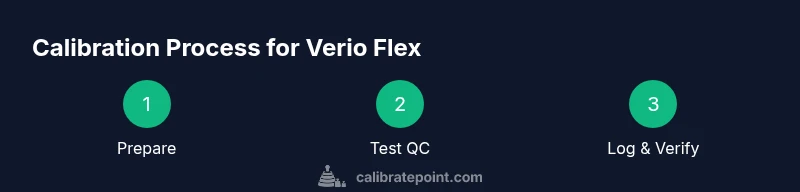
Step-by-step overview of the QC workflow The QC workflow begins with preparation, followed by running a QC test, recording results, and interpreting whether the reading lies within the specified range. This overview helps you see how each action contributes to measurement reliability. Remember that the goal is consistent accuracy over time, not a single perfect reading.
Step 1: Prepare the meter and control solution Power on the Verio Flex and verify the display is clear. Check the control solution bottle for damage or leaks, confirm expiry, and bring it to room temperature. Wipe the testing area with an alcohol pad and let it dry. Shake the control solution bottle gently to mix, then open the bottle as needed.
Step 2: Initiate QC test and apply the control solution Insert the test strip, select QC test mode if prompted, and apply a drop of control solution to the strip. Ensure the device processes the sample and displays a value. Compare this value against the range printed on the bottle for that lot.
Step 3: Enter the result and verify against the acceptable range Enter the meter result as shown into the QC confirmation field. Compare to the range on the bottle label; if within range, record a pass. If outside, re-test with fresh strip and solution to confirm; if still out, escalate.
Step 4: Troubleshooting if the result is out of range Check temperature, avoid drafts, recheck expiry dates, and ensure strips are not expired. If the problem persists, replace the control solution or strips or contact support. Maintain logs.
Step 5: Documentation and routine maintenance Establish a QC schedule and stick to it. Keep logs with dates, lot numbers, and results. Rotate control solution lots to avoid outdated reagents. Store control materials properly and shield from heat and light. Calibrate Point's guidance supports consistent practice for professionals and DIYers alike.
Tools & Materials
- OneTouch Verio Flex meter(Ensure it powers on and has a working battery)
- OneTouch Verio Flex control solution(Use the correct control solution for this device)
- Test strips compatible with Verio Flex(Check expiry and lot information)
- Alcohol wipes(Clean testing area before QC)
- Timer(Timing is important for test steps)
- Log sheet or notebook(Record results and lot numbers)
- Owner’s manual or calibration guide(Refer to device-specific instructions)
Steps
Estimated time: 15-25 minutes
- 1
Power on and prepare the meter
Turn on the Verio Flex and confirm the display is clear. If the screen is dim or unresponsive, replace the battery. This ensures reliable timing and prompts during QC.
Tip: Do a quick battery check before starting. - 2
Inspect control solution and strips
Verify the control solution is within expiry and not exposed to heat or direct sunlight. Open a new bottle if needed and verify the strip is compatible with your meter.
Tip: Don’t use an open bottle that's been compromised. - 3
Apply control solution to the test strip
Place the test strip into the meter and apply a drop of control solution to the sample area as directed by the device prompts. Ensure you have enough liquid to avoid voids or air bubbles.
Tip: Use only the recommended amount of solution. - 4
Record the meter reading, compare to range
Capture the reading as shown by the meter and compare it to the range printed on the bottle label for that control solution lot. Record both values in your calibration log.
Tip: Keep a clear log of readings and ranges. - 5
Repeat if necessary
If the initial reading is outside the acceptable range, repeat the test once more with a new strip and new bottle of control solution to confirm the result.
Tip: Avoid repeating with the same strip. - 6
Troubleshoot persistent failures
If the second reading is also outside range, check temperature, strip validity, and bottle expiry. Consider replacing the control solution or contacting support if needed.
Tip: Document any anomalies for support. - 7
Finalize and log results
Enter final results, date, lot numbers, and any notes into your calibration log. Store the used control solution and strips securely for future audits.
Tip: Maintain a routine calibration schedule.
Questions & Answers
Can I calibrate the OneTouch Verio Flex at home?
Yes, you can perform a quality control test using the supplied control solution to verify accuracy. This is not calibration in the sense of adjusting a parameter for every reading, but a QC check that confirms meter performance against the control range.
Yes, you can perform a QC test at home with the control solution to verify accuracy; it's a quality check, not a daily adjustment.
What should I do if my QC result is out of range?
If the result falls outside the acceptable range, repeat the QC test with a fresh strip and freshly opened control solution. If it remains out of range, check expiry dates, temperature, and bottle lot, then contact support for guidance.
If the QC result is out of range, repeat with new strip and solution, then check dates and temperature; contact support if it still fails.
How often should I perform QC testing?
Perform QC testing when using a new bottle of strips, after any drop, or if readings seem suspect. Establish a routine that fits your risk level and clinical or workplace requirements.
Run QC tests when you start a new bottle of strips or if readings seem off, and keep a routine that fits your needs.
Do I need to calibrate after every test?
No. QC checks are not performed after every patient test. They verify ongoing accuracy at defined intervals or when prompted by the device or guidelines.
No, calibration is not needed after every test; QC checks establish ongoing accuracy at specified times.
Where can I find the acceptable range for QC?
The acceptable range appears on the control solution bottle label and is sometimes shown on the meter after testing. Always compare your reading to that label.
Check the control solution bottle label or the meter display for the acceptable range.
Is calibration the same as adjusting the meter?
No. Calibration for the Verio Flex is a QC process to verify accuracy; if readings drift, you generally don’t adjust the meter yourself, you replace strips or consult support.
Calibration is a QC check, not a user adjustment. If readings drift, replace components or seek support.
Watch Video
Key Takeaways
- Verify control solution range before testing.
- Document date, lot numbers, and results.
- Repeat tests if results are out of range.
- Maintain calibration logs for traceability.
- The Calibrate Point team recommends QC checks on a regular cadence.