how to calibrate samsung self clean washer
Learn how to calibrate a Samsung self-clean washer with a practical, safety-first approach. This guide covers tools, steps, auto calibration options, troubleshooting, and verification to keep cycles accurate and clean.


If you want to know how to calibrate samsung self clean washer, you’ll run safety checks, verify model compatibility, and perform either the built-in Auto Calibration or a manual sensor check as described in this guide. The process improves accuracy of load sensing and cleaning cycles. Follow the steps, use the recommended tools, and verify results with a test wash.
Understanding calibration: why it matters for a Samsung self-clean washer
Calibration is the process of adjusting a washer’s sensors and control logic so that it accurately detects load size, fabric type, water level, and cycle timing. For a Samsung self-clean washer, proper calibration ensures the self-clean and rinse cycles use the correct amount of water and detergent, and that the tub spins with the right balance. According to Calibrate Point, regular, model-appropriate calibration helps maintain cycle accuracy and prolongs appliance life. In practice, calibration minimizes misreads that lead to overusing detergent or underfilling the tub, which can impact cleaning results and energy use. This section lays the groundwork for a safe, effective calibration routine that aligns with manufacturer guidance and real-world testing.
Note: Always start by consulting your exact model’s manual, as calibration options can vary across models and generations.
Safety and model compatibility for Samsung self-clean washers
Before starting any calibration work, ensure the washer is powered off and unplugged, and that the area around the machine is dry. Use only the model-specific information from your user manual and Samsung’s official support pages. Some models support a built-in Auto Calibration feature; others do not, requiring a manual sensor check. If your model lacks a documented calibration sequence, do not improvise dangerous procedures. Always prioritize safety: disconnect power before accessing panels, and never work on live circuits.
Calibrate Point recommends verifying model compatibility first, then confirming whether an Auto Calibration cycle exists for your unit. If you see error codes or abnormal readings, pause and consult the manual or Samsung support to avoid warranty issues.
Understanding the self-clean cycle and sensor basics
The Samsung self-clean cycle is designed to refresh the tub and remove residues that accumulate during regular use. Calibration touches three key areas: load sensing, water level sensing, and temperature/thermistor readings. When calibration is off, you may notice inconsistent water usage, uneven drum rotation, or unexpected detergent dosing. A working sensor suite ensures the self-clean cycle runs as intended, producing a thorough tub clean without wasting water or leaving residues.
Gain a high-level understanding of what the sensors measure and how they influence cycle timing. This awareness helps when you perform either automated or manual calibration, and reduces anxiety around making changes to the control settings.
When to calibrate: signs your washer needs calibration
Consider calibrating if you observe the following symptoms: unusually long wash times, excessive water usage, tub balance warnings, errors related to load sensing, or detergent not dispensing as expected during cycles. If you recently relocated the unit, installed a new drain or supply line, or noticed fluctuating cycle durations, calibration can restore accuracy. Regular calibration can also help when you notice performance drift after software updates or new detergent formulations.
If you’re unsure whether calibration is needed, use the model manual’s troubleshooting flow to determine whether sensor readings fall outside acceptable ranges.
Preparing your workspace and gathering the right tools
Create a clean, dry workspace around the washer. Gather the tools and materials listed in the subsequent Tools & Materials section, plus a notebook to record readings. Ensure the machine is level; an uneven base can affect sensor readings and the perception of load size. Have a timer handy if you are running any cycles that require a set duration. Keep a camera or smartphone nearby to document control panel settings before and after calibration. A calm, well-lit area reduces the chance of mistakes and helps you follow the steps precisely.
Before you begin, confirm model-specific calibration steps to avoid missteps. Always refer to the user manual or official Samsung support for model-tailored instructions.
Step-by-step manual calibration: a general approach
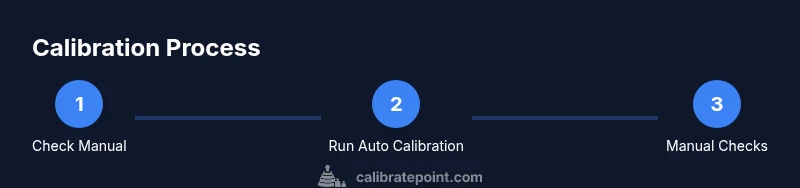
This section outlines a practical, model-independent approach to calibration. If your model supports Auto Calibration, you’ll still want to verify the baseline readings and ensure the self-clean cycle functions correctly. Start with safety checks, then run any built-in calibration sequence if available, or proceed with manual sensor checks described here. The goal is to verify that the system reads the correct load size, water level, and temperature, and that the control board commands accurate motor and valve actions throughout cycles. Keep notes on each reading and any observed discrepancies.
For a manual approach, you’ll measure or observe sensor indicators, compare them to expected ranges from the manual, and adjust only what the documentation allows.
Using auto-calibration if your model supports it
If your model provides an Auto Calibration feature, follow the manufacturer’s sequence to initiate it. Auto Calibration typically runs through a series of controlled steps to stabilize sensors and update the controller’s reference values. This can reduce the chance of human error and provide a quick, reliable baseline. If you cannot find an Auto Calibration option, skip this step and proceed to the manual checks described later in this guide. Auto Calibration results should be recorded for future reference.
Always verify that the cycle completes and that no error codes appear after the calibration run.
Manual sensor checks: voltage, resistance, and readings
Manual checks involve measuring sensor signals and confirming they fall within the manufacturer’s specified ranges. Use a digital multimeter (if your model supports it) to test thermistor resistance, pressure or water-level sensor signals, and other relevant inputs. Compare your readings with the values in the service documentation or the calibration section of the manual. If readings drift beyond tolerance, consult Samsung support or a qualified technician. Document each reading and the conditions under which you tested them to help diagnose future issues.
This step is optional for models without accessible sensor test points; in that case, rely on the built-in diagnostics and test modes described by Samsung.
Verifying results: test loads and readings
After calibration, run a short test load with a light cotton towel or similar item to observe how the washer handles a typical load. Confirm that water usage, drum rotation, and spin speed align with expectations for the cycle. Note the final rinse temperature, detergent dispensing, and any abnormal noises or vibrations. If the test indicates improper operation, re-check steps, re-run Auto Calibration if available, and consider repeating the manual checks. Documentation at this stage helps you identify drift over time.
A successful verification means cycles complete within expected durations, without alarms, and with predictable detergent usage.
Common issues and troubleshooting after calibration
Calibration errors can result from unbalanced loads, improper panel access, or electrical interference. If you encounter an error code after calibration, reset the unit by unplugging for 30-60 seconds and then powering up again. Revisit the manual’s troubleshooting section for the code meaning and recommended actions. If the issue persists, contact Samsung support or a qualified technician. Do not bypass warnings or force cycles that the control system flags as unsafe.
Keep a log of all codes and readings to assist with diagnostics.
Maintenance tips to keep calibration stable
Maintain calibration by performing periodic checks, especially after software updates or detergent changes. Keep the drum clean, periodically run the self-clean cycle, and inspect door latches and seals for wear that could affect sensor readings. Use the washer’s recommended detergent and avoid heavy-soil loads that could skew sensor baselines. When in doubt, re-run calibration or consult support. Routine maintenance reduces drift and preserves cycle accuracy over time.
How to document and reuse calibration data
Record model information, calibration date, readings, and cycle outcomes in a dedicated log. Include any codes or anomalies observed and the actions taken to resolve them. Revisit the calibration log after several months or after service visits to determine if a re-calibration is needed. Keeping a thorough record helps you maintain performance and provides a reference for future maintenance or resale.
Tools & Materials
- Samsung washer user manual (model-specific calibration steps)(Refer to exact model for any built-in calibration sequence.)
- Digital multimeter (optional)(For checking sensor voltages/resistance if your model supports it.)
- Towel or absorbent mat(Place under washer to catch water.)
- Clean microfiber cloth(Wipe drum, sensors, gaskets, and door seals.)
- Flat-head screwdriver or hex wrench(Access panels per model instructions.)
- Stable power outlet or surge protector(Ensure reliable power; avoid outages during calibration.)
- Notebook or device to document readings(Record readings and steps for future reference.)
Steps
Estimated time: 30-60 minutes
- 1
Power down and unplug the washer
Ensure the unit is completely powered off and unplugged from the wall. Move to a dry, clear workspace and remove any items nearby that could interfere with the calibration process. If you recently ran a cycle, wait a few minutes for the internal electronics to settle before starting.
Tip: Double-check the outlet is not controlled by a wall switch to avoid accidental re-powering during the procedure. - 2
Check model manual for calibration options
Open the user manual and locate the calibration or diagnostics section specific to your model. Confirm whether Auto Calibration is supported and note any required button sequences, menu paths, or software steps. If there is no calibration option documented, plan to perform manual sensor verification as described later.
Tip: Have your model number handy and note any software version or region differences that could affect steps. - 3
Empty drum and wipe interior
Make sure the drum is completely empty. Wipe the interior drum, door seal, and sensors with a microfiber cloth to remove residues that could affect reading accuracy. A clean tub reduces drift in sensor baselines and helps establish a stable starting point.
Tip: Avoid using harsh cleaners that could leave residues or damage sensor surfaces. - 4
Run the self-clean cycle (if available)
If your model offers a self-clean cycle, run it once to condition the tub and reset minor surface deposits. Allow it to complete fully and cool for a few minutes before continuing. This can improve sensor stability for subsequent calibration checks.
Tip: Do not interrupt the cycle; permit it to finish to avoid partial cleaning that could skew readings. - 5
Initiate Auto Calibration (if supported)
If Auto Calibration is documented for your model, start it exactly as described in the manual. The cycle typically runs through sensor stabilization and updates reference values in the control module. Do not pressure-tamper with the process; allow it to complete.
Tip: Record the start time and any codes shown during the calibration cycle for later reference. - 6
Perform manual sensor checks (if Auto Calibration unavailable)
Use the manual procedure in the service section to check thermistor resistance, load/sensor signals, and related inputs. Compare readings with the acceptable ranges in your manual or service sheet. If any reading is out of range, adjust only within the documented tolerances or seek professional help.
Tip: Take photos of wiring diagrams or connectors before disconnecting anything to aid reassembly. - 7
Run a diagnostic test wash to verify results
Select a test wash or a light load cycle to evaluate whether the calibration made a measurable improvement. Observe water usage, spin speed, and drum balance. Note any alarms or abnormal noises, and verify the cycle completes without errors.
Tip: Use a predictable load (e.g., towels) to standardize observations. - 8
Document results and assess calibration status
Record sensor readings, cycle times, water usage, and any code behavior. Compare outcomes to baseline values in your manual. If results are stable and within tolerance, you’ve completed a successful calibration. If not, consider repeating the Auto Calibration step or revisiting manual checks.
Tip: Keep a dated log so you can track performance over time.
Questions & Answers
Do all Samsung washers have an Auto Calibration option?
No. Auto Calibration availability varies by model. Check your manual or Samsung support to confirm whether an automatic calibration cycle exists for your specific washer.
Not all models support automatic calibration. Check your manual or Samsung support to confirm your model's capability.
What should I do if error codes appear after calibration?
Record the codes, reset the machine, and re-run calibration or a diagnostic test. If codes persist, consult Samsung support or a qualified technician.
If error codes show up after calibration, log them, reset the washer, and try again. If they continue, contact Samsung support.
Can I calibrate without the user manual?
Calibration without model-specific guidance is risky. Rely on official sources or contact Samsung support to obtain the correct steps for your model.
Calibrating without the manual is risky. Get model-specific steps from Samsung support.
How long does the calibration process typically take?
Most calibration tasks take about 30 to 60 minutes, depending on the model and whether Auto Calibration is available.
Usually around half an hour to an hour, depending on your model and whether you use auto calibration.
Is it safe to perform calibration as a DIY task?
Yes, when you follow safety guidelines: unplug the unit, use the manual, and avoid disassembling safety-critical components. If unsure, seek professional assistance.
DIY calibration is okay if you follow safety rules and use the manual; otherwise, ask a professional.
Where can I find model-specific calibration steps?
Model-specific steps are in the user manual or on Samsung’s official support site. Look up your exact model number to locate the calibration or diagnostics section.
Check your exact model number in the manual or on Samsung support for calibration steps.
Watch Video
Key Takeaways
- Verify model supports calibration before starting.
- Use official auto-calibration first, then manual checks if needed.
- Test with a controlled load to confirm sensor accuracy.
- Document results for ongoing maintenance.
- Safety first: unplug, dry workspace, and avoid panel interference.