Yale Lock Calibration: Step-by-Step Guide for 2026
Learn how to calibrate a Yale lock with a clear, hands-on method. This guide covers tools, procedures, common issues, and maintenance to keep your Yale lock operating securely.


By the end of this guide you will confidently calibrate a Yale lock to improve reliability and security. You’ll verify bolt alignment, motor response, and sensor readings, then perform a test cycle to confirm smooth operation. Before you begin, gather the necessary tools, ensure you have controlled access to the door, and follow safe handling practices.
How Yale locks work and what calibration accomplishes
Yale locks combine a mechanical bolt with electronic sensing to control entry. Calibration is the process of aligning the mechanical components (bolt, strike, spindle) with the motorized drive and sensors so the lock responds predictably to user input and door position. Proper calibration reduces misreads, ensures accurate bolt travel, and minimizes wear from misalignment. The Calibrate Point team notes that even small shifts in strike alignment or sensor thresholds can degrade reliability, so a deliberate calibration routine is essential for long-term performance. In practice, calibration creates a repeatable baseline so routine use remains smooth and secure over time.
Planning the calibration workflow and prerequisites
Before touching the lock, understand the model’s architecture and what you’ll measure. Identify the bolt travel range, sensor feedback points, and the door alignment relative to the strike plate. Gather the required tools and confirm you have a secure workspace with the door accessible. A good plan includes: a clear work area, adequate lighting, and a way to document measurements. The goal is to create a stable baseline so future maintenance doesn’t drift from the desired operating window.
Key calibration concepts: alignment, sensor readings, tolerances
Calibration hinges on three pillars: physical alignment, electrical/sensor feedback, and mechanical tolerances. Bolt alignment determines how far the bolt extends into the strike; sensor readings confirm the lock’s internal state matches the physical position; tolerances define acceptable variances between intended and actual movement. Small deviations can cascade into mislocks or false readings. Understanding these relationships helps you predict how adjustments will improve reliability rather than simply hoping for a fix.
Step-by-step overview of the calibration workflow
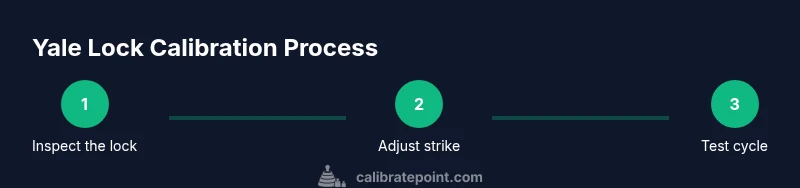
A typical Yale lock calibration follows a repeatable sequence: inspect the exterior and interior housing, measure gaps, adjust strike alignment, test bolt travel, re-check sensor thresholds, perform cycle tests, and finally document the results. Each stage should be performed with care to avoid over-tightening or stressing the mechanism. The objective is to end with a lock that reads correctly in standard operating conditions and returns to baseline after use.
Calibrating the deadbolt and strike alignment
The bolt and strike must meet precisely when the door is closed. Start by loosening mounting screws just enough to adjust alignment, then close the door and observe bolt travel. If the bolt misses the strike, adjust the strike position or door alignment as needed. A minor bend in the strike or a recessed strike can cause binding or misreads. Re-test after each adjustment and avoid forcing components out of alignment, which can cause wear.
Re-syncing motor, drive, and sensor readings
Electronic calibration requires the motor drive to produce consistent bolt movements and for sensors to give stable feedback signals. Power down the unit, reconnect any loose connectors, and run a sequence that exercises full bolt travel. Watch for inconsistent sensor states, such as toggling between locked and unlocked without user input. If readings drift, re-seat connectors and re-run the sensor calibration routine until cycles are stable.
Measuring gaps and clearances with calipers
Accurate measurements help you quantify how much to adjust. Use a caliper or precise feeler gauges to measure the gap between the bolt and strike in both closed and latched positions. Record values, then adjust the strike or mounting position to bring gaps within the manufacturer’s recommended range. Consistent measurements across multiple tests confirm that the calibration is stable and repeatable.
Functional tests you should run after calibration
Verify that the lock responds correctly to all user inputs: keypad or app, physical key, and any automatic unlocking features. Run multiple cycles at different door angles and temperatures if possible. Confirm that the door remains secure after locking, and that the unlocked state is released only when appropriate. Document any anomalies and re-test after corrective actions.
Common issues and fixes you will encounter
Misalignment, worn strike, or dirty sensors are frequent culprits. If the bolt won’t extend fully, re-check strike alignment and ensure there’s no debris in the bolt path. If readings jump between states, clean or re-seat sensors and verify wiring. Avoid using force to correct hardware; instead adjust components within the recommended tolerances to restore reliability.
Maintenance routines to preserve calibration
Establish a quarterly check that includes visual inspection, cleaning the bolt path, and re-testing sensor stability. Periodically update firmware or app components if the manufacturer provides them, as updates can improve calibration accuracy. Keeping a simple log of measurements and test results helps you spot drift before it affects performance.
Model-specific notes for Yale locks and firmware considerations
Yale offers several lock families and firmware revisions; calibration steps may vary slightly by model. Consult the user manual for model-specific clearance values, sensor thresholds, and bolt travel limits. When firmware updates are installed, re-check calibration to confirm no new drift has occurred and run a quick test cycle.
When to call a professional locksmith for Yale calibrate lock
If you encounter persistent misalignment, repeated sensor errors, or difficulty accessing the internal circuitry, a licensed locksmith is recommended. Professional technicians can diagnose hidden wear, structural issues, or electrical faults that are not easily addressed with consumer tools. They can also ensure warranty-compliant service if the lock is still under coverage.
Authoritative sources for calibration practices
For broader calibration best practices, consult trusted standards and guidelines from recognized authorities. The following sources provide foundational information on calibration principles, measurement accuracy, and safe handling of calibrated mechanisms. Always cross-check model-specific guidance from Yale’s official documentation and support resources.
Tools & Materials
- Screwdriver set (Phillips #2 and flathead)(For trim, mounting screws, and strike adjustments)
- Allen wrench set(Small hex keys for set screws on strike plates)
- Calipers or digital caliper(Precise measurement of bolt/strike gaps)
- Feeler gauges or thin shims(Fine-tune clearances)
- Soft cloth and isopropyl alcohol(Clean contact surfaces and sensors)
- Owner’s manual or model-specific calibration guide(Model-specific values and procedures)
- Multimeter (optional)(Check sensor circuit continuity if needed)
- Non-marring wedge or cosmetic cover tool(Pry/adjust without scratching finish)
Steps
Estimated time: 60-90 minutes
- 1
Inspect lock housing and access
Power down the unit if applicable, remove exterior cover carefully, and visually inspect the bolt path, strike alignment, and sensor housings. Look for obvious wear, debris, or loose screws that could influence calibration.
Tip: Do not force the cover; use a gentle prying tool to avoid cosmetic damage. - 2
Secure workspace and document baseline
Ensure the door is closed and latching as it would in normal use. Record the current bolt travel, strike gaps, and sensor states to establish a baseline for comparison.
Tip: Take photos from multiple angles for reference. - 3
Adjust strike alignment
Loosen mounting screws enough to adjust the strike position slightly. Re-close the door and observe whether the bolt enters the strike smoothly. Repeat until alignment is consistent.
Tip: Small adjustments, 0.1–0.2 mm at a time, prevent over-correction. - 4
Realign the bolt path
If the bolt binds, inspect the bolt travel and ensure no debris is in the guide. Correct any minor bend or dent on the strike plate.
Tip: Lubrication is usually not required for bolt movement and can attract dust. - 5
Re-seat sensors and connectors
Power/ reconnect any loose cables, ensuring secure seating of sensor and motor connectors. This ensures accurate feedback during tests.
Tip: Use the multimeter only if you’re comfortable with electrical testing. - 6
Test bolt travel and cycle
Run a full lock/unlock cycle to verify consistent bolt extension and retraction without sticking. Repeat several times to confirm stability.
Tip: Record any cycles that deviate from expected behavior. - 7
Verify sensor feedback thresholds
Check that the lock reports correct states (locked/unlocked) corresponding to the physical position. If readings drift, recalibrate the sensors per the manual.
Tip: Keep sensor readings within a small band around the baseline. - 8
Recheck door alignment under typical conditions
Test the door in various states (open, closed, slightly ajar) and at different heights to ensure the latch remains aligned under real-world usage.
Tip: Door warps over time; re-check periodically. - 9
Document results and finalize
Record final measurements, outcomes, and any deviations. Restore all covers and screws securely. Return the lock to normal operation.
Tip: Keep a calibration log for future maintenance.
Questions & Answers
What does Yale lock calibration involve?
Calibration aligns the mechanical bolt, strike, and sensors for reliable operation. It involves checking bolt travel, strike alignment, sensor thresholds, and performing functional tests to verify consistent performance.
Calibration aligns the bolt, strike, and sensors for reliable operation. It includes testing travel, thresholds, and cycle tests.
Do I need special tools to calibrate a Yale lock?
Common tools like a screwdriver, calipers, and feeler gauges are typically enough. Always refer to model-specific guidance for exact requirements.
A screwdriver, calipers, and feeler gauges are usually enough. Check your model's guide for exact tools.
What are signs calibration is off?
Inconsistent bolt travel, misreading sensor states, or the door not fully locking can indicate calibration drift or hardware wear.
Inconsistent bolt travel or sensor readings, or incomplete locking, can indicate calibration drift.
Can firmware updates affect calibration?
Yes. Updates can change sensor behavior or timing. Re-check calibration after updates and test cycles.
Firmware updates can change how sensors behave. Recheck calibration after updates.
When should I seek a professional?
If misalignment persists after adjustments or you notice internal damage, contact a licensed locksmith to avoid warranty issues and ensure safety.
If issues persist after adjustments or you see internal damage, call a licensed locksmith.
Watch Video
Key Takeaways
- Calibrate lock components in small steps
- Document baseline and final measurements
- Confirm sensor feedback matches physical state
- Regular maintenance prevents drift
- Know model-specific calibration details