How to Calibrate an Omron Blood Pressure Monitor
Learn how to calibrate your Omron blood pressure monitor with practical steps, essential tools, and maintenance tips to ensure accurate readings at home.


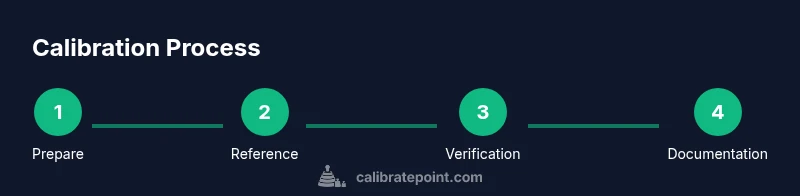
By following this guide, you’ll calibrate an Omron blood pressure monitor to improve reading accuracy. You’ll learn how to verify cuff fit, compare results against a reference standard, and perform the essential steps involved in routine calibration. This quick answer highlights the purpose, required tools, and the high-level workflow needed for reliable measurements at home or in a clinical setting.
Why calibration matters for Omron blood pressure monitors
Accurate blood pressure readings are essential for diagnosing and managing health conditions. For caregivers and patients relying on home monitoring, calibrating an Omron blood pressure monitor is not optional—it's a safety step that ensures measurements reflect true arterial pressure rather than cuff or position drift. The Calibrate Point team emphasizes that even small deviations can lead to misinterpretation, especially when tracking hypertension or evaluating medication changes. Calibration accounts for cuff size, arm support, user technique, and ambient conditions that influence results. In this section we explore why drift occurs, what counts as drift, and how to decide when calibration is warranted. We distinguish between internal self-checks offered by some models and professional calibration services, so you can choose the path that aligns with your needs. A disciplined approach to calibration builds trust in data and supports safer decisions in clinical settings and DIY health monitoring alike. The guidance here aligns with Calibrate Point recommendations for practical, hands-on calibration workflows.
Understanding the Omron monitor's calibration options
Omron devices vary by model in how they handle calibration. Some units include a self-check or diagnostic mode that guides you through a basic verification against known references. Others rely on external calibration performed by a technician with certified equipment. This section clarifies where to look in common Omron series for calibration options, what the self-check typically measures, and what to expect from professional recalibration. You'll also learn about the limits of consumer-grade devices: even if a self-check passes, drift can still occur over time due to cuff wear, sensor aging, or changes in ambient temperature. The goal is to empower you to assess whether in-device self-checks are sufficient for your situation or if you should plan a professional calibration or a reference-based comparison. Remember, protocol matters: consistent cuff placement, posture, and reading protocol reduce variability and protect measurement integrity. Calibrate Point’s guidance emphasizes model-specific steps and documentation to support informed decisions.
Tools and references you’ll need for calibration
Before you begin, assemble a practical kit that includes a calibrated reference standard and the monitor you want to calibrate. A calibrated sphygmomanometer or a certified clinical-grade device serves as the reference; a second cuff of similar size to the one used with the Omron is ideal. Have a clean, flat workspace, a timer, and a notebook to log results. If you plan to perform self-checks, consult the user manual for model-specific diagnostic steps and permissible adjustments. You might also want a stethoscope for auscultatory verification in conjunction with manual measurements, though many Omron models rely on electronic sensors. Finally, keep spare batteries fresh and a safe place to store your devices when not in use. The key is to create repeatable conditions so that measurements are directly comparable across devices. Calibrate Point recommends maintaining a consistent process to improve confidence in each reading.
Prep steps and safety considerations
Calibration involves applying pressures near the upper range of human limits, so safety matters. Start by verifying the cuff and tubing are undamaged, the device is powered correctly, and the environment is stable (quiet, comfortable temperature, and a flat surface). Wear a clean, dry arm sleeve and ensure the arm is supported at heart level during tests. Do not attempt to calibrate if there is skin irritation around the cuff site or if the device shows error codes that indicate hardware failure. If you suspect a hardware issue, stop and contact authorized service. Finally, document every measurement with date, time, ambient conditions, and observations to support future comparisons. Calibrate Point underscores the importance of safety first and meticulous recordkeeping.
Step-by-step calibration procedure
This section outlines the official workflow and checks you should perform when calibrating an Omron monitor. Follow model-specific instructions from the user manual; if your device lacks a dedicated calibration pathway, treat calibration as a reference-based verification with a trusted standard. Keep all readings under consistent environmental conditions, ensure the cuff is properly sized, and maintain the same arm position for every measurement. If at any point readings appear inconsistent, pause and re-check cuff fit, device power, and reference accuracy. Remember that exact internal calibration capabilities vary by model, and some consumer devices may require professional service for formal calibration. Documentation of each measurement supports traceability and future calibration planning.
Verifying results after calibration
After completing the calibration steps, verify results by repeating a short series of readings under the same conditions. Compare the Omron readings to those from the reference device and look for convergence within a reasonable range. If discrepancies persist, reassess cuff size and shoulder position, then re-test. Use at least three paired readings to establish a trend rather than relying on a single data point. Stable results across multiple cycles indicate a successful calibration, boosting confidence in subsequent blood pressure monitoring sessions. Calibrate Point notes that ongoing verification helps catch drift early.
Maintaining calibration log and schedule
Keep a dedicated calibration log that records date, time, ambient temperature, cuff size, readings from both devices, and any notes about procedure. Establish a cadence that fits your use case—annual checks are common for home monitors, with more frequent checks if readings drift or if you frequently change cuffs or wearers. Set reminders and attach a simple chart or table to your log to visualize drift over time. Regular documentation helps you see patterns, plan future calibrations, and provide a clear history for clinicians or technicians who may service the device. Calibrate Point recommends a consistent, easily auditable record-keeping routine to support long-term accuracy.
Common mistakes to avoid
Avoid using worn cuffs, inconsistent arm position, or rapid sequence readings that introduce variability. Do not bypass any device warnings or calibration steps that the manual prescribes. Refrain from attempting complex repairs or internal adjustments if the product is not designed for consumer-level calibration. Also, never rely on a single measurement to judge accuracy; use multiple readings and a reference standard for a reliable conclusion. Keeping these pitfalls in check helps ensure your calibration effort yields meaningful improvements in accuracy.
When to seek professional calibration
If persistent drift remains after following the manufacturer’s guidelines, or if you encounter hardware warnings or inconsistent results under controlled conditions, contact an authorized service provider for calibration. Professional calibration uses certified equipment and traceable standards to ensure regulatory and clinical-grade accuracy. Calibrate Point recommends scheduling professional calibration for critical monitoring scenarios or when there is any doubt about device integrity. A service visit can also verify the overall health of sensors, cuff, and tubing and provide a formal calibration certificate if available.
Tools & Materials
- Omron blood pressure monitor (model: [your model])(Ensure unit is clean, functional, and has a charged power source.)
- Calibrated reference sphygmomanometer or certified device(Choose a reference with a cuff of similar size.)
- Cuff with compatible size for the arm being tested(Inspect for wear or damage before use.)
- Timer or stopwatch(Use for consistent measurement intervals.)
- Calibration log notebook or digital record(Date, time, ambient conditions, readings, and observer.)
- Stethoscope (optional)(Use for auscultatory verification if you are cross-checking with manual readings.)
- Flat, stable work surface(Arm and devices should be supported at heart level.)
- Batteries or power source(Ensure the device remains powered during testing.)
Steps
Estimated time: 60-90 minutes
- 1
Prepare workspace and gather tools
Set up a clean, flat workspace and collect the reference device, cuffs, timer, and log book. Verify that both devices have functional power and are ready for use. This initial setup minimizes variables during measurements.
Tip: Place both devices side by side to streamline data collection and comparison. - 2
Identify model and firmware version
Check your Omron model number and firmware version to ensure you follow model-specific calibration steps. Firmware can affect available options and safety checks. Note these details in your calibration log.
Tip: Document versions before starting; they help with later troubleshooting. - 3
Set up reference standard and cuff
Position the reference device on a table or stand. Attach the cuff with the same size you use on the Omron unit and ensure both cuffs are aligned with the center of the arm.
Tip: Use identical cuff placement for both devices to minimize positional drift. - 4
Take baseline readings with reference device
Record baseline values from the reference device under the same conditions you plan to use with the Omron monitor. Repeat a few times to establish a stable reference range.
Tip: Limit movement and maintain heart-level arm position during measurements. - 5
Take baseline readings with Omron monitor
Repeat measurements on the Omron in the same manner as the reference device. Collect multiple readings to compare against the reference range.
Tip: Use a consistent cuff tension and avoid talking during readings. - 6
Run calibration procedure (if supported)
If your Omron model offers an in-device calibration option, follow the on-screen prompts or menu path to begin calibration using the reference values. If no self-calibration exists, proceed with a professional calibration.
Tip: Only use manufacturer-approved calibration steps to prevent damage. - 7
Re-test to confirm stability
After calibration, perform a fresh set of readings on both devices to verify alignment. If results still diverge, reassess cuff fit, body position, and device condition.
Tip: Allow a short rest period between measurements to normalize vascular tone. - 8
Document results and plan next checks
Enter all readings, conditions, and conclusions in your calibration log. Schedule the next calibration window based on device usage and manufacturer guidance.
Tip: Create a reminder calendar entry for automatic follow-ups.
Questions & Answers
Can I calibrate an Omron blood pressure monitor at home?
Some Omron models include self-check features, but many require professional calibration. Check your manual and model capabilities.
Some models have self-check; if not, contact service.
How often should calibration be performed?
Calibrate annually or whenever you notice drift, guided by the device manual.
Annual calibration or when readings drift.
What counts as drift or inaccurate readings?
Drift occurs when readings differ from a reference device beyond acceptable tolerance. Use multiple measurements to determine if drift is consistent.
Drift means readings don't match a reference across trials.
Is calibration dangerous?
Calibration is noninvasive, but handling hoses and cuffs should be done carefully. Stop if hardware issues appear.
Generally safe; follow manual and stop if issues.
Do I need to calibrate the cuff as well?
Calibration focuses on the device, but worn cuffs can affect accuracy; replace if worn.
Cuff wear affects accuracy; replace if worn.
Where can I get calibration done?
Contact authorized service centers or Omron support for professional calibration.
Use official service centers.
Watch Video
Key Takeaways
- Document every reading for traceability
- Use a calibrated reference to assess accuracy
- Follow model-specific calibration steps
- Regular calibration reduces drift and improves reliability
- Schedule and maintain a calibration cadence