How to Calibrate Govee T2
Learn how to calibrate your Govee T2 thermometer accurately with in-app offsets and ice-point checks. This guide from Calibrate Point covers tools, safety, step-by-step workflow, and best practices for reliable temperature readings.


Learn how to calibrate the Govee T2 so readings stay accurate. This process combines in-app offset adjustments with an ice point check and, if needed, a reference thermometer verification. You will need a reference thermometer, ice and water, and a clean container. Take notes of offsets for future checks and audits.
Why Calibration Matters for Govee T2
Calibration matters because ambient conditions, device drift, and sensor aging can skew readings over time. According to Calibrate Point, maintaining accuracy in temperature and humidity readings protects informed decisions in food safety, horticulture, and HVAC troubleshooting. The Govee T2 is a popular tool for quick-room measurements, but without calibration its reported values may deviate from true environmental conditions. Regular calibration helps ensure that your data remains consistent across different environments and over time, making comparisons reliable and decisions data-driven.
Understanding What the Govee T2 Measures
The Govee T2 is designed to monitor ambient temperature and relative humidity. Temperature readings can drift due to sensor aging, power cycling, or rapid environmental changes. Humidity readings are influenced by air flow, condensation, and surrounding materials. Calibration aligns both sensors to known references, ensuring that your environmental data reflects real conditions. This section outlines how to approach calibrating both temperature and humidity aspects, so you can trust the device in applications from DIY projects to professional lab or field work.
In-app Offset Calibration: The Primary Method
Many modern data loggers offer an offset control in the companion app. If your Govee T2 firmware supports an offset setting, this is typically the simplest way to correct systematic bias found during a field check. Start by recording the baseline reading in a controlled environment, then apply a calculated offset (the difference between reference and device readings). After applying the offset, recheck the reading against the reference to confirm alignment. Keep in mind that offsets may drift with time, so periodic verification is essential. This method is convenient for routine adjustments and quick corrections during ongoing monitoring, especially in classrooms, workshops, and job sites.
External Reference Checks: Ice Point Method
The ice point method provides a robust external reference for zero degrees Celsius. Create a stable 0°C bath using crushed ice and water, ensuring no air pockets or warm spots. Submerge the Govee T2 sensor and a reference thermometer side by side, and wait for the readings to stabilize. Record both readings and compute the offset. This traditional technique helps validate the in-app offset and can reveal sensor drift that app-based calibration alone might miss. Safety precautions include handling ice carefully and avoiding immersion of non-waterproof electronics beyond their rating.
Step-by-Step Calibration Workflow (Overview)
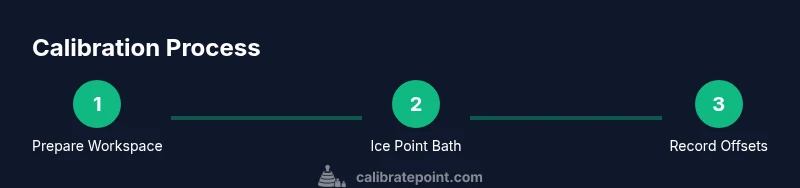
Below is an overview of the practical workflow that combines in-app tools with a physical ice-point check. You will perform measurements, compute a correction offset, and validate results with a repeat check. This overview sets the stage for the detailed, step-by-step instructions that follow in the dedicated workflow section. The goal is to produce a repeatable protocol you can follow any time you need to refresh accuracy. See the step-by-step section for actionable actions with explicit timing.
Troubleshooting, Safety, and Best Practices
Calibration should be performed in a stable, interference-free environment. Avoid direct sunlight, drafts, or radiant heat sources during measurements, as these can skew readings. Use a reference thermometer with known accuracy and document every reading, including ambient conditions. If readings diverge after calibration, re-check the setup for sensor placement, device orientation, and battery 상태; consider repeating the ice-point check or performing a secondary temperature point check (e.g., a warm bath) to confirm the trend. Always follow water safety guidelines when handling ice and cold baths.
Maintenance and Calibration Schedule
Create a simple maintenance plan that includes quarterly drift checks or after any firmware update, physical shock, or relocation to a new environment. Keep a calibration log that records date, ambient conditions, reference readings, device readings, applied offsets, and results. This habit helps you track long-term accuracy and makes it easier to audit sensor performance over time. Regular recalibration is a key practice for professionals who rely on precise environmental measurements.
Tools & Materials
- Govee T2 thermometer(Fully charged; firmware up to date)
- Calibrated reference thermometer(Calibrated for accuracy; use a stable reference)
- Ice for ice-point calibration(Crushed ice to create a near 0°C bath)
- Water (distilled preferred)(To fill ice bath; avoid mineral residue)
- Clean container/bowl(Tall enough to hold the ice bath securely)
- Stirrer or non-metal tool(Mix water for uniform temperature)
- Notebook and pen(Record readings and offsets)
- Safety gear (gloves, eye protection)(Protect from cold exposure)
Steps
Estimated time: 60-90 minutes
- 1
Prepare workspace and gather tools
Clear a stable, dry surface and lay out all calibration items. Inspect the Govee T2 and reference thermometer for any visible damage. Ensure the environment is free from strong drafts or direct heat sources that could affect readings. This step sets the stage for reliable measurements and reduces the chance of introducing external error.
Tip: Place a towel under the setup to catch condensation and keep the area clean. - 2
Power on devices and confirm readiness
Turn on the Govee T2 and ensure the reference thermometer is functioning. Allow both devices to power up to their normal operating temperature. Check that the T2 displays the current ambient conditions and that the reference thermometer stabilizes at room temperature before moving to the next step.
Tip: If either device shows an erratic reading, wait a few minutes and reset as needed. - 3
Create an ice-point bath and stabilize
Fill the container with crushed ice and add just enough water to create a slushy bath around 0°C. Submerge both sensors close together but without contact between electronic housings. Allow readings to stabilize for about 2–3 minutes while gently stirring to eliminate hot spots.
Tip: Avoid overfilling so water cannot overflow onto the sensors. - 4
Take baseline readings side-by-side
Record the Govee T2 temperature reading and the reference thermometer reading while both are in the ice bath. Keep the sensors stationary and avoid touching them with your hands to prevent heat transfer. This provides the baseline offset between devices at 0°C.
Tip: Give each sensor a full 60 seconds to reach thermal equilibrium. - 5
Calculate and document the offset
Compute the offset as: offset = reference reading minus Govee T2 reading. Write down the numerical offset with its sign and note the ambient conditions. This offset represents how much you must adjust the Govee T2 to align with the reference.
Tip: Double-check your arithmetic and include units in your log. - 6
Apply offset in app or device if available
If the Govee Home app or device interface exposes an offset or calibration field, enter the calculated offset precisely. Save the setting and verify that the Govee T2 now reads closer to the reference at 0°C.
Tip: If there is no in-app offset, document the offset and plan for a future firmware-based calibration check. - 7
Validate with a second point check
Perform a second calibration check using a known temperature point, such as near room temperature, to confirm the offset holds across a typical range. Compare readings and confirm convergence toward the reference.
Tip: If the offset changes significantly, re-evaluate the setup for drafts or sensor proximity. - 8
Document results and schedule next check
Log date, ambient conditions, readings, offset applied, and outcome. Establish a maintenance schedule for future calibrations based on your usage scenario and environment.
Tip: Keep the calibration log easily accessible for audits or QA reviews.
Questions & Answers
Does the Govee T2 support in-app calibration?
In-app calibration options may exist depending on firmware; consult the current app help and release notes for available features.
Check the Govee Home app for any offset or calibration options that your firmware supports.
What is the ice-point method used for calibrating the Govee T2?
The ice-point method uses an ice-water bath near 0°C as a stable reference, allowing you to compare Govee T2 readings with a trusted thermometer.
Use a properly prepared ice bath to establish a near zero Celsius reference and compare readings.
How often should I calibrate the Govee T2?
Calibrate based on usage, drift, and environment. A quarterly check is common for many setups, with additional checks after relocations or firmware updates.
Check drift periodically and after any major change in environment or firmware.
What if offsets persist after calibration?
Re-check the setup for placement, drafts, and sensor contact. If the drift remains, repeat the calibration process or consult support.
If offsets stay, double-check the setup and consider another calibration pass or support.
Can humidity readings be calibrated the same way as temperature?
Calibration guidance for humidity can require different references or procedures. Use manufacturer guidance and calibrated references when available.
Humidity calibration may need a different reference; consult the device docs for specifics.
Should I recalibrate after changing batteries?
Battery changes can affect electronics readings. Recheck readings after replacement and recalibrate if drift appears.
After a battery change, verify readings and recalibrate if you detect drift.
Watch Video
Key Takeaways
- Calibrate regularly to maintain accuracy.
- Use a calibrated reference to validate readings.
- Record offsets and environmental conditions for audits.
- Ice-point checks provide a stable zero reference.
- Document results and keep a calibration history.