Dexcom Calibrate: A Practical CGM Calibration Guide
Learn how to calibrate Dexcom CGMs when needed, with a clear step-by-step process, safety tips, and troubleshooting guidance—perfect for DIY enthusiasts, technicians, and clinicians.


Dexcom calibrate refers to aligning CGM readings with a fingerstick reference when the device signals potential inaccuracy. While many newer Dexcom models are factory calibrated, calibration is sometimes necessary after sensor changes, resets, or anomalous readings. This guide provides a practical, safety-focused workflow to verify accuracy and minimize data drift.
What Dexcom Calibration Is and When It May Be Needed
Dexcom calibrate is the process of aligning Dexcom CGM readings with a trusted fingerstick glucose reference value when the device indicates readings that seem inconsistent. In practice, many Dexcom models are factory calibrated and do not require routine fingerstick calibrations. However, there are situations where calibration is recommended by clinicians or required by device settings, such as after sensor insertion, during unusual readings, or after a system reset. According to Calibrate Point, adhering to proper calibration practices reduces data drift and improves the reliability of CGM data for decision-making. This guide explains the concept, differentiates between generations (G6/G7 versus earlier models), and provides actionable steps to calibrate safely when needed. It also highlights how to interpret results and what to do if calibration doesn’t resolve discrepancies. The goal is to empower users with practical, evidence-based guidance for maintaining accurate CGM data.
In practice, the Dexcom calibrate workflow should be approached with a clear plan, a fingerstick meter, and a calm testing environment. If readings remain inconsistent after calibration, seek professional guidance. This approach aligns with the standards emphasized by Calibrate Point to minimize measurement drift and support reliable glucose management.
note”:null},
Tools & Materials
- Fingerstick glucose meter(Have fresh, calibrated test strips and lancets ready before testing.)
- Dexcom receiver or compatible smartphone with the Dexcom app(Ensure the app is updated and the sensor is active.)
- Alcohol wipes or antiseptic prep(Clean the insertion site and hands before testing.)
- Gloves or hand sanitizer(Optional for hygiene, especially in clinical settings.)
- Notebook or digital log(Record calibration values and times for auditing.)
- Sensor insertion kit (if re-inserting a sensor)(Use only if you are replacing a sensor and re-calibrating.)
Steps
Estimated time: 30-45 minutes
- 1
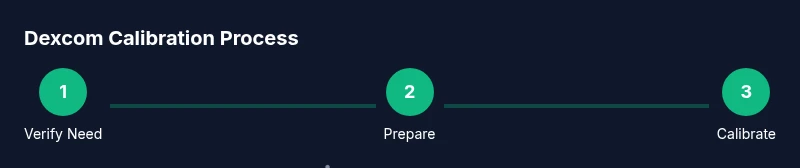
Verify calibration necessity
Confirm that your Dexcom model requires user calibration under current conditions (sensor age, recent resets, or unusual readings). Do not calibrate if the device is factory calibrated and functioning normally. This step prevents unnecessary adjustments.
Tip: Double-check device guidelines or clinician instructions before proceeding. - 2
Prepare the testing environment
Wash and dry hands, gather the fingerstick meter, and ensure the Dexcom device is in range and powered on. A calm, controlled environment reduces measurement noise.
Tip: Avoid testing immediately after eating or during rapid glucose changes. - 3
Obtain accurate fingerstick values
Take a fingerstick measurement that reflects a stable glucose level (not rapidly rising or falling). For best results, use a mid-glucose-range reading and wait 5–10 minutes if needed to stabilize.
Tip: Use the same finger each time if you’re repeating multiple readings. - 4
Access calibration in the Dexcom app
Open the Dexcom app or receiver, navigate to calibration or sensor settings, and select the option to enter a fingerstick value. Follow on-screen prompts precisely.
Tip: If the app prompts for multiple calibrations, enter values that best reflect the reading times. - 5
Enter the fingerstick value
Input the fingerstick number exactly as shown on the meter and confirm. Ensure the time stamp matches the calibration event.
Tip: Avoid rounding or guessing; accuracy matters for the algorithm. - 6
Confirm and monitor immediately
After entering the value, observe the CGM reading over the next 15–30 minutes for alignment with fingerstick data and trend direction.
Tip: Look for convergence within ±15 mg/dL (or ±1 mmol/L) if your device guidelines allow. - 7
Document and review
Log the calibration event, values, time, and any anomalies. Review readings periodically to detect drift or sensor issues.
Tip: Keep a running calibration log for clinician review if needed.
Questions & Answers
Do Dexcom CGMs require calibration for every model?
No. Many modern Dexcom models are factory calibrated and do not require routine fingerstick calibrations. Calibration may be needed in specific scenarios, such as after sensor changes or unusual readings, as advised by clinicians.
Most Dexcom models are factory calibrated, but calibration may be needed after sensor changes or if readings seem off.
When should I calibrate my Dexcom CGM?
Calibrate only if your device or clinician indicates a necessity, after sensor insertion, or when readings diverge significantly from fingerstick values. Always follow the manufacturer’s and clinician’s guidance.
Calibrate only when indicated, such as after sensor insertion or if readings don’t match fingerstick results.
How many fingerstick readings are needed to calibrate?
Typically one accurate fingerstick reading is sufficient if your device asks for calibration, but some cases may require a second reading to confirm alignment. Follow device prompts.
Usually one accurate fingerstick reading is enough, but follow the device prompts for confirmation.
What should I do if calibration doesn’t improve accuracy?
If calibration fails to align CGM readings with fingerstick values, stop calibrating, recheck sensor placement, verify sensor age, and consult clinical guidance. Consider sensor replacement if drift persists.
If calibration doesn’t fix it, check the sensor and seek clinical advice.
Are there safety risks associated with calibration?
Calibration itself is low risk, but misuse can lead to incorrect glucose readings and dosing decisions. Always use proper technique, and do not calibrate while driving or applying injections.
Calibration is generally safe when done correctly; avoid distractions during the process.
Watch Video
Key Takeaways
- Calibrate only when necessary and supported by device guidelines
- Use accurate fingerstick values and synchronized timestamps
- Validate calibration by monitoring CGM vs fingerstick over time
- Document every calibration for clinical or personal review