Calibrate Garmin Watch to a Treadmill: Step-by-Step Guide
Learn how to calibrate your Garmin watch to a treadmill for precise pace, distance, and workout data. This guide covers setup, baseline measurements, testing, interpretation, and troubleshooting for DIY enthusiasts and professionals.


By the end of this guide, you will accurately sync your Garmin watch with treadmill measurements, ensuring pace, distance, and energy estimates reflect real-world effort. Before you start, you’ll need your Garmin watch, the treadmill’s current belt speed, incline setting, and a few calibration references. The process combines pace validation, belt-distance checks, and optional foot pod adjustments for precision.
Why calibrate Garmin watch to treadmill
Calibrating a Garmin watch to a treadmill improves the fidelity of pace, distance, and calorie estimates during indoor runs. Distance on a treadmill is a function of belt travel, which can drift due to belt wear, tension, or sensor variance. A well-executed calibration aligns your watch readings with the actual belt distance and speed, giving you reliable data for training analysis and performance tracking. According to Calibrate Point, even modern wearables can wander from treadmill measurements under certain conditions, so a deliberate calibration approach helps preserve measurement integrity across workouts. In practice, you’ll create a simple baseline, perform controlled tests, and verify results with repeatable iterations. The payoff is clearer feedback on pace consistency, better tempo control, and confidence that your workouts reflect true effort. As you work through the steps, remember that calibration is not a one-and-done task; it’s a periodic check, especially after belt changes, treadmill maintenance, or firmware updates on your Garmin device. The goal is transparency: you should be able to trust your data when you compare daily runs, race rehearsals, or recovery pacing against your outdoor benchmarks.
Understanding drift and its impact on training data
There are a few common sources of drift when pairing Garmin watches with treadmills. Belt speed can run slightly faster or slower than the displayed setting, especially on older machines or after maintenance. Stride length and cadence captured by the watch influence pace calculations, and incline changes can distort distance and effort estimates if not accounted for. Differences between the treadmill’s internal distance counting and the wearer’s biomechanical cues also affect perceived exertion and energy expenditure. Recognizing these factors helps you prioritize what to calibrate first. The Calibrate Point team finds that the most impactful adjustments are the belt-distance reference and the consistency of belt speed at comfortable paces. Keeping incline and belt length constant during calibration reduces confounding variables and yields clearer, repeatable results.
Tools, prerequisites, and safety reminders
Before you begin, ensure your devices are ready and your workout space is safe. Wear comfortable running shoes, ensure the treadmill belt is warmed up and flat, and confirm the treadmill is on a stable surface. Update your Garmin watch firmware for the latest calibration options, and reset any custom profiles you might have created. Keep a notebook or note app handy to record baseline readings and subsequent adjustments. Safety first: do not lean on handrails while calibrating, maintain a smooth running form, and stop immediately if you feel dizzy or unstable. A calm, deliberate calibration run—without sudden accelerations—produces the most reliable data. In the sections that follow, you’ll find a practical workflow that balances accuracy with ease of use, designed for both beginners and advanced users.
Establish baseline measurements you can trust
Baseline measurements serve as the reference point for every calibration session. You want a known, repeatable distance and a controlled pace to compare Garmin readings against. A practical approach is to run a fixed distance (for example, 400 meters or 0.25 miles) at a steady pace, recording the treadmill’s belt distance, the time, and Garmin pace. If your treadmill provides a belt-length measurement, write it down and use it for future checks. Repeat the same test at a second, slightly faster pace to verify consistency. Recording multiple data points helps identify any non-linear drift and improves your confidence in subsequent adjustments. Document the belt speed setting, incline, ambient conditions, and any odd readings you observe. With a solid baseline in place, you can move confidently into iterative refinements. The goal is to produce a predictable delta between Garmin pace and belt distance that you can reproduce across sessions.
Step-by-step calibration workflow for reliable results
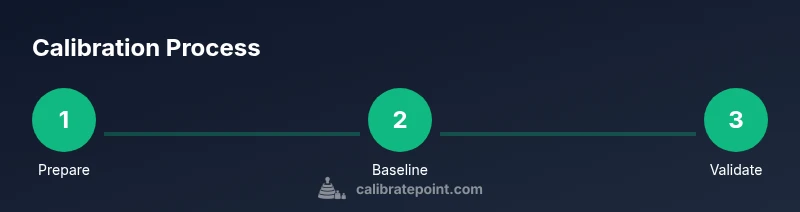
To ensure a disciplined approach, follow a repeatable workflow that minimizes variance. Start by updating firmware, then set the treadmill to a known baseline (zero incline, fixed belt speed). Run a calm, controlled test distance while recording Garmin pace and treadmill distance. If discrepancies exceed a small margin, adjust one variable at a time—first the Garmin pace offset, then the belt distance reference, and finally the incline compensation if needed. After each adjustment, repeat the controlled run to verify improvement. Keep all measurements in your calibration log and note the exact gear and settings used. Over time, you’ll build a reference matrix that helps you quickly approximate the right changes when you encounter drift in future workouts. This method emphasizes slow, deliberate changes and objective validation rather than guesswork, which aligns with Calibrate Point’s emphasis on practical, repeatable calibration practices.
How to interpret results and determine whether recalibration is warranted
Interpreting calibration results involves looking for consistent alignment between Garmin pace and treadmill belt distance across multiple trials. If you observe systematic bias (Garmin pace consistently faster or slower than belt distance) or wide variance between trials, it’s a signal to refine the calibration. A small, repeatable delta is acceptable, but larger gaps suggest a need to recheck baseline measurements, verify belt length, and confirm that incline and belt speed are set correctly. If results still don’t align after a thorough review, consider recalibrating from scratch with fresh baseline measurements. Remember, calibration is about reducing uncertainty in readings; the more precise your baselines and the more systematic your testing, the more reliable your workout data will be. Regular validation after belt replacements or treadmill maintenance is recommended to keep your data trustworthy.
Real-world scenarios and troubleshooting tips
In real-world settings, several scenarios can affect calibration quality. If you share workouts outdoors and indoors, compare outdoor GPS pace with indoor treadmill metrics to test consistency. If you notice sporadic spikes in Garmin data during a run, it could be due to sensor misalignment or firmware quirks—check for updates and re-run a short calibration sequence. When users see persistent drift after most calibrations, revisit belt tension and surface flatness; even minor deviations can cascade into inaccurate pace reporting. Documenting these conditions helps you diagnose quickly in the future. Throughout the process, keep a calm, methodical approach to avoid introducing new bias. The aim is to create a robust calibration routine you can repeat without disrupting your training schedule.
Tools & Materials
- Garmin watch (updated firmware)(Ensure the latest firmware version before starting calibration)
- Treadmill with adjustable speed and incline(Confirm belt length and consistent belt tension)
- Measuring tape or known distance reference(Use a fixed distance (e.g., 400m) for baseline runs)
- Notebook or digital notes app(Record baseline data, adjustments, and results)
- Optional sensors (foot pod or cadence sensor)(Helpful for cross-checking cadence alongside treadmill data)
Steps
Estimated time: 35-60 minutes
- 1
Prepare devices and environment
Power on both devices, update firmware, and ensure the treadmill belt is warmed up and free of debris. Confirm the treadmill is on a flat surface and set to a baseline speed and incline. This creates a stable reference for comparison with the Garmin watch.
Tip: Check that the belt is at operational temperature and free of obstructions before starting. - 2
Enter calibration mode and set baseline
Navigate to the treadmill calibration or pace settings and record the current belt speed and incline. On the Garmin watch, ensure the activity profile is appropriate (running) and that any autopause settings won’t trigger during the test.
Tip: Use a fixed baseline speed so outcomes are comparable across trials. - 3
Run a controlled test distance
Run a measured distance (e.g., 400 meters) at a comfortable, sustainable pace. Note the time, Garmin pace, and treadmill distance. Repeat once or twice to gather repeatable data.
Tip: Keep your form smooth and avoid grabbing the handrails to prevent altering pace readings. - 4
Compare Garmin pace to belt distance
Calculate the delta between Garmin pace and the treadmill’s belt distance for each trial. Look for consistent bias across trials rather than a one-off discrepancy.
Tip: If Garmin pace is consistently faster than belt distance, note the direction of offset for correction. - 5
Adjust Garmin settings and provide a clear offset
Apply the offset in Garmin Connect or the device’s calibration options. If available, adjust distance based on belt length and test again with the same distance.
Tip: Make one adjustment at a time and verify with another copy of the baseline run. - 6
Validate with a second run and refine
Run the baseline distance again after changes to confirm improved alignment. If drift persists, revisit baseline measurements or consider belt length accuracy.
Tip: Document results and keep track of the final offset for future reference. - 7
Document results and plan re-calibration cadence
Record the final offset, baseline speeds, and belt condition. Set a reminder to re-check calibration after treadmill maintenance or belt replacement.
Tip: Recalibrate at least after belt changes or firmware updates.
Questions & Answers
Do I need a foot pod for treadmill calibration?
A foot pod is not strictly required for treadmill calibration, but it can help improve accuracy when you also track outdoor runs for cross-checks. Use it if you already own one and want extra confidence in cadence readings.
A foot pod isn't required, but it can improve cadence accuracy when you compare outdoor runs with indoor treadmill data.
Will Garmin automatically calibrate during workouts?
Garmin devices offer some automatic adjustments in the software, but automatic calibration is not guaranteed or comprehensive for treadmill setups. Manual calibration provides more reliable results.
There’s some auto-adjustment, but manual calibration yields more reliable treadmill-specific readings.
How often should I calibrate?
Calibrate whenever you change the treadmill belt, after significant maintenance, or if you notice consistent drift in pace or distance readings.
Calibrate after belt changes or when you notice drift.
Can I calibrate on any treadmill?
Most modern treadmills support some form of calibration, but steps can vary by model. Always consult the treadmill manual and use it as your practical reference.
Most treadmills support calibration, but check your model's manual.
What if readings still disagree after calibration?
If readings remain inconsistent, re-check baseline measurements, confirm belt length, and repeat controlled trials. Consider adding a foot pod or redoing the calibration from scratch.
If readings still disagree, redo the process starting from fresh baselines and tests.
Is belt length important for accuracy?
Yes. Belt length directly affects distance calculations. Measure accurately and use that measurement for calibrations involving belt distance.
Belt length matters; measure it accurately for calibration.
Watch Video
Key Takeaways
- Calibrate regularly after belt changes and firmware updates.
- Use a fixed baseline distance for repeatable tests.
- Document offsets and validation results for future workouts.
- Small offsets are acceptable if results are repeatable and verified.
- Regular checks improve long-term data reliability.