How to Know If Your Treadmill Is Calibrated
Learn how to know if your treadmill is calibrated with practical checks for speed, incline, and belt tracking. Safe, DIY guidance from Calibrate Point to keep workouts accurate and safe.


Learn how to know if treadmill is calibrated by verifying that pace, distance, and incline reflect real-world performance. In this quick answer we cover practical checks for speed accuracy using a measured course, incline consistency with a level, belt tracking, and indicators that a recalibration or professional service is needed. Use these tests to decide whether you’re within spec or require adjustments.
What calibration means for a treadmill
Calibration, in the context of a treadmill, means ensuring that the numbers the console shows (speed, distance, and incline) match what happens in real life. A properly calibrated machine helps you train at the intended intensity and ensures your progress is measurable. According to Calibrate Point, regular sanity checks can catch drift in readings caused by wear, belt tension, or sensor misalignment. When your treadmill is calibrated, your workouts become more predictable, your heart-rate targets stay accurate, and you reduce the risk of overtraining or undertraining. This section lays out the core concepts and why calibration matters for every runner and walker.
Key ideas include alignment of the belt, true speed at the set setting, accurate incline readings, and consistent distance reporting. If any of these drift, you are not getting the workout you expect, and you may be training with a false pace. Understanding these factors helps you interpret data from the console and guides you toward a safe recalibration strategy or professional service if needed.
Signs of potential calibration drift
There are several practical indicators that your treadmill may need calibration checks. First, pace feels inconsistent: you run at a target pace but the perceived effort and the console speed disagree. Second, distance tracked on the display does not align with your outdoor pace or the measured time you spend running. Third, incline readings do not match the actual slope under a level or inclinometer. Fourth, the belt appears to drift toward one side or rubs against the deck edges, suggesting tracking issues. Lastly, after a maintenance event (belt replacement, motor service), readings can drift as parts settle. These signs don’t always mean a full recalibration is required, but they are strong clues to investigate further and document for reference. The Calibrate Point team emphasizes using a methodical approach to confirm drift rather than assuming.
How to approach calibration tests at home
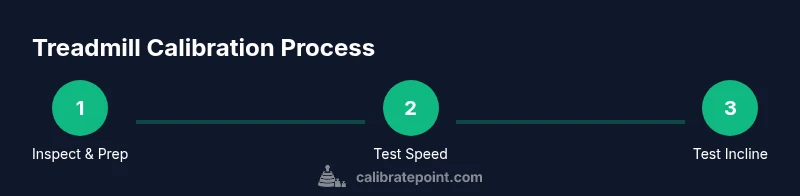
Calibration checks don’t require specialized equipment. Start with a simple plan: verify speed accuracy, test incline readings, and inspect belt tracking. Use a measured course or reference pace to compare treadmill speed to your true pace, and use a level or inclinometer app to confirm the incline. Document each reading and compare it to the expected result based on your settings. If readings consistently diverge beyond a reasonable margin, plan a recalibration, consult the user manual, or contact a service technician. The goal is to establish a repeatable, documented process that you can repeat after any maintenance work. Calibrate Point’s guidance is to keep tests consistent and non-destructive, so you can repeat them as part of routine maintenance.
Include a quick safety pause before starting: unplug if you need to inspect the belt; ensure the belt is stationary when making any internal checks.
Belt tracking, surface flatness, and sensor alignment
A well-tracked belt runs straight down the center and remains flat without warping. Visually inspect the belt when the machine is off: it should sit evenly, with no edge lifting. If you notice edge rubbing or the belt skewing to one side, alignment and tension adjustments may be necessary. Surface flatness matters for accurate distance computation and incline reading. A minor tilt can skew results, especially on inclined settings. Regularly cleaning the belt and deck reduces debris that can affect tracking. In sum, physical wear, belt tension, and sensor alignment all influence calibration quality. A thorough inspection is a critical part of every calibration plan.
Practical home tests for speed and incline (step-by-step overview)
This section gives a practical approach to testing speed and incline accuracy using readily available tools and a structured plan. Begin with a gentle warm-up, then perform a controlled speed test by running a known pace for a set time and comparing how you feel to what the console reports. For incline, place a level on the deck to verify the physical tilt corresponds to the percentage displayed. Repeat tests at several settings to identify consistent drift. Finally, compile your observations into a simple chart to track changes over time. When inconsistencies appear, consider a professional calibration or model-specific guidance from the manufacturer.
When to recalibrate vs call for service
If your home checks reveal persistent discrepancies across multiple settings, a recalibration is warranted. Some treadmills offer self-calibration routines in their maintenance menus; follow the manual to perform these steps, noting any error codes. If drift persists after recalibration, or you discover mechanical issues like a worn belt, misaligned pulley, or faulty sensors, contact a certified technician. A professional calibration will typically involve a factory-grade procedure and may require parts replacement. Regular maintenance, including belt alignment and sensor checks, helps prevent future drift. In all cases, document readings and dates to establish a reliable maintenance history.
How calibration impacts workouts and safety
When calibration is accurate, you can trust the pace, distance, and incline you see during workouts. This alignment supports achieving target training zones, improving progression tracking, and reducing risk of injury from undetected pace inaccuracies. Inaccurate calibration can lead to overtraining on easy days or undertraining during challenging sessions. Safety is also affected: a misrepresented incline can alter perceived effort and strain joints differently than intended. Regularly scheduling calibration checks helps keep your workouts precise and safe over time. Calibrate Point emphasizes a proactive approach: test, document, recalibrate when needed, and verify after any maintenance.
Summary: building your calibration routine
To maintain accuracy, perform a repeatable calibration routine every few months or after any service. Use simple checks (speed, incline, belt tracking) and a consistent testing plan. Keep a log of results and compare against previous data to identify drift early. When in doubt, refer to the manufacturer’s guidance and consider professional calibration for complex systems. Implementing a routine helps you train with confidence and protects the longevity of your treadmill.
Tools & Materials
- Measuring tape (3-5 meters)(For setting up a known distance test and verifying measured pace with an outside reference)
- Smartphone or stopwatch(To time tests and log observations)
- Level or inclinometer app(To verify incline and belt tilt)
- Flat, clean testing area around treadmill(Safety and accuracy during checks)
- Treadmill manual or calibration guide(Model-specific steps and safety cautions)
- Camera or notebook for record-keeping(Capture before/after photos or document results)
Steps
Estimated time: 60-90 minutes
- 1
Gather tools and prep area
Collect measuring tape, timer, level/app, and the manual. Clear the area around the treadmill and ensure the machine is unplugged before any inspection. This ensures your safety and gives you a stable setup for testing.
Tip: Take photos of belt alignment before making adjustments so you can revert if needed. - 2
Power down and inspect for debris
Unplug the treadmill and inspect the belt, deck, and motor area for lint, hair, or loose objects. Remove debris carefully to prevent belt drag or sensor interference. A clean surface improves measurement accuracy and prolongs component life.
Tip: Wipe the belt with a dry microfiber cloth to remove dust. - 3
Check belt tracking and centering
With the machine powered off, visually inspect the belt to ensure it sits centered on the rollers. If the belt leans to one side, adjust belt tension and alignment following the manufacturer’s procedure. Misalignment can affect speed readings and wear unevenly.
Tip: Only adjust per the manual; excessive tension can cause belt damage. - 4
Test speed accuracy with a reference pace
Set a comfortable pace on the treadmill and use a stopwatch to time a fixed outdoor distance or use a running watch. Compare the perceived pace with the console’s speed reading. If they diverge consistently, calibration drift may be present.
Tip: Run at several speeds (e.g., easy, steady, tempo) to check consistency. - 5
Test incline calibration with a level
Place a level on the belt surface when the treadmill is stationary at a mid-range incline and verify that the deck tilt matches the displayed percentage. Repeat at other inclines. Note any persistent mismatch for later recalibration.
Tip: If the incline isn’t adjustable to the reported degree, consult the service manual. - 6
Record results and decide next steps
Log all readings with the date and model. If discrepancies exceed what you consider acceptable, perform the model’s calibration routine or contact a service professional for a factory-grade calibration.
Tip: Keep a maintenance log so you can track drift over time.
Questions & Answers
How do I know if my treadmill is calibrated?
You know your treadmill is calibrated when pace, distance, and incline readings align with your actual effort and measurements. If multiple tests show drift beyond expected variance, calibration or service is warranted.
If your pace and distance don’t match your effort or measurements, or the incline readings are off, your treadmill may need calibration or professional service.
Can I calibrate a treadmill at home?
Many treadmills offer basic home calibration routines in the maintenance menu. Follow the manual exactly, perform tests, and document results. If you cannot achieve alignment after the built-in checks, seek professional calibration.
Yes, some models let you calibrate at home using the maintenance menu. If the readings stay off, contact a technician.
What tools do I need for calibration checks?
Essential tools include a measuring tool for reference distances, a timer, a level or inclinometer app, a clean testing area, and the treadmill manual. Optional photo or notes help track progress.
You’ll need a measuring tape, timer, level or inclinometer, and the manual. Photos can help you log changes.
How often should I calibrate my treadmill?
Calibrate when you notice drift in measurements, after maintenance, or per the manufacturer’s guidelines. Keep a maintenance log and repeat tests to ensure ongoing accuracy.
Calibrate when you see drift after maintenance, or follow the manual’s schedule. Keep a log to track changes.
What should I do if the treadmill reports wrong distance but speed is correct?
Inconsistent distance readings can point to sensor or belt issues. Recalibrate if available, or have a technician inspect the sensors, belt tension, and drive system.
If distance is off but speed is fine, check the belt and sensors. Recalibration or professional service may be needed.
Watch Video
Key Takeaways
- Verify speed, incline, and belt tracking in one routine.
- Document test results to track calibration drift.
- Use manufacturer guidance or professional service for out-of-spec readings.
- Regular maintenance helps prevent calibration drift over time.