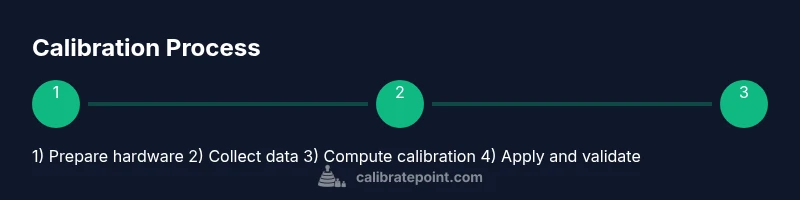
Calibrate QMC5883L: Step-by-Step Magnetometer Calibration
Learn a practical, field-ready method to calibrate the QMC5883L magnetometer. This guide covers theory, hardware prep, data collection, calibration math, validation, and maintenance for accurate compass readings.


Calibrate the QMC5883L magnetometer by collecting orientation-spanning data and computing an offset and scale correction matrix. Use a rotation-based data gathering method, apply the calibration parameters in your firmware, and validate against known headings. The process reduces bias and scale errors, improving compass accuracy across environments. Expect 45–90 minutes with the right setup.
Understanding the QMC5883L and why calibration matters
The QMC5883L is a low-cost, three-axis magnetometer used to build digital compasses in DIY projects and professional devices alike. It reports raw magnetic field data along X, Y, and Z axes, which must be translated into a meaningful heading. But the readings are not perfect; nearby ferrous metals, the sensor housing, and even the breakout orientation can introduce hard-iron and soft-iron distortions. If you skip calibration, headings can drift by several degrees and vary with location. A robust calibration aligns the sensor model with the real magnetic field at your installation, reducing bias and improving repeatability across sessions. This Calibrate Point guide provides a practical workflow that blends hardware prep, data collection, and data processing to deliver stable calibration results.
Before you begin: prerequisites and safety
Calibration is easiest in an area free of strong magnets and metal clutter. Set up a clean workspace, keep magnets away from the sensor, and power the breakout from a stable supply. If you’re using a microcontroller, verify I2C connections and confirm that the log output is accessible for debugging. Handle the breakout by its edges, avoid shorting pins, and power only when the connections are secure. Documentation from Calibrate Point emphasizes repeatable methods, so record orientation, device, software versions, and environmental references (nearby metal, electrical noise) before data collection. A consistent baseline makes later steps more reliable.
Calibration concepts: hard-iron and soft-iron distortions
Hard-iron distortions add a constant offset to all readings due to nearby magnets or ferromagnetic materials. Soft-iron distortions bend the magnetic field as it passes through materials, producing elliptical, rather than circular, data. For the QMC5883L you typically estimate a bias vector (offset) and a scale matrix to map measured vectors into a normalized space. The common approach treats the raw (x, y, z) as the true field plus bias, then applies bias removal and scaling to fit a unit sphere. In practice you’ll collect many samples across orientations and fit a calibration model to reduce error. The resulting parameters are then implemented in firmware so each new reading passes through the same transformation before heading calculations.
Choosing your calibration approach: static vs rotation
Data can be collected statically (fixed orientations) or through rotation (dynamic orientations). Rotation-based calibration is generally more robust for 3-axis sensors because it reveals the full range of field components and exposes both hard-iron and soft-iron effects. Static methods may miss some directions and yield suboptimal corrections. For reliable, repeatable results, use a rotation-based approach—with deliberate, full-circle sweeps to cover all quadrants. Calibrate Point recommends planning your orientations to respect the sensor’s coordinate frame and to maximize directional coverage.
Data collection fundamentals: raw readings and axis alignment
Readings come as three numbers representing the magnetic field along X, Y, and Z. Make sure axes are consistently oriented throughout the session: X toward east, Y toward north, Z upward is a common frame for testing. Collect raw data with timestamps and orientation metadata so you can correlate readings with device pose. A larger sample set improves the stability of the calibration model; aim for several hundred samples at minimum, ideally thousands if your hardware allows. Save data in a simple, parseable format during development and convert later for analysis.
Step-by-step hardware setup for QMC5883L calibration
Mount the QMC5883L breakout on a non-magnetic test rig or breadboard. Connect VCC and GND, then wire SDA and SCL to the host controller with clean, short jumpers. Confirm pull-up resistors on the I2C lines if your board requires them, and verify that the host’s I2C address matches the device. Use a stable power source to minimize supply-induced noise. Keep magnetic materials away from the setup during calibration. A tidy, labeled wiring loom helps preserve orientation references and reduces data noise.
Build your calibration routine: gather data from all orientations
Develop or reuse a script that records many samples while rotating the sensor through all axes. Each sample should capture (x, y, z) values along with an orientation tag. The goal is a diverse data set that represents the full 3D magnetic field. Store samples in a structured format and periodically review the live data to confirm distribution. If you notice clustering in only a few directions, adjust rotations to fill gaps. This phase sets the stage for accurate bias and scale estimation.
Processing data to compute calibration parameters
With a rich data set, apply a calibration algorithm to estimate the bias vector and scale matrix. A common method fits an ellipsoid to the raw data, then derives offsets and scales that transform the ellipsoid into a sphere centered at the origin. This transformation is typically implemented as: corrected = R * (raw - bias), where R accounts for axis-wise scaling and cross-coupling. Validate the fit by visualizing the corrected data: the aim is a compact, centered cloud around zero with uniform spread in all directions.
Apply the calibration: updating offsets and scale factors
Once you have the calibration parameters, implement them in your firmware so every magnetometer reading passes through the correction pipeline before computing headings. This means updating your data path to apply offset subtraction and scaling, and to optionally apply a rotation if your device frame differs from the reference frame. Rebuild and test the firmware, then verify stability by re-reading headings in a known reference environment. Document the parameter set for future maintenance.
Validate results with real-world tests
Validation involves comparing the calibrated headings against trusted references, such as a traditional compass or a known reference direction. Move the device through typical positions (north, south, east, west, and diagonals) and check heading consistency. Note any residual bias and, if needed, iterate the calibration steps to refine parameters. In real deployments, continuous validation helps catch drift due to environmental changes or mechanical shifts.
Maintenance, common pitfalls, and next steps
Calibration isn’t a one-and-done task. Relocate equipment, replace a nearby ferrous object, or reassemble the device, and you may need another calibration pass. Avoid reusing stale data; re-collect samples if you notice new bias or drift. Common pitfalls include noisy power, miswired I2C lines, and inconsistent orientation labeling. Plan periodic recalibration as part of your maintenance routine, and document results to streamline future updates.
Tools & Materials
- QMC5883L magnetometer breakout board(Ensure it exposes I2C SDA/SCL, VCC, and GND.)
- Microcontroller or single-board computer(Examples: Arduino-compatible board or Raspberry Pi.)
- Jumper wires (male-to-male)(Short lengths help reduce noise and keep wiring tidy.)
- Breadboard or non-magnetic test rig(Used for stable physical mounting during calibration.)
- Computer with USB (or network) access(For loading firmware and collecting data.)
- Calibration software/library(Include I2C read utilities and an ellipsoid/linear calibration routine.)
- Non-magnetic fixture or stand(Helpful for repeatable orientations but not strictly required.)
Steps
Estimated time: 60-90 minutes
- 1
Prepare hardware and environment
Power off all components, mount the QMC5883L on a stable stand, and verify all connections. Ensure there are no magnetic objects nearby that could bias readings. This step sets a clean baseline for data collection.
Tip: Label each axis direction on the rig to avoid orientation mistakes during rotation. - 2
Install libraries and test basic reads
Install or copy a simple I2C read example for the QMC5883L and confirm you can print raw x, y, z values. Check the sensor address and confirm the data rate matches your expectations.
Tip: Use a terminal logger to observe real-time data and confirm stability before continuing. - 3
Verify axis alignment and frame
Ensure your sensor frame aligns with your host frame. If needed, rotate the breakout to map physical axes to logical X, Y, Z. Accurate frame alignment reduces later calculation complexity.
Tip: Take a photo of the orientation setup as a reference for later steps. - 4
Collect orientation-rich data
Record hundreds to thousands of samples while rotating the device through all directions. Include vertical, horizontal, and diagonal orientations to cover the full 3D space.
Tip: Use a recording script that timestamps each sample and stores orientation metadata. - 5
Compute bias (offset) per axis
Analyze collected data to estimate the static bias on X, Y, and Z. Subtract these offsets from raw readings to center the data around zero.
Tip: Plot pre- and post-offset data to visually confirm centering near the origin. - 6
Estimate scale factors and cross-axis effects
Fit a scaling model to equalize the variance across axes and reduce ellipse distortion. If cross-coupling is present, apply a small rotation or a full 3x3 scale matrix.
Tip: A simple initial approach uses per-axis scale factors before considering a full matrix. - 7
Create and apply the calibration matrix
Assemble calibration parameters into a single transform and apply it to every future measurement in firmware. Ensure the transform runs before heading calculations.
Tip: Document the exact parameter values and the transformation order for future maintenance. - 8
Validate against known headings
Test the calibrated sensor by facing known reference directions (north, east, south, west) and verify heading consistency within a small tolerance.
Tip: Repeat tests in different locations to ensure robustness. - 9
Document results and plan re-calibration
Record the final offsets, scales, and any observations. Schedule re-calibration triggers if environment or mounting changes occur.
Tip: Keep a calibration log with dates, hardware revisions, and test results.
Questions & Answers
What is the difference between hard-iron and soft-iron distortions in QMC5883L calibration?
Hard-iron distortions are constant offsets caused by nearby magnets or ferrous materials, shifting all readings. Soft-iron distortions bend the field and create ellipse-like data. Calibrating typically estimates an offset vector and a scale matrix to correct both effects.
Hard-iron distortions produce a constant shift in readings, while soft-iron distortions bend the field. Calibrating with a full offset and scale matrix helps correct both for reliable headings.
Do I need to recalibrate after relocating equipment?
Yes. Moving the device, changing nearby metals, or altering orientation can change magnetic interference. Recalibrate in the new environment to maintain accuracy.
Relocating can change magnetic interference, so recalibration is recommended to maintain accuracy.
Can I calibrate using just static orientations?
Static orientations can work but may miss some directional bias. A rotation-based approach is generally more robust because it samples a wider portion of the magnetic field.
Static orientations can work, but rotation-based data collection provides more robust calibration.
What tools are essential for calibration?
You’ll need a QMC5883L breakout, a host controller, cables, a stable power supply, and calibration software or scripts to collect and fit data.
A breakout board, a host controller, cables, and calibration software are essential.
How long does calibration typically take?
Most users complete the process in about 60 to 90 minutes, depending on hardware and how thoroughly you rotate the sensor.
Typically around an hour or so, depending on setup and rotation coverage.
What if readings still drift after calibration?
Recheck wiring, power stability, and magnetic surroundings. Consider collecting more samples or refining the calibration model with a full 3x3 matrix.
If drift persists, check wiring and power, then reconsider a more comprehensive calibration model.
Watch Video
Key Takeaways
- Plan rotation-based data collection for robust calibration.
- Apply offset and scale corrections in firmware before heading calculations.
- Validate with known references to confirm accuracy.
- Recalibrate when the environment or hardware changes.