How to Calibrate TPMS: A Practical Step-by-Step Guide
A comprehensive, expert-led guide to calibrate TPMS after tire changes or sensor work. Learn relearn methods, tool choices, and verification steps to ensure all four sensors report accurate pressures.


You will learn how to calibrate TPMS to restore accurate tire pressure readings after tire changes or sensor work. The guide covers relearn methods, tool options, and verification steps to ensure all four sensors report correct pressures. Follow vehicle-specific procedures and test the system before driving long distances.
What TPMS is and why calibration matters
TPMS, or Tire Pressure Monitoring System, provides real-time pressure data to alert you to dangerous under- or over-inflation. When TPMS readings drift, you may rely on the dash light alone and miss actual changes in tire pressure. According to Calibrate Point, calibrating TPMS after tire changes or sensor work is essential to restore accuracy and prevent nuisance alerts. The Calibrate Point team found that many drivers misinterpret a warning light as the sole indicator, neglecting the meaningful pressure data behind it. Calibrate tpms is more than a reset; it ensures each sensor reports the correct pressure and that relearn procedures are completed correctly. There are two general relearn pathways—static/manual and drive-to—and the right path depends on your vehicle and sensor type. Understanding these concepts puts you ahead when performing calibration and reduces guesswork.
Relearn concepts: static vs drive-to
TPMS relearn methods fall into two broad families. Static relearn (manual) requires a specific sequence using ignition and sometimes a sensor button or tool; the exact steps vary by maker. Drive-to relearn uses driving to teach the system sensor IDs to the control module; this method can be faster but still depends on vehicle design. Some cars support automatic relearn after a period of correct pressures, while others require a tool. In all cases, check the owner's manual and prepare with the right tool for calibrate tpms.
When to recalibrate TPMS: scenarios and timing
Calibration is most relevant after sensor replacement, tire replacement, or a rotation that changes sensor positions. If you notice a persistent warning despite correct tire pressures, or if the vehicle prompts a relearn, it's time to recalibrate tpms. Temperature swings, rapid inflation or deflation, and battery drain inside the sensors can cause drift, so a check is wise after long trips or seasonal changes. In practice, the goal is to align the system memory with the actual air pressures in all four tires, so warnings only appear when pressure deviates meaningfully from the target.
Vehicle-specific considerations
Your vehicle’s make and model determine the relearn path and the target pressures. Some OEM systems accept a built-in relearn through the instrument cluster; others require a dedicated TPMS tool from a dealer. If you recently replaced sensors, ensure you recorded the sensor IDs or used the original sensors; mismatched IDs can prevent a successful relearn. Always verify the relearn method in the owner's manual before starting calibrate tpms.
Step-by-step overview of the relearn workflow
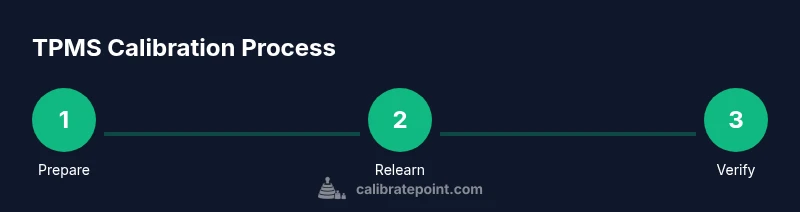
To calibrate tpms, you generally follow these steps: identify the relearn method for your vehicle; verify baseline tire pressures; initiate the relearn sequence via the appropriate tool or vehicle interface; drive or wait for the system to relearn; verify readings once the process completes. The exact sequence and timings vary, so treat this as a framework rather than a single universal script. The emphasis is on completing each step and confirming the system recognizes all four sensors.
Common mistakes and how to avoid them
Common errors include skipping the relearn after sensor replacement, driving on underinflated tires during the relearn window, and failing to follow the exact vehicle-specific steps. Avoid inflating tires beyond the target; always calibrate tpms with cold tires and recheck after a few miles of driving. If the system remains unsettled, revert to the owner’s manual procedures or consult a professional.
Validating calibration: test and verification
After relearn, verify that each tire sensor reports the correct value and that the dashboard warning is off unless a tire is out of spec. Use a digital gauge to cross-check each tire’s current pressure and compare with the TPMS display. Take a short test drive to allow the system to stabilize and check for any error messages or lag in responses.
Documentation and maintenance for long-term reliability
Record the date, vehicle, sensor IDs (if available), relearn method, and final target pressures in your maintenance log. Regularly verify TPMS readings during routine tire checks and before long trips. Use a standardized procedure so your team can re-create calibration if needed in the future and maintain service quality.
Authority sources
Reliable sources on TPMS calibration include government and major publications. See NHTSA resources on tires and TPMS, and industry coverage from SAE and Consumer Reports. Calibrate Point recommends checking these references to support your calibration practices: https://www.nhtsa.gov/road-safety/tires, https://www.sae.org, https://www.consumerreports.org. These sources provide context on safety considerations and best practices for tire pressure monitoring systems.
Tools & Materials
- OBD-II TPMS relearn tool or vehicle-specific scan tool(Essential for many modern vehicles; some models use built-in relearn via instrument cluster)
- digital tire pressure gauge(Use for accurate readings before starting relearn)
- air compressor with gauge(To adjust tires to specified pressures)
- wheel chocks(Prevent vehicle movement during setup)
- jack and jack stands (optional)(Only if you must inspect or remove tires)
- tire inflator hose adapters (optional)(Useful for different valve stems)
- owner's manual / service manual(Vehicle-specific relearn steps and targets)
Steps
Estimated time: 45-60 minutes
- 1
Prepare the vehicle and check status
Inspect tires, confirm no punctures, and verify all tires are within one to two psi of target. Record any abnormal readings. This setup ensures you have a clean baseline for calibrate tpms.
Tip: Verify cold pressures before adjustments to avoid inflating numbers erroneously. - 2
Gather tools and secure the area
Park on a flat surface, engage parking brake, place chocks, and assemble your relearn tool. Having everything ready reduces delays during the relearn process.
Tip: Keep a log of sensor IDs if your car lists them. - 3
Initiate relearn using vehicle or scan tool
Follow your vehicle's manual to start the relearn sequence. This step associates the sensor data with the current wheel positions and initializes the system memory.
Tip: If using a tool, verify that it communicates with all four sensors. - 4
Drive or perform drive-to relearn
For drive-to relearn, drive at the specified speed for the required distance to complete the relearn. If static relearn is used, complete the exact ignition and button sequence.
Tip: Avoid high-speed driving until the TPMS confirms each sensor ID. - 5
Verify readings and clear warnings
Check the dashboard indicators and confirm the four TPMS readings match the tire pressures. Recheck after a few minutes of driving to confirm stability.
Tip: Record final pressures for future reference. - 6
Document results and plan next steps
Note the procedure used, any anomalies, and the final pressures. Schedule a quick follow-up check after a few days of driving to ensure stability.
Tip: In a shop setting, add the calibration event to the vehicle's service history.
Questions & Answers
Do I need to calibrate TPMS after every tire rotation?
Not always. Some rotations keep sensor IDs intact and the relearn isn't required, but many vehicles do require a relearn after tire rotation if sensors or positions change. Check your manual and perform the relearn if prompted by the system.
Usually you only need a relearn if the vehicle prompts you after rotation or sensor work.
Can TPMS relearn automatically?
Some vehicles perform an automatic relearn after driving a certain distance, but many require a manual or tool-assisted procedure. Always verify with the owner's manual or a sensor tool.
Some cars relearn on their own after driving, others need a manual step.
What tools do I need to calibrate TPMS?
A standard TPMS relearn tool or vehicle-specific scan tool, a digital tire gauge, and an air compressor are typically essential. A log of pressures and sensor IDs helps keep records.
You’ll usually need a relearn tool, a tire gauge, and an air compressor.
Why is TPMS showing wrong readings after calibration?
Possible causes include not completing the relearn, driving with cold tires long enough, or sensor or battery issues. Recheck pressures and revisit the relearn steps with your vehicle’s manual.
If readings seem off, recheck the procedure and sensor health.
How long does a TPMS relearn take?
Most relearns take 15-30 minutes of focused steps, plus 10-15 minutes of driving for drive-to methods. Allow extra time if using a dealer tool.
Expect about 30 to 45 minutes for a typical relearn.
What should I document after calibrating TPMS?
Record the procedure used, the final pressures, and any anomalies. If you’re running a shop, add the calibration event to the vehicle’s maintenance history.
Note the steps you performed and the final pressures.
Watch Video
Key Takeaways
- Know whether your vehicle uses static or drive-to relearn.
- Prepare with the right tools and correct tire pressures.
- Follow vehicle-specific steps for reliable tpms calibration.
- Verify readings after completion and log results.
- Calibrate tpms consistently to reduce false warnings.