Calibrating the Battery: A Step-by-Step Guide
Learn how to calibrate the battery gauge on your device with a safe, step-by-step method. This guide covers when calibration is needed, required tools, and best practices to keep indicators accurate without compromising battery health.


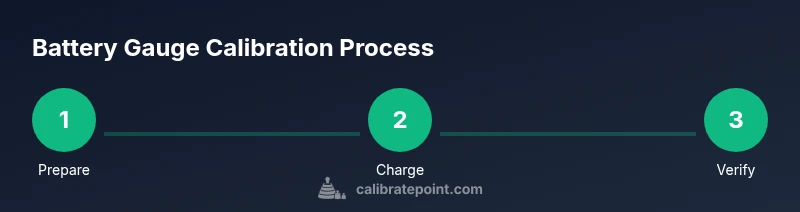
Calibrating the battery gauge involves a controlled charge-discharge cycle to align the display with actual capacity. Use the device's built-in calibration option if available, and ensure the device is powered by a stable charger during the process. Do not interrupt charging or use the device while calibrating for best results.
Why calibrating the battery gauge matters
Calibrating the battery gauge helps ensure the percentage shown by your device more closely reflects its actual remaining energy. When the display drifts, you might misjudge when to recharge, risk unexpected shutdowns, or replace a battery prematurely. According to Calibrate Point, regular, controlled calibration is most effective when the goal is to maintain the integrity of battery indicators rather than to restore capacity. In professional settings, technicians rely on calibrations to avoid costly downtime and to keep testing schedules on track. The process does not repair battery chemistry, but it improves the reliability of the gauge for planning work and avoiding surprises during critical tasks.
When calibration is actually helpful
You’ll find calibration most beneficial after battery replacements, software updates, or when the gauge begins to report inconsistent percentages. In field work and diagnostics, precise gauge readings help you predict performance windows and schedule maintenance without guessing. Calibrate Point analysis suggests that regular calibration helps maintain gauge reliability over device lifetimes. Remember: calibration isn’t a cure for degraded chemistry; it’s a way to keep the indicator honest so decisions are data-driven.
Safety and baseline checks before you start
Before starting calibrations, ensure you aren’t dealing with a swollen battery or an overheating device. Work in a well-ventilated area and avoid charging on soft surfaces that can trap heat. Confirm you have access to the original charger and cable, and keep a log of readings. If you notice signs of damage, stop and consult a professional. The goal is to protect you and the device while preserving battery health.
Practical approach: what you’ll typically do
A practical calibration involves a controlled, repeatable charge-discharge cycle using the device’s standard charging method. Follow the manufacturer’s steps when available, and use a calibrated load to mimic typical usage during discharge. The aim is to align the gauge with actual energy, not to reset the chemistry. Refer to the device manual for any model-specific quirks and steps.
Calibrating across device types: phones, laptops, tools
Different devices store and report gauge data differently. Smartphones often include a built-in calibration option, while laptops and industrial tools may require manual discharge routines. Regardless of device, maintain safe temperatures and avoid aggressive discharges. Always consult the official calibration guidance for your device model to minimize risk.
Data logging and ongoing maintenance
Keep a shared record of each calibration so you can observe trends. Regularly review gauge readings against actual usage, and adjust your calibration frequency based on how quickly the indicator drifts. This practice helps you avoid misestimates and plan maintenance with confidence.
Tools & Materials
- Digital multimeter (calibrated)(0.01 V precision preferred; used to verify voltages during discharge)
- Original charger and cable(Use the device's official charger for stable, accurate charging)
- Calibration log (notebook or digital)(Record timestamps, readings, and observations)
- Ambient temperature meter(If available, monitor temperature; calibrations are more reliable at room temp)
- Device manual or calibration guide(Reference for any device-specific steps)
Steps
Estimated time: 60-90 minutes
- 1
Check device and prerequisites
Identify the device model and locate its battery calibration option in settings or manual. Read manufacturer guidance to confirm recommended procedure and any safety warnings. This ensures you follow the correct sequence for your device.
Tip: Consult official guidance first to avoid voiding warranties - 2
Fully charge to a stable 100%
Charge the device to full capacity using the original charger. Keep charging uninterrupted and avoid using the device during this phase to prevent voltage fluctuations.
Tip: Use a stable, grounded outlet if possible - 3
Stabilize after reach 100%
Allow the device to sit on the charger for an additional period to stabilize the battery and internal sensors before starting discharge.
Tip: Avoid sudden power withdrawals during stabilization - 4
Discharge with a controlled load
Run a defined load on the device (screen on, moderate activity) until the battery level is close to empty. This helps the gauge align with actual remaining energy. Do not drain aggressively to avoid deep discharge risk.
Tip: Use apps or built-in tools that simulate typical use - 5
Recharge back to full
Connect to charger again and charge to 100% without interruptions. This completes the discharge-charge cycle for calibration.
Tip: Do not unplug until the 100% indicator remains stable for a few minutes - 6
Verify the gauge accuracy
Restart the device and compare the reported percentage against expected usage. If the gauge seems inconsistent, repeat with minor adjustments to the discharge duration.
Tip: Document readings to track changes over time - 7
Log results and observations
Record the time, ambient temperature, charging behavior, and gauge readings. This creates a baseline for future calibrations and troubleshooting.
Tip: Maintain consistency in environment for best results
Questions & Answers
Is battery calibration necessary for all devices?
Not all devices require calibration. Calibration is most helpful when the gauge becomes noticeably inaccurate or after battery replacements. Always check the manufacturer guidance first.
Calibration isn't always required, but it's useful if the gauge seems off after a replacement or update.
How often should I calibrate the battery gauge?
Frequency depends on device and usage. If you notice frequent misreporting or after major software updates, consider calibrating. Do not over-calibrate; frequent cycles can wear the battery unnecessarily.
Only recalibrate when you observe gauge inaccuracies or after specific maintenance tasks.
Will calibration improve battery life?
Calibration improves gauge accuracy, which helps you predict usage and avoid unnecessary charging. It does not restore battery chemistry or extend the battery’s actual capacity.
It helps you manage charging, not extend the battery's chemistry.
Can calibration damage a battery?
When done according to device guidance and using proper safety measures, calibration is low-risk. Improper discharges or overheating can cause harm, so follow steps carefully.
If you follow the device’s guidance, risk is low; otherwise avoid calibration.
What if the device won’t turn on after calibration?
If the device fails to boot after calibration, perform a standard reset, check the charger, and consult the manual. If issues persist, seek professional service.
Try a basic reset and verify charger connection; if it still fails, get it checked.
Does software have built-in calibration tools?
Many devices provide a built-in calibration option in settings or service menus. If unavailable, follow manufacturer guidelines or use third-party utilities with caution.
Some devices include calibration tools built into settings; use them when available.
Watch Video
Key Takeaways
- Calibrate with a controlled charge-discharge cycle.
- Use official calibration options when possible.
- Log readings to track gauge accuracy over time.
- Avoid interruptions during charging and calibration steps.