Caterpillar Calibrate: A Step-by-Step Guide to Calibrating Equipment and Sensors
Learn how to calibrate Caterpillar equipment sensors and gauges with practical, step-by-step guidance. Calibrate Point covers tools, safety, and best practices.


This guide helps technicians calibrate Caterpillar equipment sensors and gauges, covering essential tools, safety, and the step-by-step process to ensure accurate readings. You’ll learn how to prepare, calibrate, verify results, and document adjustments.
Why Caterpillar calibration matters
When you're maintaining Caterpillar equipment, small sensor drifts can translate into large performance gaps. The caterpillar calibrate process ensures that pressure sensors, temperature sensors, flow meters, and control valves report accurate data to the engine, hydraulics, and transmission systems. Accurate readings help prevent over-fueling, improper hydraulic pressure, and mis-timing, which can reduce efficiency, increase wear, and raise the risk of unexpected downtime. According to Calibrate Point, a disciplined calibration workflow reduces measurement drift and supports safer operation across a fleet. In the field, technicians report that calibrated systems improve diagnostic accuracy and maintenance planning. In summary, regular caterpillar calibrate procedures lead to more predictable performance, lower operating costs, and longer equipment life.
Core calibration concepts for Caterpillar equipment
Calibration is about matching sensor outputs to known references. Key terms include offset, span, gain, and zeroing. An offset shifts all readings by a fixed amount; a span expands or contracts the sensor range; gain adjusts amplification; zeroing sets the baseline at zero. For Caterpillar sensors, you’ll often work with reference standards, such as pressure or resistance references, and a calibration curve that links input with output. Expect some drift over time due to temperature, vibration, or wear. A well-documented caterpillar calibrate procedure uses a defined tolerance window and a repeatable method to ensure linearity and minimal hysteresis. Calibrate Point emphasizes that documenting your reference points creates a traceable calibration history.
Safety and readiness before calibrating industrial gear
Before you touch any Caterpillar module, implement lockout/tagout, wear PPE, and verify that the machine is in a safe offline state. Ensure the environment is clean, well-lit, and free of moisture or conductive dust. Confirm that power sources to control modules are isolated and that hydraulic lines are depressurized where applicable. Calibrate Point notes that a calm workspace and a well-understood risk assessment significantly reduce the chance of injury or unintended machine movement. Keep a calibration plan ready, including steps to recover from unexpected sensor readings or software errors.
Tools, references, and documentation you’ll need
Gather a calibrated reference standard appropriate to the sensor type, a precision diagnostic tool or multimeter with data logging, and the latest Caterpillar service manual or authorized digital reference. Collect interface cables or adapters to connect diagnostic software to the control module, a torque wrench if mechanical adjustments are required, and appropriate PPE. It’s wise to have a digital notebook or calibration log to track readings, adjustments, and environmental conditions. Calibrate Point’s approach emphasizes having version-controlled references and up-to-date manuals to minimize confusion during the caterpillar calibrate workflow.
Calibration workflow overview: plan, execute, verify
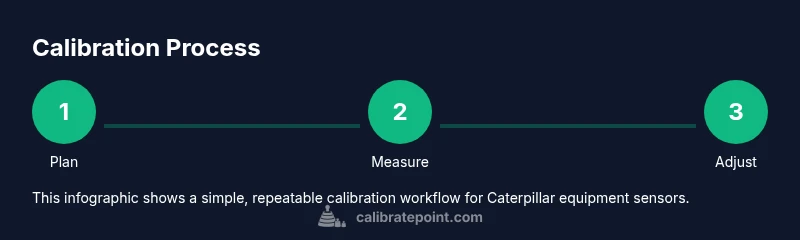
A robust Caterpillar calibration follows a simple, repeatable loop: plan, execute, verify. Plan by listing sensors, reference standards, environmental conditions, and acceptable tolerances. Execute by connecting the tools, feeding reference values, and applying changes in controlled increments. Verify by testing multiple input points across each sensor’s range and cross-checking with the reference data. If results drift beyond tolerance, repeat the adjustments, re-check connections, and confirm software settings. This overview keeps the calibration process transparent and auditable, a core principle in professional calibration work.
Field-tested methods for sensor calibration
Use a two-point or multi-point calibration approach depending on the sensor. For pressure and temperature sensors, compare the sensor output to a known reference and adjust offset and gain as needed. For electrical sensors, verify wiring integrity, measure resistance, and confirm that the raw signal translates correctly at the control module. In all cases, apply changes gradually and re-run a quick functional check after each adjustment. Document the exact values used for each calibration point and save the session as a reproducible procedure for future audits. A well-executed caterpillar calibrate improves reliability across the fleet.
Documentation, record-keeping, and long-term maintenance
After calibration, store results in the machine’s maintenance log with sensor IDs, date, and environmental readings. Attach a calibration sticker or digital tag indicating the latest calibration date and the next due date based on policy. Review drift trends over time by comparing current results with previous calibrations to anticipate wear and schedule preventive maintenance. Calibrate Point recommends periodic re-calibration as part of a broader calibration program to minimize performance gaps and maximize uptime.
Practical insights from Calibrate Point
Calibrate Point’s team highlights that consistent calibration practices reduce downtime and improve diagnostic accuracy. By standardizing reference points and documenting every adjustment, technicians can build a repeatable caterpillar calibrate process that scales from individual machines to fleets. The benefits extend beyond immediate readings: better fuel efficiency, longer component life, and clearer maintenance records. Use this guide as a baseline, then tailor it to your specific Caterpillar model and operating conditions. The Calibrate Point team stands by a disciplined, data-driven approach to calibration.
Tools & Materials
- Calibrated reference standard (pressure, temperature, or electrical)(Use an accredited standard where possible, matched to the sensor type.)
- Multimeter with precision measurement and data logging(Prefer a meter with at least 0.05% accuracy.)
- Calibration software or diagnostic interface(Ensure compatibility with Caterpillar handhelds or service tool.)
- Torque wrench(Only if mechanical adjustments are required with torque specs.)
- Screwdrivers and wrenches set(Include at least Phillips and flathead, plus metric sizes.)
- Safety gear (goggles, gloves)(Personal protective equipment required for workshop calibrations.)
- Digital service manual or engineering reference(Have the latest manufacturer manual open.)
- Interface adapter or USB-C cable(Connect diagnostic tool to control module.)
- Environmental monitor (temp/humidity)(Optional but helps track environmental drift.)
Steps
Estimated time: 60-90 minutes
- 1
Prepare workspace and secure power
Set the machine to OFF or offline mode and disconnect nonessential power sources if applicable. Verify the area is well lit, clean, and free of hazards. Gather the reference standards and diagnostic tools.
Tip: Lockout/Tagout and PPE should be in place before touching any live components. - 2
Identify sensors and reference standards
Catalog the sensors to calibrate (pressure, temperature, flow, electrical) and confirm the corresponding reference standards. Note sensor IDs, model numbers, and calibration dates from the service manual.
Tip: Use the manual to map each sensor to its factory reference value. - 3
Connect diagnostic tool and record baseline data
Attach the diagnostic interface to the control module, ensure stable power, and pull baseline readings from live sensors. Record initial values for drift analysis and set tolerance bands.
Tip: Verify battery health and data logging enabled before starting. - 4
Initiate calibration in software and apply references
Follow the software prompts to enter the reference values or simulate input signals. Confirm each input matches the reference standard within tolerance and apply changes to the sensor.
Tip: Do not apply changes to more than one channel at a time to isolate drift. - 5
Validate calibration with test signals
Apply test values to each sensor and compare the measured output against the reference. Use multiple points across the sensor range to ensure linearity and detect any hysteresis.
Tip: Record discrepancies and adjust in small increments if needed. - 6
Document, seal, and perform a post-calibration check
Archive the calibration data in the maintenance log and tag the equipment with the calibration date. Run a quick functional test to confirm expected behavior under normal operation.
Tip: Include operator notes and environmental conditions for future reference.
Questions & Answers
What is Caterpillar calibration and why is it necessary?
Caterpillar calibration aligns sensor readings with reference standards to ensure accurate engine, hydraulic, and control performance. Regular calibration improves diagnostics, efficiency, and reliability.
Caterpillar calibration ensures sensors read correctly, improving performance and reliability.
What tools are essential for Caterpillar calibration?
A calibrated reference standard, a precision diagnostic tool or multimeter, proper interface cables, and the latest service manuals are essential. Safety gear should always be worn during calibration.
Essential tools include a reference standard, a precise meter, and the correct diagnostic interface.
Can I calibrate Caterpillar sensors myself?
Yes, if you have proper training, manuals, and calibrated references. Follow the manufacturer guidelines and ensure the machine is offline and safe before starting.
You can calibrate if you have the right training and manuals.
How often should sensors be calibrated?
Calibration frequency depends on usage, environment, and manufacturer recommendations. Establish a routine based on service intervals and track drift through logs.
Follow a schedule based on usage and environment, and keep a calibration log.
What should I do if calibration fails?
If calibration fails, stop the procedure, re-check references and connections, review error codes, and consult the service manual or support. Do not force readings.
If it fails, re-check references and connections, then consult the manual.
Is it unsafe to calibrate while the machine is running?
Calibration should be performed with the machine safely shut down or in offline mode unless the manufacturer specifically allows testing under operation. Always follow safety guidelines.
Don't calibrate while the machine is running unless the manual says it's safe.
Watch Video
Key Takeaways
- Prepare safely with lockout/tagout.
- Use validated references and document everything.
- Test across sensor range to ensure accuracy.
- Maintain logs for traceability and audits.