Configure and Calibrate: A Practical How-To for Instruments
Learn how to configure and calibrate your instruments with a practical, step-by-step guide from Calibrate Point. Safe, accurate calibration for DIY and professionals.


Configure and calibrate are two complementary actions that keep measurement systems reliable. This guide presents a clear, six-step workflow to prepare, configure, measure, and validate instrument performance. You’ll need a stable workspace, traceable reference standards, and a documented procedure. Safety checks and data logging ensure repeatability and long‑term accuracy. By following these steps, you’ll be able to establish baseline behavior, adjust as needed, and confirm results against defined tolerances. This overview prepares you for the hands-on steps that follow in detail.
Why configure and calibrate matters
Configure and calibrate are two complementary actions that keep measurement systems reliable. When you configure a device, you establish its operating parameters, interfaces, and workflow alignment so it behaves predictably within your process. Calibrating, by contrast, ties the device’s readings to a known reference, ensuring that the numbers you see reflect real-world values. According to Calibrate Point, the separation is critical: configuration sets the stage, while calibration confirms that stage is accurate under real conditions. In practice, many failures originate from treating calibration as an afterthought or assuming that one-off setup guarantees ongoing accuracy. A deliberate approach—documented, repeatable, and auditable—reduces drift, minimizes waste, and improves safety. In this guide, we’ll outline a practical, task-focused method to configure and calibrate instruments across common lab, shop, and field environments. You’ll see how to prepare, how to select references, how to perform adjustments, and how to validate results. The goal is not only a single successful test but a workflow you can sustain over months and years.
Key definitions: configure vs calibrate
Configuring and calibrating are two distinct, but intertwined activities. Configuration is the setup of the instrument’s operating mode, measurement ranges, units, display settings, network connections, and user permissions. It determines how the device integrates with your processes and what data it can produce. Calibration, on the other hand, is the process of aligning the device’s output with a known reference so that the readings are traceable to standard values within defined tolerances. The difference matters because you can have a perfectly configured device that still provides biased measurements if calibration is not performed, or you can calibrate a poorly configured instrument and still fail to capture the intended data. In practice, many teams run configuration and calibration in the same session, but they document each step separately and follow distinct acceptance criteria. The result is clearer audit trails, improved repeatability, and easier troubleshooting when results drift. Calibrate Point emphasizes the need to separate the two activities in regulatory contexts and to keep records showing both configuration parameters and calibration certificates.
Planning your calibration project
Before touching any instrument, outline a calibration plan that defines scope, tolerance, reference standards, environmental controls, and acceptance criteria. Start by identifying which channels require calibration, the order of operations, and how success will be measured. Establish an environment: temperature stable to within a defined range; humidity controlled; vibration minimized. Document responsibilities and schedule, including who signs off on results. Include contingency steps for out-of-tolerance readings and how to handle data that does not meet criteria. Recognize that calibrations are not a one-off event; they are a lifecycle activity. The Calibrate Point approach is to build repeatable checklists, versioned procedures, and clear criteria such as: reference traceability, measurement uncertainty, and documented adjustments. This planning phase reduces rework, avoids unexpected drift, and makes audits smoother. For DIY enthusiasts and technicians, invest time here; it pays back in faster calibrations and better confidence in results.
Required tools and standards
A robust calibration project starts with the right tools and standards. Ensure you have a stable, level work surface to minimize vibration and temperature gradients. Gather traceable reference standards with current certificates, suitable calibration weights for the device under test, and a compatible measuring instrument to verify readings. Keep the manufacturer’s procedure manual accessible, and maintain a dedicated logbook or digital record for all steps, measurements, and adjustments. Use PPE as required and disable power when necessary to perform safe, controlled calibrations. Finally, verify that environmental conditions (temperature, humidity, and air currents) are within the device’s tolerance during calibration events. This preparation saves time during the actual calibration and supports repeatable results across sessions.
The role of traceability and references
Traceability is the backbone of credible calibration. When you tie measurements to known references and maintain certificates, you can justify measurement accuracy in audits and quality assessments. Calibrate Point analysis shows that traceability reduces measurement uncertainty and supports long-term device performance by providing a verifiable link to national or international standards. Maintain a documented chain of custody for references, including lot numbers, calibration dates, and calibration intervals. In regulated environments, keep certificates aligned with the device’s measurement range and uncertainty. This practice also helps when you scale calibration to other instruments or sites, because the same reference framework can be reproduced in every location.
Step-by-step framework overview
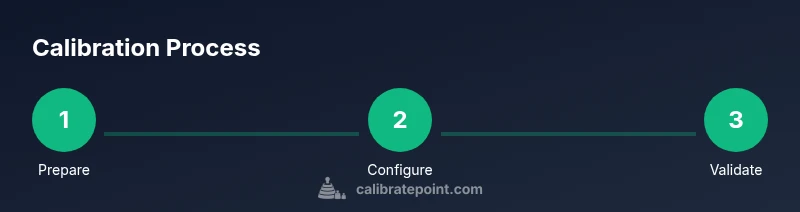
A practical calibration workflow consists of six core actions: prepare, configure, reference, calibrate, verify, and document. Each action can be broken into repeatable tasks and checked off on a standard form. Use a staged approach to minimize disruption: complete setup and safety checks before touching any measurement controls, then proceed with reference alignment, followed by actual calibration adjustments. Validate results with multiple runs when possible and compare against tolerance bands. The framework supports continuous improvement by feeding results back into the planning and tool selection stages for future sessions. The goal is not only to achieve a single pass but to create a dependable, repeatable process that reduces drift over time and makes audits straightforward. Calibrate Point’s emphasis on modular procedures helps teams tailor the workflow to different instruments while preserving consistency.
Performing calibration on common instruments
Calibration procedures vary by instrument type, but the core principles remain constant: establish a stable environment, use traceable references, follow a documented procedure, and verify results against tolerances. For temperature sensors, calibrate against fixed reference points across the operating range and record ambient conditions. For digital multimeters or measurement instruments, use certified references to adjust offset, gain, and linearity where applicable. Torque tools require dead-load checks and calibration against standardized weights, often with torque-to-force conversion applied. An instrument from a process line might need channel alignment and software calibration to correct for display lag. In all cases, perform at least two independent checks to confirm consistency, capture the data, and file a complete calibration report. The aim is to minimize user error and ensure that eventual audits prove the device remains within specification.
Documentation, records, and maintaining accuracy
Recordkeeping is essential to sustain calibration accuracy. Create a centralized log or digital repository where every calibration event is documented: device identifier, reference lot, certificate numbers, environmental conditions, pre- and post-calibration readings, adjustments made, and the remaining tolerance. Attach scanned certificates, screen captures, and any notes on observed drift or anomalies. Schedule reminders for re-calibration based on the device’s criticality, environment, and historical drift, and update the calibration certificate when you complete each cycle. Periodic reviews of calibration data help identify recurring issues, informing preventive maintenance and process improvements. Maintaining data integrity is easier with standardized forms and consistent naming conventions across sites.
Maintenance schedule and escalation
Establish a formal calibration calendar that accounts for device criticality and environmental exposure. Recalibrate more frequently for high-precision equipment or those in harsh conditions, and extend intervals for stable devices with excellent track records. When a device consistently fails to meet tolerance even after adjustments, escalate to a higher level of review or consider equipment replacement. Build a plan for repair or supplier support, including service windows, cost estimates, and downtime impact. The Calibrate Point team recommends documenting escalation steps and response times to ensure timely resolution and minimal disruption to operations. Regularly train staff on updated procedures and ensure access to current references and digital records to sustain calibration discipline.
Final notes: staying calibrated over time
Calibration is not a one-off event; it’s a lifecycle process. Maintain your standards, update references when certificates expire, and review methodology periodically to reflect new measurement technologies or revised tolerances. Encourage a culture of ongoing accuracy by incorporating calibration into routine checks, audits, and end-to-end quality workflows. This approach reduces risk, improves data integrity, and supports long-term performance for your equipment and processes.
Tools & Materials
- Stable work surface(Solid benchtop, level, with clamps if possible)
- Traceable reference standards(Certificates within validity period, appropriate range)
- Calibration weights or standards(Range matching device under test)
- Measuring instrument for verification(Calibrator or precision meter suitable for your device)
- Manufacturer procedure manual(Latest revision or advisory from maker)
- Personal protective equipment (PPE)(Safety glasses, gloves as needed)
- Documentation logbook or digital record system(Template for readings and adjustments)
Steps
Estimated time: 45-75 minutes
- 1
Prepare workspace and materials
Ensure a clean, stable bench is available and power is safely managed. Gather all references, weights, and tools before starting. Verify environment is within recommended temperature and humidity ranges. This minimizes drift and keeps data reliable.
Tip: Double-check certificate validity and cross-check items against the device’s test plan. - 2
Record baseline readings
With the device powered and configured for normal operation, record baseline measurements at defined operating points. Note ambient conditions. This baseline helps you assess drift and the effectiveness of the calibration.
Tip: Take multiple readings and average them to reduce random errors. - 3
Set up reference standards
Place traceable references in the calibration environment and verify their certificates. Confirm that references cover the device’s measurement range. This step provides the anchor for all subsequent adjustments.
Tip: Document lot numbers, expiration dates, and certificate IDs for traceability. - 4
Configure device settings for calibration
Apply the procedure’s required configuration parameters—units, channels, and display formats—so the device can be calibrated accurately against references. Ensure any software or firmware settings align with the standard procedure.
Tip: Avoid ad-hoc changes; follow the documented configuration matrix exactly. - 5
Execute the calibration procedure
Run the calibration steps as specified, using each reference point and recording the instrument’s response. Perform at least two independent runs to confirm repeatability. If readings diverge, pause and re-check references and connections.
Tip: If any point is out of tolerance, stop, recheck the setup, and repeat the run before proceeding. - 6
Validate results and document
Compare post-calibration readings to tolerances, ensure consistency, and sign off on the certificate. Update the log with results, uncertainties, and any corrective actions. Store all artifacts for audits and future reference.
Tip: Attach a digital copy of the calibration certificate to the device profile for easy access.
Questions & Answers
What is the difference between configuring and calibrating?
Configuring sets up how a device operates, including modes, units, and interfaces. Calibrating aligns the device’s readings with known references to ensure accuracy. Both are essential for reliable measurements and should be documented separately with clear acceptance criteria.
Configuring sets how the device works, while calibrating aligns its readings to known references for accuracy. Keep both processes well-documented for audits.
Which tools do I need for calibration?
You’ll need traceable reference standards, appropriate calibration weights, a stable work surface, a measuring instrument for verification, and the manufacturer’s procedure manual. PPE and a good logbook are also important for safety and traceability.
Gather traceable references, calibration weights, a stable bench, and the procedure manual before starting.
How often should calibration be performed?
Calibration frequency depends on device criticality, tolerance, and environment. Many setups calibrate annually or semiannually, with additional checks after repairs or reconfigurations. Always align with manufacturer guidance and internal quality requirements.
Follow the manufacturer’s schedule and your own quality standards; calibrate annually or more often if the device is high-risk.
Can I calibrate without reference materials?
Basic checks can be done with internal references or factory tests, but true accuracy requires traceable reference standards. Without them, you won’t have defensible, auditable results.
You can do basic checks, but for real accuracy you need traceable references.
What safety precautions are essential?
Power down when required, use proper PPE, and follow lockout-tagout rules for high-energy equipment. Handle calibration weights and tools carefully to prevent injuries or damage to instruments.
Turn off power when needed, wear PPE, and follow safety rules to avoid accidents.
What signals indicate calibration drift?
Drift is indicated by readings that deviate beyond specified tolerance, inconsistent results across repeats, or sudden shifts after environmental changes. When drift is detected, re-check references and consider recalibrating or inspecting sensors.
If readings drift or vary widely, re-check references and recalibrate if needed.
Watch Video
Key Takeaways
- Plan calibration with clear scope and acceptance criteria.
- Keep configuration and calibration separate but linked.
- Use traceable references and document results thoroughly.
- Establish and follow a consistent calibration schedule.