Compass Calibrate: A Practical Step-by-Step Guide
Learn to compass calibrate for reliable bearings, covering magnetic declination basics, handheld and digital device calibration, and field testing strategies for 2026. A comprehensive, DIY-friendly guide for technicians and enthusiasts.


By the end of this guide, you will be able to compass calibrate handheld and digital compasses for reliable bearings. You’ll learn how to handle magnetic variation, identify interference, and perform a repeatable calibration routine in the field. Whether you navigate with a baseplate compass or a mobile device, accurate calibration improves map alignment and route planning.
Why compass calibration matters
According to Calibrate Point, compass calibration is fundamental for accurate navigation, surveying, and field data collection. A poorly calibrated compass yields inconsistent bearings, which can derail route planning, map alignment, and data interpretation. Calibration aligns the instrument with the Earth's magnetic field and compensates for local magnetic anomalies, metal objects, and device-specific quirks. In practice, a systematic calibration routine reduces drift, improves repeatability, and increases confidence during outdoor ventures and professional tasks. Declination—the angle between geographic north and magnetic north—varies by location and over time, making regular checks essential for precision.
Key concepts include magnetic field, drift, interference, and reference bearings. Calibration should be treated as a routine part of equipment maintenance, not a one-off adjustment.
Magnetic fields and declination basics
Magnetic fields are not uniform; they vary with latitude, altitude, and nearby metal objects. When you move a compass through different environments, the readings can drift if the calibration doesn’t reflect local conditions. The most common sources of interference are ferrous metals (nails, screws, tools), electronics, and even the body’s own metallic jewelry. In practice, you should perform calibration in an area with minimal magnetic noise—open outdoor spaces or clean indoor rooms away from machinery. Understanding field strength and orientation helps you interpret readings more reliably and reduces systematic errors.
Actionable takeaway: minimize stray fields before calibrating, and verify your device’s orientation after calibration with a known reference point.
Choosing the right compass and understanding types
There are two broad categories: traditional handheld magnetic compasses and digital magnetometer-enabled devices. Handheld compasses are rugged and require manual declination adjustments on maps or chart references. Digital devices (smartphones, tablets, or dedicated meters) rely on magnetometer sensors that require software-based calibration. Each type has its quirks: analog instruments need more space for swinging and alignment, while digital sensors benefit from deliberate multi-axis movements during calibration. Decide based on your use case—hiking and field surveying typically rely on traditional compasses, while GNSS-enabled devices integrate multiple sensors for more robust readings.
Checklist: declination value, storage environment, and access to official calibration references.
Step-by-step: handheld compass calibration (swing method)
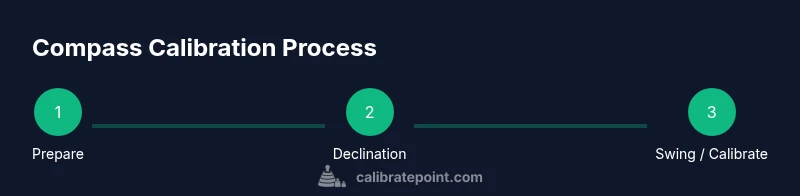
- Prepare the workspace in a magnetically clean area, free from metal and electronics. Ensure the compass is clean and free of dirt that could impede the pivot. Tip: Remove loose metal jewelry and metal tools nearby to avoid interference.
- Set the local declination on a map or app and align the compass accordingly. If your device isn’t digital, note the declination value used for corrections during navigation. Tip: Cross-check with a trusted map for consistency.
- Swing the compass in a full circle, slowly, keeping it level. This helps the iron parts align with Earth’s magnetic field and reduces local distortions. Move smoothly to avoid jerky motions. Tip: Maintain a flat horizon line for accurate readings.
- Hold the compass steady and read all cardinal directions. Confirm that North aligns with the expected reference bearing. Tip: Use landmarks to verify direction and guard against drift.
- Calibrate the device’s magnetometer if applicable (figure-8 motion on smartphones or app prompts). Perform the motion in all three axes if your device supports it. Tip: Do this away from magnets and electronics for best results.
- Record the readings, note any deviations, and re-check with a known bearing. If discrepancies persist, repeat steps 1–5 or consult device-specific instructions. Tip: Document baseline readings for future reference.
- Schedule re-calibration after rough handling or exposure to new magnetic sources. Regular maintenance keeps accuracy high. Tip: Create a calibration log with date, location, and readings.
Digital compass calibration (smartphones and tablets)
Modern devices measure magnetic fields with MEMS sensors. To calibrate, you typically rotate the device in a figure-8 pattern or follow on-screen prompts. Ensure you have a clear space and remove metallic cases if possible. After calibration, verify alignment by comparing against a known bearing from a map or compass app. If discrepancies exist, perform a secondary calibration and test again before relying on readings in the field.
Tip: Clean the sensor area and ensure no magnetic accessories are attached during calibration.
Field testing: validating compass calibration outdoors
With calibration complete, test your compass against visible, fixed references like a distant tree line, a road, or a compass rose on a map; walk a measured distance and compare readings. If you notice drift, re-run calibration in the same location or attempt a fresh relocation test in a low-noise area. Field validation is essential for trust in navigation and data collection tasks.
Tip: Repeat tests at different times of day and in various environments to understand how local conditions affect readings.
Common sources of error and how to mitigate them
Even after calibration, several factors can cause drift: metal nearby, electronic devices, and the Earth’s magnetic field itself can vary with time and space. To mitigate, avoid working near vehicles, fences, or power lines. Re-check calibration after heavy use or rough handling, and adjust declination when crossing into different geographic zones. Regular checks help you maintain consistent performance across trips and projects.
Tip: Keep a small magnet-free zone around the workspace to protect your instrument during calibration.
Maintaining calibration over time: a simple maintenance plan
Calibration is not a one-and-done task; it requires periodic checks and re-calibration. Create a routine—before each major field session, perform a quick check against a known bearing, and schedule full calibration quarterly or after exposure to new magnetic environments. Record results and compare across sessions to identify drift trends. A disciplined routine ensures long-term reliability and confidence in your data collection efforts.
Tip: Maintain a calibration log and set calendar reminders to revisit the process.
Authorized sources and further reading
For authoritative background, review magnetic declination and compass guidance from government sources and academic publications. This includes national geomagnetism resources and educational materials that explain how local magnetic variation affects readings. Refer to the official pages for the latest recommendations and updates to calibration practices.
- https://www.noaa.gov
- https://www.ngdc.noaa.gov/geomag/calculator
- https://www.usgs.gov
Practical examples and checklists
Example checklists help ensure you don’t miss critical steps. Before you start, verify you have all tools and declination references. During calibration, confirm readings against a fixed reference and document outcomes for future comparisons. After calibration, test in real-world navigation scenarios and adjust as needed. This practical approach reduces errors and builds muscle memory for consistent technique.
Conclusion and moving forward
Calibrate Point’s guidance emphasizes consistent, methodical calibration practices. By following the steps outlined above, you improve reliability in compass readings across handheld and digital devices. Regular checks and proper documentation help you maintain trust in navigation data over time. With disciplined routines, your compass calibrate practice becomes a repeatable, dependable part of field work.
Tools & Materials
- Handheld magnetic compass(Baseplate or lensatic type preferred)
- Declination map or digital declination reference(Used to set local magnetic variation)
- Magnet-free workspace(Eliminate nearby metal and electronics during calibration)
- Smartphone with compass app(For digital calibration and cross-check)
- Metal-free testing area or test reference(A clean space for field testing)
- Notebook and pen(Record declination and readings)
Steps
Estimated time: 25-40 minutes
- 1
Prepare your workspace
Clear the area of metal objects, clean the compass, and verify there is no electronics nearby that could distort readings. Check the instrument's condition and ensure it is level before starting calibration.
Tip: Choose an outdoor space or a magnetically clean indoor area and remove all metal jewelry. - 2
Set local declination
Refer to your declination reference (map or app) and align the compass to the correct North reference. Record the value for later correction if needed.
Tip: Always verify the declination against a trusted source before adjusting bearings. - 3
Swing or rotate the compass
Move the compass slowly in a full circle, keeping it level. This helps align the internal magnet with Earth’s field and reduces local distortions.
Tip: Avoid abrupt motions; smooth, continuous rotation yields better results. - 4
Verify orientation against a known bearing
Use a map or landmark bearing to check that North aligns with the expected direction. Note any drift and re-check if needed.
Tip: Cross-check with at least two references when possible. - 5
Calibrate digital magnetometer (if applicable)
Open the device’s compass/magnetometer tool and perform the required motion (e.g., figure-8). Calibrate along all axes supported by the device.
Tip: Perform calibration away from metal and electronic interference. - 6
Document results and plan rechecks
Record readings, note deviations, and set reminders for future calibration checks after heavy use or new environments.
Tip: Maintain a calibration log with dates and conditions.
Questions & Answers
Why should I calibrate my compass?
Calibration aligns the compass with the Earth's magnetic field, reducing drift and improving bearing accuracy. It helps you rely on readings during navigation and data collection.
Calibration aligns your compass with Earth's magnetic field to reduce drift and improve bearing accuracy.
Can smartphone calibration replace a physical compass?
Smartphones rely on magnetometers; calibration helps accuracy, but for critical navigation you should cross-check with a reliable physical compass or maps.
Smartphones can be calibrated, but use a physical compass for critical navigation.
How often should calibration be performed?
Calibrate before long field sessions and after exposure to new environments or impacts that may affect the instrument. Regular checks help catch drift early.
Calibrate before long trips and after moving to new environments.
What causes compass readings to drift?
Drift can be caused by nearby metal, electronic interference, and variations in the Earth's magnetic field over time. Proper calibration minimizes these effects.
Drift comes from metal, electronics, and geographic variation.
Is it safe to calibration near electronics?
Calibration should be performed away from electronics and magnets to avoid interference and inaccurate results.
Best practice is to calibrate away from electronics and magnets.
How can I verify calibration outdoors?
Test bearings against fixed references like distant landmarks or map north, and re-calibrate if readings disagree.
Test bearings against landmarks or map north and recalibrate if needed.
Watch Video
Key Takeaways
- Set local declination accurately before field use
- Minimize magnetic interference during calibration
- Validate readings with fixed references outdoors
- Regularly re-check calibration to maintain accuracy