How to calibrate a Bunn coffee machine
Learn how to calibrate a Bunn coffee machine to stabilize brew temperature and flow for consistently great coffee. This step-by-step guide from Calibrate Point covers safety, essential tools, and practical checks to verify and adjust temperature, timing, and drip rate for repeatable results.


You will calibrate a Bunn coffee machine to stabilize brew temperature and flow for consistent coffee quality. This quick guide outlines the essential tools, safety checks, and core steps you’ll follow to verify temperature accuracy, adjust brew time, and confirm drip rate. Calibrate Point emphasizes practical, repeatable results to help you achieve café-quality brews at home.
Why calibrating a Bunn coffee machine matters
Calibrating a Bunn coffee machine matters for anyone who wants repeatable, high-quality coffee. Temperature swings and inconsistent drip rates can turn a well-roasted batch into a disappointing cup. When you calibrate, you align the brewer’s heating system, water delivery, and contact time with your preferred roast profile. Calibrate Point’s approach focuses on practical, measurable steps that DIY enthusiasts and technicians can perform safely at home, reducing guesswork and increasing reliability over time.
Calibrations also help protect equipment by avoiding overheating cycles and reducing unnecessary wear. A well-tuned machine will deliver a steadier pour and predictably extracted flavors, making it easier to dial in grind size, roast level, and water quality for your preferred beans. For professionals, a documented calibration procedure supports consistency across shifts and staff, which is essential for any operation that serves coffee to customers.
Key calibration parameters: temperature, flow, and timing
The core calibration targets for a Bunn drip brewer typically revolve around achieving stable water temperature, a consistent drip rate, and predictable extraction timing. Temperature control ensures the solenoid valve and boiler deliver water within an acceptable range during brewing, while a steady drip rate keeps contact time uniform. Timing consistency helps ensure that each dose pulls correctly from the basket, yielding balanced flavors. When you calibrate, you should reference the model’s manual for target ranges and acceptable tolerances. Calibrate Point’s guidance emphasizes reliability and repeatable results rather than one-off tweaks.
In practice, most brewers aim for a narrow, repeatable range rather than a single fixed number, because variations in water hardness, ambient temperature, and coffee grind can all influence the final cup. Documenting baseline readings and acceptable deviations will help you know when the machine is back in spec.
Safety and preparation before you begin
Before touching any hot components, unplug the machine and let it cool. Gather your tools, read the model manual, and verify that you have a stable power source and clean water. Wear heat-resistant gloves if handling hot parts, and keep children or pets away from the workspace. Label test runs clearly so you can track changes over time. This preparation minimizes the risk of burns, spills, and misread measurements, and it sets you up for more accurate results.
Always work in a well-ventilated area and avoid using cleaning solutions during calibration runs unless the manual permits it. If you need to decalcify, do so according to the manufacturer’s recommendations and only after completing calibration steps. A clean system is essential for reliable measurements and consistent outcomes.
Understanding model variations and what you can adjust
Bunn offers a range of models with different internal controls. Some units allow direct thermostat adjustments or programmable brew settings, while others are more limited and require service intervention. The calibration approach should start with the model’s manual; if temperature adjustment is supported, use the recommended procedure to modify the target range. If not, focus on external factors such as water temperature stability, preheating time, and cleaning routines to optimize performance.
Document any model-specific quirks you encounter—such notes help you compare performance across machines or service visits. When in doubt, contact the manufacturer or a qualified technician for guidance on safe adjustments that won’t void warranties.
What you’ll measure and how to log results
Accurate measurement is the foundation of calibration. Use a digital thermometer with a probe to monitor water temperature as it dispenses from the machine’s head. Track the temperature at brew initiation, mid-brew, and at the end of the cycle to understand how the system behaves over time. Record drip rate by timing how long it takes to fill a known volume or by counting drips over a set period. Logging these data points helps you see trends, assess the effectiveness of adjustments, and maintain a calibration history for future reference.
A simple log spreadsheet or notebook works well: date, model, baseline readings, target range, adjustments, and final readings. Include notes on water quality, ambient temperature, and coffee roast levels to explain any variations you observe. Consistent documentation reduces ambiguity and makes it easier to repeat successful calibrations.
Step-by-step workflow overview
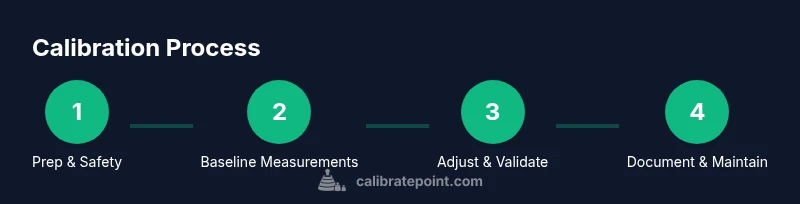
This section provides a high-level workflow you’ll follow during calibration. It is designed to align with the later step-by-step instructions, but it can be read as a standalone guide for planning. Start with a cold, unplugged machine and verify model-specific safety notes. Then, use a thermometer to capture baseline brew temperature, observe the drip rate, and measure extraction time. Based on these measurements, adjust any supported controls, perform a test brew, and compare to target ranges. Finally, document results and plan a follow-up check to ensure long-term stability.
How to verify results and maintain calibration
Verification after adjustments is essential. Run multiple test brews with consistent grind sizes and batch sizes, noting whether each result falls within the target temperature and timing window. If readings drift again, re-evaluate the environment: water hardness, ambient temperature, and preheating duration. Maintain a calibration log with dates and results, and schedule periodic re-checks (e.g., monthly or quarterly) to catch drift early. Regular cleaning and descaling support stability by reducing mineral buildup that can affect heat distribution and flow.
Common mistakes and how to avoid them
Common calibration mistakes include making large, undocumented changes, skipping the preheat, or testing with inconsistent water or coffee dose. Always calibrate with the same water source and the same grind settings you’ll use for daily brews. Avoid relying on a single data point; collect several measurements before making conclusions. Finally, never bypass safety procedures or operate a hot machine without protective gear. Following these practices helps prevent misreads and protects you from harm.
Tools & Materials
- Digital thermometer with probe(0–100°C range; ensure the probe tip reaches the brew head without contaminating the cup)
- Calibrated kettle or heat-safe pitcher(For safe water preheating and measurement pours)
- Measuring cup or graduated cylinder(Precisely measure water volumes for drip-rate checks)
- Bunn model owner’s manual(Model-specific charts and safety guidelines)
- Notebook or calibration log(Record baseline data and changes over time)
- Timer(Track brew duration for consistency)
Steps
Estimated time: 60-120 minutes
- 1
Power down and prep the brewer
Unplug the machine and allow it to cool completely. Verify you have a clean workspace and access to the manual. This step reduces the risk of accidental burns and ensures measurements reflect steady-state behavior rather than transient heat surges.
Tip: Keep a clear space and wear heat-resistant gloves when handling hot components. - 2
Warm up and secure tools
Plug in the machine and let it reach its typical operating temperature with no brew cycle running. Gather thermometer, kettle, measuring cup, and your calibration log within reach so you don’t perturb the system while collecting data.
Tip: Preheating helps ensure readings reflect normal operating conditions, not a cold-start anomaly. - 3
Measure baseline brew temperature
Place the thermometer probe near the brew head to capture the water temperature at brew initiation. Record the starting temperature and repeat at 30-second intervals for two minutes to understand temperature stability.
Tip: Take multiple readings to account for short-term fluctuations. - 4
Assess drip rate and extraction timing
Start a test brew using a consistent grind, dose, and water volume. Time how long the brew takes to fill a known volume and note any irregular dripping. This shows whether flow is steady and extraction time is within the desired window.
Tip: Use the same cup and water volume for every test to ensure comparability. - 5
Adjust controls per manual if available
If your model allows thermostat or brew-control adjustments, make a small, documented change and re-test. If adjustments aren’t accessible, focus on preheat, water quality, and cleaning steps to stabilize performance.
Tip: Make minor changes and test; large swings make it hard to isolate effects. - 6
Re-test and document results
Run a second test brew with the same setup and compare to baseline. Record all measurements in your calibration log and summarize whether results meet the target range.
Tip: Documentation is essential for tracking calibration history and future maintenance.
Questions & Answers
Why should I calibrate a Bunn coffee machine?
Calibration helps ensure consistent brew temperature and drip rate, which improves flavor consistency and repeatability. It also provides a documented process you can repeat across batches or staff changes.
Calibration helps keep your coffee tasting the same cup after cup, day to day.
Can I calibrate temperature by myself at home?
Some Bunn models offer adjustable temperature controls; if yours does, follow the manual to make small, measured changes. If your model doesn’t permit temperature adjustment, focus on preheating and water quality instead.
Yes, if your model allows adjustments. If not, stick to other stability tweaks.
What if the temperature cannot be adjusted on my model?
If no temperature adjustment is available, calibration relies on stable preheat, clean internals, and consistent water delivery. Consider professional service for deeper thermostat tweaks.
If you can’t adjust temperature, rely on consistent setup and professional help for deeper changes.
How often should I calibrate my Bunn machine?
Calibration frequency depends on usage and water quality. A good starting point is every 3–6 months, or after any major service, water change, or noticeable flavor drift.
Every few months or after major changes, to keep flavors consistent.
Are all Bunn models calibrated the same way?
Not all models share identical procedures. Always consult the manual for model-specific targets and safe adjustment methods. When in doubt, seek professional guidance.
Procedures vary by model; check the manual for your specific unit.
Where can I find target temperatures for my Bunn machine?
Look in the owner’s manual or the manufacturer’s online support for model-specific target ranges and tolerances. If unavailable, use a standard drip-range as a starting point and adjust gradually.
Check the manual or support site for your model’s target range.
Watch Video
Key Takeaways
- Follow model-safe steps for calibration
- Log measurements for repeatable results
- Maintain water quality to ensure stability
- Use consistent grind and dose for valid comparisons
- Schedule periodic re-checks to prevent drift