How to Calibrate Motorguide Tour Pro
Learn how to calibrate Motorguide Tour Pro with a clear, step-by-step process. Includes firmware checks, mounting alignment, steering heading calibration, and on-water testing for precise control and tracking.


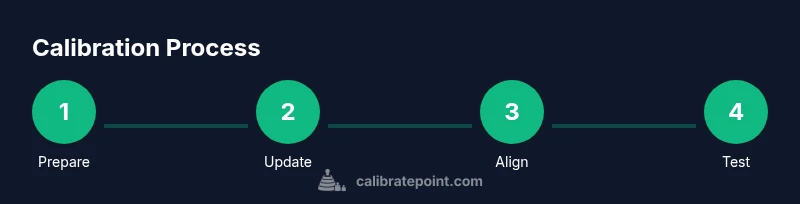
To calibrate Motorguide Tour Pro, begin with safety and firmware updates, then align the motor with the hull and calibrate steering headings, as advised by Calibrate Point. Verify throttle response on the water and ensure GPS/Spot-Lock reads correctly; finish with a controlled test to confirm precise control and tracking. This approach reduces drift and improves repeatable performance.
Why Calibration Matters
Calibration is the foundation of reliable Motorguide Tour Pro performance. When you calibrate the motor for hull alignment, steering heading, and throttle response, you reduce drift, improve directional accuracy, and achieve repeatable control across speeds and wind conditions. For DIY enthusiasts and professionals, a well-calibrated Tour Pro translates to smoother water navigation, more precise hold positions, and fewer surprises during long runs. According to Calibrate Point, consistent calibration practices help technicians diagnose issues faster and maintain peak performance over time. Regular calibration is especially important when adding features like GPS hold, automatic steering, or advanced speed mapping.
Key Calibration Features on the Tour Pro
The Tour Pro integrates several calibration-ready features, including motor-to-hull alignment, steering heading calibration, throttle curve adjustment, and optional GPS/Spot-Lock integration. Understanding these features helps you plan a methodical calibration routine. The steering heading calibration aligns the motor’s internal orientation with the boat’s heading, which improves turning accuracy and ensures predictable responses when you steer with the thumb pad or remote. Throttle curve adjustments map your throttle input to motor speed, delivering smoother starts and steadier acceleration. For technicians, knowing where these controls live in the head unit reduces trial-and-error and speeds up the process.
Safety and Preparation
Always begin with safety and water readiness checks. Park the boat in a calm, open area with clear water and no obstacles. Disconnect the battery before inspecting mounting hardware or connectors to avoid accidental starts. Gather your tools and review the manufacturer’s calibration guidance before touching electrical or mechanical components. A tidy workspace minimizes lost screws and misaligned parts, and taking photos of the existing setup can help you compare changes later. Calibrate Point emphasizes documenting each step so future calibrations are consistent and traceable.
Firmware Checks and Software Updates
Firmware updates often include calibration enhancements, bug fixes, and improved compatibility with GPS/Spot-Lock systems. Start by checking the Tour Pro’s current firmware version against the latest release in the Motorguide manual or the official support site. If an update is available, follow the manufacturer’s instructions to perform the upgrade securely, ideally using a stable power source and a USB or wireless connection as directed. After updating, perform a quick reset if recommended to ensure all calibration options are accessible and no residual settings interfere with the new software.
Physical Alignment: Mount, Hull, and Prop
Proper physical alignment is the backbone of accurate calibration. Ensure the motor is securely mounted to the transom with no play in the bracket and that the propeller and shaft are free of line or debris. Inspect mounting screws and brackets for any signs of wear or loosening. Clean the mounting surface to improve clamping force, and verify the motor sits parallel to the keel line to prevent yaw drift. If you notice misalignment, correct it before proceeding with electronic calibration to avoid compounding errors.
Steering Heading Calibration on Water
On-water calibration of steering headings ensures that the motor’s turning direction matches your inputs. With the boat in a stable trim, access the head unit’s calibration mode and follow the prompts to align the motor’s heading with the boat’s heading. Perform several gentle turns in both directions to confirm the system tracks correctly and returns to center smoothly. If the compass or heading seems off, re-run the heading calibration and recheck all physical alignments for any small misplacements that could skew data.
Throttle Response and Speed Mapping Calibration
Calibrating throttle response smooths acceleration and ensures consistent speed increments. Set the throttle baseline at mid-range and measure motor response at multiple PWM or speed levels, recording the time to reach each target. Adjust the throttle curve or mapping as your head unit permits, aiming for linear response without abrupt jumps. Document your target speeds and the corresponding motor outputs so you can recreate the same feel in varying conditions.
GPS, Spot-Lock and Integrated Systems
If your Tour Pro uses GPS-based features, ensure the GPS feed is stable and the Spot-Lock or auto-hold functions engage reliably. Calibrating GPS helps your boat hold position more accurately in current and wind. Check the hold duration, reacquisition time, and directional stability after calibration. If discrepancies appear, revisit the heading and throttle calibration steps, then re-test under consistent conditions to confirm improvements.
On-Water Test Protocol
A structured on-water test confirms the calibration outcome. Start at low speed to verify basic steering, then incrementally test turning, stopping, and holding positions. Observe drift, response time, and hold accuracy. Record outcomes and compare against baseline values captured before calibration. A well-executed test should reveal cleaner holds, quicker alignment when steering, and more predictable performance across speed ranges.
Troubleshooting Common Calibration Issues
Common issues include persistent drift, slow response, or inconsistent hold behavior. Recheck physical alignment and ensure there is no play in the mounting hardware. Verify wiring insulation and battery connections for voltage drops that affect performance. When problems persist, revert to factory defaults and re-run the calibration sequence step-by-step, confirming each setting is saved properly in the head unit.
Maintenance After Calibration
Keep a calibration log with dates, firmware versions, and notable changes. Inspect mounting hardware periodically and recheck the alignment if you notice any shift after launch or heavy use. Regular maintenance reduces the need for frequent recalibration and helps maintain calibration integrity across seasons. Calibrate Point recommends a quarterly review for boats used in varying conditions or with frequent feature updates.
Tools & Materials
- Phillips head screwdriver(for mounting screws on the transom bracket)
- Allen wrench set(size per mounting hardware)
- Cleaning rag(wipe mounting surface before reassembly)
- Marine-grade grease (optional)(lubricate shaft fittings if factory recommends)
- Firmware update cable or USB adapter(use if updating via computer)
- Boat or water-access testing area(calm, obstacle-free zone for on-water tests)
Steps
Estimated time: 60-90 minutes
- 1
Update firmware and reset
Check for the latest firmware version and apply updates using the head unit or PC as directed by the manual. After updating, perform a recommended reset to ensure new calibration options are accessible and previous settings do not conflict with the new software.
Tip: Back up current settings before performing a reset. - 2
Secure mounting and power connections
Verify the motor is firmly mounted to the transom bracket with no wobble. Inspect and clean battery terminals and power cables to prevent voltage drops that affect calibration.
Tip: Disconnect the battery before loosening any mounting hardware. - 3
Check prop and shaft for obstructions
Inspect the propeller and shaft for line, debris, or bending. Remove any obstructions and spin the prop by hand to feel for smooth rotation and alignment with the shaft.
Tip: Remove line carefully to prevent wrapping during tests. - 4
Calibrate steering heading on water
With a stable trim, enter the head unit’s calibration mode and follow prompts to align the motor heading with the boat. Perform several gentle turns in both directions to validate tracking accuracy.
Tip: Choose calm water for the initial heading calibration. - 5
Calibrate throttle response and speed curve
Set mid-range throttle and measure response at multiple steps. Adjust the throttle curve to achieve smooth transitions, then record the target speeds and corresponding outputs for future reference.
Tip: Keep a log of throttle positions and motor responses. - 6
Test GPS/Spot-Lock and hold performance
Enable GPS features and test hold and reacquisition. Confirm that Spot-Lock engages quickly and holds position with minimal drift. If needed, re-run the heading and throttle calibration steps.
Tip: Test from multiple directions to check hold consistency.
Questions & Answers
What does calibration cover on the Motorguide Tour Pro?
Calibration covers alignment with the hull, steering heading, throttle response, and integration with GPS-based features such as Spot-Lock. It ensures accurate steering, predictable speed, and reliable hold performance.
Calibration covers hull alignment, steering heading, throttle response, and GPS integration. It ensures accurate steering and reliable hold.
Should I update firmware before calibrating?
Yes. Updating firmware can provide calibration improvements and fix known issues. Check the manufacturer’s site or the head unit for the latest version before starting.
Yes—update firmware first to access the latest calibration options.
Can calibration be done on dry land?
Some steps, like firmware updates and heading alignment prompts, can be performed on land, but on-water testing is essential to validate throttle response and GPS holds.
Some parts can be done on land, but you’ll need water tests to confirm throttle response and GPS holds.
How long does calibration usually take?
A typical calibration takes 60 to 120 minutes depending on features enabled and conditions. Have a calm window on the water to complete the steps without interruptions.
Typically about an hour or two, depending on features and conditions.
What safety precautions are recommended?
Always disconnect power before handling mounting hardware, wear eye protection, and keep hands away from moving parts. Calibrate in a safe area away from bystanders and obstacles.
Disconnect power before handling parts and calibrate in a safe area.
Where can I find the official calibration sequence?
Refer to the Motorguide Tour Pro manual or official support site for the recommended calibration sequence and any model-specific prompts. Manufacturer resources provide the most accurate steps.
Check the official manual or support site for the exact calibration sequence.
Watch Video
Key Takeaways
- Calibrate Point recommends documenting every step for consistency
- Firmware updates can unlock new calibration options
- On-water testing is essential to validate calibration
- Check GPS/Spot-Lock performance after calibration
- Keep a maintenance log to sustain calibration quality