How to calibrate MSA Altair 4XR: Step-by-Step
Learn how to calibrate an MSA Altair 4XR gas detector using zero and span gas, proper SOPs, and complete documentation. This practical guide from Calibrate Point covers tools, steps, tips, and troubleshooting.


You will calibrate an MSA Altair 4XR by performing zero and span gas checks, confirming the device is within its calibration interval, and recording results. Assemble a known gas standard, a regulator, and a compatible calibration kit, then follow the Altair 4XR’s built‑in procedure step by step to ensure accuracy.
Why calibrate the MSA Altair 4XR
Regular calibration is essential to ensure sensor accuracy, reliable alarm thresholds, and regulatory compliance. The Altair 4XR is a portable multi-gas detector that relies on electrochemical sensors and catalytic sensors; over time drift occurs due to temperature, humidity, battery cycles, and exposure history. According to Calibrate Point, following a manufacturer-aligned calibration routine reduces drift and improves data integrity for job sites, labs, and field missions. In this section you’ll understand what calibration does, what can happen if you skip it, and how to plan your calibration schedule around usage and regulatory requirements. You’ll also learn why consistency matters: consistent results mean safer work environments, traceable records, and easier audits.
Safety prerequisites and workspace setup
Calibration work should occur in a well-ventilated area away from ignition sources. Wear appropriate PPE (chemical-resistant gloves, eye protection, and safety goggles) and ensure battery systems are secure. Work on a clean, dry surface and keep all gas cylinders upright and restrained. Before you begin, verify that the Altair 4XR model is the correct version for calibration and that you have access to the device manual or SOP. A calm, organized workstation reduces the chance of missteps and protects the sensor from rapid exposure changes or physical damage.
Tools, gas standards, and parts you'll need
A successful Altair 4XR calibration relies on certified gas standards and proper adapters. Gather the detector, zero gas, span gas with certificate, a regulator, calibration tubing, spare fittings, a clean workspace cloth, and the device manual. Keep a calibrated pressure gauge and a leak-check solution handy. Always check expiration dates on gas canisters and store them upright in a dedicated cart or cabinet. For traceability, have a calibration logbook or digital record ready to capture the readings and the exact gas concentrations used.
Understanding zero and span calibration in gas detectors
Zero calibration establishes a baseline by exposing all sensors to a reference gas with no target contaminant. Span calibration checks sensor response against a known concentration of gas to set the detector’s sensitivity. Together, zero and span calibrations correct drift, recalibrate responsivity, and tune the alarm thresholds to reflect current sensor performance. Most devices require both steps sequentially for reliable measurements. Be mindful that ambient temperature, humidity, and pressure can affect readings, so record these conditions during calibration for future audits.
Step-by-step calibration overview for the Altair 4XR
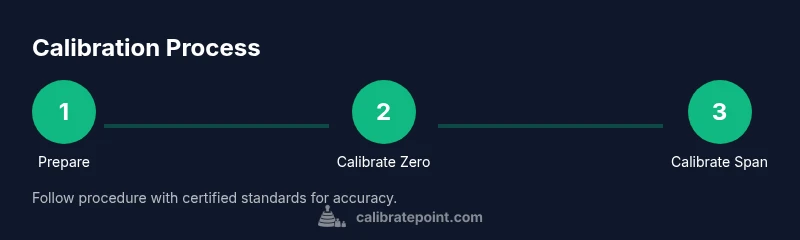
The Altair 4XR calibration procedure typically follows a defined sequence: enter calibration mode, apply zero gas to all relevant sensors, record baseline responses, switch to span gas at the specified concentration for each gas channel, and confirm that the readings align with the known values. After calibration, verify that the device returns to normal mode and that the alarm thresholds behave as expected. Document the results meticulously to support traceability and audits, and store gas cylinders according to the supplier’s recommendations.
Step 1: Prepare the Altair 4XR and workspace
Power on the unit and confirm it is within the calibration window per the SOP. Verify that you have the correct zero and span gas, along with regulators and tubing. Inspect the sensor ports for cleanliness and ensure there is no debris around the gas inlet. If the device has a hot or unstable display, allow it to stabilize before starting calibration. preparation minimizes drift and helps prevent contamination of gas lines.
Step 2: Enter calibration mode and verify gas sources
Access the calibration mode through the device menu, following the exact sequence described in the manual. Confirm that zero gas and span gas are connected and that their regulators are delivering a steady flow. Check for leaks using a suitable detector or soapy solution around connections. If there is appreciable drift or flow irregularity, pause and re-check connections before proceeding.
Step 3: Zero calibration procedure
Begin with zero gas to all active sensors, ensuring the sensor baseline stabilizes within the acceptable tolerance. Record the baseline response, and if the device shows persistent drift, re-check gas connections and verify the zero gas concentration is truly zero. After stabilization, confirm the zero reading is consistent over at least two consecutive checks to establish a reliable baseline.
Step 4: Span calibration procedure
Switch from zero gas to the span gas for each active gas channel. Allow readings to stabilize and compare them against the known span gas concentrations. If readings diverge beyond acceptable tolerance, adjust within allowable calibration parameters or re-run the calibration with fresh gas standards. Document each channel’s response and ensure all selected gases meet the device specification.
Step 5: Verification, logging, and cleanup
Return the Altair 4XR to normal operation and perform a quick verification using ambient air or a known test gas to ensure results remain stable after calibration. Log all readings, gas concentrations, ambient conditions, and any adjustments made. Proper cleanup includes sealing gas cylinders, returning regulators to storage, and cleaning the work area. Store calibration records for future audits.
Troubleshooting and common issues
If the detector shows persistent drift after calibration, check for outdated gas standards, leaks, or degraded sensors. Confirm gas regulator pressure remains stable and that tubing is free of kinks. If issues persist, consult the device manual or contact support. In some cases, a sensor replacement may be necessary to restore accuracy.
Documentation and traceability
A complete calibration record supports safety audits and regulatory compliance. Record the date, gas concentrations, ambient temperature, and any observed anomalies. Attach the gas certificate to the log and confirm that the unit’s calibration status is updated in the asset management system. Regularly review the SOP to ensure your process remains aligned with current best practices.
Tools & Materials
- MSA Altair 4XR gas detector(Ensure device is functional and within warranty; verify firmware version if needed.)
- Zero gas (e.g., nitrogen or clean air with near-zero ppm)(Use a certified reference gas with a known purity.)
- Span gas (calibration gas with known concentration)(Concentration should match device range and be certified.)
- Regulator(Precise control of gas flow required for stable calibration.)
- Calibration tubing and adapters(Must be compatible with Altair 4XR ports.)
- Leak detector spray or soapy solution(Use to check for gas leaks at connections.)
- Personal protective equipment (PPE)(Gloves, eye protection, and lab coat or equivalent PPE.)
- Calibration logbook or digital log(Record gas concentrations, ambient conditions, and readings.)
- Calibration manual or SOP(Follow manufacturer steps exactly.)
Steps
Estimated time: 60-90 minutes
- 1
Enter calibration mode
Power on the device and navigate to Calibration Mode using the exact sequence in the user manual. This prepares the sensors for controlled gas exposure and ensures that changes are recorded separately from normal operation.
Tip: Verify the device shows a calibration-ready status before applying gas. - 2
Connect gas sources
Attach zero gas to the appropriate inlet and ensure span gas is ready on the second inlet with regulators set to a steady flow. Check all connections for leaks before proceeding.
Tip: Lock gas regulators in place to prevent accidental adjustments during calibration. - 3
Perform zero calibration
Expose sensors to zero gas and allow readings to stabilize. Record the baseline and confirm the response remains within tolerance across consecutive measurements.
Tip: If drift occurs, pause and re-check for leaks or gas purity before retrying. - 4
Perform span calibration
Switch to span gas and record sensor responses for each target gas channel. Adjust if readings fall outside the defined tolerance range and verify with a second run.
Tip: Use fresh span gas certificates and avoid cross-contamination between channels. - 5
Verify readings
Return to zero or ambient air and confirm that sensor readings revert to baseline. This step validates sensor recovery after calibration.
Tip: Document any short-term drift after gas removal to support traceability. - 6
Exit calibration mode & save
Exit calibration mode and save the new calibration data to the device memory. Ensure the device returns to normal operation without alarms being affected.
Tip: Double-check that the device status shows as calibrated and active. - 7
Document and store
Fill out the calibration log with date, gas concentrations, ambient conditions, and readings. Store gas canisters upright and secured, with certificates accessible for audits.
Tip: Keep the log digital or printed with signatures for accountability.
Questions & Answers
How often should I calibrate the Altair 4XR?
Follow the manufacturer’s guidance or your SOP for calibration intervals. Regular calibration depends on usage, exposure, and regulatory requirements, and should be documented in the maintenance log.
Follow the manufacturer’s guidance for how often to calibrate; your SOP will specify intervals based on use and regulatory needs.
Can I use ambient air as zero gas?
No. Zero gas provides a defined, known zero concentration. Ambient air can introduce variability and is not suitable as a zero reference.
No. Zero gas is required for accuracy; ambient air isn’t a reliable zero.
What concentrations should I use for span gas?
Use the span gas concentration specified by your calibration kit and SOP. Do not rely on approximate or mixed concentrations.
Use the exact span concentrations your kit and SOP specify.
What if readings drift after calibration?
Re-check gas connections, verify the gas purity, and ensure the detector isn't outside its calibration window. If drift persists, consider sensor replacement or service.
If drift occurs, re-check connections and gas purity, then re-calibrate or service the detector.
Is calibration required for every new Altair 4XR?
Yes, when a device is new or has been stored, or after any service that affects sensors. Always recalibrate per SOP to confirm accuracy.
Yes, recalibration is needed for new or serviced units per SOP.
Where can I find the calibration certificate?
The calibration certificate is stored with the device’s maintenance records or within the calibration log in your system.
Check the device maintenance log or your calibration system for the certificate.
Watch Video
Key Takeaways
- Calibrate with zero and span gas as per the SOP
- Log every reading for traceability
- Verify sensors return to baseline after calibration
- Store equipment and gases safely
- Consult the manual for device-specific tolerances