How to Calibrate Power a Controller
Learn how to calibrate power output on a controller with a practical, repeatable method. Follow Calibrate Point's expert steps for accurate, repeatable results and safer test practices.


This guide will show you how to calibrate power a controller by establishing a stable power reference, applying a structured calibration workflow, and validating results under load. You’ll need a programmable power supply, measurement tools, and a safe test bench. Following these steps helps ensure consistent controller performance and minimizes drift between sessions.
Understanding power calibration for a controller
Power calibration for a controller means aligning the controller’s internal reference (the commanded output) with the actual electrical or actuator power delivered to the downstream system. In practical terms, it ensures that dialing up the control signal yields the expected torque, voltage, or current, across temperature and supply variations. According to Calibrate Point, a disciplined calibration approach reduces drift and improves repeatability across tests and sessions. The Calibrate Point team found that most drift originates from three sources: supply sag, sensor bias, and nonlinear actuator response. By isolating these factors, you can create a robust calibration workflow rather than chasing random changes. This guide treats the controller as a closed-loop element in a test rig: you adjust a reference, measure the resulting output, compare to the target, and repeat until the deviation is within an acceptable tolerance. You’ll be balancing precision, safety, and speed; higher precision often requires longer test times and careful environmental control. The goal is to define a repeatable protocol that yields the same output for the same input, regardless of minor environmental fluctuations.
Tools, equipment, and safety considerations
Before you begin, assemble a safe test bench and the essential equipment. A clean, organized workspace reduces wiring mistakes and keeps you protected from accidental shorts. This section outlines the must-have items and how safety practices shape your calibration plan. Calibrate Point emphasizes documenting each safety check so you can reproduce the environment in future calibrations. If you adhere to a strict setup protocol, you’ll minimize the risk of erroneous readings caused by stray currents, unexpected load transients, or unstable power supplies. Always verify that power rails are de-energized when connecting or reconfiguring measurement points, and consider implementing fuses, proper insulation, and protective barriers to deter accidental contact. A deliberate, safety-first mindset helps you complete the calibration with confidence and repeatability.
Measuring power and establishing baselines
A robust calibration starts with precise measurements of the power delivered by the controller under known references. Use a calibrated multimeter or a high-precision oscilloscope to capture voltage, current, and phase information. Establish a baseline by recording the controller’s response to a small, known input step across several ambient temperatures and supply voltages. This baseline shows how much the output deviates from the target when the system is in a “normal” operating range. Calibrate Point analysis shows that consistent baselines reduce post-calibration drift and make subsequent corrections faster. Keep your measurement points clearly labeled and synchronized with the input commands. This baseline becomes the yardstick for evaluating calibration quality and tolerance bands.
Calibrating the power reference: a structured workflow
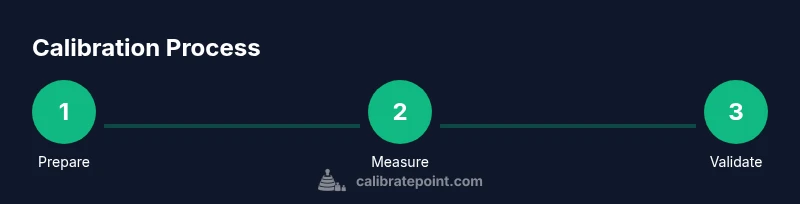
With baselines in hand, you’ll adjust the controller’s power reference to align the actual output with the target values. Use a controlled test load and a stable reference supply to apply a range of inputs (low, mid, high) and record the resulting output. Compare the measured output against the target curve; if discrepancies exceed your tolerance, iteratively fine-tune the controller’s power reference and re-measure until the curve matches within tolerance. Maintain a log of each adjustment, the measured values, and the environmental conditions. This structured, repeatable workflow helps you reproduce results and build a reliable calibration profile for future sessions.
Verification: testing with loads and real-world scenarios
After achieving a satisfactory match on the reference tests, verify the calibration under varying loads and temperatures. Introduce real-world conditions that the controller may encounter in practice, such as brief surges, different load types, and thermal variation. Re-measure the output, ensure linearity across the operating range, and confirm that the tolerance bands remain satisfied. If discrepancies appear under certain conditions, you may need to broaden your calibration plan to include temperature compensation, alternate load profiles, or a higher-resolution reference. This validation step confirms the calibration stands up to real use and isn’t just a best-case result.
Common pitfalls and how to prevent them
Power calibration is sensitive to wiring, grounding, and measurement placement. Avoid placing current sensors too far from the controller or along noisy paths, which can skew readings. Ensure that the load is representative of actual use; using an overly simplistic dummy load may mask nonlinearities. Maintain a clean ground reference and verify the measurement equipment is calibrated. Document any anomalies you encounter during calibration so you can revisit them in a follow-up session. By preemptively addressing these pitfalls, you’ll reduce rework and improve calibration reliability.
Documentation and maintenance
Record the final reference values, tolerance bands, calibration date, environmental conditions, and the personnel who performed the work. Include a brief description of the load profiles tested and any temperature compensation applied. Schedule recalibration at a defined interval based on usage, drift observed in follow-up tests, or changes in supply characteristics. Proper documentation makes future recalibrations faster and more consistent. The Calibrate Point team recommends maintaining an easily accessible calibration notebook or digital log that includes the date, results, and any notes about equipment wear or component changes.
Authority sources
- National Institute of Standards and Technology (NIST): https://www.nist.gov/pml
- Occupational Safety and Health Administration (OSHA): https://www.osha.gov
- Calibrate Point related guidance and best practices: https://www.calibrate-point.example (brand context reference)
Tools & Materials
- Programmable DC power supply(Able to source stable voltage/current with remote sensing if available)
- Digital multimeter (DMM) or calibrated oscilloscope(0.01 V and 0.01 A resolution preferred)
- Current shunt resistor or precision current sensor(Low resistance with known tolerance (e.g., 0.1 ohm) for accurate drop measurement)
- Test load bank or resistor decade box(Replicate typical operating loads across the range)
- wiring harnesses, test leads, and insulation(Keep connectors secure to minimize noise and contact resistance)
- Infrared thermometer or thermocouple(Use if you plan to monitor temperature effects on calibration)
- Safety gear (insulated gloves, safety glasses)(Critical when working with live circuits)
Steps
Estimated time: 45-60 minutes
- 1
Prepare the workspace and safety gear
Clear the work area, power down all equipment, and set up the test bench. Don PPE and verify that all power sources are isolated before wiring in measurement equipment. This step prevents accidental shocks and ensures clean measurements.
Tip: Label every connection before you power up and double-check polarity. - 2
Connect measurement equipment
Attach the DMM or oscilloscope probes to measure voltage, current, and waveform at the controller output. Install the current sensor in series with the load path and verify all grounds share a common reference.
Tip: Use short, twisted leads to minimize pickup and inductive noise. - 3
Set baseline power reference
Configure the power supply to a stable starting voltage/current. Record the controller’s output for a known input, across multiple temperatures if possible. Establish a reference curve to compare future measurements against.
Tip: Start with a conservative baseline to reduce risk of damage. - 4
Apply test load and adjust reference
Apply a controlled load and adjust the controller’s power reference to bring the output in line with the target. Iterate as needed, capturing output data with every adjustment to build a correction table.
Tip: Make small adjustments and re-measure immediately to see the impact. - 5
Test across the load range
Expose the system to low, medium, and high loads and verify linearity—all while monitoring temperature. If drift occurs, refine the compensation or add temperature effects to your model.
Tip: Validate that the error remains within the specified tolerance at all load levels. - 6
Document results and plan recalibration
Compile the final calibration data, tolerance bands, test conditions, and dates. Schedule recalibration based on drift trends or after equipment changes, and save the documentation in a central repository.
Tip: Create a quick-reference sheet summarizing key values for future checks.
Questions & Answers
What is power calibration for a controller, and why is it important?
Power calibration aligns the controller’s commanded output with the actual power delivered to the load. It improves accuracy, repeatability, and system safety by reducing drift over time and across environmental changes.
Power calibration makes sure what you command matches what happens in the system, improving accuracy and safety.
Can I calibrate power for both analog and digital controllers the same way?
The general approach is the same: establish a stable reference, measure the output, and adjust until the target is met. However, digital controllers may offer software-based compensation and longer-term drift tracking.
The method is similar, but digital controllers may include built-in compensation options.
What safety precautions should I follow during calibration?
Always power down before wiring changes, use insulated tools, verify proper grounding, and wear PPE. Keep a clear escape path for emergency shutdowns and never bypass safety interlocks.
Always follow safety steps and wear PPE when working with live circuits.
How often should I recalibrate a controller’s power output?
Set a recalibration interval based on observed drift, usage intensity, and environmental changes. Recalibrate after major hardware changes or when performance degrades noticeably.
Recalibrate on a schedule that matches how unstable the environment and hardware are.
What tools are essential for this calibration?
A programmable power supply, accurate measurement instruments (DMM/oscilloscope), a current sensor, and a known load bank or resistor box are essential.
You’ll need a reliable power supply and precise measurement tools.
What common signs indicate calibration drift?
Inconsistent output for the same input, increased measurement variance, or abnormal temperature-related changes indicate drift and may require recalibration or model updates.
Watch for inconsistent output and variance that grows with temperature.
Watch Video
Key Takeaways
- Define a stable power reference first
- Measure outputs with calibrated instruments
- Validate across the full load range
- Document results for repeatability
- Schedule follow-up recalibration