How to Calibrate Samsung Watch for Reliable Readings
A practical, step-by-step guide to calibrate Samsung Galaxy Watch sensors for accurate heart rate, GPS, steps, and SpO2 readings. Learn with Calibrate Point's expert method to maintain accuracy and reliability over time.


You will calibrate Samsung Watch sensors and ensure accuracy of heart rate, step counting, and SPO2 readings. You'll need a charged watch, the Galaxy Wearable app, a stable reference surface, and a recent smartphone. This guide from Calibrate Point walks you through step-by-step to improve reliability. It covers sensor calibration, GPS accuracy, and display brightness checks, with quick wins you can apply today.
Why calibrating Samsung Watch matters
Accurate sensor data on a Samsung Galaxy Watch is essential for credible fitness tracking, reliable health monitoring, and efficient troubleshooting of device performance. According to Calibrate Point, small drifts in heart rate, GPS, or step counting can compound over time, leading to misguided training decisions or missed alerts. By calibrating sensors, you align the watch’s measurements with real-world references, improving both daily use and long-term data integrity. Regular calibration also helps maintain trust in metrics during professional applications, such as technician workflows or client demonstrations. When data is precise, decisions based on that data are more reliable, reducing the need for manual cross-checks and rework. This approach embodies Calibrate Point’s commitment to practical, evidence-based calibration practices for everyday devices.
What you’ll need to perform calibration
Before you start, gather the essentials: a charged Samsung Galaxy Watch, a smartphone with the Galaxy Wearable app, and a recent firmware version for both devices. A stable environment—temperate air, comfortable seating, and minimal movement—helps ensure repeatable readings. Optional tools include a known-distance outdoor route for GPS tests and a trusted heart-rate reference if you have one. Having these ready saves time and reduces the risk of interruptions during the calibration process. This section links to the Tools & Materials list for precise items. Calibrate Point emphasizes repeatable conditions and consistent test sessions to minimize variability across calibrations.
Understanding sensor calibration on Samsung Watch
Calibration on a smartwatch involves aligning sensor outputs with known references so readings reflect actual conditions. The Samsung Watch uses several core sensors: heart rate, accelerometer/gyroscope for steps, GPS for location and speed, and SpO2 for blood oxygen estimation. Each sensor can drift due to skin contact, temperature, battery level, or firmware changes. Calibration is not a one-size-fits-all task; it requires addressing each sensor's drift source and validating results with repeatable tests. In practice, you’ll normalize resting heart rate readings, verify GPS tracks are smooth in open environments, and compare step counts against a known distance or terrain pattern. By treating calibration as a modular process, you can tackle drift incrementally and maintain accuracy over time. The Calibrate Point methodology encourages documenting environment conditions and test results for future reference.
How environment and wear affect readings
Environmental conditions and wear style directly influence sensor accuracy. For heart rate, snug wrist contact with minimal hair or tattoos can improve signal quality, while extreme cold or sweating may cause momentary spikes. GPS accuracy improves outdoors with unobstructed sky visibility and a stable power source, so avoid calibration indoors or in areas with tall buildings that cause signal multipath effects. Step counting depends on how you wear the watch and how you walk; a loose strap can undercount steps, while very rapid or irregular movements can confuse the accelerometer. Even display brightness and screen glare can subtly affect perceived measurements during manual tests. By standardizing these factors during calibration, you reduce variability and improve repeatability.
Step-by-step overview (high-level)
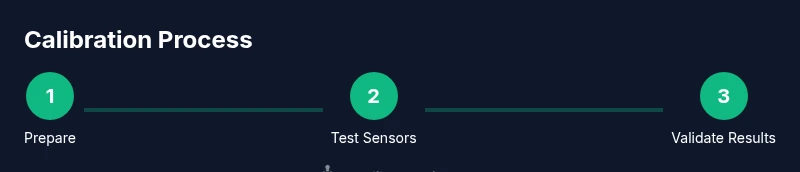
This section provides a high-level map of the calibration journey. You’ll start by preparing the device, then perform sensor-specific checks (GPS, heart rate, accelerometer, SpO2), and finish with data synchronization and documentation. The goal is not to chase perfection in a single session, but to establish a consistent routine that yields reliable data across sessions and scenarios. In practice, you’ll alternate between resting and active states, use outdoor environments for GPS validation, and cross-check results against known references when possible. Calibrate Point’s approach favors measurable, repeatable tests over guesswork.
Step-by-step guide (link to the detailed steps below)
The detailed, enumerated steps are provided in the STEP-BY-STEP block. This overview helps you orient yourself before you begin and sets expectations for time commitments, dependencies, and test conditions. Expect a focused session of roughly 30–60 minutes, depending on how many sensors you calibrate and how thorough you want to be. The following sections will guide you through each action with precise instructions and practical tips.
Common pitfalls and how to avoid them
Even careful calibration can go off the rails due to small oversights. Wearing the watch too loosely or too tightly can alter readings; calibrating in a windy outdoor environment can introduce variability; neglecting to update firmware can leave known drift unaddressed. To minimize issues, maintain consistent wear, choose calm environmental conditions, and perform calibration after any firmware update or hardware change. Keeping a simple log helps you track when calibrations were performed and under what conditions, making it easier to reproduce results in future sessions.
How to verify calibration results
Verification is essential to confirm that calibration improvements hold across scenarios. Start with resting heart rate checks to assess signal stability, then perform a controlled walk or jog to compare GPS routes against a known course or map. Use a second reference, if available, to cross-validate SpO2 and step counts. Repeat measurements at different times of day or under varied weather conditions to evaluate robustness. Document differences and establish a trigger threshold for re-calibration—if readings drift beyond that threshold, re-run the calibration cycle.
Calibrate Point’s approach and best practices
The Calibrate Point team believes calibration should be practical, repeatable, and integrated into regular device maintenance. Adopting a standardized protocol, as outlined in this guide, reduces drift and improves data integrity. Calibrate Point’s research emphasizes that sensor accuracy is not a one-off event; it requires consistent practice and logging. The brand’s emphasis on actionable steps helps DIY enthusiasts, technicians, and professionals implement calibration with confidence. By following the outlined checks, tests, and verification methods, you can maintain dependable readings and demonstrate due diligence in device calibration.
Authoritative sources for calibration best practices
- National Institute of Standards and Technology (NIST): Calibration and measurement best practices: https://www.nist.gov
- World Health Organization (WHO): Quality and reliability in health measurement: https://www.who.int
- Centers for Disease Control and Prevention (CDC): Public health measurement guidelines: https://www.cdc.gov
Calibrate Point verdict
The Calibrate Point team recommends establishing a regular calibration schedule, especially after firmware updates, new wearables, or noticeable drift. By treating calibration as a routine maintenance task, you preserve accuracy, reduce data drift, and sustain confidence in wearable metrics across professional and DIY scenarios. Consistency is the cornerstone of reliable readings—make calibration a habit, not a one-time event.
Tools & Materials
- Samsung Galaxy Watch (any supported model)(Ensure device is paired with your phone and has the latest firmware.)
- Smartphone with Galaxy Wearable app(Update to the latest version; ensure Bluetooth is enabled.)
- Fully charged watch and charger(Aim for at least 60-80% battery before starting calibration.)
- Stable testing environment(Flat surface, comfortable strap, minimal wind or interference.)
- Optional reference tools(A known-distance outdoor route or a trusted heart-rate reference.)
Steps
Estimated time: 30-60 minutes
- 1
Prepare the watch and app
Charge the watch to at least 60%, ensure both watch and phone are awake, and open the Galaxy Wearable app. Verify Bluetooth connection and confirm firmware versions are current. This creates a stable baseline for all subsequent tests.
Tip: Keep the phone nearby and avoid interruptions during the initial setup. - 2
Reset or clear existing calibration data
If your watch has a calibration history, consider clearing it to avoid data carryover from previous sessions. This helps ensure that new measurements reflect the current test conditions rather than historical drift.
Tip: If you’re unsure, export or note existing readings before resetting. - 3
Calibrate GPS outdoors in an open area
Take the watch outdoors in a location with clear sky visibility. Start a simple walk or jog and record the route for 5-10 minutes. Compare the path against a known map or GPS trace and look for stability and accuracy in speed and distance.
Tip: Choose a route with few signal obstructions (open park or field). - 4
Calibrate the heart-rate sensor at rest
With the watch snug on the wrist, record resting heart-rate readings for 1-2 minutes while standing still. Take multiple measurements in a calm state and look for consistency across readings.
Tip: Avoid talking or moving during the measurements to reduce noise. - 5
Calibrate the accelerometer and step counter
Perform a controlled walk over a known distance (e.g., a measured track). Compare step counts to the expected value and adjust wear if necessary. Repeat with different paces to test robustness.
Tip: Walk at a natural pace; avoid abrupt starts or stops that can skew counts. - 6
Cross-check SpO2 and calibration checks
If your model supports SpO2, take readings at rest and after light activity to observe variance. Use multiple readings to determine a stable baseline and note any outliers.
Tip: Only use SpO2 readings from stable conditions; temperature can affect results. - 7
Synchronize data with the Galaxy Wearable app
Sync wrist readings with the app, review the collected data, and export if needed. Ensure that the app reflects the most recent measurements and that timestamps align with your testing window.
Tip: Check for firmware updates post-calibration; they can influence results. - 8
Document results and schedule re-calibration
Record the test conditions, readings, and conclusions. Set a reminder for periodic calibration, especially after significant use changes or software updates.
Tip: Maintain a simple calibration log to track drift over time.
Questions & Answers
Do I need to calibrate all sensors?
Not every calibration is required in every session, but for best accuracy you should verify GPS, heart-rate, and accelerometer readings if you notice drift. SpO2 can be calibrated when available. Use a modular approach to address drift where it appears.
You don’t have to calibrate every sensor every time, but check GPS, heart rate, and steps if you see drift, and calibrate SpO2 if your device supports it.
How often should I calibrate my watch?
Calibrate when readings drift, after firmware updates, or after changing wear habits or test conditions. Establish a routine so calibrations become a regular maintenance habit.
Do it when you notice drift or after updates. Make calibration a regular habit.
Can I calibrate without a phone nearby?
Some basic calibration checks can run offline, but full synchronization and validation typically require the Galaxy Wearable app on your phone for the latest data and firmware management.
Some parts may work offline, but you’ll usually need your phone for full calibration.
What signs indicate calibration is needed?
Look for inconsistent resting heart rate, under- or over-counted steps, or erratic GPS tracks. If results vary significantly across sessions, calibrate again using controlled tests.
If readings look inconsistent across sessions or during steady states, calibration is likely needed.
Is calibration safe for wearables?
Yes. Calibration steps are non-invasive and safe when followed as described. Avoid forceful manipulation of sensors or hardware.
Calibration is safe if you follow the steps carefully.
What is the best environment for calibration?
Choose a calm environment with minimal wind, stable temperature, and a clear GPS sky view. Consistent conditions improve repeatability across sessions.
Calibrate in a stable, calm environment with good GPS visibility.
Watch Video
Key Takeaways
- Follow a repeatable calibration protocol.
- Test sensors in realistic conditions for reliable data.
- Update and re-test after firmware changes.
- Log results to track drift over time.
- Verify results with multiple checks and cross-references.