How to Calibrate VNA: A Practical Guide
A comprehensive guide to calibrating a vector network analyzer (VNA) using SOLT and alternative methods, with a step-by-step workflow, essential tools, verification techniques, troubleshooting, and maintenance tips for DIY enthusiasts and professionals.


How to calibrate vna: This guide shows how to calibrate vna (vector network analyzer) to achieve accurate S-parameter measurements. You'll learn the typical SOLT calibration process, the kits needed, and how to verify results before taking measurements. Whether you're a DIY enthusiast or professional, a proper calibration is the foundation of reliable VNA data.
Why Calibration Matters
According to Calibrate Point, a robust calibration routine is not optional but essential for trustworthy VNA measurements. A vector network analyzer quantifies how signals behave as they travel through a device under test, and the accuracy depends on how well the system accounts for the inevitable errors in cables, connectors, and adapters. Without careful calibration, S-parameter data can mislead, disguising device behavior or masking subtle effects like loss, isolation, or impedance mismatch. In practice, a well-executed calibration reduces systematic drift, stabilizes reference planes, and improves repeatability across sessions and setups. This section explores how calibration quality affects RF measurements, how to spot under-calibrated setups, and the difference a disciplined routine makes for both hobbyists and professionals. The emphasis is on using reliable calibration kits, keeping ports clean and labeled, and documenting procedures to ensure reproducibility across labs and time. The Calibrate Point approach frames calibration as an ongoing improvement, not a one-off chore, so you maintain accuracy as test environments evolve.
Core calibration concepts: SOLT, TRL, and more
Vector network analyzers support several calibration methods, but SOLT stands as the industry staple for many RF test setups. SOLT calibrations model four standards—Short, Open, Load, and a Through connection—allowing the VNA to reference the port responses away from the device under test. TRL (Thru-Reflect-Line) is another technique that can be advantageous at higher frequencies or with certain hardware. In practice, you choose a method based on your frequency range, the available standards, and the desired reference plane placement. The key idea is to capture and remove the systematic errors inherent in cables, connectors, and adapters so the VNA's measurements reflect only the device under test. Other methods, like LRM (Line-Reflect-Match) and LMR variants, exist for specialized setups. The essential takeaway is that calibration translates the VNA’s raw measurements into meaningful, repeatable data by accounting for systematic errors. If you plan multi-port or PMI calibrations, you’ll expand the procedure accordingly, but the core concept remains consistent: identify reference standards, connect them to the VNA, measure, and store the error terms.
Required calibration standards and kits
A complete calibration routine relies on a calibrated kit with clear reference standards. The most common are SOLT sets (short, open, load, through) for each test port, along with a through connection to represent the reference plane alignment. In multi-port VNAs, you will typically have multiple sets of standards and possibly a multiline through or a thru-reflect-line extension. When selecting a kit, verify frequency coverage, connector type (SMA, SMC, or N-type), and compatibility with your VNA’s calibration algorithm. Check that standards show clean, well-defined responses across the frequency band of interest, and inspect adapters for wear or oxidation. Keep standards stored in their protective case when not in use, and handle them with care to avoid micro-cracks that can degrade calibration accuracy. A high-quality calibration kit reduces the effort required to achieve stable reference planes and minimizes drift caused by mechanical wear.
Preparing your equipment and reference planes
Before calibration, organize cables, adapters, and connectors to minimize probing changes during the procedure. Establish a clean, RF-friendly environment—avoid metal clutter near the test setup, ensure connectors are clean and free of debris, and position the VNA and calibration modules on stable, vibration-free mounts. Calibrate per port, paying attention to the reference plane location where the device under test connects; any misalignment shifts reference planes and increases measurement error. Label ports clearly and document any plane adjustments for reproducibility. Recording environmental conditions such as temperature and humidity is helpful since RF contacts can behave differently with changing conditions. Maintain a consistent setup, and avoid rearranging cables during calibration unless absolutely necessary to preserve reference-plane integrity.
Step-by-step practical calibration workflow
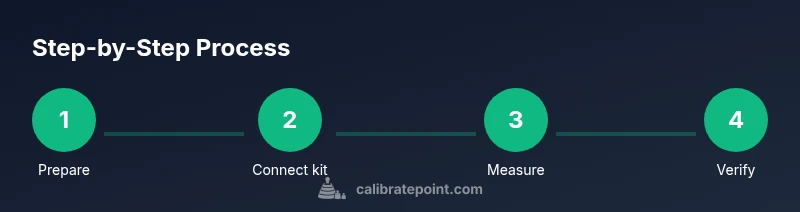
A practical workflow follows a logical sequence: prepare, connect standards, measure, solve, save, verify, and document. The steps below outline a typical SOLT calibration for a single port; adapt for multi-port setups as needed. 1) Prepare the calibration kit, inspecting all standards for wear. 2) Connect the Open, Short, and Load standards in the recommended order for the port being calibrated. 3) Measure each standard and capture the error terms (systematic errors and offsets). 4) Apply the SOLT calculation to derive reference-plane corrections. 5) Save the calibration data to the VNA memory or a cal file. 6) Connect the Through standard to verify plane alignment and continuity. 7) Run a verification with a known-good device or a precision through standard. 8) Document results, store the kit, and label the calibration for future reference. The sequence emphasizes clean connections and repeatable probing to minimize drift.
Verification and performance checks
After calibration, validate the setup with an independent reference, such as a precision through connection or a known-good resistive load. Inspect S-parameter traces for a flat phase response and stable magnitude across the frequency band. Look for unexpected spikes or ripple that may indicate connection issues, a degraded standard, or misconfigured calibration order. Use the VNA’s verification templates if available to cross-check the stored error terms against current measurements. If results drift between tests, re-check connectors, re-run the calibration, and re-save the data. Regular verification helps catch wear and environmental changes before they compromise measurements.
Handling common issues and re-calibration triggers
Calibrations can fail due to worn connectors, dirty contacts, damaged standards, or mis-sequenced steps. Common signs include rising mismatch at low frequencies, inconsistent phase, or drift after repeatedly moving cables. When diagnosing, start by re-terminating reference planes, cleaning all contacts, and redoing the SOLT calibration with fresh standards. If you suspect kit wear, replace the most-used adapters and inspect the interface for scratches or corrosion. Temperature fluctuations can cause drift; perform calibrations in a controlled environment or allow components to reach ambient temperature before measurement. Finally, maintain a calibration log to track when recalibration was performed and what standards were used, ensuring traceability across projects.
Best practices for long-term calibration maintenance
Treat calibration as a living process. Schedule regular calibration checks based on usage, frequency, and criticality of measurements. Store standards in their protective cases with minimal exposure to dust and moisture, and rotate cables to distribute wear evenly. Keep a written or digital record of calibration data, including the reference plane positions, environmental conditions, and any deviations observed during checks. Periodically review your calibration strategy against evolving equipment, frequency bands, and test requirements to maintain accuracy and reliability over time.
Authority sources
- Authority sources provide external validation for calibration practices. The following resources offer foundational guidelines, standards, and best practices for RF calibration and measurement accuracy. These sources are widely recognized in the RF community and can aid in aligning your lab procedures with established expectations.
https://www.nist.gov
https://www.iec.ch
https://www.itu.int
Tools & Materials
- Vector Network Analyzer (VNA)(Ensure frequency range matches your measurement needs)
- Calibration kit (SOLT/TRL)(Include open, short, load, and through standards)
- Test cables and connectors(Quality cables with proper connectors for your ports)
- Port adapters and reference-plane fixtures(To align reference planes accurately)
- Cleaning supplies for connectors(Isopropyl alcohol and lint-free swabs)
- Calibrated reference standards housing(Protective cases for long-term storage)
- Documentation notebook or calibration software(Log results and versions)
- RF-friendly work surface(Shielded or non-conductive surface to minimize reflections)
- Thermal stabilization tools(Time and environment control for repeatable results)
- Marker and label stickers(Port labeling for reproducibility)
- Anti-static wrist strap(Protect sensitive RF hardware)
Steps
Estimated time: 60-90 minutes
- 1
Prepare and inspect
Power down and inspect all components. Check cables for wear, clean connectors, and verify that you have the latest calibration data or cal file templates. Ensure your work area is RF-friendly and free of EMI sources.
Tip: Handle standards with care; dirty or nicked connectors introduce errors. - 2
Set up the VNA and kit
Power the VNA and mount the calibration kit on the appropriate port. Confirm port labeling and ensure all connectors are clean before connection.
Tip: Use clean, lint-free swabs and alcohol for connector surfaces. - 3
Connect Open, Short, Load
Attach the Open, Short, and Load standards in the recommended sequence. Keep probe positions consistent and avoid rotating adapters during collection.
Tip: Maintain minimal torque and avoid bending cables at the connectors. - 4
Measure and record errors
Measure each standard and record the VNA’s error terms. Ensure you capture enough data across the frequency range of interest to characterize systematic errors.
Tip: If the data looks noisy, pause, reseat connections, and re-measure. - 5
Compute reference-plane corrections
Apply the SOLT calculation to derive the reference-plane corrections. This step translates raw data into usable calibration data for the device under test.
Tip: Double-check that the reference plane is at the device-under-test interface. - 6
Save and verify
Save the calibration data to the VNA or a cal file. Run a through test to confirm plane alignment and continuity after saving.
Tip: Keep a backup copy of the calibration data in case of future changes. - 7
Document results
Document the date, operator, equipment version, frequency range, and any anomalies observed. This ensures traceability for audits or future calibrations.
Tip: Include environmental conditions if relevant to your lab workflow. - 8
Verify with a known reference
Test a known reference device or precision through to validate the calibration. Compare measured results to expected behavior to confirm accuracy.
Tip: If discrepancies arise, revisit steps 1-3 and repeat the calibration sequence.
Questions & Answers
What is SOLT calibration and why is it necessary?
SOLT calibration models four standards—Short, Open, Load, and Through—to remove systematic errors from cables and adapters. It establishes a clean reference plane and improves measurement accuracy across the frequency range.
SOLT uses four standards to model and cancel errors, giving you a clean reference plane and more accurate measurements.
Can I calibrate a VNA without a trained technician?
Yes. With careful setup and following manufacturer instructions, a thorough SOLT calibration can be performed by a careful, trained hobbyist or technician. Use documented steps and verify with a known reference.
Yes, with careful setup and the right kit, a trained DIYer can perform SOLT calibration and verify it with a reference.
How often should I calibrate my VNA?
Calibration frequency depends on usage, environment, and required accuracy. In dynamic lab environments, calibrate at the start of each session and after changing cables or adapters. For critical productions, establish a regular calibration schedule.
Calibrate at the start of each session and after any hardware changes; more often in production environments.
What happens if a calibration kit is damaged?
Damaged standards introduce erroneous reference terms, leading to incorrect S-parameter results. Replace any damaged components and re-run the calibration with fresh standards.
A damaged kit ruins reference terms—replace it and recalibrate.
Do temperature changes affect calibration?
Yes. Temperature affects connector behavior and dielectric properties at RF. Calibrate in a controlled environment or allow equipment to reach ambient temperature before measuring.
Environmental conditions matter; use a controlled setup or allow equipment to warm to room temperature.
What are the signs of calibration drift?
Drift shows as changing magnitude or phase responses across the band, or inconsistent results when re-measuring the same reference. Recheck connections and re-calibrate if drift is observed.
Watch for changing responses and inconsistent repeats; re-check and recalibrate as needed.
Watch Video
Key Takeaways
- Plan calibration with purpose and repeatability in mind
- SOLT is the foundation for many VNA workflows
- Keep reference planes accurate and stable
- Verify calibrations with independent references
- Document results for traceability