How to calibrate a TV: A Practical Guide
Learn how to calibrate a TV with a practical, step-by-step approach to color accuracy, gamma, and overall picture quality. This guide covers built-in tools, external devices, setup tips, and validation methods for DIY enthusiasts and professionals.


By following this guide, you will learn how to calibrate a TV for accurate color, contrast, and gamma, using built-in TV menus, test patterns, and optional external tools. You'll need a colorimeter or spectrophotometer for professional results, plus a controlled viewing environment. This process reduces bias and ensures consistent viewing across content and devices.
Why calibrate a TV matters
Calibrating a television is about aligning what you see on screen with how the content was intended to look, rather than relying on the default, factory presets. When you calibrate a TV, you reduce color bias, improve grayscale accuracy, and achieve more consistent contrast across scenes. According to Calibrate Point, an intentional calibration process helps DIY enthusiasts and professionals verify that the display is interpreting signal data correctly rather than simply applying a prebuilt look. This matters whether you are watching movies, editing photos, or gaming, because the same source material should appear consistently across devices and rooms. The goal is to reproduce the creator’s intent—not just a pleasing image on the showroom floor. In practice, calibration involves understanding terms like color gamut, gamma, and white point, then methodically adjusting picture controls using test patterns and, when available, precision measurement tools. Over time, a well-calibrated TV reduces drift as the display ages and environment conditions change, preserving accuracy for longer.
The article emphasizes two core ideas: first, use stable lighting and a neutral viewing environment to avoid reflections and glare; second, verify adjustments with reference content and, if possible, with measurement equipment. The Calibrate Point team notes that your setup should be repeatable, so you can reproduce results if you move the TV to a different room or switch sources. As you proceed, document the exact settings you used; this documentation makes future recalibration easier and ensures consistent results across different viewing sessions.
Tools & Materials
- Colorimeter or spectrophotometer(For professional-grade color accuracy; cheaper DIY options exist but are less precise)
- Calibration patterns or discs (or streaming test patterns)(Include grayscale, color bars, and alignment tests)
- Calibrated viewing environment (darkened room or controlled ambient lighting)(Limit reflections and color casts from the surroundings)
- Reference material (HD/SD content, color-managed content)(Helps validate results across different sources)
- Stable HDMI sources and cables(Ensure consistent signal delivery during measurements)
Steps
Estimated time: 60-120 minutes
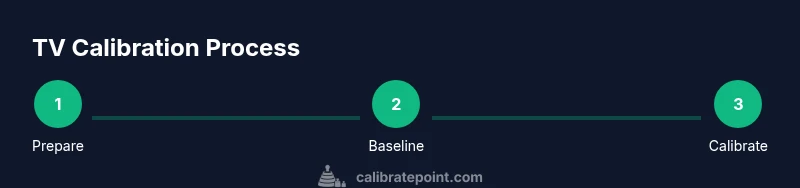
- 1
Prepare the environment and gather patterns
Set up a dim, neutral-lit viewing space and collect the test patterns or streaming test patterns you will use. Ensure the TV is powered on and has been running for at least 15–20 minutes to reach a stable temperature. Confirm you have access to the color management options in the TV menu and, if you own a colorimeter, have it ready for measurements.
Tip: Close curtains and disable bright room lights to minimize glare that can skew grayscale perception. - 2
Reset picture mode and disable processing
Start from a clean baseline by selecting a neutral picture mode or resetting to factory defaults where appropriate. Turn off motion smoothing, dynamic contrast, and any frame interpolation. These features can introduce artificial sharpening or gamma shifts that mask true RGB balance.
Tip: Document the baseline state before making changes so you can compare results clearly. - 3
Set a stable baseline and color space
Choose a standard color space (e.g., Rec.709 for HD content) and lock the color management settings where available. If your TV offers separate controls for white point, gamma, and color temperature, set the baseline to a neutral reference that aligns with the content you typically view.
Tip: Avoid switching color modes mid-calibration; consistency is essential for reliable measurements. - 4
Calibrate grayscale and gamma using test patterns
Use grayscale and ramp patterns to adjust the balance between shadows, midtones, and highlights. If you have a colorimeter, measure grayscale steps and adjust to minimize delta E errors between targets and your readings. Without a meter, use the built-in patterns to converge toward a neutral grayscale that appears visually balanced across the full range.
Tip: Work from darker to lighter steps to avoid introducing bias as you adjust. - 5
Calibrate color gamut and hue with measurement tools
With patterns that test primary and secondary colors, adjust color saturation, tint/hue, and the color gamut until the measured values align with a reference target. If using a colorimeter, rely on its guidance to minimize color errors across the gamut. When patterns are not available, rely on a well-calibrated source to approximate accuracy.
Tip: Keep changes incremental; large shifts can overshoot the target and require backtracking. - 6
Validate results and save the profile
Review your calibration by watching a variety of content from different sources. Confirm there are no color casts and that grayscale remains stable across brightness levels. Save the calibrated profile as a dedicated preset and label it clearly so you can return to it later.
Tip: Create a backup of the original factory settings in case you need to revert.
Questions & Answers
Do I need professional equipment to calibrate a TV?
Professional equipment yields the most accurate results, but you can still achieve noticeable improvements using built-in patterns and careful tweaks. A colorimeter or spectrophotometer enhances precision.
You can start with built-in patterns, but for the best accuracy a colorimeter helps a lot.
Can I calibrate using only the TV’s built-in patterns?
Yes, you can improve accuracy with built-in patterns, but expect less precision than with external measurement tools. Use grayscale and color test patterns to guide adjustments.
Yes, you can, but a meter will give you more precise results.
How long does a typical calibration take?
A thorough manual calibration typically takes about one to two hours, depending on your familiarity and whether you use measurement tools.
Most people spend about an hour or two.
Should I recalibrate after changing a connected device or room lighting?
Yes. Any significant change to the viewing environment or source device can shift color balance, so revisit the calibration and adjust as needed.
Yes—calibration may drift with changes in lighting or sources.
What is the best starting point for color management?
Start with a neutral color mode and disable post-processing features. Then align grayscale and color using patterns and, if available, measurement tooling.
Begin with neutral settings and disable processing, then calibrate step by step.
Is calibration permanent or do I need to repeat it often?
Calibration is not inherently permanent; aging of the panel, changes in room lighting, and new content can affect accuracy. Revisit calibration periodically or when you notice shifts.
It’s best to check periodically or when things look off.
Watch Video
Key Takeaways
- Plan a controlled environment before starting
- Use test patterns to guide grayscale and color tweaks
- Leverage measurement tools for best accuracy
- Save and label calibration profiles for repeatability