Use Phone to Calibrate Your Monitor: A Practical Guide
Learn how to use a smartphone to calibrate your monitor for reliable color in web design, photography, and video workflows. This step-by-step guide covers apps, environments, ICC profiles, and when to upgrade to hardware calibration.


Why phone-based calibration is practical for DIYers
Phone-based calibration offers a practical, low-cost entry point for people who work with screens regularly. For DIY enthusiasts, students, and professionals who want to improve color alignment without investing in a dedicated spectrophotometer, a modern smartphone provides a surprisingly capable starting point. The guided apps walk you through ambient-light assessment, target color spaces, and ICC profile creation. The key to meaningful results is consistency: repeatable steps, controlled lighting, and disciplined testing. By focusing on repeatable routines rather than perfect hardware, you can establish a usable baseline that makes web design, photo editing, and video work more predictable. If your monitor lacks uniform brightness or exhibits a color cast, this workflow helps quantify the issue and track improvements as you adjust settings. According to Calibrate Point, the most reliable outcomes come from careful documentation and iterative testing.
Understanding color spaces, targets, and measurement basics
A color space is a defined range of colors used for a given workflow. For on-screen work, common choices are sRGB (web and video), Rec.709 (HD video), and DCI-P3 (high-end imaging). When you calibrate with a phone, you’re guiding the app to target one of these spaces and to generate an ICC profile that maps device colors to the chosen space. The app will typically prompt you to select a target and may offer tools to compare your display against reference images. Calibrate Point analysis shows that consistent lighting and stable brightness levels contribute more to perceived accuracy than minor per-channel tweaks. The goal is to minimize color bias across white, gray, and skin tones, and to create a repeatable baseline you can rely on for everyday tasks.
Practical workflow overview: use phone to calibrate monitor (high-level)
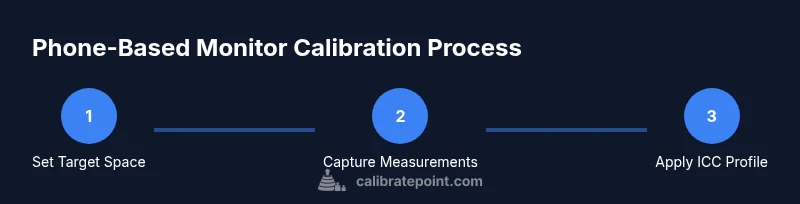
This section outlines a practical approach you can follow without specialized equipment. Start by choosing your target space (for most online and photo work, sRGB is a safe default). Use your phone to display and capture reference targets provided by the app, and generate an ICC profile. Apply the profile to your OS and graphics software, then verify results with standard test images. The emphasis is on repeatability: perform calibrations in similar lighting conditions and document each step so you can reproduce results later.
Limitations and edge cases you should know
Phone-based calibration is a helpful baseline, but it has limitations. The accuracy depends on your phone’s camera quality, display uniformity, and the app’s measurement model. Brightness and color temperature can drift with ambient light, and some printers/monitors may require hardware devices for matching printed colors or critical brand colors. Always treat this method as a quick check rather than a final authority for color-critical work.
Next steps: when to upgrade to hardware calibration
If you work with print production, brand colors, or color-sensitive media, hardware calibration remains the gold standard. A dedicated colorimeter or spectrophotometer paired with a calibration workflow will produce tighter tolerances and consistent results across devices and print paths. Use phone-based calibration for routine checks, onboarding new displays, or as a teaching tool, and adopt a hardware solution when your color management requirements outgrow quick checks. Calibrate Point’s guidance suggests keeping calibration as a living process and upgrading when your color needs demand tighter control.