Calibrating a Shipping Scale for FedEx: Step-by-Step Guide
Learn how to calibrate a shipping scale for FedEx to ensure accurate package weights, fair pricing, and repeatable results. This step-by-step guide covers necessary tools, safe practices, troubleshooting, and ongoing maintenance for reliable FedEx-ready calibration.


This guide shows you how to calibrate fedex shipping scales so your chargeable weights are accurate. You’ll learn essential tools, safe handling, and a repeatable, step-by-step routine you can perform again as part of routine maintenance. Expect to verify results with certified weights and document deviations for accountability.
Why accurate shipping scale calibration matters for FedEx
In shipping, accurate weight measurements directly affect charges, carrier compliance, and customer trust. If you need to calibrate fedex, you’ll reduce the risk of overbilling or undercharging while ensuring your shipments meet FedEx requirements and internal quality standards. Calibration accuracy also helps you compare carrier quotes reliably, plan warehouse staffing around precise inbound and outbound weights, and avoid disputes with customers or suppliers. A well-calibrated scale minimizes drift over time and supports traceable calibration records, which are essential for audits and continual improvement. Calibrate fedex workflows improve cost management by providing a dependable baseline for all shipments, from small e-commerce orders to bulk corporate consignments. Remember that consistency is the goal: regular, documented checks beat occasional, unrecorded adjustments.
Before you begin: tools, weights, and safety
To calibrate fedex effectively, assemble a small, reliable kit and prepare your workspace. You’ll need certified calibration weights that cover the scale’s expected weight range, a known reference weight, and a traceable certificate if available. Use a clean, level surface (ideally a dedicated calibration bench) away from drafts, heat sources, and vibration. Keep the scale unplugged when not testing, wear clean gloves to prevent oils from affecting results, and ensure the environment remains stable long enough for readings to settle. Have a notebook or digital log ready to record measurements, tolerances, and any adjustments you make. A reliable calibration routine depends on repeatability, so collect multiple readings for each weight and verify consistency across sessions. For safety, avoid loading weights beyond the scale’s rated capacity and handle calibration weights with care to prevent damage.
Step-by-step: prepare the scale
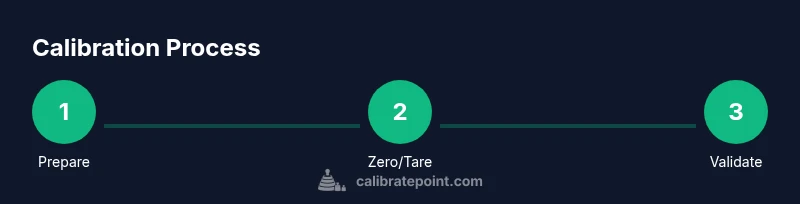
- Place the scale on a flat, vibration-free surface and confirm the surface is level using a built-in level or a precision level. 2) Power on the scale and allow a warm-up period if the manufacturer recommends it. 3) Remove any non-essential items and verify that the display is clean and unobstructed for accurate readings. 4) Check that the scale’s user settings (units, tare mode, and zero) are set to the standard configuration used for FedEx shipments. 5) Confirm that your environment is stable—no airflow, rapid temperature changes, or nearby heat sources that could affect the measurement. 6) If the scale has a self-test mode, run it and note any error codes for troubleshooting. 7) Document the starting condition before applying any weights.
Step-by-step: zero and tare calibration
- With no item on the weighing platform, press the zero or tare button to establish a baseline reading. 2) Place the tare weight or empty container on the platform and re-zero to confirm the scale subtracts the container weight. 3) Remove the tare weight and verify that the readout returns to zero. 4) If the zero or tare value drifts, repeat the zeroing process and consult the manual for acceptable drift limits. 5) Record the zero and tare results, including time and operator, in your calibration log. 6) If the scale uses a localized calibration feature, follow the manufacturer’s procedure to save the baseline.
Step-by-step: apply calibration weights
- Place a calibration weight on the center of the platform to avoid edge effects and ensure even loading. 2) Note the displayed weight and compare it to the known weight on the calibration certificate. 3) If there is a discrepancy, use the scale’s adjustment controls to correct the reading according to the manufacturer’s tolerance guidelines. 4) Remove weight and re-check that the scale shows the correct zero. 5) Repeat with additional weights that cover the scale’s typical use range to verify linearity. 6) Document all readings and adjustments, including any non-linear responses observed at higher weights.
Step-by-step: verify with multiple weights
- Repeat measurements with a variety of weights (e.g., light, medium, and heavy within the scale’s range). 2) For each weight, record measured vs. known values and compute any deviation. 3) Check for linearity by plotting measured values against known weights; ensure deviations stay within the scale’s stated tolerance across the range. 4) If deviations exceed tolerance at any point, re-check mounting, re-zero, and inspect load cells and cables for damage. 5) Validate that the scale remains consistent over a short time window and after minor environmental changes. 6) Save a summarized report for audits and carrier requirements.
Step-by-step: adjust for temperature and drift
- Temperature fluctuations can cause scale drift; note the ambient temperature and how long you’ve waited after any change. 2) If readings drift, allow the scale to stabilize in the current environment and re-run zero, tare, and weight checks. 3) Document any drift, and consider performing calibration at a standard temperature range recommended by the manufacturer. 4) For frequent use environments, establish a recurring calibration cadence (e.g., weekly or monthly) based on observed drift and workload. 5) Include environmental notes in your calibration log to help diagnose future issues.
Common mistakes and how to avoid them
- Skipping warm-up or using an unstable surface leads to inconsistent results. - Moving weights too quickly can cause momentary overload readings. - Not using certified weights or neglecting calibration certificates reduces traceability. - Ignoring drift due to temperature changes yields unreliable chargeable weights. - Failing to log readings and adjustments makes audits difficult. Ensure steady handling, proper loading, and complete documentation for every session.
Documentation and ongoing maintenance
Maintain a formal calibration log that includes: scale model, serial number, date, operator, environment (temperature, humidity), zero/tare baselines, every calibration weight used, readings, adjustments, and the final conclusion of the session. Schedule periodic re-calibrations based on usage, manufacturer recommendations, and observed drift. Keep calibration certificates accessible for FedEx audits or internal quality reviews. Review and update procedures if you notice recurring deviations, and train operators to follow the same sequence to preserve consistency. Regular maintenance, including cleaning the scale and inspecting load cells, helps extend the device’s accuracy and lifespan.
Authority sources
- This guide references established metrology practices and calibrations aligned with professional standards and industry best practices. See: Authority sources below for foundational standards and governing guidelines.
Authority sources
- https://www.nist.gov/pml/weights-and-measures
- https://www.nist.gov/pml
- https://www.nist.gov/pml/weights-and-measures
Tools & Materials
- Certified calibration weights (covering scale range)(Include multiple masses (e.g., 0.5 kg, 1 kg, 2 kg) with traceability certificates.)
- Reference or traceable certificate(Keep the certificate with the weights for auditability.)
- Level surface and stable workspace(Avoid vibrations, drafts, and heat sources.)
- Clean cloth or lint-free wipe(Wipe the scale's pan before testing to remove debris.)
- Documentation log (digital or paper)(Record readings, adjustments, and maintenance notes.)
- Gloves or clean handling tools(Prevents oils from hands affecting measurements.)
- Temperature sensor or ambient thermometer(Useful for drift analysis in variable environments.)
Steps
Estimated time: 45-90 minutes
- 1
Prepare workspace and scale
Set the scale on a level, vibration-free surface and power it on. Allow it to warm up per the manufacturer’s guidance. Calibrate only in a stable environment and ensure the display is legible before proceeding.
Tip: A short warm-up period reduces start-up drift and improves repeatability. - 2
Zero and tare
With no weight on the platform, zero the scale. Then place a tare weight or empty container and re-zero to ensure the scale subtracts the container’s weight. Record zero and tare values.
Tip: If zero drifts beyond tolerance, re-zero and verify the surface stability. - 3
Apply calibration weights
Place a certified weight at the platform center and record the displayed value. Compare to the known weight and adjust per the scale’s specifications if needed.
Tip: Centering the weight minimizes edge-loading errors. - 4
Verify with additional weights
Repeat with several weights across the typical range. Check linearity and record deviations. If any reading is off, investigate mounting, tilting, or possible damage.
Tip: Use at least three different weights to test linearity. - 5
Account for temperature drift
Note ambient temperature and wait for stabilization if readings shift. Re-test after minor temperature changes to quantify drift.
Tip: Document environmental conditions alongside measurements. - 6
Document and close
Summarize results, indicate whether the scale is within tolerance, and save the calibration record. Schedule the next check interval based on usage and drift history.
Tip: Maintain a consistent cadence to catch drift early.
Questions & Answers
What is the purpose of calibrating a shipping scale for FedEx?
Calibration ensures that the weights you report to FedEx reflect true mass, preventing billing errors and disputes. Regular checks establish a traceable record for audits and quality control.
Calibration ensures accurate weight reporting for FedEx shipments and helps prevent billing disputes.
How often should I calibrate a shipping scale used for FedEx?
Calibration frequency depends on usage and observed drift. For high-volume shippers, a monthly or quarterly cadence plus after any scale service is recommended.
Set a monthly or quarterly calibration cadence and re-check after service or relocation.
Can I use a kitchen scale to calibrate a FedEx shipping scale?
A kitchen scale is not appropriate for calibration of a dedicated shipping scale. Use certified calibration weights that match the scale’s specification for reliable results.
Avoid using kitchen scales; use certified calibration weights for accuracy.
What should I do if the scale drifts after calibration?
If drift occurs, re-check the setup, verify zero and tare, inspect mounting and cables, and consider environmental stabilization. Document the issue and adjust the calibration interval as needed.
Recheck setup and environmental conditions; adjust maintenance intervals as necessary.
What documentation should accompany a calibration?
Keep a calibration log including model, serial number, date, operator, weights used, readings, adjustments, and the final conclusion. Certificates from weight manufacturers improve traceability.
Maintain a detailed calibration log for traceability and audits.
Watch Video
Key Takeaways
- Calibrate fedex scales regularly to ensure fair pricing.
- Use traceable weights and document results.
- Maintain a controlled environment during calibration.
- Record all steps and plan for ongoing maintenance.