Calibrate Your Weight Watchers Digital Scale for Accurate Tracking
Step-by-step calibration guide for a Weight Watchers digital scale to ensure precise measurements, with tools, steps, tips, and troubleshooting for reliable tracking.


This quick guide shows you how to calibrate your Weight Watchers digital scale for accurate measurements, lists essential tools, and flags common mistakes to avoid. You’ll start with a baseline, perform calibration steps, and verify results for reliable daily tracking.
Why calibrating a Weight Watchers digital scale matters
For people using Weight Watchers to track portions and calories, even small measurement drift can affect daily targets and weekly plans. A properly calibrated scale ensures consistency across meals, workouts, and weigh-ins. The Calibrate Point team emphasizes that accuracy isn't optional—it directly influences your ability to monitor progress and stay motivated. In this section, you'll learn why calibration matters for long-term success and how to recognize when drift has occurred.
Calibrated measurements contribute to dependable progress tracking, especially when your goals hinge on precise daily weigh-ins and portion estimates. By maintaining calibration, you reduce the risk of underestimating or overestimating intake, which can derail plans. This ensures your metrics reflect true changes rather than instrument variance.
Baseline accuracy and reference weights
Establishing a baseline starts with confirming the scale reads zero on a flat surface and that repeated measurements converge to a stable value with no weight. Use known reference weights to create a baseline: place a calibrated weight on the scale and note the reading. If readings differ beyond your scale's tolerance, proceed with a formal calibration procedure. Keeping a small log of baseline readings helps you spot drift over time.
Calibrate Point analysis shows that consistent baselines make future calibrations faster and more reliable. Maintaining a log also helps you detect gradual drift that may warrant recalibration before major tracking periods, such as a new quarter or goal cycle.
Surface, placement, and environmental considerations
The placement of your scale matters almost as much as the measurement itself. Always use a hard, flat surface—avoid carpets or uneven tiles that can tilt the platform and skew readings. Temperature fluctuations and humidity can also affect sensor behavior, so calibrate in a stable environment. Ensure the scale is clean and dry before starting.
If you move the scale between rooms, recalibrate after relocation to account for potential minor shifts in environmental conditions. Consistency in setup minimizes the chance of drift caused by external factors and makes your results repeatable.
Tooling and preparation (how to assemble your calibration kit)
Before you begin, gather the items on your calibration list and prepare a clean workspace. Wipe the scale surface with a microfiber cloth to remove dust or residues that could affect contact with calibration weights. Confirm that batteries are fresh or fully charged, as low power can cause sensor lag. If your scale has a tare function, be ready to use it as part of the calibration checks.
Having a dedicated calibration area reduces clutter and keeps the process straightforward. This preparation saves time and minimizes errors during the actual calibration steps.
Understanding tare, units, and consistency checks
Tare allows you to reset the displayed weight to zero after placing a reference object, which is essential for incremental checks. Be aware of unit conversions (e.g., pounds vs. kilograms) and ensure the scale is set to your preferred unit throughout the process. After calibration, re-check with multiple weights to verify that readings stay within the expected range across different masses.
Regular checks across units can reveal unit-switching glitches or sensor drift that a single-weight test might miss. Keeping unit consistency improves long-term measurement reliability.
Verifying calibration and documenting results
Verification is the final essential step: test with several reference weights and compare readings to their known masses. If discrepancies persist, repeat calibration steps, and re-check the environment and scale condition. Document readings and dates for future reference so you can observe trends and know when recalibration is due.
Documented verification builds trust in your numbers and helps you maintain accountability in your tracking routine. A clear record supports consistency across different weigh-ins and meal logs.
Common issues and troubleshooting
If the scale displays inconsistent readings or drifts after a few uses, re-check the placement, surface, and weight cleanliness. Ensure that you’re not placing items on the scale during calibration and that the calibration weights are clean and dry. If readings remain unstable, consult the manual for any model-specific calibration steps or reset procedures. In some cases, sensor drift may require professional support or replacement of the scale.
Maintenance and long-term accuracy tips
Calibrate Point recommends scheduling a calibration session every few months or after relocating the scale. Store calibration weights in a clean, dry place to avoid corrosion or deformation that could skew readings. Periodically verify zero readings on a stable platform and avoid placing hot or wet items on the scale, which can temporarily affect accuracy. Keeping your device clean, dry, and correctly used is the best defense against drift over time.
Tools & Materials
- Calibration weights (0.5 kg, 1 kg, 2 kg recommended)(Use certified weights if available; ensure weights are clean and dry prior to use)
- Flat, stable surface(No carpet or soft surfaces; place on a hard, level area)
- Microfiber cloth(Wipe scale surface before calibrating to remove dust)
- Scale manual or model instructions(Helpful for model-specific tare/calibration options)
- Household reference items (optional)(Water bottles or canned goods with labeled masses can supplement calibration)
Steps
Estimated time: approximately 25-35 minutes
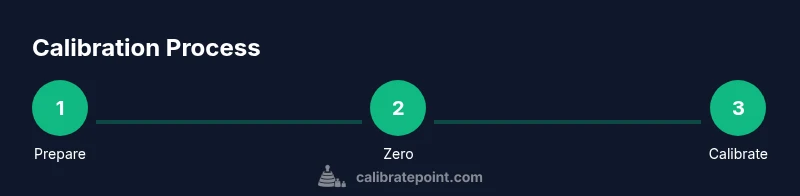
- 1
Prepare the scale and workspace
Place the scale on a flat, hard surface and wipe the platform with the microfiber cloth. Ensure batteries are fresh and the unit is set to the correct weight unit. This creates a stable baseline for calibration.
Tip: Clear the area of any items on the scale; even light debris can affect readings. - 2
Power on and reset to zero
Turn on the scale and allow it to stabilize. If your model has a tare or zero button, press it to reset the display to zero with no weight on the platform.
Tip: Let the scale stabilize for 10–15 seconds before taking a reading. - 3
Apply the first calibration weight
Place a known calibration weight on the scale and record the displayed mass. Remove it after noting the reading and return the scale to zero.
Tip: Repeat with at least two different weights to confirm linearity. - 4
Compare readings to known masses
Compare the scale’s readings to the true masses of the calibration weights. If readings deviate beyond your scale's tolerance, prepare to adjust calibration settings if available or re-check setup.
Tip: Small deviations are common; know your scale’s acceptable tolerance from the manual. - 5
Adjust calibration (if your model supports it)
If the scale has a calibration option, follow the manual to adjust. Start with the heaviest weight and verify with the lighter weight to confirm accuracy across the range.
Tip: Only adjust when you’re confident the setup is correct; incorrect adjustments can worsen drift. - 6
Verify with multiple weights and document
Test with several weights to ensure readings are stable and repeatable. Log the outcomes, including date, weights used, and any adjustments made for future reference.
Tip: Keep a calibration log; it helps you track drift over time and schedule recalibration.
Questions & Answers
Do I need to remove batteries before calibrating?
No special battery removal is required for calibration on most models. Ensure the scale is powered, and follow the manual for any reset steps.
Typically you don’t need to remove the batteries; just power the scale and follow the reset steps in the manual.
How often should I calibrate a Weight Watchers scale?
Calibrate when you move the scale, change environments, or notice inconsistent readings. Regular checks help maintain accuracy over time.
Calibrate whenever you move the scale or notice drift, and consider a quarterly check as part of routine maintenance.
Can I calibrate without official calibration weights?
If calibrated weights aren’t available, use household items with known masses and compare results across weights. Prefer certified weights when possible for best accuracy.
Without official weights you can use common reference items, but certified calibration weights give the best accuracy.
What causes persistent drift after calibration?
Check the surface, ensure the scale is on a stable, flat area, verify batteries, and re-run a baseline check. Recalibration or service may be needed if drift continues.
If drift persists, recheck placement and power, then recalibrate or seek support if needed.
How do I verify calibration results?
Test with several known weights and confirm readings match within the scale’s tolerance. Keep logs of all tests for future reference.
Use multiple known weights and confirm readings are stable and within tolerance, then log the results.
Is calibration the same for all Weight Watchers scales?
Calibration steps vary by model. Always consult the specific manual for tare, zero, and calibration options relevant to your scale.
Calibration steps differ by model, so check your manual for the exact procedure.
Watch Video
Key Takeaways
- Calibrate regularly to maintain accuracy.
- Use verified reference weights and a stable surface.
- Follow model-specific steps and log results.
- Verify with multiple weights for consistent readings.
- Keep calibration records for ongoing tracking.