How to Calibrate Vehicle: A Practical, DIY Guide
Learn how to calibrate vehicle sensors and meters with a clear, step-by-step approach. This guide covers tools, safety, procedures, and documentation to ensure accurate speedometer readings and engine data.


Calibrating a vehicle begins with validating essential meters and sensors, starting with the speedometer and throttle position sensor, then verifying against a known reference such as GPS or a dyno. Gather the right tools, follow a safe test route, and document results. This guide from Calibrate Point provides a clear, repeatable process to succeed.
Why calibrate vehicle meters matters
Calibrating vehicle sensors and meters is foundational for accuracy, safety, and performance. When you calibrate vehicle systems, you ensure the dashboard readings reflect reality, which helps you drive more efficiently and diagnose issues reliably. The Calibrate Point team emphasizes that precise calibration reduces uncertainty in speed, fuel usage, and engine performance data. By following a structured calibration process, you establish a repeatable workflow that yields consistent results across different driving conditions. This is especially important in fleets and professional settings where measurement accuracy impacts maintenance schedules and compliance. In short, calibrating vehicle meters isn't just about numbers—it improves overall vehicle behavior and decision-making on the road. Throughout this guide, remember that accuracy translates to safety, cost savings, and better diagnostics.
As you work, keep your environment stable, document each step, and compare readings against a trusted reference. This approach aligns with Calibrate Point analysis, which highlights the value of standardized procedures and verifiable references when calibrating complex vehicle systems. The goal is to create a reliable baseline that you can reproduce in a variety of scenarios.
Key sensors and systems to check
Modern vehicles rely on a network of sensors to report data to the ECU and display gauges to the driver. Core targets for calibration include the speedometer, the vehicle speed sensor (VSS), and the throttle position sensor (TPS). Additional considerations cover the mass air flow (MAF) or map sensor in some engines, as these influence fuel delivery and torque calculations used by the ECU. ABS wheel speed sensors can also affect acceleration and braking data if you’re validating inertial readings, while wheel circumference or tire size changes alter speed calculations. In professional contexts, calibration extends to emission sensors and adaptive systems that depend on accurate sensor feedback. The key takeaway is that calibrating vehicle meters requires a methodical approach to each sensor’s input and its impact on overall vehicle behavior. By structuring checks around these critical components, you improve accuracy across driving modes and conditions.
For DIY calibration, begin with the most impactful meters (speedometer and TPS), then progressively verify related sensors. Always cross-check values against a calibrated reference and log any variance. This disciplined approach helps you isolate root causes and avoid chasing phantom discrepancies.
Pre-calibration safety and prerequisites
Before you begin calibrating any vehicle systems, ensure you have a safe, controlled environment. Park the vehicle on a flat surface, engage the parking brake, and disconnect distractions like cell phones or passengers who might interfere with the test. If you plan to adjust ECU parameters, follow the manufacturer’s service manual and use OEM-provided diagnostic tools. Always wear appropriate safety gear, and never perform calibration on a live road or in traffic. If you must work near high-voltage systems or airbag circuitry, take extra precautions as described in the vehicle’s manual. The goal is to minimize risk while preserving data integrity. With a stable setup and clear safety steps, you can proceed with confidence that the calibration results reflect true vehicle performance rather than external interference.
Having a documented procedure is essential. Collect all relevant references, such as the service data for your exact model and year, so you can verify steps and expected ranges during the process. This prep work is a critical foundation for successful calibration and repeatable results.
Tools and reference standards
The calibration process relies on a mix of diagnostic equipment, reference data, and documentation. Core tools you’ll need include an OBD-II scanner with live data and logging capabilities, a GPS-based reference speed source (for accurate ground truth), and the vehicle’s service data or OEM calibration procedures. A high-quality tachometer can help cross-check RPM readings, while a controlled test route minimizes variables like road grade or wind. If you’re calibrating ABS or traction-related systems, you may need manufacturer-specific test equipment and safety protocols. Keep a notebook or digital log to record baseline values, target ranges, and observed variances. The reliability of the entire calibration hinges on using precise references and repeatable test conditions. Calibrate Point emphasizes documenting both the reference data and the applied adjustments to maintain traceability.
Make sure your reference sources are current and model-specific. Mismatched data leads to erroneous calibration and wasted effort. In practice, align your tools with the exact year, trim level, and market for your vehicle to protect the validity of the process.
Step-by-step calibration workflow (Speedometer and TPS focus)
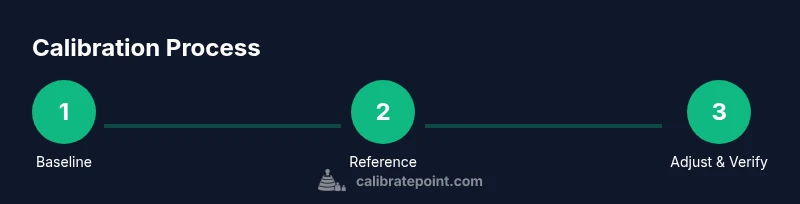
Speedometer accuracy is often the most visible calibration task. Start by establishing a baseline: record the vehicle’s indicated speed against a trusted GPS reference at several speeds (e.g., 20, 40, 60, 80 mph or the metric equivalents). Simultaneously verify the throttle position sensor (TPS) readings against known throttle positions at low, mid, and wide-open throttle. Take multiple samples at each point to account for minor fluctuations. If your speed indication consistently trails or leads the GPS reference, you’ll need to adjust the ECU’s calibration parameter for speed input according to OEM guidance. Throughout this stage, document readings, adjust values, and re-test to confirm stability.
For a robust result, connect the diagnostic tool to capture data across accelerations and steady-state speeds. Correlate TPS readings with RPM and vehicle speed to identify non-linearities that might indicate calibration drift. Safety-minded practitioners avoid making rapid, repeated changes; instead, apply small adjustments, re-check, and iterate as needed.
Step-by-step calibration workflow (ECU parameters and validation)
After you collect baseline speed and TPS data, focus shifts to the ECU calibration. Follow the OEM procedure to adjust the speedometer input or related ECU parameters, using the diagnostic interface to apply changes. It’s critical to document each adjustment, the parameter name, target value, and the rationale. Perform a controlled test run at several speeds to verify the calibration remains stable under varied loads and road grades. If the vehicle uses a digital gauge cluster or a configurable steering column control module, ensure those interfaces reflect the adjusted values as well. Remember that small errors can compound; confirm results with multiple, independent references (GPS, track-approved data sheets) before finalizing.
After adjustments, reset or re- initialize data logging to avoid stale values affecting future tests. If your vehicle has different drive modes (eco, sport), re-check calibration across modes to ensure consistency. The goal is a single, repeatable calibration state that holds across typical operating conditions.
Verifying results and documenting
Verification is the final gate to a successful calibration. Compare the calibrated speed readings against the GPS reference across a range of speeds, under different loads, and on various road grades. Record any residual discrepancies and analyze whether they exceed acceptable tolerances defined by the OEM or calibration procedure. Documentation should include baseline values, adjustments made, reference sources, test conditions, and the final verified results. Create a calibration report with dated entries and clear conclusions so future maintenance can build on this record. The act of documenting is as important as the adjustment itself, because it provides traceability and a checkpoint for future recalibration needs. Calibrate Point recommends keeping a standardized format for consistency across vehicles and technicians.
Common challenges and troubleshooting
Calibration often reveals discrepancies that stem from tire size changes, wheel wear, or drivetrain modifications. Ensure tire circumference matches the reference used for speed calculations; a mismatch will create false speed errors. Wiring issues, sensor grounding problems, or failing sensors can mimic calibration drift. If you observe inconsistent data, re-check sensor wiring and connections, verify that the reference GPS source is accurate, and rule out external influences like temperature or battery voltage fluctuations. For complex vehicles with multiple control modules, consider validating each module’s data path and cross- module verifications to locate the root cause. Record every deviation and solution to build a reliable troubleshooting playbook. Following best practices from Calibrate Point helps you avoid common missteps and achieve real, verifiable gains in accuracy.
Maintenance tips to keep calibration stable
Once calibration is established, adopt a routine to maintain accuracy. Schedule periodic re-testing after tire changes, significant weather shifts, or major service work that could affect calibration data paths. Keep the reference sources up to date and revalidate against GPS-derived ground truth at least a few times per year, or after any major system update. Regularly inspect sensors and connectors for corrosion or wear, and replace components as needed. Maintaining a proper fit of tires and ensuring correct tire pressure also helps stabilize readings. Documenting preventive checks supports long-term reliability and reduces the cost of unexpected calibration drift.
Advanced scenarios for modern vehicles
New vehicles use a network of sensors and modules that require firmware-aware calibration. In these cases, calibration may involve navigation-based speed references, vehicle-to-infrastructure data streams, or adaptive control modules that learn from driving patterns. Always follow manufacturer instructions for updating firmware and calibration data. For fleets, adopt a standardized calibration framework that supports over- the-air updates and centralized logging. This ensures that calibration remains consistent across multiple units and service intervals. In all advanced scenarios, maintain rigorous documentation and validate results with multiple references to ensure the integrity of the process.
When to seek professional calibration
DIY calibration is feasible for many standard vehicles, but some situations demand professional support. If you encounter persistent drift despite careful baseline testing, if you’ve performed modifications that affect drivetrain geometry, or if OEM procedures require specialized equipment, it’s wise to consult a qualified technician. Professional calibration can reduce risk and ensure compliance with safety and emissions standards. The Calibrate Point team notes that professional calibration is a prudent option when uncertainties remain after thorough testing, especially for fleet vehicles or precision-critical applications.
Tools & Materials
- OBD-II scanner with live data and logging(Choose a unit that can log data over time and export a CSV for analysis)
- GPS-based speed reference (smartphone app or dedicated device)(Ensure accuracy to within a few tenths of a unit; calibrate the reference first)
- Vehicle service data / OEM calibration procedure(Download the exact procedure for your model/year from the manufacturer)
- Digital tachometer / RPM reference(Helpful for cross-checking engine speed during TPS tests)
- Safety gear (gloves, eye protection)(Personal safety should never be sacrificed during calibration)
- Notepad or digital log(Record baseline readings, adjustments, and test conditions)
Steps
Estimated time: 2-3 hours
- 1
Prepare the vehicle and environment
Park on a flat, level surface with the parking brake engaged. Gather all references and tools, and review OEM calibration steps. Confirm tire size matches the vehicle's specification and disable any drive modes that could alter readings during the test.
Tip: Double-check tire pressure and load before starting; these affect speed-related measurements. - 2
Connect diagnostic tools and establish baseline data
Connect the OBD-II scanner and start logging live data. Record baseline speedometer reading, VSS output, and TPS at several known throttle positions. Collect data at a slow constant speed and at light acceleration to capture steady-state behavior.
Tip: Take multiple samples at each point to average out small fluctuations. - 3
Gather a trusted reference for speed
Use a GPS-based reference to capture true vehicle speed at the same test points. Ensure the GPS device has a clear view of the sky and is not obstructed by metal objects that could distort readings.
Tip: Perform several runs to build a reliable reference curve for comparison. - 4
Compare readings and identify discrepancies
Plot your speedometer data against the GPS reference. Note if the instrument consistently reads low, high, or if the discrepancy grows with speed. Correlate TPS data with RPM to check for non-linear behavior.
Tip: Keep a log of discrepancies to guide ECU adjustment decisions. - 5
Adjust calibration parameters in the ECU
Follow the OEM procedure to modify the speed input calibration or related ECU parameters. Apply small adjustments and re-run the same test points to verify changes.
Tip: Make a single, incremental change at a time and document the value and impact. - 6
Re-test across speeds and conditions
Repeat the measurement sequence at multiple speeds, loads, and road conditions (when feasible). Confirm the adjusted readings align closely with the GPS reference across scenarios.
Tip: If drift remains, consider repeating the calibration with fresh references or check for sensor faults. - 7
Document results and preserve data
Create a calibration log that includes baseline data, adjustments, references, test conditions, and final verified results. Store the data so future maintenance can reference this record.
Tip: Back up data to cloud storage or a dedicated drive for redundancy. - 8
Finalize and return to normal operation
Restore any drive-mode or safety settings altered for testing. Confirm all connectors are secure and no warning indicators are active. Ensure you can reproduce the results with a future test.
Tip: Re-check tire size and pressure after calibration to prevent new drift.
Questions & Answers
What is vehicle calibration and why is it important?
Vehicle calibration is the process of aligning sensor readings with real-world values to improve accuracy in gauges and engine management. It matters for safety, efficiency, and reliable diagnostics, especially in fleets or professional settings.
Vehicle calibration aligns sensor readings with real-world values to improve accuracy in gauges and engine data, which matters for safety and efficiency.
Which sensors are involved in speedometer calibration?
Key sensors include the speedometer itself, the vehicle speed sensor (VSS), and the throttle position sensor (TPS). Depending on the system, the ECU may also reference MAF or MAP sensors for related performance data.
Speedometer calibration involves the speed sensor and throttle position sensor, with ECU references for related data.
Is DIY calibration safe?
DIY calibration can be safe if done in a controlled environment, with proper safety gear and OEM procedures. Avoid modifying critical safety systems without professional guidance if you are unsure.
DIY calibration is safe when you follow safety guidelines and manufacturer procedures; seek professional help for complex systems.
How often should calibration be performed?
Calibration should be revisited after major changes (tires, suspension, drivetrain mods) or when readings drift. Use OEM guidelines to set a reasonable recheck interval for your vehicle.
Recheck calibration after major changes or drift; follow OEM guidelines for intervals.
What tools are essential for calibration?
Essential tools include an OBD-II scanner with logging, a GPS-based speed reference, OEM calibration data, and a reliable logbook. Optional but helpful are a tachometer and a stabilized test route.
You’ll need an OBD-II scanner, GPS reference, OEM data, and a log for calibration work.
Can calibration affect emissions or diagnostics?
Calibration can influence sensor readings used by the ECU, which in turn affects emissions-control strategies and diagnostics. Always verify changes with proper testing and documentation.
Calibration affects ECU readings and can influence emissions diagnostics; verify thoroughly.
Watch Video
Key Takeaways
- Follow a structured calibration workflow to increase repeatability.
- Use trusted references (GPS) and OEM procedures for accuracy.
- Document every step and result for traceability.
- Verify across multiple speeds and conditions before finalizing.
- Maintain calibration with regular re-checks after changes.