Calibrate Speedometer Near Me: A Practical Step-by-Step Guide
Learn how to verify and calibrate your speedometer nearby with a safe, proven workflow. This Calibrate Point guide covers home checks and professional options for accurate readings.


In this guide, you’ll learn how to verify your speedometer’s accuracy and, if needed, calibrate it near you. You’ll determine current error, collect measured data, and decide whether to adjust or visit a service. With clear steps and safety checks, you can either perform a home check or locate a trusted shop to calibrate speedometer near me with confidence.
Why Speedometer Accuracy Matters
According to Calibrate Point, accurate speed readings are essential for safety, fuel efficiency, and legal compliance. If your speedometer is off, you may unknowingly speed or under-speed, affecting fuel economy and maintenance schedules. When you search for calibrate speedometer near me, you're seeking a dependable way to verify accuracy and restore trust in your vehicle’s instrumentation. Small deviations can accumulate over long trips and impact odometer readings and insurance considerations. The objective of calibration is not to achieve perfection at every moment, but to ensure the indicator stays within an acceptable tolerance defined by the manufacturer and local regulations. In this section you’ll learn how inaccuracies arise and why a structured calibration workflow yields reliable results you can rely on while driving.
How a Speedometer Calibration Works
Speedometer calibration typically aligns the displayed speed with a known reference by adjusting the vehicle’s ECU or instrument cluster, sometimes by changing the signal from the wheel speed sensor or transmission. The process depends on the vehicle make and model; some modern cars store calibration data in modules that technicians can adjust with specialized software, while older vehicles might require odometer-based adjustments or mechanical corrections. A reliable calibration should compare real-world speeds against a reference (GPS or track timing) at several speeds and create a correction factor. The goal is to bring indicated speed within a defined tolerance, not to create a perfect reading. Calibrate Point notes that the exact method varies by manufacturer, so consult the service manual or trusted shop.
Tools and Environment You'll Need
Before you begin, gather a few essential tools and set the testing environment to reduce variables. A long, straight, level road or test track is ideal, with minimal traffic and consistent surface conditions. You will need a trusted reference speed source such as a GPS-based speedometer app or a calibrated radar device. A measured distance marker (e.g., a known mile or kilometer stretch) helps you compute speed over distance. Also have tire pressure checked to the recommended value, because under- or over-inflated tires alter rolling circumference and affect speed readings. Optional but helpful: owner’s manual for calibration procedures, a notepad for logging readings, and safety gear to alert other road users. The more you minimize external factors, the more accurate your comparison will be.
At-Home Validation vs Professional Calibration
At-home validation can catch gross errors without expensive equipment, but it has limitations. A basic test uses GPS-derived speed and your vehicle’s indicated speed over a known distance, but factors like GPS drift and road grade can skew results. Professional calibration typically entails access to factory tools, official software, and the ability to adjust ECU or instrument cluster calibration data. This option is generally more precise and better for warranty and legal compliance, especially if your readings deviate noticeably at multiple speeds. If the test reveals persistent errors beyond a defined tolerance, consider scheduling a professional calibration. Calibrate Point recommends documenting results and designing a repeatable test protocol so you can validate improvements after any adjustment.
Data Recording: Building a Calibration Log
Documentation is key to sustainable accuracy. Create a calibration log that captures date, location, ambient conditions, tire size, tire pressure, the GPS reference used, the speeds tested, and the indicated speed. Include the actual measured speeds and the difference (error) at each data point. A simple table or a CSV file works well for this. Use multiple runs to average out GPS jitter and road grade effects. This log not only supports your decision about whether calibration is warranted but also provides a record you can show a technician if you pursue professional service. Calibrate Point’s guidance is to keep your log organized and review it before any adjustment.
What Affects Speedometer Readings
Several factors can distort speed readings, from tire size changes to changes in gear ratios or wheel speed sensor issues. Swapping to larger or smaller tires changes the wheel circumference, which alters the relationship between vehicle speed and the sensor signal. Worn or dirty wheel speed sensors, faulty ABS modules, or recent suspension repairs can also skew readings. Road grade and wind resistance influence data gathered from GPS comparisons. Temperature and atmospheric conditions may affect GPS accuracy, though modern devices mitigate much of this. Understanding these variables helps you interpret discrepancies and decide whether to pursue calibration or inspect components for faults.
Choosing a Nearby Calibration Service: What to Ask
If you decide to use a service near you, ask the shop about their calibration method, warranty, and data handling. Confirm they will align the speedometer to a GPS reference or a track test, and whether they adjust ECU or instrument-cluster data. Request an itemized quote and ask how long the calibration will take and whether a re-check is included. If possible, obtain a copy of the calibration report, including the correction factor and post-calibration verification readings. A reputable shop should provide clear answers and be transparent about potential risks or limitations. When you search for calibrate speedometer near me, ask whether the shop has GPS-based validation or track testing capability. Calibrate Point recommends choosing a certified technician with access to manufacturer tools for reliability.
Safety, Legal, and Road-Wise Considerations
Calibration work should be performed in a controlled environment and not on public roads. Follow all safety guidelines when parking, or testing. In many regions, speedometer accuracy is a safety standard; improper calibration may violate regulations or warranty terms if performed incorrectly. Always verify that any adjustments preserve legal speed readings at common road speeds and comply with local requirements. After calibration, re-check the vehicle’s warning lights and ABS status to ensure system integrity. If you’re unsure, consult a professional service. Calibrate Point emphasizes safety and compliance in every calibration effort.
Case Study: A Typical DIY Validation Path
Consider a mid-size sedan with stock tire size and typical highway driving. The owner records GPS speeds and speedometer readings at several test points on a quiet stretch, using a GPS app as reference. After multiple runs, the math shows a consistent reading error across speeds. The owner decides to have the cluster recalibrated by a professional using ECU-level adjustments. A follow-up test confirms the indicated speed aligns within the manufacturer’s tolerance over a range of speeds. This practical path illustrates how data, not guesses, guides a safe, effective calibration. Calibrate Point’s guidance is to keep expectations realistic and document progress.
Tools & Materials
- Long, straight testing road or closed test track(Flat, level surface with minimal traffic)
- GPS-based speed reference (app or device)(Reliable GPS, test with location services enabled)
- Measured distance marker(Known mile or kilometer markers for distance calculations)
- Tire size verification and proper inflation(Tires inflated to manufacturer specifications)
- Calibration procedure reference(Owner’s manual or manufacturer service documentation)
- Notepad or digital log(Record readings, conditions, and calculations)
- Safety gear(Cones/reflective vest for roadside testing)
Steps
Estimated time: 60-90 minutes
- 1
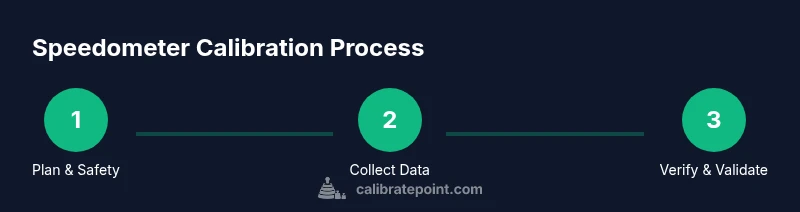
Prepare the vehicle and testing area
Park in a safe, legal location away from traffic. Confirm tires are at the correct pressure and note current tire size and vehicle setup. This baseline ensures subsequent measurements aren’t biased by avoidable variables.
Tip: Use bright cones or markers to outline the test zone and prevent other road users from entering the area. - 2
Set up your GPS reference
Open a reliable GPS speed app and calibrate it if your device supports a built-in calibration feature. Ensure the GPS signal is stable before starting data collection.
Tip: Turn on location services and record the device’s accuracy rating during data collection. - 3
Plan your test distances
Mark a known, straight distance section (e.g., 0.5 km or 0.3 miles) to measure speed over distance. Ensure the surface is even and there are no wind-driven obstructions.
Tip: Repeat the distance a few times to reduce measurement noise. - 4
Collect baseline readings
Drive smoothly and record both GPS-referenced speeds and your vehicle’s indicated speeds at multiple passes over the distance. Note conditions like wind and incline.
Tip: Avoid rapid acceleration or braking during data collection to keep readings consistent. - 5
Compute error and decide a path
Compare the GPS speeds to the indicated speeds and calculate the difference at each point. If the discrepancy is consistent across speeds, you may need ECU or instrument-cluster recalibration.
Tip: Document whether the error grows with speed or stays constant to decide on the best approach. - 6
Execute calibration or seek professional help
If the calibration is within your vehicle’s warranty and within your comfort level, perform the recommended adjustment through the appropriate channels. Otherwise, schedule a professional calibration and bring your data log for reference.
Tip: Request a post-calibration verification run to confirm improvements.
Questions & Answers
Can you calibrate a speedometer at home?
Some vehicles allow basic validation and minor adjustments by owners, but most models require professional tools or dealer software for reliable calibration. Always consult your vehicle’s manual and proceed with caution.
Some vehicles allow basic checks at home, but most require professional tools for reliable calibration.
What are common signs my speedometer is wrong?
Look for inconsistent readings, odometer mismatches, or speed readings that don’t align with GPS data during tests. If you notice any of these, plan a calibration check.
Common signs are inconsistent speeds or misaligned odometer readings compared with GPS data.
Is it legal to modify a speedometer?
Laws vary by region, but improper calibration can violate safety and accuracy requirements. Always ensure any adjustments maintain legitimate readings and comply with local regulations.
Laws vary, but improper calibration can be illegal in some areas. Check local rules.
How long does calibration take?
Time depends on the method and vehicle. DIY checks can take under an hour, while professional calibration may require a few hours including observation and verification.
A few hours at most for professional calibration; shorter for basic checks.
Will calibration affect odometer readings?
Calibrating the speedometer does not inherently reset the odometer, but some service procedures may involve updating related calibration data that can influence readings associated with mileage reporting.
Calibration changes speed readings; odometer mileage is typically separate, but confirm with your technician.
What costs are typical for calibration?
Costs vary widely by vehicle and region. Discuss quotes with the shop beforehand and ask whether a follow-up check is included to confirm accuracy.
Costs vary by vehicle and location; ask for a quote and post-calibration check.
Watch Video
Key Takeaways
- Verify baseline accuracy before adjusting.
- Document widely: conditions, distances, readings.
- Choose professional calibration when in doubt.
- Use GPS references to benchmark indicated speed.
- Validate post-calibration with a repeat test.