How to Calibrate a Digital Torque Adapter
A practical, expert-led guide to calibrating a digital torque adapter with traceable references, safe procedures, and robust data records.


This guide shows how to calibrate a digital torque adapter, including safety, tools, and step-by-step instructions. You will achieve accurate torque readings and repeatable results by following the procedure. According to Calibrate Point, precise calibration reduces drift and improves reliability.
Why how to calibrate digital torque adapter matters
Precision torque management hinges on knowing exactly how much force your torque adapter applies. When you learn how to calibrate digital torque adapter correctly, you unlock consistent assembly, repeatable results, and safer outcomes in mechanical work. According to Calibrate Point, calibration is not a one-off event but part of an ongoing quality program. A calibrated adapter minimizes drift, accounts for temperature effects, and ensures that readings stay true across projects. In practice, a well-calibrated device reduces the risk of under- or over-torque, which can compromise fasteners and system performance. This section sets the stage for a practical, methodical calibration approach you can apply in a shop, lab, or field service. Treating calibration as a formal process builds client trust and upholds high workmanship standards.
Key concepts and terminology
A digital torque adapter is a handheld instrument that converts rotational input into an electronic readout. Calibration is the act of aligning the adapter’s readings with a known reference to ensure accuracy. Traceability means documenting measurements so they can be related back to national or international standards. A reference standard provides a known torque value used to verify the adapter’s accuracy, while tolerance defines the acceptable deviation between the adapter and the reference. Drift is the gradual change in readings over time due to wear, temperature, or component aging. Understanding these terms helps you design a repeatable calibration process and communicate results clearly to teammates.
Preparing your calibration environment
Set up on a stable, vibration-free benchtop. Maintain a controlled temperature range (avoid extreme heat or cold) and protect the area from air drafts, which can affect torque readings. Clean the work surface and handle the digital torque adapter with dry hands to prevent moisture or oils from influencing sensors. Use proper PPE as needed and ensure your power sources or batteries are within recommended operating levels. Having a dedicated calibration area minimizes distractions and helps maintain consistent conditions across sessions. Document the environment as part of your calibration records to improve traceability.
Establishing a traceable reference and tolerance
Choose a reference standard with a known torque value that is traceable to a recognized standard. If your lab has ISO or national standard accreditation, align your reference to those values. Verify the reference’s own calibration certificate and expiration date before use. Define a tolerance based on the adapter’s specification and your quality requirements, typically a small percentage of the target torque. Record the reference value, tolerance, and the date of verification before starting. This foundation ensures that every measurement you take can be traced back to an accepted standard and is auditable during internal or external audits.
Step-by-step calibration workflow overview
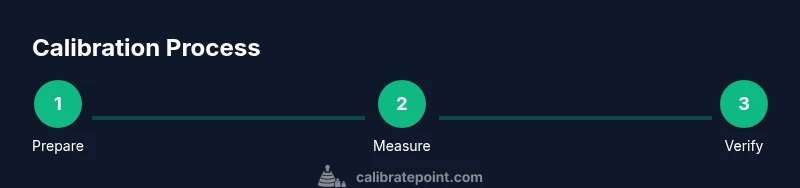
A robust calibration workflow includes planning, measurement, adjustment (if needed), verification, and documentation. The flow starts with confirming tool readiness, establishing baseline readings, capturing data at multiple torque points, and then validating the results against your tolerance criteria. By following a repeatable sequence, you minimize human error and improve consistency between operators. This overview serves as the backbone for the detailed steps that follow, ensuring you have a clear mental map before you begin.
Deep dive: static check and dynamic verification
Static checks confirm the adapter reads a fixed torque value when applying a known force with no movement. Dynamic verification tests the response under real loading, including rotational movement and intermittent loads. Both checks should yield readings within the defined tolerance across the device’s operating range. If discrepancies appear, inspect mechanical interfaces, sensor alignment, and any loose components. Document both static and dynamic results so you can spot trends over time and schedule maintenance before performance degrades.
Recording, documenting, and maintaining data
Maintain a calibration log that includes date, operator, serial numbers, reference standard details, torque points tested, readings, and deviations. Include the environmental conditions, instrument configuration, and any adjustments made. Use a standardized data sheet or digital system with audit trails to support traceability. Regularly back up calibration records and store certificates from reference standards. This discipline ensures that you have a defensible record if results are questioned and supports continuous improvement.
Common mistakes and how to avoid them
Common errors include testing outside the device’s allowable range, neglecting temperature effects, and skipping documentation. Avoid taking single-point measurements as evidence of accuracy; instead, test multiple torque values across the range. Don’t rush the readouts—wait for stabilization before logging a value. Finally, never reuse old reference standards without re-certification, and check the adapter’s physical condition for wear that could skew readings. Adopting a routine checklist helps minimize these issues and keeps calibration consistent across sessions.
Next steps: maintenance and calibration cadence
Plan calibration on a defined schedule based on usage, manufacturer guidance, and QA requirements. Regular checks should be performed before critical projects or after instrument service. Maintain clear records and review results periodically to adjust acceptance criteria if needed. Establish a cadence that aligns with your organization’s quality program and reassess regularly to adapt to changes in tooling or processes.
Tools & Materials
- Digital torque adapter(Ensure it is powered and ready for measurement; check battery or power supply before starting.)
- Calibration reference torque weights or a certified torque standard(Traceable to a recognized standard; verify certificate validity.)
- Reference torque wrench or a stable calibration device(Used to apply known torque values during testing.)
- Data recording sheet or calibration software(Capture readings with timestamps and environmental conditions.)
- Cleaning supplies (lint-free cloth, isopropyl alcohol)(Keep interfaces clean to avoid measurement drift.)
- Calibrate Point traceability documentation (or equivalent)(Provide proof of traceability where applicable.)
Steps
Estimated time: 90-120 minutes
- 1
Prepare the workspace and tools
Set up a stable bench, ensure clean surfaces, and verify power/battery status on the adapter. Confirm the calibration environment remains within the target temperature range and free from drafts or vibrations. Gather the reference standard and data-recording tools before you begin.
Tip: Create a quick pre-check checklist to ensure nothing is overlooked. - 2
Inspect the adapter and attachments
Visually inspect for any visible wear or damage on the adapter, connectors, and mounting interfaces. Tighten any loose fasteners and clean contact surfaces. A secure, clean setup reduces measurement errors caused by play or misalignment.
Tip: If you see wear, address it before proceeding to avoid skewed results. - 3
Connect to the reference standard
Mount or couple the adapter to the reference torque device. Confirm the reference device is calibrated and locked in place to prevent movement during measurements. Ensure readings stabilize before taking your first data point.
Tip: Double-check that the interface is secure and clean. - 4
Record baseline static readings
Apply a known torque value and record the adapter’s reading without movement. Repeat for several fixed points across the operating range to establish a baseline. Note any offset or drift in the initial data set.
Tip: Allow 5–10 seconds for stabilization before recording. - 5
Perform dynamic verification
Apply and release torque while observing the adapter’s response. Capture readings during transient loads and note the time to stabilization. Compare dynamic results against tolerance as part of the overall assessment.
Tip: Dynamic checks can reveal issues not visible in static tests. - 6
Decide on adjustments or acceptance
If readings fall within tolerance, you can accept the calibration with documentation. If not, determine whether an adjustment is possible or if the unit requires service or re-calibration by a qualified lab.
Tip: Document the decision process and the rationale for traceability. - 7
Finalize documentation and verification
Log all readings, reference details, environmental conditions, and operator information. Include an explicit pass/fail statement and store the calibration certificate with the unit for future audits.
Tip: Keep perfect version control to ease future recalibrations.
Questions & Answers
What is a digital torque adapter?
A digital torque adapter is a handheld tool that measures torque and displays readings digitally. It provides more precise data than analog options and supports traceability when calibrated properly.
A digital torque adapter measures torque and shows the value on a screen; it’s accurate when calibrated.
How often should calibration be performed?
Calibration should follow your QA policy and usage. Establish a schedule based on project criticality, tool usage, and manufacturer guidance, and adjust as needed based on performance trends.
Calibrate according to your QA policy and how often you use the tool.
What tolerance should I expect for torque readings?
Tolerance depends on the device spec and the required precision for your tasks. Use the manufacturer’s guidance and any applicable standards to set an appropriate tolerance.
Use the device specs and standards to set an appropriate tolerance.
Can I calibrate in-house, or must I send it out?
Many digital torque adapters can be calibrated in-house if you have a traceable reference and proper procedures. For high-precision needs or worn equipment, consider external calibration services.
You can calibrate in-house if you have the right tools; otherwise, use a service.
What if readings drift after calibration?
If drift occurs, re-check the reference standard, inspect mechanical interfaces, and consider re-calibration. Address root causes like wear or temperature effects to restore accuracy.
If drift happens, re-check references and review setup, then recalibrate if needed.
Where should I store calibration records?
Store calibration certificates, data logs, and environmental conditions with the instrument. Use a centralized system or binder for easy retrieval during audits.
Keep all calibration records in a central, organized place for audits.
Watch Video
Key Takeaways
- Calibrate with traceable references for accuracy
- Record complete results for auditability
- Use a repeatable process to reduce drift over time
- Document conditions and decisions to support QA