Whirlpool Washer Won't Calibrate: Troubleshooting Guide
Facing a Whirlpool washer that won't calibrate? This Calibrate Point troubleshooting guide covers quick checks, a diagnostic flow, and safe fixes to restore calibration and performance.


Most likely, the washer won’t calibrate due to a sensor, door latch, or control-board issue that blocks calibration mode. Start with a simple power reset and a door latch check, then attempt the calibration sequence again using the proper service steps. If the issue persists, professional service may be required to inspect the control board and related electronics.
Why Whirlpool calibration fails
Calibration is a critical step to ensure the washer fills, spins, and detects load weight correctly. When a Whirlpool washer won't calibrate, the problem is rarely the motor itself; more often it's an electrical or sensor/door interlock issue. According to Calibrate Point, most calibration failures start with a simple driver issue rather than a failing sensor. The first thing to check is that the machine has stable power and the door is fully closed and latched. Inconsistent power, surges, or interruptions during calibration can corrupt the calibration data and force the control board to abort the sequence. Another frequent culprit is the door latch interlock that prevents the control board from entering service or calibration mode. If the latch is loose or the switch is faulty, the washer may report that the door is not closed and refuse to calibrate, even if the door appears shut. Manufacturing variations, software glitches, or a firmware fault on older models can also block calibration. In all cases, approach the issue methodically, starting with safe, simple checks before inspecting connectors or modules. A calm, organized approach reduces costs and risk of inadvertent damage.
Immediate checks you can perform
Before diving into service menus, perform a quick check of three areas that commonly block calibration: power stability, door interlock, and the control panel responsiveness. Ensure the outlet is delivering consistent voltage, plug the washer into a known-good outlet, and unplug for a full minute before plugging back in to reset the controller. Confirm the door closes firmly and latches with a clear audible click, and avoid trying to force the door closed if the latch is damaged. If there’s any sign of arcing, burn marks, or a tripped circuit breaker, stop and switch to professional help. With the panel powered, watch for any error codes on the display and note them for service notes. If the cycle advanced to a different stage but fails to calibrate, this is an early indicator that the calibration logic is being blocked by a hardware or software fault. Remember, safety first: never disassemble live electrical components without proper training. According to Calibrate Point, methodical checks are a cost-saving first step that prevent unnecessary repairs.
Accessing calibration mode and service steps
Calibration mode access varies by model and firmware. The safest path is to consult the official Whirlpool service manual for your model to locate the correct sequence and required wiring conditions. In many machines, calibration is a restricted mode that can be entered only when the door is closed, the drum is at rest, and certain sensors report ready states. If you cannot access the service menu, do not attempt forced entry; instead, verify basic prerequisites such as door latch status, display readiness, and the absence of error codes. If a manual entry is possible, proceed with caution and follow the exact sequence described in the manual. If you lack the documentation, contact a certified technician. Calibrate Point emphasizes using official procedures to protect warranty eligibility and ensure safe, correct calibration.
Common causes and verification steps
From a diagnostic perspective, the most frequent culprits are door latch faults, sensor wiring issues, and control-board glitches. A loose or damaged latch can stop calibration by signaling an open door to the host controller. Damaged sensor wires—especially around the door interlock, drum position sensor, and pressure sensors—can intermittently fail calibration tests. Firmware glitches can also block calibration; if a firmware update is available for your model, apply it via the manufacturer’s update utility or service portal. Finally, power instability or voltage drop during calibration can corrupt calibration data. Verify all harness connectors at the main control board and sensors are secure. If you find any damaged cables, replace them. Calibrate Point’s data suggests that addressing these areas resolves the majority of calibration blockages.
Step-by-step fixes for the most common cause
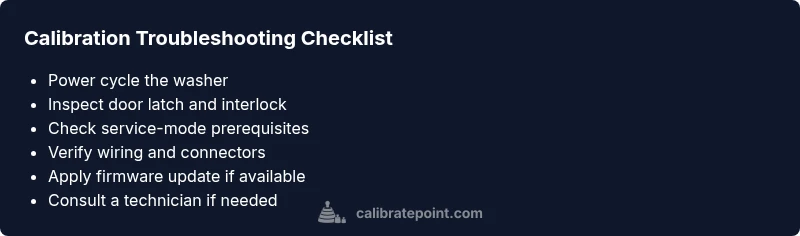
- Power cycle the washer: unplug for 60 seconds, then plug back in and wait 1–2 minutes for the controller to reboot. 2) Inspect the door latch: ensure the latch engages fully and the switch isn’t stuck or damaged; replace if needed. 3) Verify service-mode prerequisites: confirm the door is closed, drum is at rest, and there are no active error codes. 4) Retry calibration: access calibration or service mode per the model manual and initiate calibration. 5) Check wiring and connectors: unplug, remove the top panel safely, and reseat all major harnesses to the main board and sensors. 6) Update firmware or reset: apply any available firmware update or perform a documented factory reset if approved by Whirlpool. 7) If the issue persists, call a technician: calibration faults after these steps often indicate a deeper control-board or sensor failure. Tip: keep a log of each step and any codes observed to speed up diagnosis.
Safety considerations and when to call a pro
Safety first: always unplug the appliance before inspecting internal components. If you encounter exposed wiring, burning smells, or signs of moisture, stop immediately and seek professional service. Do not bypass interlocks or force calibration through improper sequences. If your warranty is active, involve the service provider to avoid voiding coverage. When in doubt, a qualified technician can perform advanced diagnostics like multimeter tests on sensors and continuity checks on the control board. Calibrate Point recommends contacting a technician if the calibration continues to fail after completing the basic checks.
Prevention and maintenance for reliable calibration
To minimize future calibration issues, keep the machine on a stable outlet and avoid plugging into power strips prone to flicker. Protect the appliance from power surges using a quality surge protector. Regularly inspect door latches and sensor wiring for wear and secure connections. Periodically reset the control system after software updates and follow manufacturer-recommended maintenance schedules. Document any error codes and drive cycles to identify recurring patterns early. Calibrate Point’s guidance highlights that proactive maintenance and prompt symptom logging reduce downtime and repair costs.
Expert guidance from Calibrate Point
According to Calibrate Point, the most reliable way to approach a Whirlpool calibration fault is to follow a structured, model-specific diagnostic path and to prioritize hardware checks before delving into software configurations. Our analysis shows that simple issues like a stale service code or a loose connector are responsible for most calibration failures. By maintaining clean connections, updating firmware when available, and adhering to official service procedures, technicians and DIY enthusiasts can restore calibration with confidence. Calibrate Point’s verdict is that a systematic, documented approach minimizes downtime and protects warranty terms.
Steps
Estimated time: 60-120 minutes
- 1
Power cycle the washer
Unplug the washer from the power source, wait 60 seconds, then plug back in and allow the controller to reboot for 1–2 minutes.
Tip: Use a known-good outlet and avoid strips or extension cords. - 2
Check the door latch and switch
Ensure the door latch engages fully and the switch is not damaged or stuck. A faulty latch often prevents entering calibration mode.
Tip: Listen for a distinct latch click and inspect for visible damage. - 3
Verify service-mode prerequisites
Confirm the model is in a state that allows calibration entry: door closed, drum at rest, and no active error codes.
Tip: If in doubt, consult the official service manual for your model. - 4
Retry calibration sequence
Access the calibration or service mode exactly as documented for your Whirlpool model and start the calibration cycle.
Tip: Do not improvise button sequences; use the documented steps. - 5
Inspect harnesses and connectors
With power disconnected, reseat main board and sensor connectors to ensure solid electrical contact.
Tip: Look for damaged pins or loose plugs and secure cables away from moving parts. - 6
Firmware update or factory reset
If available, perform a firmware update; otherwise, run a documented factory reset as a last software step.
Tip: Back up configuration if the option exists. - 7
Call for professional service
If calibration still fails, a technician should test the control board, sensors, and wiring with specialized tools.
Tip: Have warranty and model details ready to expedite service.
Diagnosis: Whirlpool washer won't calibrate
Possible Causes
- highDoor latch interlock fault
- highControl-board/firmware glitch
- mediumSensor wiring or connector fault
- lowPower supply instability during calibration
Fixes
- easyInspect/replace door latch and interlock
- easyPerform a full power cycle and reset the controller
- mediumVerify service-mode prerequisites and retry calibration
- hardUpdate firmware or reset control board (per Whirlpool documentation)
Questions & Answers
Why won't my Whirlpool washer calibrate?
Calibration failures are usually caused by hardware or software blocks such as a door latch issue, sensor wiring faults, or a firmware glitch. Start with simple checks (power, door latch) and proceed to the service steps only if these pass. Document any error codes to aid diagnosis.
Calibration failures are often due to hardware or software blocks like a bad door latch, sensor wiring, or firmware glitches. Start with power and latch checks, then follow the service steps if needed.
What is calibration mode on a Whirlpool washer?
Calibration mode is a controlled procedure used by the washer to synchronize sensors and motor timing for accurate cycles. It is typically accessed via a model-specific service sequence and may be blocked by safety interlocks if a fault is present.
Calibration mode aligns sensors and timing for accurate cycles and is accessed via a model-specific service sequence.
Could a door latch cause calibration failures?
Yes. A faulty latch or interlock can stop calibration by signaling that the door is not closed, even if it looks shut. Inspect and replace any damaged latch or switch.
A bad door latch can block calibration because the washer thinks the door isn’t closed.
Will a firmware update fix calibration issues?
Firmware updates can resolve software glitches that prevent calibration from starting or completing. Check Whirlpool’s support site or your model’s update utility for available updates.
Firmware updates can fix calibration glitches when software is the root cause.
What should I do if calibration still fails after steps?
If calibration remains unsuccessful after following the recommended steps, contact a technician who can test the control board and sensors with specialized tools and verify firmware integrity.
If it still fails, a professional should diagnose the control board and sensors.
Is calibration covered under warranty?
Warranty terms vary. If the fault is due to manufacturing defects and within the coverage window, calibration-related repairs may be included. Check your warranty documents.
Warranties may cover calibration repairs if it’s a defect and still under coverage.
Watch Video
Key Takeaways
- Power cycle first to reset the controller
- Check the door latch and basic wiring before service
- Follow the official calibration steps for your model
- If still stuck, consult a technician for advanced diagnostics
- Calibrate Point recommends documenting symptoms to shorten diagnosis time