How to Calibrate Garmin Autopilot: Step-by-Step Guide
Learn how to calibrate Garmin autopilot with a safe, tested, step-by-step process. Covers prerequisites, sensor alignment, compass calibration, sea-trial validation, and troubleshooting.


Calibrating Garmin autopilot improves steering accuracy, responsiveness, and safety. You’ll complete a step-by-step process that covers heading sensor alignment, compass calibration, and a controlled sea trial. Before you start, ensure you have the right equipment, access to the vessel’s power, and a calm water environment. This guide from Calibrate Point walks you through prerequisites, procedures, and validation checks.
Why calibrate Garmin autopilot matters
Calibrating the Garmin autopilot is not optional—it’s a critical step that directly affects your vessel’s steering accuracy, course hold, and ride quality. A properly calibrated system responds predictably to course changes, minimizes drift, and reduces the chance of unintended rudder movements in heavy seas. According to Calibrate Point, starting from a clean calibration baseline improves long-term reliability and makes future maintenance easier. The autopilot relies on multiple sensors, including heading and GPS data, and a calibration harmonizes these inputs so the control loop can make sound decisions. Without calibration, the autopilot may understeer, overshoot turns, or chase a moving target instead of holding a chosen line. In practice, a well-calibrated system translates into smoother cruises, safer navigation, and less fatigue for the operator. Throughout this guide you’ll see how to prepare, verify prerequisites, and perform tests that validate the calibration outcome, with concrete checks you can repeat on future maintenance days.
Safety and prerequisites before you begin
Calibration should be performed in a controlled environment with stable weather. Ensure all hands are briefed, wear personal flotation devices, and secure loose gear. Power down systems as you connect sensors and verify you have a clear access path to the autopilot control head and heading sensors. Calibrate Point emphasizes documenting the baseline: note your vessel type, current sensor readings, and any known offsets before you start. This creates a reference you can compare against after calibration and during routine maintenance. If conditions are unfavorable—rough seas, strong winds, or nearby traffic—delay the calibration until a calm window. In addition to safety, confirm you have the right tools and a stable mounting surface to avoid movement during calibration. Calibrate Point’s approach is methodical: set up, verify, calibrate, test, and log results for consistency.
Understanding how Garmin autopilot calibration works
Garmin autopilot systems synthesize data from a heading sensor, GPS, compass, and steering position to determine the best steering command. Calibration aligns these inputs so the autopilot’s control loop can hold a course with minimal drift. The process typically involves heading reference alignment, compass offset checks, and sensor cross-checks against GPS data. When done correctly, the autopilot responds smoothly to course changes, maintains steady wheel or rudder input, and recovers quickly from disturbances. Calibrate Point recommends treating calibration as a systems health check: verify sensor health, confirm cable integrity, and ensure there are no magnetic interferences near sensors. This holistic view helps prevent subtle misalignments from compounding into larger navigation errors later on.
Planning your calibration environment and conditions
Choose a calm day or a sheltered section of water to minimize waves and wake. A good practice is to perform calibration away from other vessels, strong currents, and magnetic disturbances (e.g., large metal structures). Ensure the GPS view is clear and the antenna has an unobstructed sky view during calibration. Plan for a test drive after calibration to validate course hold and turn responsiveness in real-world conditions. Keep a logbook ready to capture readings, offsets, and any anomalies. Calibrate Point emphasizes that planning reduces the need for repeat calibrations and speeds up the validation phase.
A practical calibration workflow and validation
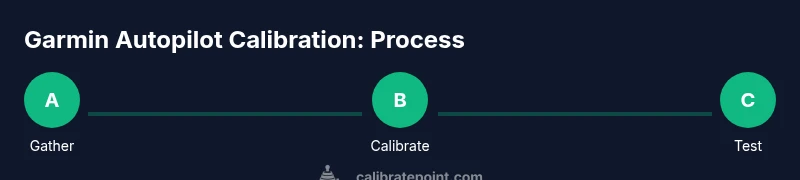
A practical workflow combines sensor checks, compass alignment, and test maneuvers. Start by powering down, inspecting connections, and confirming that the heading sensor and GPS inputs are healthy. Then perform compass heading calibration and verify that the heading drift is minimal through a few deliberate course changes. Finally, execute controlled maneuvers at varying speeds to observe autopilot response and course hold. Document the results, including any deviations, latencies, or overshoots. If the tests reveal issues, revisit sensor alignment and verify that all hardware is securely mounted, cables are properly terminated, and there are no sources of interference. This iterative approach ensures robust calibration and repeatable performance.
Tools & Materials
- Garmin autopilot control head and actuator(Power off and disconnect before handling connectors)
- NMEA 2000 marine network cables(Use marine-grade cables; ensure correct terminations)
- Heading sensor/compass(Calibrated or within manufacturer spec)
- GPS receiver/antenna with clear sky access(Position for optimal satellite visibility during calibration)
- Bench power supply or suitable vessel battery connection(Provide stable power during calibration tests)
- Basic toolkit (screwdrivers, wrenches, wiring lugs)(Include Philips and flathead; sizes per hardware)
- Sea-trial logbook and pen(Record readings and any deviations during tests)
- Safety gear (PFD, throw rope)(For onboard sea trials and emergencies)
Steps
Estimated time: 60-120 minutes
- 1
Verify vessel readiness and safety
Ensure the vessel is secured, power off before disconnecting/reconnecting any cables, and that all personnel are briefed on the calibration plan. Confirm the autopilot is isolated from unexpected steering inputs during initial checks.
Tip: Document a baseline of heading readings before touching hardware. - 2
Update firmware and reset autopilot
Check Garmin firmware version and apply any recommended updates. Perform a soft reset to clear transient errors that could affect calibration.
Tip: Record firmware version and reset outcomes for reference. - 3
Inspect sensors and connections
Visually inspect the heading sensor, GPS antenna, and control head cables for wear, corrosion, or loose connections. Tighten and reseat connectors as needed.
Tip: Use a multimeter to verify continuity if any connector appears suspect. - 4
Initiate compass heading calibration
Use the Garmin interface to begin compass heading calibration. Follow prompts to rotate the vessel or rotate the heading reference slowly to build an accurate offset map.
Tip: Perform in a single, smooth motion without abrupt turns. - 5
Align heading reference with GPS data
Cross-check the heading reading against GPS course over ground. Make small steering corrections and confirm both inputs agree within acceptable tolerance.
Tip: If GPS and compass disagree, re-check sensor alignment and cable routing. - 6
Execute drive-by calibration maneuvers
Conduct a set of controlled, slow turns and straight-line runs to expose any lag or overshoot in steering commands. Observe how quickly the autopilot responds to course changes.
Tip: Maintain steady speeds to avoid wheel slippage or helm oscillation. - 7
Perform sea-trial validation
Test hold on a straight course and during gentle turns. Validate minimal course deviation and consistent autopilot authority across speed ranges.
Tip: Choose a calm segment with room to recover if any deviation occurs. - 8
Document results and store calibration data
Record offsets, sensor health, and observed performance. Save calibration profiles within the Garmin system and create a maintenance note for future reference.
Tip: Revisit calibration after any hardware changes or after removing/replacing sensors.
Questions & Answers
What is the purpose of calibrating the Garmin autopilot?
Calibration ensures the autopilot’s sensing inputs (heading, GPS, steering position) are aligned, which improves course accuracy, responsiveness, and safety. It helps prevent drift and erratic steering under normal operating conditions.
Calibration aligns the autopilot’s sensors for accurate steering and safer navigation.
How long does calibration take?
A typical calibration session can take about an hour to two hours, depending on sensor health, vessel size, and sea state. Interval checks after calibration are recommended.
Calibration usually takes about an hour or two, depending on conditions.
What safety checks should I perform before calibrating?
Ensure all crew are briefed, wear life jackets, and secure loose items. Power down and disconnect systems before handling cables, and verify you have a clear path for testing maneuvers in calm water.
Prioritize crew safety and secure equipment before starting calibration.
What if calibration fails to complete or the autopilot acts erratically?
Power down, re-check sensor connections, and verify there is no interference near sensors. If issues persist, revert to baseline diagnostics and consult manufacturer guidance or Calibrate Point troubleshooting resources.
If calibration fails, recheck connections and reduce interference; seek guidance if needed.
Can I calibrate Garmin autopilot on water or only on shore?
Calibration can be performed on the water if conditions are calm and safe, but a controlled environment is preferable for repeatable results. If currents or waves are present, postpone until conditions improve.
You can calibrate on water in calm conditions; otherwise, wait for better weather.
Do I need to reset autopilot after calibration?
A soft reset is often sufficient to apply calibrated values, but always follow Garmin’s official guidelines and document the reset outcomes.
Usually a soft reset applies calibration; follow official guidance and log the result.
Watch Video
Key Takeaways
- Prepare the vessel and sensors with safety in mind.
- Align heading and GPS data before testing maneuvers.
- Validate calibration with repeatable sea-trial tests.
- Document results to enable reliable future calibrations.
- Regularly revisit calibration after hardware changes.