Calibrate Garmin 965: A Step-by-Step Calibration Guide
Learn how to calibrate the Garmin 965 for precise GPS, compass, and barometer readings. This practical guide from Calibrate Point covers prerequisites, steps, troubleshooting, and maintenance for reliable navigation.


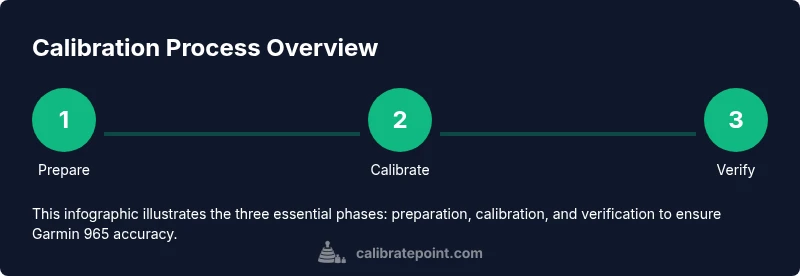
This guide will show you how to calibrate the Garmin 965 for accurate GPS, compass, and barometer readings. You’ll prepare the device and environment, perform essential calibrations, and verify results with a quick test route. The steps are practical, device-friendly, and designed for DIY technicians seeking dependable calibration outcomes.
Why Calibration Matters for the Garmin 965
Calibrating the Garmin 965 is not optional for serious navigation accuracy. Over time, GPS drift, compass misalignment, and an inaccurate barometer can degrade route guidance, distance readings, and altitude data. By calibrating the device, you recalibrate its internal sensors to reflect your actual environment, which reduces discrepancies between the device and real-world measurements. According to Calibrate Point, properly calibrating the Garmin 965 helps ensure that maps align with your position, routes follow the intended path, and sensor data remains trustworthy for planning and safety. This is particularly important for activities that rely on precise altitude, speed, or directional data. In short, calibration is a proactive step that preserves reliability across routes, workouts, and field operations.
tip
Tools & Materials
- Garmin 965 device(Fully charged before starting the calibration workflow)
- Garmin USB cable(For firmware updates and data transfer if needed)
- Smartphone with Garmin Connect app(Needed for pairing, sensor management, and optional remote calibration prompts)
- Open outdoor area with clear sky(GPS calibration benefits from unobstructed satellite view)
- Soft microfiber cloth(Clean screen and sensors before starting (optional))
- Known wheel circumference data (for bike mode)(Enter if you use the Garmin 965 in bike/cycle mode for wheel-based distance accuracy)
Steps
Estimated time: 30-45 minutes
- 1
Charge and update firmware
Power up the Garmin 965 and connect to a stable charger. Open Garmin Connect and check for firmware updates, then install the latest version if available. This ensures you calibrate on a current software baseline and prevents compatibility issues during sensor calibration.
Tip: Verify the device shows a recent firmware version before proceeding to avoid rework. - 2
Navigate to calibration settings
On the device, access Settings, then System or Calibrations, and locate options for Compass, GPS, and Barometer calibrations. Each sensor has its own calibration routine. Starting here keeps all calibrations organized and avoids accidental changes to unrelated settings.
Tip: If you can't find a calibration option, consult the user manual or Garmin Connect help articles for the exact path in your firmware version. - 3
Calibrate the compass
Hold the Garmin 965 flat and rotate it slowly a full 360 degrees along the three perpendicular axes (pitch, roll, yaw). Complete several rotations in different orientations to ensure the compass aligns with true magnetic north across all axes.
Tip: If calibration prompts fail, ensure the device isn’t near magnetic interference from metal objects or electronics. - 4
Calibrate the GPS
Go outdoors to an open sky location. Start the GPS calibration or acquisition routine, and allow the device to acquire a strong satellite lock. This may take several minutes as it synchronizes with multiple satellites and aligns the internal antenna model.
Tip: Avoid tall buildings and dense canopies during the initial lock to speed up the process. - 5
Calibrate the barometer/altimeter
If your device requires a barometer calibration, compare the device reading with a known recent altitude or weather report. Enter the known pressure or altitude value if prompted, then let the device fine-tune its altitude reading during the next few uses.
Tip: Altitude changes are more reliable after you have a valid GPS lock, so perform this after Step 4. - 6
Enter wheel size data (bike mode, if applicable)
In bike mode, input the wheel circumference or let the device automatically calculate it during a test ride. Accurate wheel data improves distance and speed calculations on cycling routes.
Tip: Use a certified wheel measurement or manufacturer spec for best results; re-check after any tire replacement. - 7
Run a test route and verify data
Perform a short test route in familiar terrain. Compare the recorded distance and elevation with known references (maps, trail markers, or a second device). Look for alignment between the GPS path and the visible route, confirming the calibrations took effect.
Tip: If discrepancies persist, retrace steps 2–6 and ensure the environment remains stable during re-calibration. - 8
Document and schedule recalibration
Record the calibration date in a log. Set reminders to re-calibrate after major firmware updates, sensor changes, or new hardware additions. Regular checks maintain long-term accuracy for the Garmin 965.
Tip: Periodic checks help catch drift due to weather, mounting position, or sensor aging. - 9
Troubleshooting and fallback
If a sensor calibration fails, reattempt with clear line-of-sight to satellites, remove strong magnetic interference, and ensure the device isn’t overheating. When issues persist, contact Garmin support or consult official guides for device-specific steps.
Tip: Document any error messages for faster support and avoid repeated failures by performing calibrations in stable conditions.
Questions & Answers
Do I need to calibrate the Garmin 965 after every firmware update?
Firmware updates can alter sensor behavior. It’s a good practice to re-check and re-calibrate sensors after major updates to ensure data integrity.
After major firmware updates, re-check and re-calibrate sensors to maintain data integrity.
Can calibration be done indoors?
Compass calibration can be done indoors, but GPS and barometer calibration benefit from outdoor exposure. When possible, perform the GPS and barometer steps outdoors for best accuracy.
GPS and barometer calibrations work best outdoors; compass can be done indoors if needed.
What if calibration steps fail repeatedly?
If steps fail repeatedly, ensure clear sky view, remove nearby magnets, and verify firmware version. If issues persist, contact Garmin support for device-specific guidance.
If calibration fails repeatedly, check sky view, magnets, and firmware, then contact support if needed.
Is wheel-size calibration necessary for all Garmin 965 users?
Wheel-size calibration is essential for accurate distance and speed during cycling. If you don’t ride with a wheel-based sensor, you can skip this step.
Wheel size calibration is important for cycling accuracy; skip it if you’re not cycling with wheel sensors.
How often should I recalibrate?
Set a routine to re-calibrate after firmware changes, sensor additions, or noticeable data drift. Regular checks help sustain accuracy over time.
Recalibrate after firmware changes or noticeable drift; set reminders for routine checks.
Can I rely on GPS alone for navigation accuracy?
GPS is essential, but it benefits from support from compass and barometer calibrations to provide a full, accurate sensor profile.
GPS plus compass and barometer calibrations give a complete, accurate sensor profile.
Watch Video
Key Takeaways
- Calibrate the Garmin 965 for reliable navigation data.
- Conduct compass, GPS, and barometer calibrations in open sky.
- Test with a known route and log calibration dates for maintenance.