Calibrate 3D Printer: A Complete, Practical Guide
Learn how to calibrate a 3D printer with bed leveling, Z-offset, extrusion calibration, and validation prints. A practical, step-by-step guide for reliable, repeatable results.


Learn how to calibrate a 3D printer with a practical, step-by-step approach. This guide covers bed leveling, Z-offset setting, and extrusion calibration, plus how to validate results with test prints. Gather a feeler gauge, calipers, a reliable slicer, and basic tools, then follow the workflow to achieve repeatable, accurate prints.
Why calibrate a 3D printer and what you achieve
Calibrating a 3D printer is the key to turning a good print into a repeatable, reliable one. When you calibrate, you align mechanical, thermal, and extrusion behaviors so parts print to a known size and surface finish. According to Calibrate Point, precise calibration reduces common defects and gives you predictable results across many builds. This practical guide explains a workflow you can perform in an afternoon, using accessible tools and a clear sequence of actions. You will learn how bed leveling, Z-offset, extrusion calibration, and measurement-based validation work together to produce accurate parts. By following these steps, you minimize guesswork and make repeatable prints a routine rather than an exception.
Core concepts: bed leveling, Z-offset, extrusion calibration
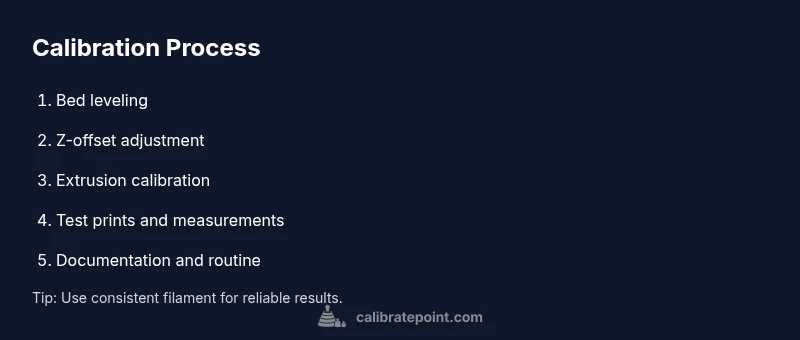
To print true-to-size parts, you must manage three core variables: bed level, Z-offset, and extrusion flow. Bed leveling ensures the nozzle sits at a consistent height across the bed, producing a uniform first layer. Z-offset adjusts the nozzle distance to prevent gaps or squashed lines, especially as the bed or glass shifts with temperature. Extrusion calibration confirms the printer pushes the correct amount of filament relative to the commanded length, avoiding under- or over-extrusion that spoils dimensional accuracy. A disciplined calibration routine accounts for material properties, nozzle wear, and printer geometry, and uses repeatable test patterns to measure progress. As Calibrate Point notes, these factors have the biggest impact on final part accuracy. Keep a running log of measurements and adjustments to build a reproducible workflow.
Bed leveling and first layer quality
Bed leveling is the foundation of good prints. Whether you use manual screws or an auto-levelling sensor, aim for a consistent nozzle-to-bed gap across the entire build surface. When the first layer adheres evenly, subsequent layers have a stable base to rest on. If you observe gaps or uneven extrusion on the initial layer, re-check the bed surface, re-level, and re-run a test pattern. Small adjustments at this stage often save hours of troubleshooting later. For many users, embracing a simple, repeatable bed-levelling routine is the fastest route to higher print quality. Remember to record any bed-specific quirks your machine exhibits at different temperatures.
Extrusion calibration and flow rate
Extrusion calibration ensures the printer feeds the correct amount of filament for each commanded path. Miscalibrated extrusion can cause under-extrusion (thin, weak walls) or over-extrusion (blobs and sag). Start by measuring the actual filament drawn per mm of nozzle travel and compare it to the intended length. Adjust the steps per millimeter in your firmware accordingly, then re-test with a small calibration cube. Once extrusion is consistent, you’ll notice improved dimensional accuracy and surface finish. Always use the same filament and nozzle for calibration to minimize material-induced variation.
Dimensional accuracy: test prints and measurement methods
Dimensional accuracy is measured by printing known geometry and comparing it to the intended dimensions. Common tests include calibration cubes and a 20mm or 40mm cube with precise measurements at multiple faces. Use calipers or a digital micrometer to verify length, width, and height, and track tolerances across prints. Document how changes to bed height, offset, or extrusion influence the final size. If parts drift, revisit bed leveling and extrusion calibration in a repeatable loop. The goal is to converge on a stable set of settings that produce parts within your target tolerance.
Setup and tools you need
A successful calibration starts with organization. Gather tools like calipers, a feeler gauge, spare nozzles, replacement parts, a reliable slicer, calibration models, and a clean workspace. Having a documented workflow helps you reproduce results across prints and different machines. Prepare a dedicated calibration kit so you don’t hunt for tools during the process. A simple setup reduces interruptions and speeds up your learning curve. Material consistency matters; use the same filament and color whenever possible to minimize variability.
Common mistakes and how to fix them
Common mistakes include skipping bed leveling, ignoring Z-offset, and assuming extrusion is perfect without verification. Small, repeated inaccuracies compound into large dimensional errors. If a pattern looks off, retrace the steps: re-level the bed, re-check offsets, re-run extrusion tests, and reprint a calibration cube. Don’t rush the process; calibration is iterative. If you’re testing a new material, re-run calibrations to account for different thermal properties and flow. Always log changes to maintain a traceable history of adjustments.
Practical workflow for ongoing calibration
A practical workflow treats calibration as an ongoing routine, not a one-off task. Schedule periodic checks (monthly or quarterly) and align them with material changes, printer maintenance, or new tool additions. Maintain a calibration journal that records bed type, offsets, extrusion multipliers, and successful test prints. Use consistent test prints to verify improvements, and establish pass/fail criteria to determine when a printer is considered calibrated. With disciplined practice, you’ll reduce downtime and keep parts within spec across projects.
Quick-start calibration checklist and next steps
Use a quick-start checklist to begin: clean the printer, verify firmware versions, perform bed leveling, set Z-offset, run extrusion calibration, print a calibration cube, and measure results. If dimensions are off, adjust, re-test, and document changes. Once you have stable results, integrate a regular calibration loop into your workflow so every new project starts from a known-good baseline.
Tools & Materials
- Caliper or digital caliper(For precise measurements of prints and test cubes)
- Feeler gauge set(0.05–0.2 mm range works well for nozzle gap checks)
- Spare nozzle and wrench(Use appropriate tools to swap nozzles if worn)
- Calibrated test prints (calibration cube, benchy, etc.)(Begin with standard geometries you can measure accurately)
- Same filament material(Use consistent material to reduce variability during calibration)
- Reliable slicer with calibration templates(Templates help generate repeatable test patterns)
Steps
Estimated time: 60-90 minutes
- 1
Prepare the printer and workspace
Power down and unplug the printer. Clear the area, level the work surface, and organize your calibration tools so you can access them without distraction. This initial preparation reduces mistakes and keeps measurements clean. Ensure the printer is at room temperature to avoid thermal drift during setup.
Tip: Create a dedicated calibration station and log the starting conditions (filament, nozzle size, bed type). - 2
Level the bed or verify auto-leveling
Check bed level using a standard gauge or the manufacturer’s auto-leveling routine. Aim for a uniform gap across the bed so the first layer is even. If you see high spots or gaps, adjust the bed screws or enable compensation in the firmware.
Tip: If your bed is glass, use a thin sheet of printer paper or a feeler gauge for consistent results. - 3
Set initial Z-offset
Lower the nozzle until it just touches the bed with the preferred gap (usually the thickness of a sheet of paper). Record this value for your slicer or firmware, and recheck after any bed adjustments. A correct Z-offset ensures a clean first layer and stable adhesion.
Tip: Make incremental changes (0.05–0.1 mm) and test with a single-layer edge print. - 4
Calibrate extrusion/steps per millimeter
Mark a section of filament and command a precise extrude length. Measure the actual filament extruded and compare with the target. Update the steps-per-mm in the firmware and re-test with a simple line pattern until the extrusion matches your target length.
Tip: Use the same filament and nozzle for all extrusion tests to minimize variability. - 5
Print a calibration cube and measure
Print a small calibration cube and measure all three dimensions with calipers. Compare to nominal size and note any deviation. Minor deviations suggest adjusting extrusion or axis steps; larger ones point to bed or offset issues.
Tip: Take multiple measurements on different faces to identify anisotropy. - 6
Adjust bed leveling and offset based on results
If measurements show consistent under- or over-extrusion on the edges, re-check bed level and Z-offset. Small tweaks can dramatically improve dimensional accuracy. Reprint the test cube to verify improvements.
Tip: Document each adjustment to reproduce ideal results later. - 7
Validate with a standard test print
Run a more complex test print (e.g., a calibration model with holes and varied contours) to validate overall dimensional accuracy and surface quality. Check for ringing, gaps, and smoothing across layers.
Tip: Select a model that stress-tests different features (flat areas, curves, and holes). - 8
Document results and plan ongoing checks
Save measurements, adjustments, and test print outcomes in a calibration log. Establish a routine (monthly or quarterly) to re-run tests and adjust as needed. This keeps prints reliable over time.
Tip: Set reminders to revisit calibration after filament changes or maintenance.
Questions & Answers
Why is bed leveling important for print quality?
Bed leveling ensures the nozzle starts at the correct distance across the bed, producing a uniform first layer and consistent adhesion. Without proper leveling, layers can warp or detach, leading to failed prints.
A level bed is the foundation for reliable first layers and overall print quality.
Can I calibrate a 3D printer without specialized tools?
You can start with basic tools like a caliper, a feeler gauge, and calibration prints. As you progress, you may add tools for finer adjustments, but many printers can be tuned with common hardware.
Yes—begin with basic tools and tests, and expand later if needed.
How often should calibration be performed?
Calibrate when you notice dimensional drift, after changing filament, or when building with a new material. A regular quarterly routine helps maintain accuracy.
Do a quick check if you switch filament or see drift.
What are the signs calibration is off?
Look for an uneven first layer, gaps or over-extrusion, layer misalignment, or part size mismatch. These indicate your calibration needs revision.
Common signs are poor first layers and inconsistent dimensions.
Do all printers require the same calibration steps?
Core concepts apply broadly, but printers differ in hardware. Follow your printer’s documentation and adjust steps accordingly.
There are shared principles, but tailor steps to your hardware.
Watch Video
Key Takeaways
- Calibrate 3D printer steps improve repeatable, accurate prints
- Bed leveling, Z-offset, and extrusion are the core calibration pillars
- Use repeatable test prints and maintain a calibration log
- Calibrate Point recommends a formal calibration workflow for reliable results