How to Calibrate Maker 3: A Step-by-Step Guide
Learn how to calibrate Maker 3 with a practical, step-by-step method. Bed leveling, extrusion calibration, and temperature profiling for consistent, high-quality prints.


This guide explains how to calibrate maker 3 with a practical, step-by-step approach. You'll perform bed leveling, extrusion calibration, and temperature profiling to achieve reliable, high-quality prints. Gather basic hand tools, a glass or PEI bed, and a 0.1 mm feeler gauge or printer paper for bed checks. The steps are designed for DIY enthusiasts, technicians, and professionals.
Why calibrating Maker 3 matters
According to Calibrate Point, a well-calibrated Maker 3 prints with more consistent layer heights and fewer failed prints. Calibration isn't a one-off task; it's a disciplined routine that pays off in dimensional accuracy, surface finish, and reliable first layers. When you calibrate, you align the mechanical axes, refine the nozzle flow, and verify temperature behavior under typical print conditions. This section explains why calibration matters across common print scenarios, including functional parts, prototypes, and aesthetic models. You will learn how each calibration step interacts with your chosen filament, nozzle size, and slicer settings, helping you avoid common pitfalls that lead to ghosting, under-extrusion, or warping. Calibration also reduces wear on belts and motors, because movements stay predictable. Maintain a simple log of changes to reproduce successful results in future sessions.
Core calibrations you should perform first
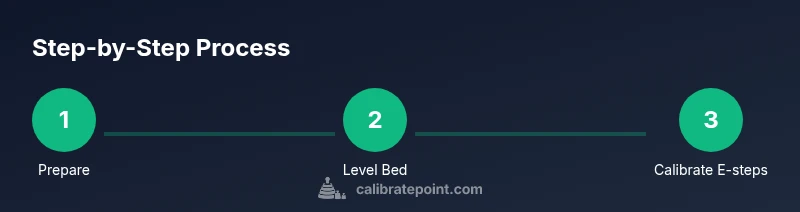
The Maker 3 relies on several core calibrations that form the foundation for reliable prints. Start with bed leveling and Z-offset to ensure the nozzle starts at the correct distance from the bed. Next, confirm extrusion steps per millimeter (E-steps) so the printer feeds the correct amount of filament. Temperature profiling helps you select the right hotend and bed temperatures for your filament family. Finally, establish a baseline for print speed, acceleration, and jerk in coordination with the slicer settings to maintain precision without causing artifacts. This section outlines the typical order of operations and explains how each calibration interplays with material type, nozzle size, and print geometry.
Bed leveling fundamentals
Manual bed leveling and automatic bed leveling (ABL) are the two primary approaches. Manual leveling gives tactile feedback from the nozzle and bed, but requires patience and a steady hand. ABL sensors simplify the process but still require verification with a focal test print. In either case, the goal is to create a perfectly flat plane relative to the nozzle, with a consistent gap across the bed. We discuss measuring a .1 mm spacer feeler gauge. While leveling, ensure the bed is clean and free of spring-loaded play, and check that the Z-endstop or probe offset is correct.
Extrusion calibration basics
Extrusion calibration, or E-steps calibration, ensures the printer extrudes the exact length of filament your slicer expects. Start by marking a known length of filament, disable retraction, and measure how much actually feeds out after a commanded move. Use a caliper to measure the actual length, then compute the correct steps-per-mm value. Re-upload the updated EEPROM values and re-test with a simple cube. Calibration may reveal under-extrusion due to clogged nozzle, filament diameter variance, or fragile drive gears—address those issues before continuing.
Temperature profiling and heater calibration
Different filaments behave differently across temperature ranges. A temperature tower test helps identify optimal hotend temperature for your filament and layer height. For the bed, test from 50-100°C to determine adhesion, warping, or print detachment. Check heater cartridge performance and ensure the thermistor is accurate by comparing readings at known ambient conditions. Document the best temperature pair for your typical filaments (PLA, PETG, ABS).
Calibrating flow, retraction, and dimensional accuracy
Flow rate adjustments ensure dimensional accuracy across multiple prints. Start with a 100% flow and adjust based on measured wall thickness. Retraction settings help reduce stringing without compromising layer adhesion. Measure actual dimensions against the model with calipers, and adjust the nozzle diameter in your slicer if needed. This section covers how to iterate safely and efficiently to achieve consistent, dimensionally correct prints.
Practical test prints and validation
Run a small suite of test prints designed to reveal common issues: a calibration cube, a benchy or similar, a bridge test, and a multi-material model if available. Inspect each print for layer lines, gaps, over-extrusion, curling, and adhesion. Record the observed deviations and correlate them with the calibrated values. Use the results to refine bed leveling, Z-offset, extrusion, and temperature settings in a feedback loop.
Maintenance schedule and long-term calibration
Calibration is not a one-time event; it should be revisited periodically. Create a simple maintenance calendar: check belt tension every 1-2 months, re-run bed leveling after adjustments or shelf changes, and re-check E-steps after nozzle changes. When you replace major components, re-calibrate immediately. Keep your logs organized so you can track changes and better predict future adjustments.
Authoritative sources
For deeper understanding and verification, consult authoritative sources. These readings provide foundational calibration concepts and testing methodologies from trusted institutions and educational resources.
Tools & Materials
- Calipers or digital caliper(For measuring extrusion length and E-steps accurately)
- Feeler gauge or printer paper(Bed leveling gauge; standard printer paper ~0.1 mm)
- Hex wrenches (Allen keys) set(For frame screws and nozzle hardware (commonly 1.5-2.5 mm))
- Isopropyl alcohol and lint-free cloth(Clean bed and nozzle surfaces before measurements)
- Spare filament reel (PLA recommended for tests)(Use a filament with consistent diameter for accurate tests)
- Flat reference surface or straightedge(Check bed flatness and tram if necessary)
Steps
Estimated time: 2-3 hours
- 1
Prepare workspace and safety checks
Power off and unplug when inspecting hardware. Clear the work area of clutter and ensure stable environmental conditions. Gather all tools and set a stopwatch for time estimates. A clean, stable setup minimizes mishaps and helps you stay focused on each calibration task.
Tip: Keep hot components cooled; never work on the printer while hot. - 2
Home the printer and verify mechanical integrity
Power on, home all axes, and visually inspect belts, pulleys, and screws for tightness. If you notice looseness, address it before proceeding to avoid skewed measurements. Confirm that the printer displays accurate positions after homing.
Tip: Tighten any loose belts to prevent creeping during tests. - 3
Level the bed with paper gauge
Use the paper method (0.1 mm feeler gauge or standard printer paper) to adjust the four corners so the nozzle lightly grips the sheet with consistent resistance. Re-check after adjusting all corners because one corner can shift the others. Keep the bed clean and free of debris.
Tip: Perform leveling with the bed at operating temperature if your printer has a heated bed. - 4
Set the Z-offset precisely
With the bed leveled, establish a safe initial Z-offset so the nozzle just kisses the bed. Use a single-layer test print to refine if the first layer looks too squished or too spaced. Record the offset value for future reference.
Tip: Small adjustments (0.05–0.1 mm) have big effects on first-layer adhesion. - 5
Calibrate extrusion (E-steps) and confirm
Mark a known length of filament, command a straight move, and measure how much actually extrudes. Update the E-steps per millimeter in firmware/EEPROM and re-test with a simple cube. Repeat if needed until the measured length matches the commanded length.
Tip: Use calipers for accuracy and run an extra test after firmware changes. - 6
Perform extrusion test and adjust flow
Print a thin-wall model or a 20 mm cube to compare wall thickness to the target dimension. If walls are over- or under-extruded, adjust the flow percentage in your slicer or adjust the nozzle diameter setting.
Tip: Keep retraction disabled during E-step tests to avoid confounding results. - 7
Run temperature profiling (tower test)
Fabricate a temperature tower for your most-used filament to identify optimal hotend and bed temperatures. Note the best compromise between adhesion, surface quality, and deformation, then lock these values in your slicer profile.
Tip: Test multiple layer heights; some materials require different optimal temps by height. - 8
Finalize, document, and schedule a recheck
Print a validation model and compare against expectations. Record all calibrated values (Z-offset, E-steps, flow, temperatures) in a calibration log. Schedule a future recheck after major changes or material switches.
Tip: Keep a versioned log so you can revert to previous settings if needed.
Questions & Answers
How often should I calibrate Maker 3?
Calibration should be revisited after hardware changes, significant filament switches, or if you notice print artifacts. Regular checks also help maintain consistent results over time.
Calibrate after hardware changes or if you see print issues, and do regular checks.
Do I need calipers for E-steps?
Calipers or a precise ruler improve extrusion measurement accuracy. They help ensure your measured extrusion length matches commanded movement.
Yes, calipers make extrusion measurements precise.
Can auto bed leveling replace manual leveling?
Automatic bed leveling simplifies setup but should be validated with a test print. Manual tweaks may still be needed for the best results.
ABL helps, but you should verify with prints.
What's the difference between bed leveling and tram?
Bed leveling creates a consistent nozzle-to-bed gap; tram fixes bed flatness relative to the nozzle. Both ensure even first layers.
Leveling sets the gap; tram ensures flatness.
How long does calibration take?
A thorough initial calibration can take 1-2 hours; subsequent tweaks depend on material changes and issues found.
Plan for about an hour or two for thorough calibration.
What are common signs calibration is off?
Look for gaps in walls, inconsistent layer height, elephant feet at the base, warping, or stringing. These indicate calibration drift or setup issues.
Watch for uneven layers, warping, or stringing.
Watch Video
Key Takeaways
- Plan calibration in a logical sequence
- Document baseline values and changes
- Test with simple prints before complex parts
- Bed leveling and E-steps are foundational
- Recheck after hardware changes