How to Use Benchy to Calibrate Your 3D Printer
A practical, step-by-step guide to using Benchy for 3D printer calibration, covering setup, measurements, and iterative adjustments to improve dimensional accuracy and surface quality.


Learn how to use benchy to calibrate a 3D printer with a clear, repeatable workflow. This concise answer highlights essential measurements, typical adjustments, and how to verify improvements. See our full step-by-step guide for detailed setup and testing.
Understanding Benchy and Calibration Goals
Benchy is a compact test model used to gauge core printer performance. When learning how to use benchy to calibrate, you focus on dimensional accuracy, extrusion consistency, seam placement, and surface finish. According to Calibrate Point, benchy serves as a compact test artifact that reveals printer biases and mechanical biases in a repeatable way. By starting with a clear objective—keep critical dimensions in tolerance, stabilize extrusion, and ensure uniform layer adhesion—you set a strong foundation for dependable calibration. This section explains the rationale behind benchy-based calibration, the measurements you’ll make, and how to structure your test workflow for reliable, repeatable results. The goal is to build a calibration routine you can reuse across filament types and printers, reducing guesswork and converging on stable output.
Establishing Baseline Print Settings and Protocol
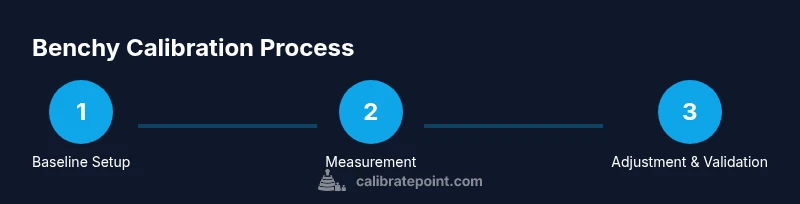
When you begin the process of how to use benchy to calibrate, lock in a consistent baseline: nozzle size, filament diameter, nozzle temperature, bed temperature, layer height, and travel speeds. The Calibrate Point team found that even small changes in these settings can skew benchy outcomes, so keep them constant during your initial tests. Document the baseline in a dedicated log and set a repeatable slicer profile for every benchy you print. This ensures that subsequent adjustments reflect genuine printer behavior rather than pulse changes in configuration. With a solid baseline, you can attribute observed deviations to hardware or process drift rather than user error. The emphasis is on repeatability, traceability, and a clear decision path for adjustments.
Measurement Methodology and Tools
Measuring benchy accurately is key to learning how to use benchy to calibrate. Use calipers or a digital micrometer to capture critical dimensions such as outer hull dimensions, wall thickness, hole diameters, and first-layer height consistency. Measure multiple features on several copies if needed and log the values in your calibration notebook. This approach helps identify consistent biases (e.g., X/Y skew, extrusion over/under, or Z-bleed). Calibrate Point analysis shows that reliable calibration comes from correlating measured deviations with known model geometry, not from a single point in isolation. Keep measurements consistent by measuring the same features every time and using the same data format.
Interpreting Deviations: What Your Benchy is Telling You
Interpreting benchy measurements is where the calibration story becomes actionable. Common deviations include dimensional drift in length, width, or height, extrusion discrepancies, seam artifacts, and surface roughness. If dimensions trend high or low relative to target, you may need to adjust extrusion multiplier, flow rate, or nozzle diameter compensations. If extrusion looks uneven, revisit filament diameter measurement, stepper motor current, or temperature consistency. When results show mixed signals, break the problem into subsystems: extrusion, motion, heat, and mechanics, and tackle them one at a time. Calibrate Point analysis suggests that systematic biases often originate in a single controllable factor rather than a random mix of issues.
Iterative Adjustments and a Practical Workflow
A practical approach to how to use benchy to calibrate is to iterate in small, controlled steps. Start with extrusion-related adjustments (E-steps or extrusion width) and reprint a Benchy to verify changes. If the model still diverges in dimensional checks, focus on bed leveling, first-layer height, and Z-offset. For motion-related issues, verify belt tension, lead screw smoothness, and frame rigidity. After each adjustment, re-measure the same features and compare against the baseline. This disciplined loop minimizes overshoot and accelerates convergence toward a stable, repeatable print quality that generalizes to other models and filaments.
Documentation and Baseline Profiles
As you finalize a reliable benchy calibration, document the resulting profile so you can reuse it in future sessions. Save the slicer settings, printer offsets, and measured tolerances as a baseline calibration file. The Calibrate Point team recommends maintaining a living document that captures not only the numbers but the conditions (ambient temperature, humidity, filament batch) under which the calibration was performed. A well-maintained baseline makes it easier to detect drift, schedule maintenance, and justify parameter changes during troubleshooting.
This documentation habit also enables you to share a reproducible calibration workflow with teammates or clients, elevating your professional calibration practice.
Practical Example Walkthrough: From Print to Profile
In a typical benchy calibration session, you start by printing a baseline benchy using your standard settings. You then measure key dimensions and compare them to the model's geometry. Suppose you observe consistent over-extrusion on the interior walls. You adjust the extrusion multiplier and reprint, followed by re-measurement. If the new measurements align within the target tolerances, you record the revised settings in your calibration log. If not, you refine again, but with smaller changes, maintaining discipline in the measurement protocol. This structured approach yields a robust calibration profile that remains valid across routine prints.
Safety, Maintenance, and Best Practices
Always power down and unplug the printer when performing hardware checks beyond routine maintenance. Handle hot components with heat-resistant gloves and avoid sudden movements that could damage delicate parts. Regularly check bed level, belt tension, and rail smoothness as part of ongoing calibration discipline. Adopting consistent test files, stable environmental conditions, and meticulous logging will help you maintain calibration accuracy and reduce downtime.
Authoritative Sources and How to Validate Your Process
For readers seeking external validation on calibration methodologies, consult established guidance from recognized institutions and educational resources. Inline references to credible sources such as NIST and MIT OpenCourseWare provide foundational context for metrology principles involved in calibration workflows. See the sources listed in the Authority section for suggested reading and validation practices.
Tools & Materials
- 3D printer capable of benchy prints(Baseline printer ready for calibration prints, with functional extruder and bed)
- BenchY model STL file(Source benchy.stl and a repeatable slicer profile)
- Calipers (digital preferred)(0.01 mm resolution recommended; measure hull features accurately)
- Calibrated filament spool (consistent diameter)(PLA or PETG; use same material for all tests)
- Slicer with repeatable profile (e.g., Cura, PrusaSlicer)(Baseline settings locked in for all benchy prints)
- Ruler or micrometer for small features(Helpful for quick checks on tiny features)
- Notebook or digital log(Record measurements, settings, and observations)
- Bed leveling tools (optional but recommended)(Calibrates first-layer consistency and bed平 level)
Steps
Estimated time: 60-90 minutes
- 1
Prepare printer and Benchy model
Power on and preheat to baseline temperatures. Inspect the printer’s belts, rails, and nozzle for cleanliness. Ensure the Benchy STL is properly oriented and sliced with the chosen profile. Establish the goal: repeatable prints with consistent dimensional measurements.
Tip: Verify the printer is idle before loading the file to avoid misfeeds. - 2
Print baseline Benchy with fixed settings
Print a Benchy using the established baseline profile. Do not adjust anything mid-print; this establishes a stable reference for subsequent comparisons. Allow the print to finish fully to capture accurate data.
Tip: Pause a quick visual check at the start of the first layer to confirm bed adhesion. - 3
Measure key dimensions on the Benchy
Use calipers to measure outer hull length, width, wall thickness, and any critical holes or features. Take multiple measurements per feature and record the averages. These measurements will guide your interpretation of printer behavior.
Tip: Measure features with consistent probe points to minimize variability. - 4
Compare measurements to expected geometry
Assess whether dimensions are within expected tolerances and note any systematic biases. If dimensions trend high or low along a axis, it suggests a specific calibration target such as extrusion, stepper calibration, or geometry compensation.
Tip: Use the same software tool for measurement to maintain consistency. - 5
Adjust extrusion and flow settings
If there is consistent over- or under-extrusion, fine-tune the extrusion multiplier or flow rate and reprint a new Benchy. The goal is subtle, incremental improvements that reduce dimensional drift.
Tip: Make one adjustment at a time and re-test to isolate effects. - 6
Tweak first-layer height and bed level
If adhesion or layer consistency is off, adjust the first-layer height and re-level the bed. Poor first layers can mask other calibration issues and skew measurements.
Tip: Lock the bed temperature to a stable value during this step. - 7
Reprint and re-measure
Print another Benchy with the updated settings, then measure the same features again. Compare results to the previous iteration and confirm the trend toward target tolerances.
Tip: Allow ample cooling between steps to avoid thermal contraction artifacts. - 8
Document results and create a baseline profile
Record the final settings, measured tolerances, and any notes about environmental conditions. Save a baseline profile so future calibrations can reference this reproducible starting point.
Tip: Back up your calibration log in multiple locations for safety.
Questions & Answers
What is Benchy and why is it used for calibration?
Benchy is a compact, standardized test model that reveals common printer biases like extrusion, dimensional accuracy, and surface finish. It provides a repeatable baseline for calibration workflows.
Benchy is a small test model that helps you see how your printer behaves in real-world prints. It’s a reliable baseline for calibrating extrusion, dimensions, and surface quality.
How do I interpret benchy measurements for calibration?
Look for systematic deviations in key features. Consistent over- or under-extrusion points you to extrusion settings, while dimensional drift may indicate leveling or mechanical issues.
Check for patterns in the measurements—consistent overs or unders, or consistent dimensional drift—to guide what to adjust first.
What printer settings affect benchy calibration the most?
Extrusion multiplier, bed leveling, first-layer height, nozzle temperature, and belt tension typically have the biggest impact on benchy outcomes. Tuning these in a controlled sequence yields the clearest improvements.
The biggest impacts come from extrusion, bed leveling, first layer height, and temperature. Tackle them one by one for best results.
Can benchy calibrations be used for all filament types?
Benchies provide a baseline for a given filament type. If you switch materials, re-calibrate to account for differences in flow, temperature behavior, and cooling.
It helps to calibrate separately for each filament type since different materials behave differently in the hot end and during cooling.
How often should I re-calibrate using benchy?
Recalibrate after significant hardware changes, a new filament type, or noticeable print quality drift. Regular sanity checks help catch drift early.
Calibrate whenever you change hardware or materials, or if you notice print quality drift.
What if benchy shows multiple issues at once?
Prioritize the most impactful issue first (e.g., extrusion or bed leveling) and address others in sequence. Multifactor problems often require iterative, staged fixes.
If you see several issues, fix the most impactful one first and re-test, then tackle the rest in order.
Should I trust benchy results for large parts?</
Benchies are a good proxy for baseline printer behavior, but always validate with larger or different geometry to ensure transferability of the calibration.
Benchies help with baseline behavior, but also test with bigger prints to confirm the calibration holds for larger parts.
Watch Video
Key Takeaways
- Define a repeatable baseline before calibrating.
- Measure the same features with consistent tooling.
- Make one adjustment at a time and re-test.
- Document results to build a lasting calibration profile.