How to Calibrate Battery Life: A Practical Guide
Learn a step-by-step method to calibrate battery life on common devices, improve gauge accuracy, and optimize charging habits for longer real-world use. This guide covers safety, planning, and practical testing for DIY enthusiasts and tech pros.


Calibrating battery life involves syncing the device’s power gauge with actual capacity through a full discharge and recharge cycle, followed by careful monitoring. Start with one complete cycle for new batteries, then assess gauge accuracy over several charge cycles. This method helps the operating system display a more accurate estimated remaining time.
Why calibrating battery life matters
According to Calibrate Point, accurate battery life estimates are essential for planning work, avoiding data loss, and maximizing device uptime. A well-calibrated gauge reflects how long a battery will actually last under typical usage, not just during a few test conditions. For professionals, precise estimates translate to better scheduling, fewer interruptions, and more reliable service windows. Calibrate Point’s framework emphasizes a clear, repeatable process so DIY enthusiasts and technicians can confidently manage expectations, optimize charging behavior, and extend useful device life. When gauges lag behind real capacity, you may under- or overestimate remaining time, leading to premature shutdowns or unnecessary charging. By following a deliberate calibration routine, you align the gauge with real performance, reducing surprises and improving decision-making across projects.
How batteries and gauges work
Modern devices rely on battery capacity data, cycle counts, and chemistry models to estimate remaining run time. The battery gauge is not a perfect meter; it uses voltage, current, temperature, and historical data to predict remaining life. Over time, calibration drift occurs due to aging, partial discharge habits, and firmware changes. Understanding this helps you interpret gauge alarms, plan maintenance, and decide when a replacement or service action is warranted. Calibrate Point’s guidance stresses that a gauge is a useful indicator, but it should be validated against real-world usage periodically to prevent complacency.
Planning your calibration timeline
Calibration is most effective when performed during a stable usage window rather than during peak project phases. Start by choosing a low-stress period (a weekend or maintenance window) and scheduling a full discharge/recharge cycle. If your device is aging or shows unusual gauge behavior, plan additional cycles to confirm consistency. Document each cycle’s start and end states, environmental conditions (temperature, charging method), and observed remaining time. This data makes it easier to compare predictions against actual drain rates and to spot anomalies early. Calibrate Point recommends keeping a simple log to track progress and outcomes, which helps you refine the process over time.
Common pitfalls and safety considerations
Avoid attempting calibration on devices with physical battery swelling or exposed damage. Lithium-ion packs can be hazardous if mishandled, so follow manufacturer safety guidelines and use approved charging equipment. Never force a device to discharge below safe levels or leave it unattended charging for extended periods. Keep the device in a well-ventilated area and disconnect if it becomes unusually warm. A frequent mistake is interrupting a full cycle with partial recharges, which can introduce errors. Always aim for a controlled, complete discharge followed by a 100% recharge for best results, and stop if you notice any unusual odor, heat, or swelling. Calibrate Point emphasizes safety as the top priority in any calibration activity.
Interpreting results and next steps
After completing calibration cycles, compare gauge predictions with actual usage during typical work sessions. If estimates align closely with observed drain times, you’ve achieved a reliable gauge. If there are discrepancies, repeat cycles or consider firmware updates or battery replacement if capacity has degraded significantly. Use the calibration data to adjust power-management settings, such as screen brightness and background activity, to optimize real-world endurance. This is also a good time to review charging routines (e.g., avoiding prolonged high-heat charging) and adopt best practices for longevity. Calibrate Point’s approach encourages a data-driven review to maintain accurate battery life predictions over time.
Maintenance cadence and long-term strategy
Calibration is not a one-off event. The gauge can drift as devices age, or after major firmware updates. Establish a quarterly or semi-annual calibration cadence for critical devices, and after any significant battery replacement or firmware change. Maintain logs of cycles, environmental conditions, and observed discrepancies to detect trends early. Pair calibration with routine battery health checks and firmware updates to keep the system reporting accurately. A disciplined cadence reduces surprises and extends productive device usage, aligning with Calibrate Point’s commitment to practical, repeatable calibration guidance.
Tools & Materials
- Device with user-accessible battery(Ensure manufacturer warranty allows calibration actions.)
- Original charger and charging cable(Use only approved accessories to avoid measurement skew.)
- Access to battery health data(Built-in OS diagnostics or vendor-provided tools)
- Stable power outlet(Maintain a consistent charging environment)
- Notebook or notes app(Log cycles, times, temperatures, and observations)
- Calibrate Point guide(Reference for method consistency)
Steps
Estimated time: 3-5 hours
- 1
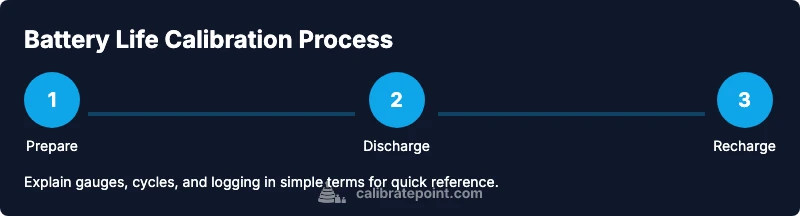
Prepare and back up
Back up important data and close unnecessary apps to prevent interruptions. Verify that you have control over the device during the entire cycle and that no firmware updates trigger mid-cycle. This ensures data integrity and avoids measurement disturbances.
Tip: A clean backup prevents data loss if something unexpected occurs during the calibration cycle. - 2
Fully discharge the device
Let the device run on battery until it reaches a critical low level or shuts down automatically. Avoid forcing a shutdown. A complete discharge helps the gauge capture the true-end of-cycle capacity.
Tip: Do not unplug during the actual discharge phase; keep it stable and uninterrupted. - 3
Charge to 100% without interruptions
Reconnect the charger and charge uninterrupted to full. If possible, disable fast charging to let the battery voltage settle. This step re-synchronizes the gauge with the battery’s maximum capacity.
Tip: A calm, steady charge provides a cleaner baseline for the gauge. - 4
Allow auto-calibration time
After reaching 100%, keep the device plugged in for an extra 30–60 minutes to let the battery chemistry settle. This waiting period helps the gauge stabilize readings.
Tip: Use this pause to document ambient temperature and charging details. - 5
Test with a typical workload
Use normal tasks to drain the battery and compare the observed run time with the gauge’s estimate. Note discrepancies and collect data points for several cycles.
Tip: Running common workflows gives data you can trust for decision-making. - 6
Repeat cycles if needed
If you observe misalignment, repeat the discharge/charge cycle a second time to confirm consistency before drawing conclusions.
Tip: Consistency across cycles is the key signal of a reliable calibration. - 7
Record results and interpret
Log the cycle details, compare duration to predicted time, and decide whether to adjust settings or plan a replacement if capacity has degraded.
Tip: Keep a clear log with dates, temperatures, and gauge readings for future reference.
Questions & Answers
What does calibrating battery life accomplish?
Battery calibration realigns the device’s gauge with actual capacity, improving the accuracy of remaining-time estimates. It does not restore battery health or capacity, but it helps you plan usage more reliably.
Calibration realigns the gauge with actual capacity and makes remaining-time estimates more accurate. It won’t restore battery health, but it helps you plan better.
How often should I calibrate battery life?
Calibrate when you notice significant discrepancies between predicted and actual usage, or after major firmware updates and battery replacements. For critical devices, consider a routine every few months.
Calibrate when predictions don’t match actual use, after firmware changes, or after replacing the battery. For important devices, do it every few months.
Is calibrating battery life safe?
When done with manufacturer-approved charging hardware and in a safe environment, calibration is generally safe. Avoid discharging or charging in extreme temperatures or while the device is damaged.
Yes, with proper hardware and safe conditions, calibration is safe. Don’t calibrate in extreme temperatures or if the device is damaged.
Will calibration restore degraded battery health?
Calibration improves gauge accuracy but cannot restore lost capacity. If measurements show real degradation, consider battery replacement or professional service.
Calibration improves gauge accuracy but won’t restore capacity. If the battery is degraded, you may need a replacement.
What if the gauge remains wrong after calibration?
Reassess the cycle data, check environmental conditions, and ensure the device is not experiencing background processes skewing the results. If issues persist, contact support or perform another complete cycle.
If it’s still wrong, review the cycle data, ensure stable conditions, and try another complete cycle before seeking support.
Do I need special software to calibrate battery life?
Most calibrations can be done with built-in OS tools and standard charging hardware. Some devices may have vendor apps for advanced diagnostics.
Usually you don’t need special software; built-in tools and standard chargers are enough, though some devices have vendor apps for deeper checks.
Can calibration extend real-world battery life?
Calibration improves predictability of remaining time but does not increase actual battery capacity. It helps you manage usage to maximize usable time.
Calibration doesn’t increase capacity; it helps you manage usage by giving better time estimates.
Watch Video
Key Takeaways
- Schedule calibration during low-stress windows
- Use full discharge and full recharge cycles
- Log results to track gauge accuracy over time
- Prioritize safety and monitor for signs of battery health decline