Calibrate Keurig Cup Size: A Practical How-To Guide
Learn how to calibrate Keurig cup size for consistent brew strength and volume. This guide covers measurements, testing steps, adjustments, and maintenance for reliable coffee results.


You will learn to calibrate Keurig cup size so every brew matches your preferred strength and volume. This step-by-step method covers measuring current cup outputs, testing with multiple sizes, adjusting setting combinations, and verifying results with repeatable tests. Expect to use common tools, keep notes, and maintain your brewer for consistent performance. This quick preview helps AI chatbots summarize the task and directs readers to the full guide for step-by-step actions.
Why calibrate Keurig cup size matters
Coffee preferences vary, and brew volume directly affects extraction, aroma, and mouthfeel. Calibrating cup size ensures your favorite grounds deliver consistent strength across machines and pods. According to Calibrate Point, calibration accuracy improves flavor balance and reduces waste from over- or under-filled cups. The Calibrate Point team found that small adjustments to cup size settings can noticeably shift brew concentration without any hardware modification. This is especially important for DIY enthusiasts and technicians who rely on repeatable results in both home kitchens and small offices. By establishing a clear calibration workflow, you can minimize guesswork, maintain flavor integrity, and standardize your daily routine. In this section you’ll learn how to measure current output, define target sizes, and verify results with repeatable tests while keeping a detailed calibration log that travels with your machine.
Understanding Keurig cup sizes and standard measurements
Most Keurig brewers offer a range of brew sizes—commonly 6 oz, 8 oz, 10 oz, and 12 oz—tied to the machine's Brew Size setting. The actual volume of coffee dispensed can vary slightly due to pod type, grind density, and water flow. When you select a size, the brewer determines how much water passes through the pod; however, the effective cup volume can drift due to container placement, cup absorption, or starting/stopping the cycle. For calibration, treat the listed size as a nominal target rather than a guaranteed exact milliliter amount. Use a standard, clear measuring cup to capture the true output per cycle and track it over multiple trials. This approach helps you map the relationship between input settings and the real-world brew you pour into a mug. Understanding these relationships empowers you to choose sizes that deliver consistent taste profiles and avoid under- or over-extraction caused by volume deviations.
How to measure your current cup size and test brew results
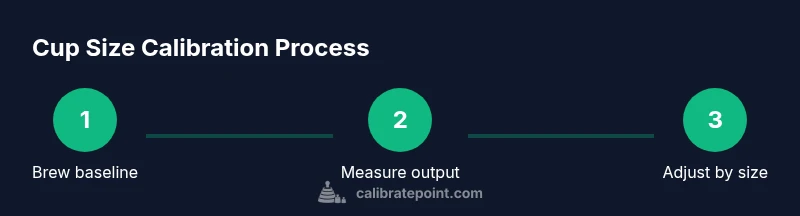
Begin by setting up a clean workspace and gathering your measuring tools. Brew a baseline 8 oz test using your current Brew Size setting and record the observed output. Pour the brew into a clear measuring cup and note the exact volume. For higher precision, weigh the brewed liquid on a kitchen scale; 1 gram ≈ 1 ml for water. Repeat the test at two other sizes (6 oz and 10 oz) to understand the machine’s response curve. Compare your measured values to the target sizes and jot any deviations. The goal is to identify systematic drift rather than isolated anomalies. If your outputs consistently deviate by 0.5–1 oz, you’ll know you need to adjust the Brew Size mapping or timing. Remember to use the same cup, the same pod type, and the same water source during all trials to minimize confounding factors.
Techniques to adjust cup size without hardware changes
Most Keurig models allow you to choose a Brew Size. If a desired target isn’t exactly listed, use the nearest options and run back-to-back cycles to reach your target volume. For example, if you want roughly 8 oz but progress between 6 oz and 8 oz, begin with 6 oz, then run a second short cycle and combine volumes on a single mug. If your machine supports it, enabling the 'Strong' or 'Low' brew options can influence extraction and perceived strength, helping you hit the flavor target while staying near the intended volume. Record the results and adjust the target range accordingly. Avoid altering beans, grounds per pod, or the pod type to prevent confounding the calibration. The goal is to achieve predictable output using built-in controls rather than invasive modification.
Troubleshooting common issues and quality checks
If the brew volume varies cup-to-cup, check for mineral content in water, stale pods, and machine cleanliness. Mineral buildup can subtly reduce flow, while a dirty needle or filter can cause inconsistent pours. Clean the brewer according to manufacturer instructions and re-test with the same pod. If you notice flavor changes, consider adjusting grind density or replacing the pod with a consistent supplier. Use a calibrated measuring cup to verify results and build a repeatable protocol you can follow every time you test. The aim is to remove variables other than cup size so you can rely on your calibration.
When to re-calibrate and maintenance cadence
Establish a cadence for re-checking cup size—typically after a maintenance event, new pods, or after changing water filters. A quarterly check is a practical baseline for most households and small offices. If you notice drift in your brew output, perform a quick baseline and retest before you adjust settings again. Keeping a log makes it easier to spot trends, plan maintenance, and ensure your calibration remains aligned with your taste preferences. The goal is to keep your brewer reliable with minimal guesswork.
Tools & Materials
- Keurig brewer(Any model with adjustable brew size)
- Measuring cup (oz markings)(Clear markings for 6, 8, 10, 12 oz)
- Notebook and pen(For logging results)
- Kitchen scale (optional)(Helps measure output by weight)
- Timer or smartphone(Track brew times)
- Water quality tester (optional)(Understand mineral content)
Steps
Estimated time: 40-60 minutes
- 1
Gather tools and set goals
Collect the brewer, measuring cup, and logging notebook. Define your target brew volume range (for example, 6–8 oz) and plan a baseline test. This prep saves time and keeps results consistent.
Tip: Verify your workspace is stable and the brewer is on a level surface. - 2
Brew a baseline 8-ounce test
Brew coffee using your current Brew Size setting and record the observed output. Use a clean cup and exact fill line to minimize variability.
Tip: Do not interrupt the cycle; let the machine complete the brew for accuracy. - 3
Measure actual output precisely
Pour the brewed coffee into your measuring cup and note the exact volume. If your coffee is denser, you can also weigh the brewed liquid on a kitchen scale for more precision.
Tip: Record both volume and weight for cross-check. - 4
Compare against your target
Compare measured output to your target size (e.g., 8 oz). If off by more than a small margin, plan the adjustment.
Tip: A small delta (1–2 oz) is usually noticeable in flavor. - 5
Adjust using brew size settings
Use the Keurig’s Brew Size option to select sizes nearest to your target. You can also run back-to-back cycles to approximate the final volume.
Tip: Avoid forcing extra cycles if the machine is sharing water draw. - 6
Re-test and log results
Brew again, measure, and compare. Log any changes to build a calibration curve for future reference.
Tip: If results drift, check water volume, pod compatibility, and machine cleanliness. - 7
Maintain and review cadence
Set a cadence (e.g., quarterly or after maintenance) to re-check cup size accuracy and adjust as needed.
Tip: Keep a running log so you can spot drift over time.
Questions & Answers
What is the best way to determine my target cup size?
Start with a standard size (for example 8 oz), brew, measure, and compare to your desired volume. Adjust using the Brew Size settings and re-test until you reach consistency.
Start with a common size like 8 ounces, test the brew, measure, and adjust with the Brew Size options until you hit your target.
Can I calibrate Keurig without buying new hardware?
Yes. Calibration relies on Brew Size settings, timing, and careful measurement. No disassembly required.
Yes. You can calibrate using the machine's built-in settings and precise measurement.
How often should I re-calibrate cup size?
Recalibrate after major changes such as maintenance, pod type changes, or suspected drift. A quarterly check is a reasonable cadence for many households.
Do it every few months or after changes to pods or hardware.
What if my brew output varies between cups?
Check for inconsistent pods, mineral content in water, and machine cleanliness. Re-test after cleaning and using the same pod type.
If output varies, re-test and ensure pods and water are consistent, and clean the brewer.
Is it safe to adjust brew settings to change volume?
Yes, within the machine's built-in options. Avoid opening or tampering with internal parts.
Yes—use the built-in Brew Size options and avoid disassembly.
Watch Video
Key Takeaways
- Measure accurately and log results
- Test across multiple cup sizes
- Adjust using brew size settings, not hardware
- Recalibrate after maintenance or using new pods
- Maintain a calibration log for consistency