Calibrate Online: A Practical Step-by-Step Guide for Calibration
Learn how to calibrate online with a practical, step-by-step guide for DIYers and pros. This Calibrate Point tutorial covers tools, steps, tips, and safety considerations.


Calibrate online with a clear, repeatable process to ensure measurement accuracy across devices. This guide shows where to start, what tools you need, and the essential steps to validate your results. According to Calibrate Point, online calibration benefits from standardized procedures and careful data logging, whether you’re adjusting a sensor, thermometer, or gauge.
What does 'calibrate online' mean?
Online calibration refers to performing calibration activities using digital interfaces, cloud platforms, or remote workflows rather than manual, on-site adjustments. It emphasizes standardized procedures, traceable reference data, and repeatable steps that can be executed from a workstation or field device. For DIYers and professionals, calibrating online often involves capturing measurements, applying mathematical adjustments, and validating results via automated checks. The goal is to achieve measurement accuracy without requiring constant physical presence, while maintaining data integrity and auditability. In practice, online calibration benefits sensors, gauges, thermometers, and test rigs when paired with clear procedures and robust logging. According to Calibrate Point, consistency and documentation are the two pillars that separate ad-hoc tweaks from reliable, repeatable results.
Why online calibration matters in modern workflows
In contemporary labs, maintenance shops, and remote facilities, online calibration saves time and reduces downtime by allowing technicians to calibrate devices from a central workstation. Remote access enables teams to share references, compare results, and track versioned calibration data across multiple devices. Online calibration also improves traceability, since every measurement, adjustment, and decision is stored with a timestamp and user identity. For organizations aiming for ISO-like quality assurance, online workflows facilitate standardized procedures, audit trails, and easier implementation of calibration intervals. Calibrate Point's experience shows that teams that centralize calibration records tend to achieve fewer retriggers and shorter machine downtime, while maintaining confidence in measurement accuracy.
Core principles: traceability, references, and reproducibility
Traceability means you can link each result back to a recognized standard or reference artifact. When calibrating online, use stable reference standards with documented tolerance and a known history. Reproducibility requires consistent procedures, data formats, and version-controlled tools so another technician can replicate your results exactly. Emphasize measurement units, environmental conditions, and instrument status in every record. Following widely accepted practices such as ISO/IEC 17025 concepts helps teams structure their online calibration programs without sacrificing rigor.
Data management and provenance
Capture every data point in a structured log: device under test, reference value, measured value, applied adjustment, timestamp, operator, and software version. Store raw measurements separately from processed results, with clear metadata and an auditable trail. Use versioned scripts or software configurations, and back up logs to a secure repository. Provenance means you can trace how data evolved from initial readings to final results, including any post-processing steps or compensations applied.
Remote calibration challenges and mitigation
Challenges include network latency, data integrity during transfer, and ensuring reference standards remain stable when accessed remotely. Mitigate by using local buffers, checksum verification, and periodic re-authorization checks. Establish clear access controls and secure channels. Schedule calibration windows that minimize environmental drift, and implement automated validation checks to flag anomalies before you commit adjustments.
Real-world scenarios: sensors, thermometers, and gauges
Example A involves calibrating a temperature sensor against a fixed reference thermometer. Example B covers a pressure gauge calibrated using a deadweight tester or calibrated pressure source. Example C addresses a flow sensor calibrated through digital reference outputs. Each scenario highlights the need for stable references, traceable data, and documented adjustments so results can be reviewed later.
Validation, calibration intervals, and audits
Validation should test across expected operating ranges and over time to ensure drift is detected. Define calibration intervals based on risk, usage, and observed drift, and adjust as data indicates. For audits, maintain an accessible log, version history, and justification for any tolerance changes. Online calibration makes it easier to demonstrate compliance when you have a consistent, transparent workflow.
Documentation and sharing results online
Create a concise calibration report including scope, standards used, results, adjustments, and evidence of validation. Use consistent terminology and units. Share results with relevant stakeholders via a secure portal or document repository. Include a summary of environmental conditions and any outliers encountered during the process, along with the software version and reference artifacts used.
Tools & Materials
- Reference standards or calibration artifacts(Choose items with documented traceability to an accepted standard.)
- Calibration software or data logging sheet(Use a compliant format that records timestamps and version numbers.)
- Measurement tools (calibrated)(Calipers, multimeter, thermocouples, etc., as appropriate.)
- Device under test(The item to calibrate online.)
- Digital input interface or API access(Network access or software that can pull references.)
- Backup and audit trail storage(Local/cloud backups for logs.)
Steps
Estimated time: 90-120 minutes
- 1
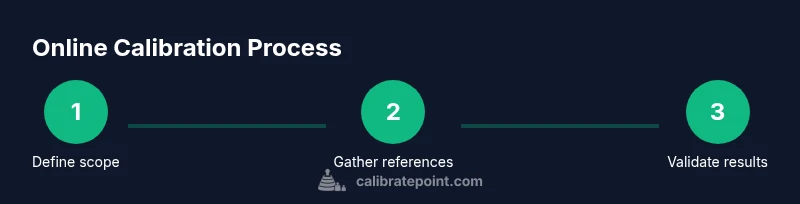
Define calibration scope
Identify what you will calibrate, the acceptable tolerances, and the reference standards that will anchor the results. Establish the operating range and environmental conditions to ensure the procedure remains valid across use cases.
Tip: Document the scope in a single, versioned file for future audits. - 2
Gather references and tools
Collect traceable reference standards, measurement tools, and the software or templates you will use. Verify that all references carry current calibration certificates and that tools are within their usable life.
Tip: Verify traceability certificates before you begin—expired certificates undermine credibility. - 3
Prepare device and environment
Ensure the device under test is warmed up if required and that the testing area is stable. Record ambient conditions such as temperature and humidity that could influence results.
Tip: Use a stable power source and avoid drafts or vibrations during measurements. - 4
Capture baseline readings
Take initial measurements with the device in its current state. Log the readings alongside reference values to establish a baseline for comparison.
Tip: Capture multiple samples to identify random noise before adjustments. - 5
Apply adjustments or parameters
Implement the calculated adjustments within the calibration software or device settings. Use precise input values and document each change with rationale.
Tip: Avoid large, abrupt changes; small, incremental adjustments improve stability. - 6
Re-measure with references
Repeat measurements using the reference standards to verify that adjustments achieved the target values. Compare to baseline and to reference values.
Tip: If results deviate beyond tolerance, revisit steps 4-5 and check for setup errors. - 7
Validate across ranges and conditions
Test at multiple points within the operating range and under representative environmental conditions. Confirm linearity or specify how nonlinearity is handled.
Tip: Document any drift or nonlinear behavior for future adjustments. - 8
Document results and versioning
Record the final calibrated state, reference values, adjustments, timestamps, and the software version used. Save raw and processed data separately with clear metadata.
Tip: Keep a secure audit trail that can be reviewed later by others. - 9
Plan next calibration and archive data
Set a calibration interval based on risk and usage, and store the current results in a centralized repository for easy retrieval during audits.
Tip: Automate reminders for upcoming calibrations to prevent drift.
Questions & Answers
What does calibrate online mean in practice?
Calibrate online means performing calibration activities using digital interfaces, remote access, and documented references instead of only manual, on-site work. It relies on traceable standards, consistent procedures, and good data logging to ensure repeatable results.
Online calibration uses digital tools and traceable references to produce repeatable results, even when you’re not hands-on in a lab.
How does online calibration differ from on-site calibration?
Online calibration emphasizes remote access, standardized workflows, and electronic records, while on-site calibration involves direct physical interaction with the device. Online methods can reduce downtime but require solid data management and reliable references.
Online methods are remote and record-driven; on-site is hands-on and immediate, with each approach having trade-offs.
What tools are essential for online calibration?
You typically need reference standards, measurement tools, calibration software or templates, a device under test, and secure data storage. Clear versioning and documentation are critical for traceability.
Essential tools include reference standards, measurement devices, software, and a secure log system.
How long does online calibration typically take?
Online calibration duration varies by device and range but generally falls in the 60 to 120 minute window for a standard check with validation.
Most online calibration tasks take about one to two hours, depending on complexity and range.
Is online calibration compliant with standards?
Yes, when you document scope, use traceable references, maintain an audit trail, and validate results. Aligning with established frameworks like ISO/IEC 17025 improves credibility.
Online calibration can meet standards if you document scope, reference traces, and keep a solid audit trail.
How can I ensure data integrity in online calibration?
Implement versioned software, secure data transfer, checksums, and separate raw versus processed data. Regular reviews and backups help maintain integrity over time.
Use versioning, secure transfer, and backups to keep calibration data trustworthy.
Watch Video
Key Takeaways
- Define scope and references before starting.
- Maintain a traceable, versioned workflow.
- Validate results across ranges and conditions.
- Document everything for audits and future calibrations.
- Automate where possible to improve consistency.