How to calibrate a Trane thermostat: a practical calibration guide
A practical, step-by-step guide to calibrate a Trane thermostat, align readings with room temperature, improve comfort, and save energy for DIY enthusiasts and technicians.


You will learn how to calibrate a Trane thermostat to improve accuracy, comfort, and energy efficiency. This guide covers baseline measurements, safe adjustments, and verification steps, plus troubleshooting tips and a simple log to track changes. By following the steps, you’ll align the thermostat display with actual room temperature and ensure consistent performance across seasons.
Why calibrate trane thermostat matters
According to Calibrate Point, calibrating a Trane thermostat is a foundational step toward reliable comfort and energy efficiency. When calibration drifts, the display can diverge from the actual room temperature, leading to overcooling or overheating and higher utility bills. A properly calibrated system helps maintain the intended setpoint, reduces temperature swings, and enhances occupant comfort. This section explains the implications of calibration drift and why timely adjustments matter for both DIY enthusiasts and professionals. The Calibrate Point team emphasizes that small, methodical changes typically yield better long-term results than large, one-off tweaks. Understanding these principles sets you up for a successful calibration of your Trane thermostat.
In practice, calibrate trane thermostat adjustments should be conservative and model-specific. Read your manual, note current readings, and avoid aggressive offsets. With patient steps, you can achieve a stable baseline that translates into real-world comfort and energy savings.
Tools and materials you’ll need
Before you start, assemble the essentials so the calibration process is smooth and repeatable. Core items include a precision screwdriver set ( Phillips and flathead), a calibrated room thermometer, a notepad and pen for logging data, and your Trane thermostat manual for model-specific guidance. A smartphone or tablet with the thermostat app is helpful for models that support app-based adjustments. Optional but useful tools include a digital laser thermometer for surface temperature checks and painter’s tape to mark reference points. Having everything ready minimizes interruptions and ensures you follow a repeatable process.
Safety and initial setup
Safety first: power down the HVAC circuit or the thermostat as recommended by your model’s manual before touching wiring or internal components. Do not touch exposed terminals unless you are following the official service procedures. If the system is integrated with a larger control network or you’re unsure about electrical work, stop and consult a professional. Work in a well-lit area, keep tools organized, and avoid loose jewelry near electrical components. When you are ready to proceed, ensure the thermostat is in a resting state (no cooling or heating active) before taking measurements.
Establish a baseline: compare readings with room temperature
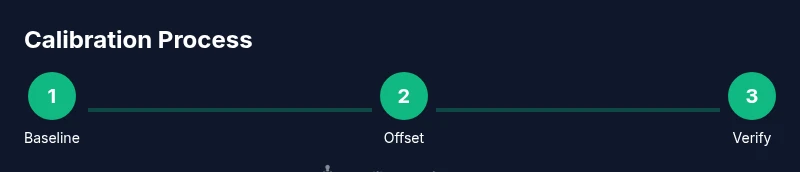
To begin calibrating trane thermostat, place a calibrated room thermometer at roughly chest height in the living area near the thermostat. After you power the system back on, observe the thermostat’s displayed temperature and compare it to the room thermometer over several minutes. If you notice a consistent gap—such as the display reading being higher or lower than actual room temperature—document the discrepancy. Record the mode (heat or cool), fan setting, and current schedule. This baseline tells you whether a minor offset is warranted and helps you track changes over time.
Adjust the calibration offset (offset method)
If your Trane thermostat model supports a calibration or offset setting, access the Settings menu and locate the Calibration or Offset option. Apply a conservative adjustment in the direction that reduces the difference between the display and the room thermometer. Start with a one-degree change and re-check after a short period. Save the new setting and re-test after several minutes to confirm the adjustment takes effect. Keep the changes incremental to avoid overshooting the target.
Verify across heating and cooling modes
After applying an offset, test both heating and cooling to verify consistency. Allow each mode to run for 5–10 minutes and compare the thermostat reading to the room thermometer again. If disparities persist, repeat the process with smaller increments (0.5–1 degree) and re-check. Document each adjustment to build a traceable calibration history that helps you diagnose future drift or seasonal shifts.
Troubleshooting common issues
If readings drift again after calibration, re-check wiring connections and sensor placement. Ensure the sensor is not shielded by furniture, curtains, or direct sunlight, and that the thermostat is not mounted near heat sources. Some models require firmware updates or factory resets to restore calibration accuracy. If you encounter persistent drift or error codes, consult the manual and consider reaching out to a technician with calibration experience.
Maintenance and when to call a pro
Regular maintenance helps thermostat calibration stay reliable: clean sensor areas, replace batteries as needed, and ensure there’s adequate airflow around the sensor. If calibration drift recurs or you’re uncomfortable performing electrical checks, a licensed HVAC technician can perform a precise calibration and verify performance with specialized tools. Pro data collection and testing reduce the risk of recurring drift and ensure long-term comfort.
Document changes and track performance
Maintain a calibration log that records the date, ambient conditions, baseline readings, offsets used, and observed comfort changes. This documentation makes it easier to compare seasons and seasons’ variations and provides a reference if you upgrade the thermostat model. Include the thermostat model number, firmware version, and any external factors that could affect readings. A clear log supports consistent calibration across years.
Tools & Materials
- Precision screwdriver set (Phillips and flathead)(Essential for accessing and adjusting thermostat screws.)
- Calibrated room thermometer(Place near the thermostat for accurate ambient readings.)
- Notepad and pen(Log readings, offsets, and test outcomes.)
- Trane thermostat manual(Model-specific calibration steps and safety guidelines.)
- Smartphone or tablet with thermostat app(Useful for models with app-based offsets and monitoring.)
- Digital laser thermometer (optional)(Helpful for surface temperature checks or sensor placement.)
Steps
Estimated time: 90-120 minutes
- 1
Power down and prep
Turn off the HVAC circuit or the thermostat itself as per the model’s manual. Confirm there is no active heating or cooling and gather all tools before proceeding. The goal is a safe, stable starting point so you can measure without interference.
Tip: Document the starting state before making any changes. - 2
Establish the baseline
Place the calibrated room thermometer near the thermostat and record the display reading alongside the actual room temperature for several minutes. Note whether the difference is consistently above or below the actual temperature and under which mode the difference occurs.
Tip: Use consistent placement and wait period for reliable baseline data. - 3
Access the offset or calibration setting
Navigate to the thermostat’s calibration/offset option in Settings. If the model doesn’t support an offset, skip to step 5 and consider sensor-related causes. Make a tiny initial adjustment (1 degree or less) toward alignment with room temperature.
Tip: If you’re unsure, refer to the manual’s exact steps for the offset feature. - 4
Apply the first adjustment
Save the adjustment and allow the system to run in the chosen mode for 5–10 minutes. Re-check the thermostat display against the room thermometer to see if the gap has narrowed.
Tip: Avoid large changes; gradual refinements yield stable results. - 5
Re-check in heating and cooling
Switch between heating and cooling to ensure the offset works in both modes. If the discrepancy reappears, adjust in smaller increments (0.5–1 degree) and re-test each time.
Tip: Document each step to maintain a clear calibration trail. - 6
Confirm stability
Once readings align within your acceptable range, observe for another 30–60 minutes to confirm stability under typical use. If values drift, re-evaluate sensor exposure and recalibrate with smaller offsets.
Tip: Consistency over time is the true test of calibration. - 7
Document and finalize
Record the final offset, model information, firmware version, and environmental notes in your calibration log. This record helps you reproduce or troubleshoot in future seasons.
Tip: Keep the log with the thermostat for quick reference. - 8
Know when to seek help
If calibration drift returns despite careful adjustments, or you feel unsure about handling electrical components, contact a licensed HVAC technician for a precise calibration and verification.
Tip: Safety first—professional calibration is a wise option.
Questions & Answers
What is calibration offset on a Trane thermostat?
A calibration offset is a small adjustment you apply in the thermostat’s calibration settings to bring the displayed temperature closer to the actual room temperature. Use conservative increments and verify results after each change.
A calibration offset is a small adjustment to align the display with the room temperature. Make incremental changes and verify results after each step.
Is it safe to calibrate a Trane thermostat myself?
Yes, it is generally safe if you follow the manual and power down for any access to wiring. If you’re unsure about electrical work or the model is integrated with advanced controls, consider professional help.
You can usually calibrate it yourself if you follow safety steps and the manual. If in doubt, get professional help.
How long does calibration take?
Plan for about 60 to 120 minutes, depending on your model, the environment, and whether you need to test both heating and cooling modes.
Usually an hour or two, depending on your setup.
What if readings still differ after calibration?
Re-check sensor placement and ensure there’s no external heat source bias. If drift persists, try even smaller offsets or consult the model manual for reset options.
If still off, check placement and consider smaller adjustments or professional help.
Should I calibrate heating and cooling separately?
Yes. Differences can appear between modes, so test and adjust in both to ensure consistent accuracy.
Yes, calibrate for both heating and cooling to keep readings aligned.
Watch Video
Key Takeaways
- Calibrate trane thermostat with small, measured offsets.
- Baseline measurements are essential for accurate calibration.
- Verify results in both heating and cooling modes.
- Document changes to build a repeatable calibration history.